2.0 Manage Project Close-Out
Print
Created by: Sheila Esmas
Modified on: Wed, 23 Sep, 2026 at 5:55 PM
1. Manage Project Close-Out
Login using your ‘Username’ and ‘Password’ and click the ‘Log-in’ button.
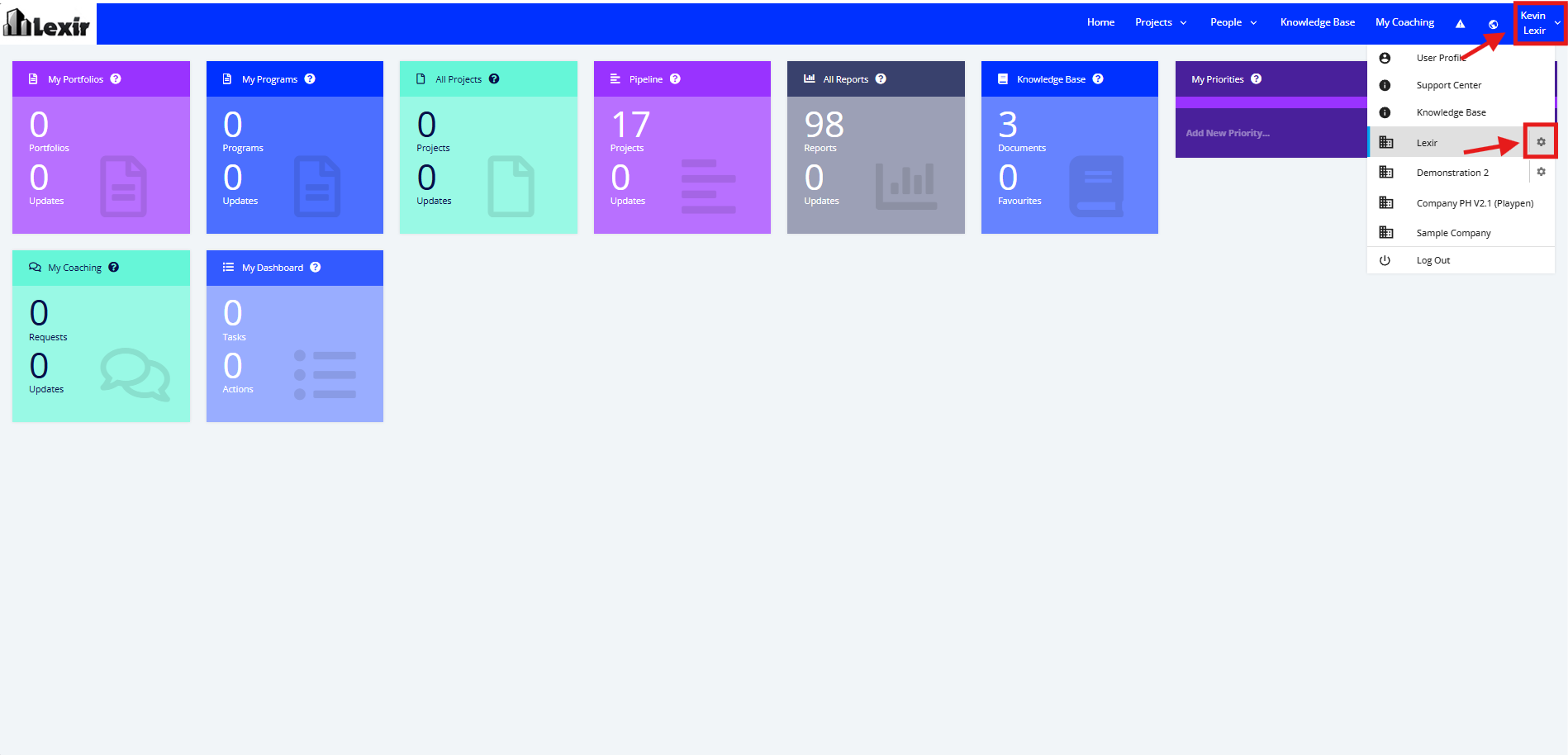
Once logged in you will reach the Company’s Homepage. Go to the Top Navigation, hover over your ‘Company Name’ then click on the ‘Edit’ icon as shown below. Once done, you will reach the Company Profile.
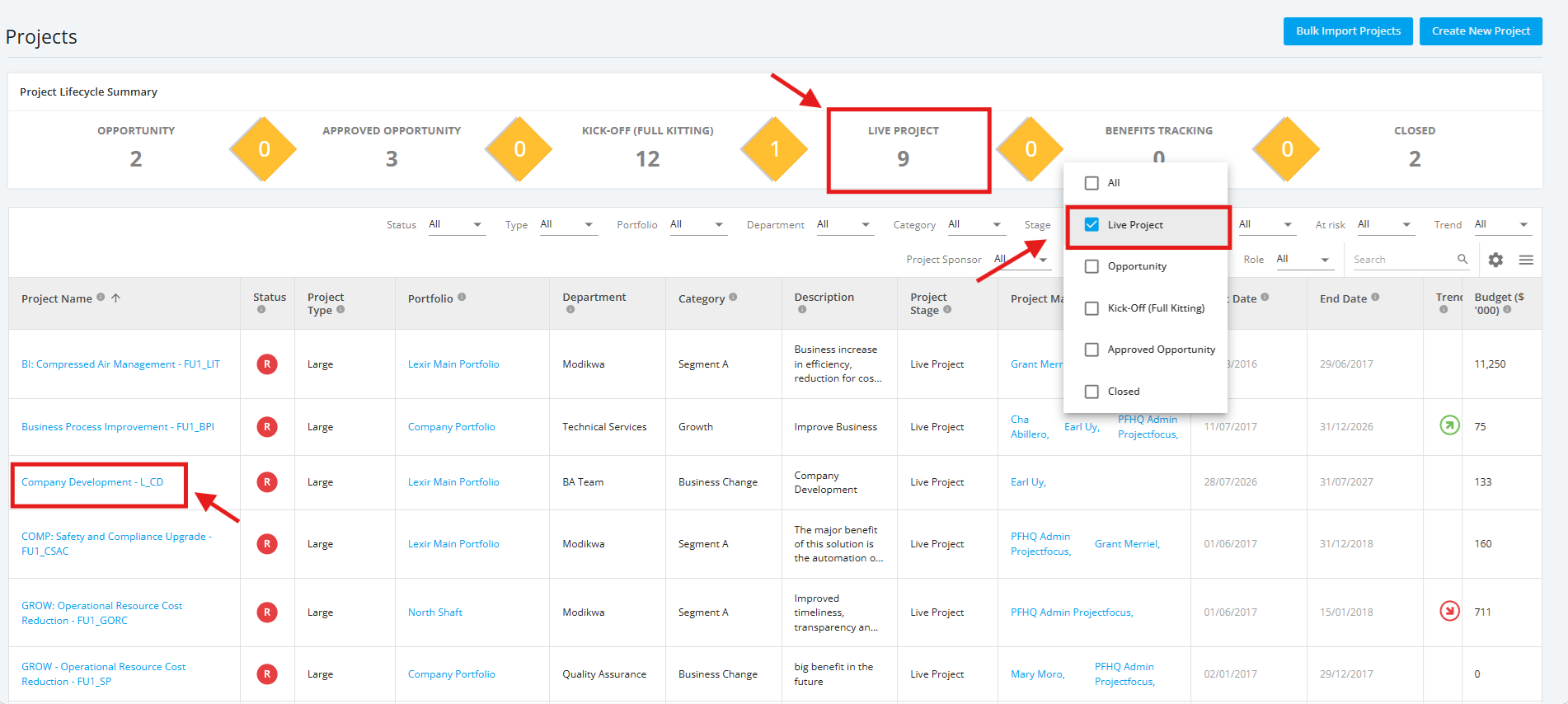
- In the ‘All Projects Dashboard’ page, click ‘Live Project’ in the Project Lifecycle Summary Table to see a display of Live projects. You can also select 'Live Project' from the 'Stage' Filter to see a display of Live projects.
Then, click the name of the project you want to close.
Note: In this section, you can only see the Projects assigned to you unless the administrator has provided you a Company Access Level to all Projects.
Sheila is the author of this solution article.
Did you find it helpful?
Yes
No
Send feedback Sorry we couldn't be helpful. Help us improve this article with your feedback.