1. Add Project Close Out Field Report Field
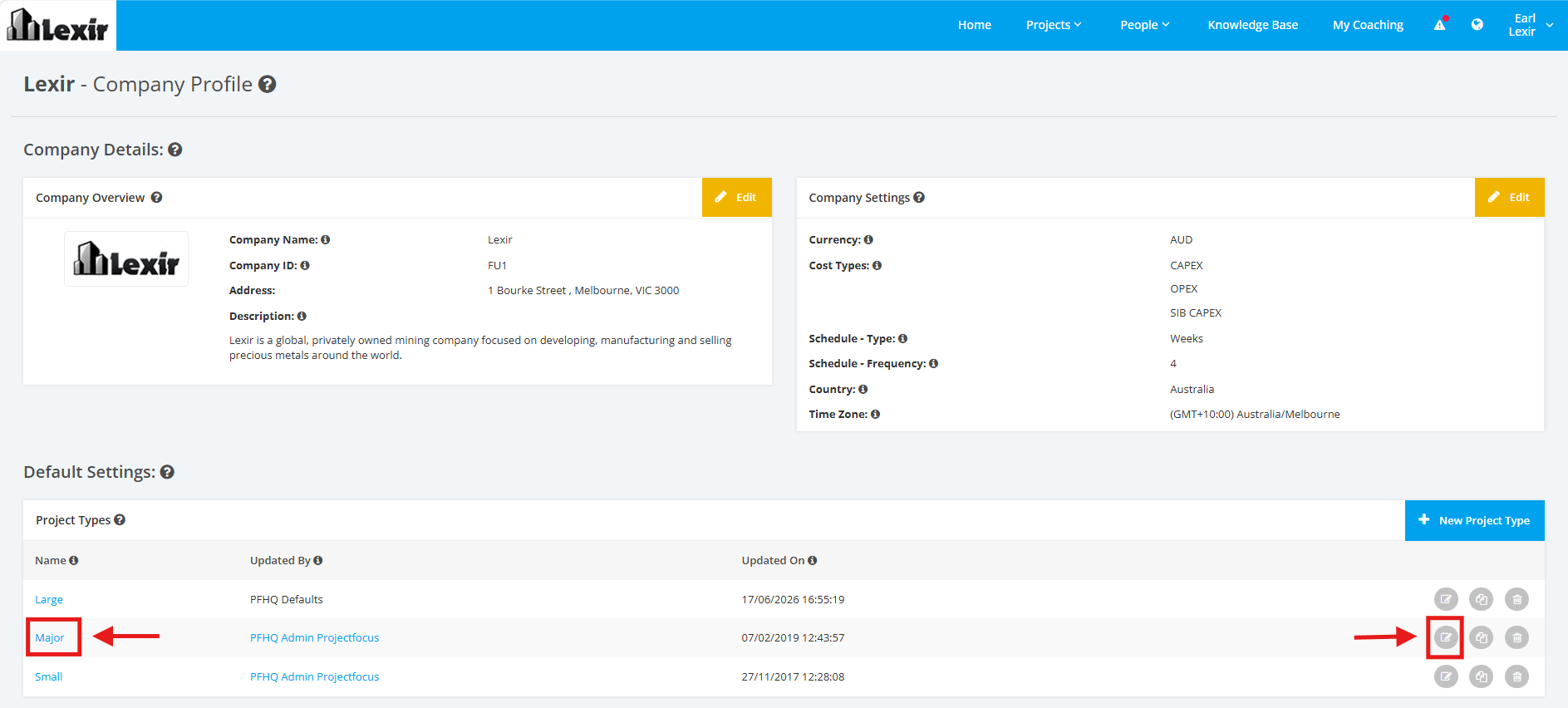
1. Within the Company Profile, navigate to the ‘Default Settings’ section then ‘Project Types’. Click the ‘Edit’ icon or the name of the Project Type.
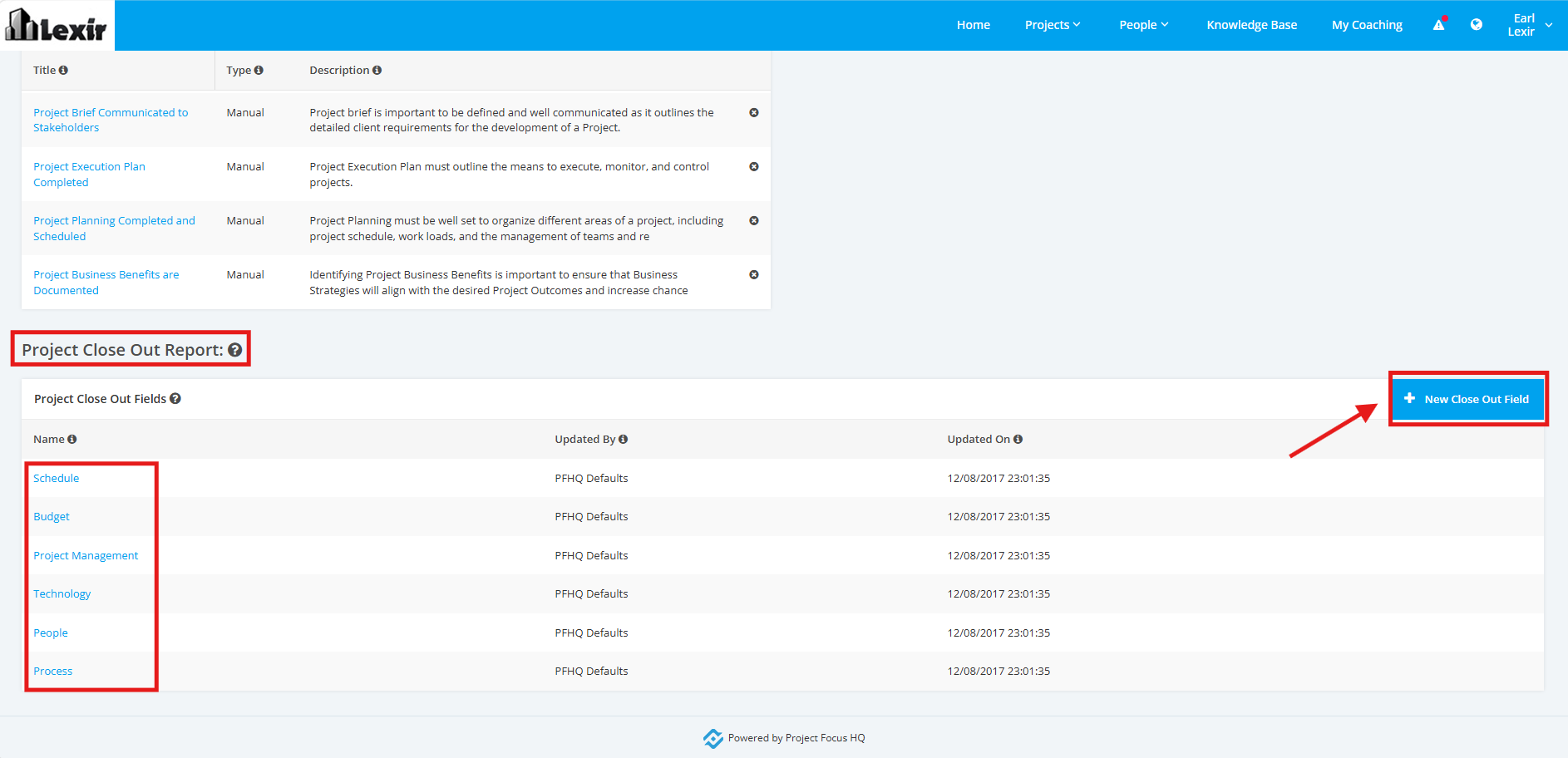
2. On the Project Type Settings page, scroll to the ‘Project Close-Out Report’ section then the ‘Project Close Out Fields’ list. Then, click the '+ New Close Out Field' button.
Note that there are 6 default Close Out Fields:
- Schedule
- Budget
- Project Management
- Technology
- People
- Process
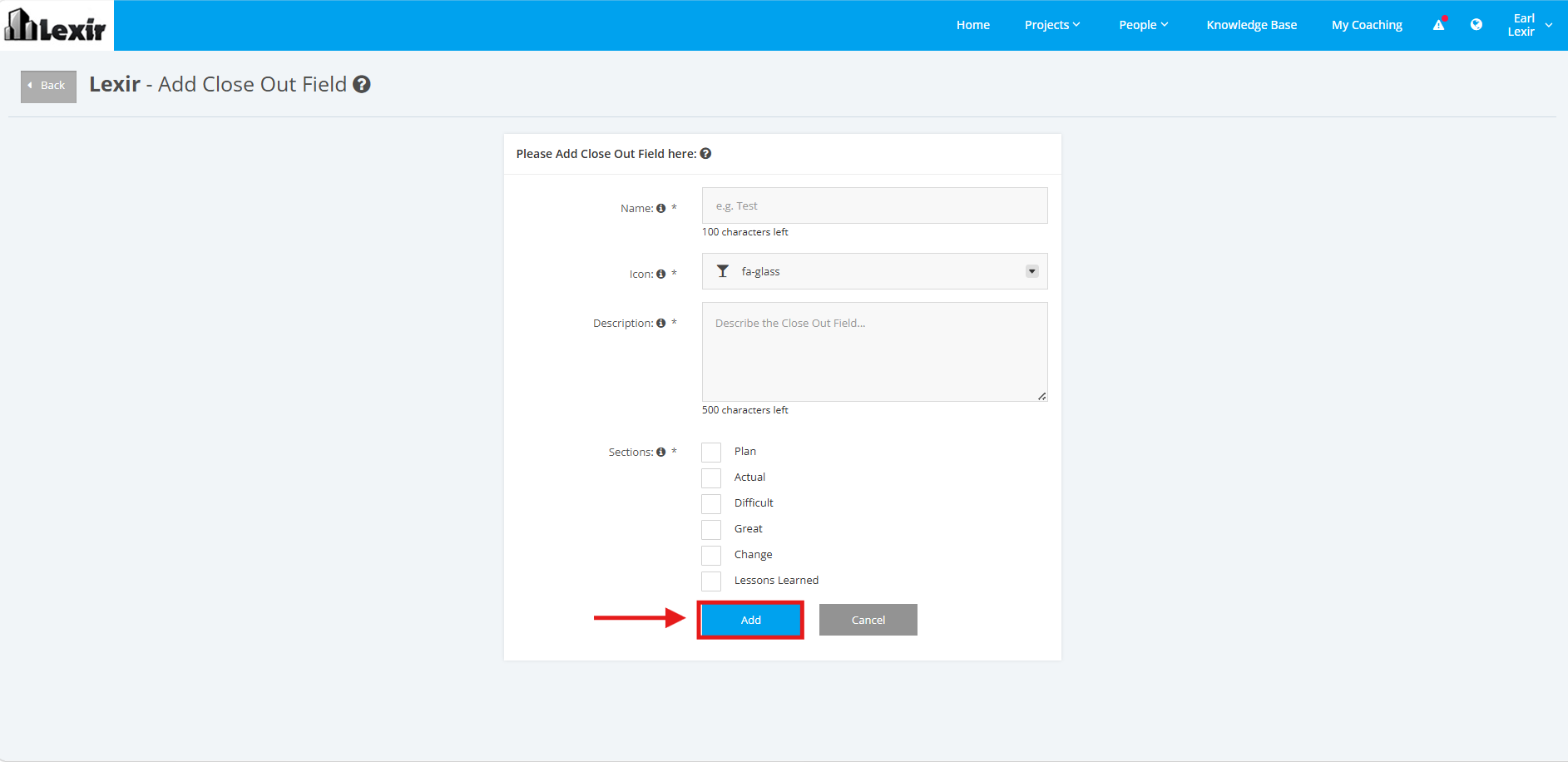
3. Fill up the necessary details: 'Name', 'Icon', 'Description'.
Tick the sections you want to include for your Project Close Out Report Field.
Sections you can include are: Plan, Actual, Difficult, Great, Change, Lessons Learned.
Once completed, click the "Add" button to save changes.