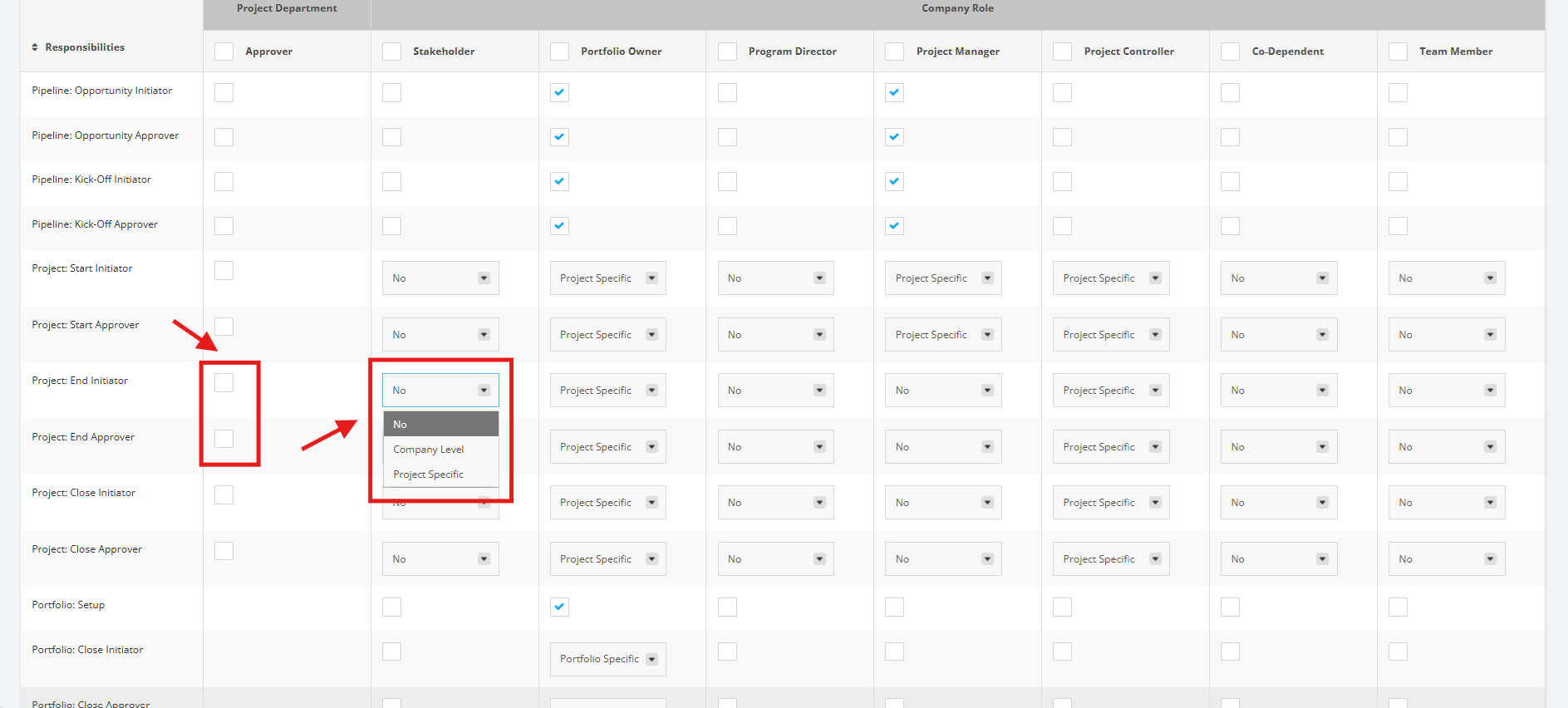
1. Set-up End Approver Responsibilities
Within the Company Profile, scroll down to the "Approver Responsibilities" section. This is the section where you can assign responsibility to a User.
Once you’ve reached the "Approver Responsibilities" section, go to the ‘Project: End’ rows.
'Project: End Initiator' - User in role can submit an Execution Project for review. This is for projects whose next stage is the Benefits Tracking Stage.
'Project: End Approver' - User in role can approve an Execution Project. This is for projects whose next stage is the Benefits Tracking Stage.
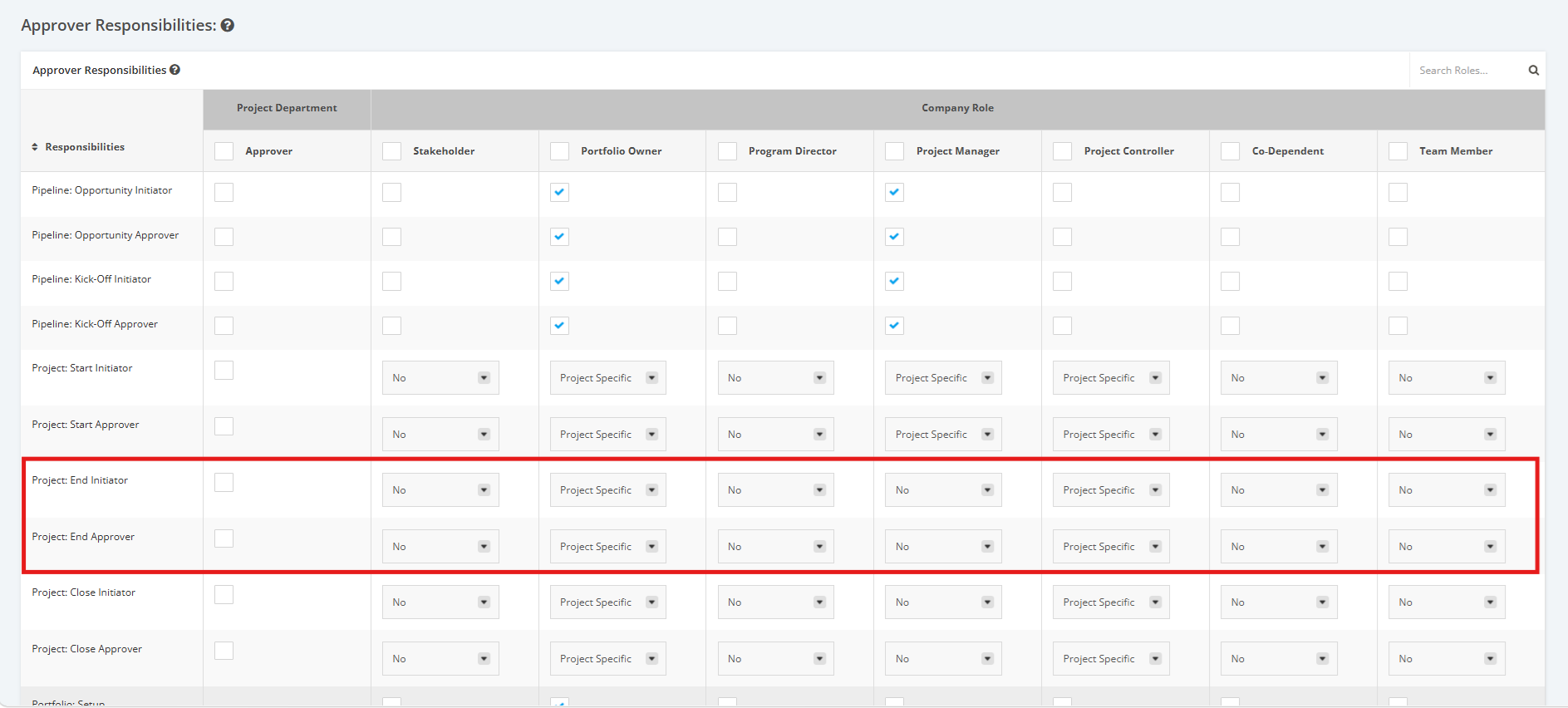
2. Click the dropdown menu and then assign a User Role to their corresponding Approver level to Execution projects.
- No - User doesn't have permission to submit any Execution project to Benefits Tracking
- Company Level- User has permission to submit a project from Execution to Benefits Tracking (given that it's only for projects user has permission to View/Update)
- Project Specific- User has permission to submit a project from Execution to Benefits Tracking but only for those assigned to a specific role in Project Settings.
For Project Department Approvers:
- Tick the checkboxes to make a Role an Approver in the ‘Project: End Approver’ row or the ‘Project: Start Initiator’ row.
- Untick the checkboxes to remove an Approver’s right from a Role.