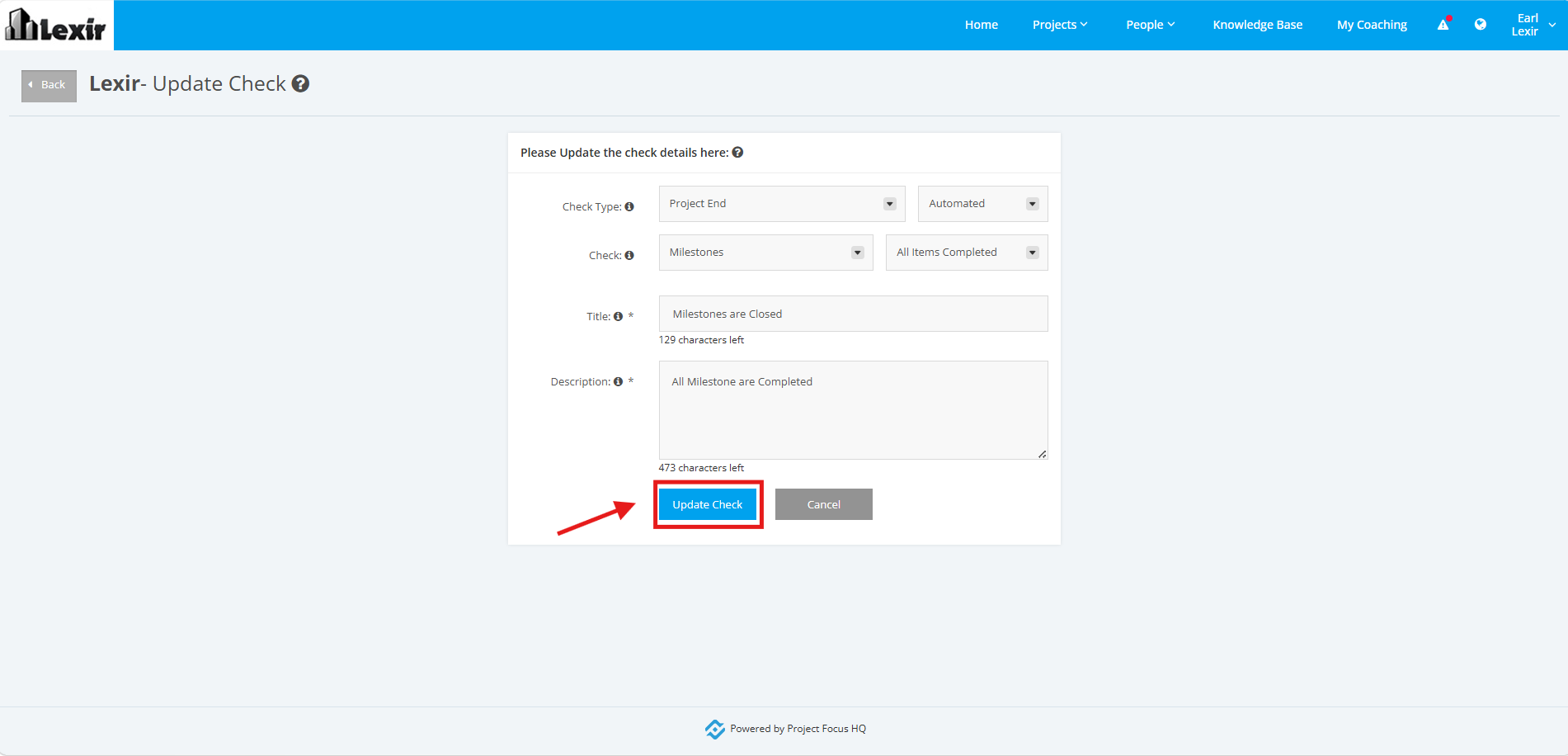
1. Project Type – Update Execution to Benefits Checklists
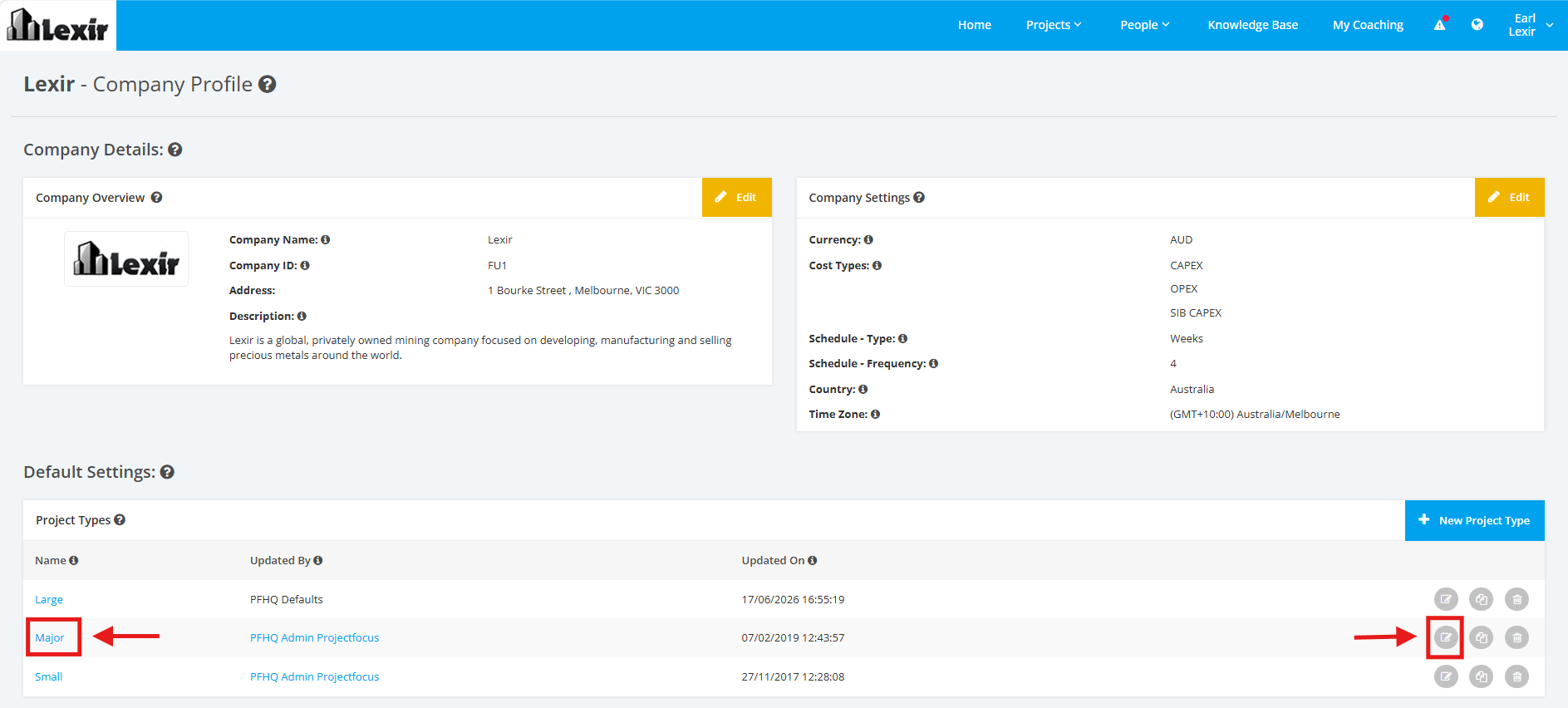
1. Within the Company Profile, navigate to the ‘Default Settings’ section then ‘Project Types’. Click the ‘Edit’ icon or the name of the Project Type.
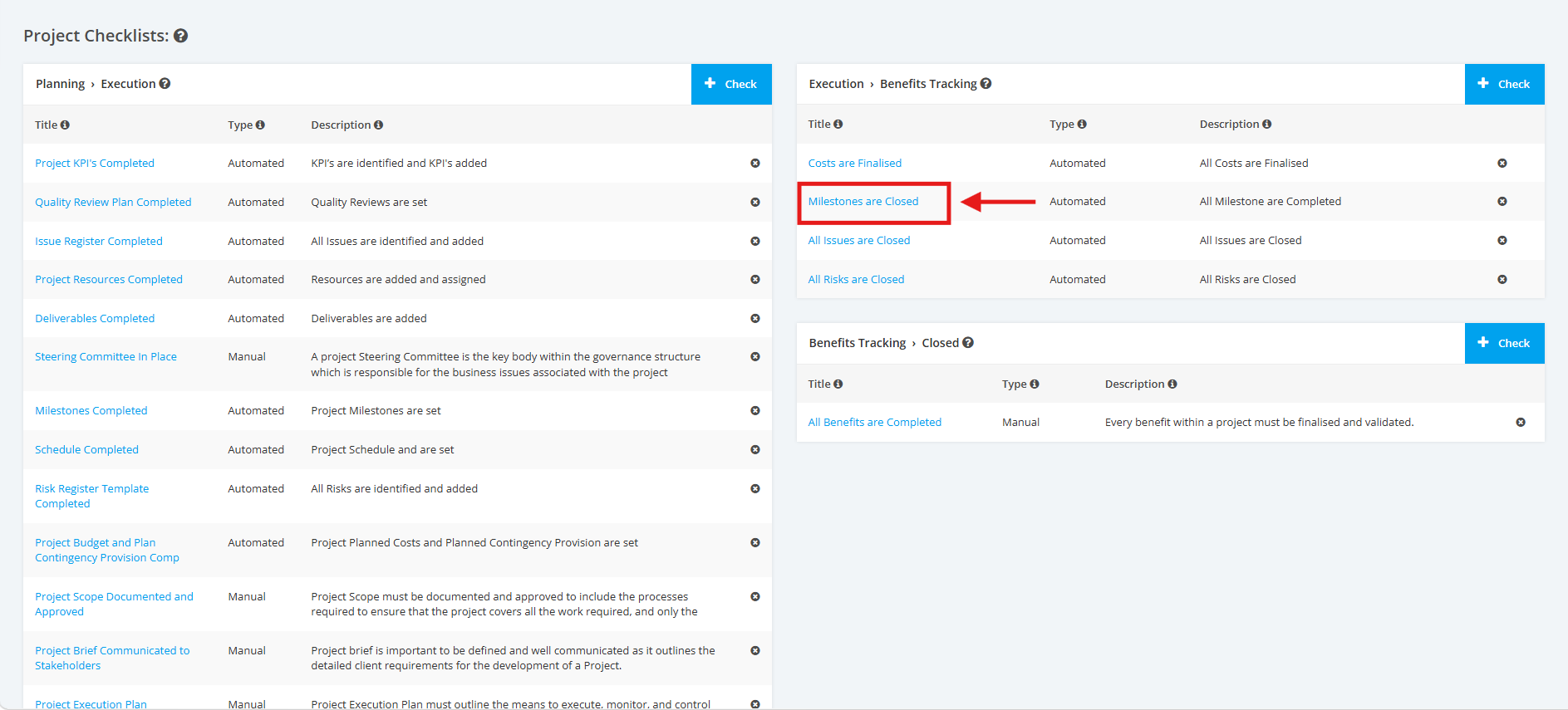
2. On the Project Type Settings page, scroll to the ‘Project Checklists’ section then the ‘Execution > Benefits’ list. Click the ‘Title’ of the Project Execution to Benefits Checklist that you want to update.
3. Then click the ‘Update’ button.

4. Make changes when necessary. Once complete, click the ‘Update Check’ button to save the changes.