
1. Update Deliverable Action
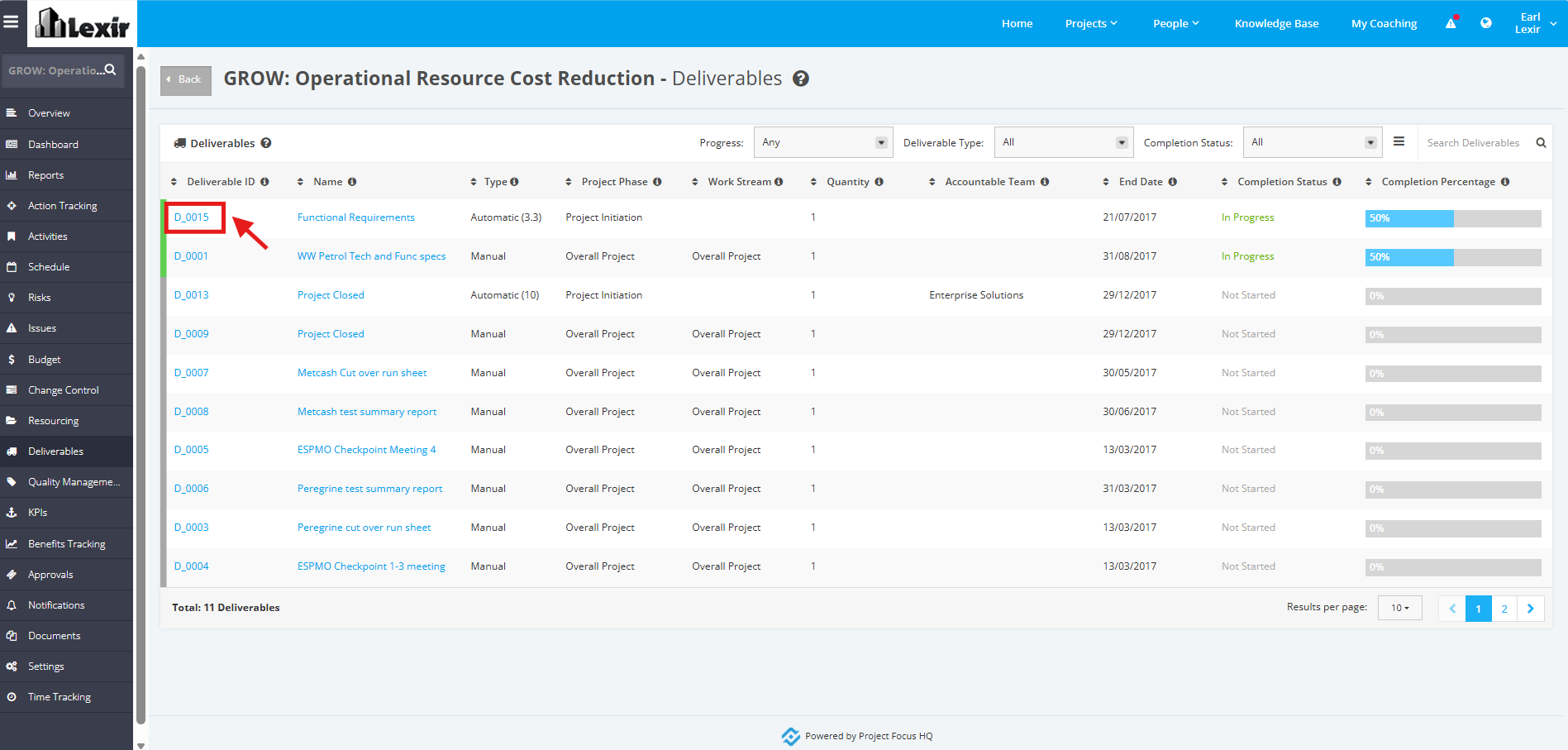
1. In the ‘Deliverables’ table, click the ID of the Deliverable that you want to update an Action with.
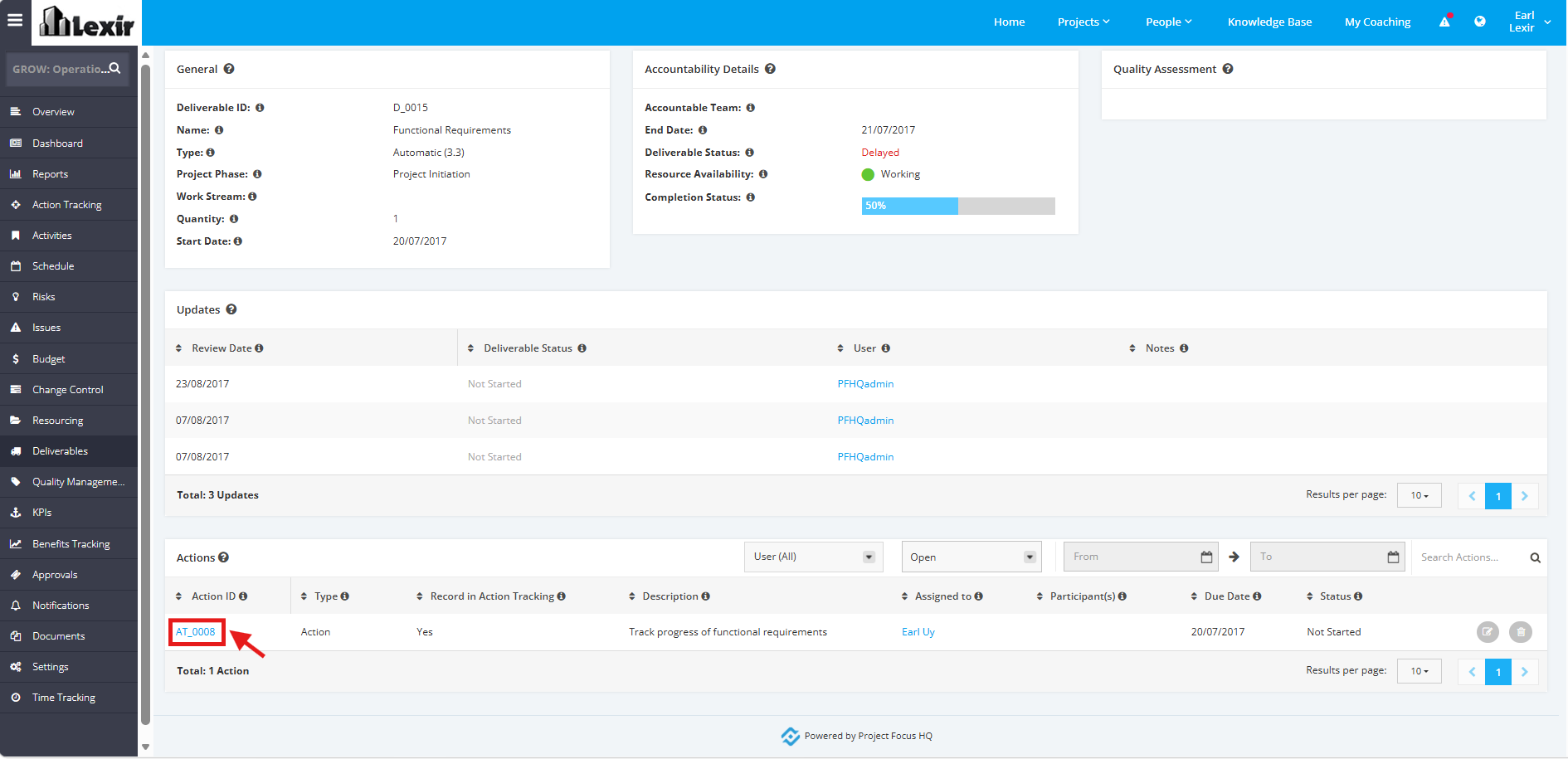
2. Once redirected to the ‘Deliverable Details’ page, scroll down to the ‘Actions’ section and click the ‘Action Item’.
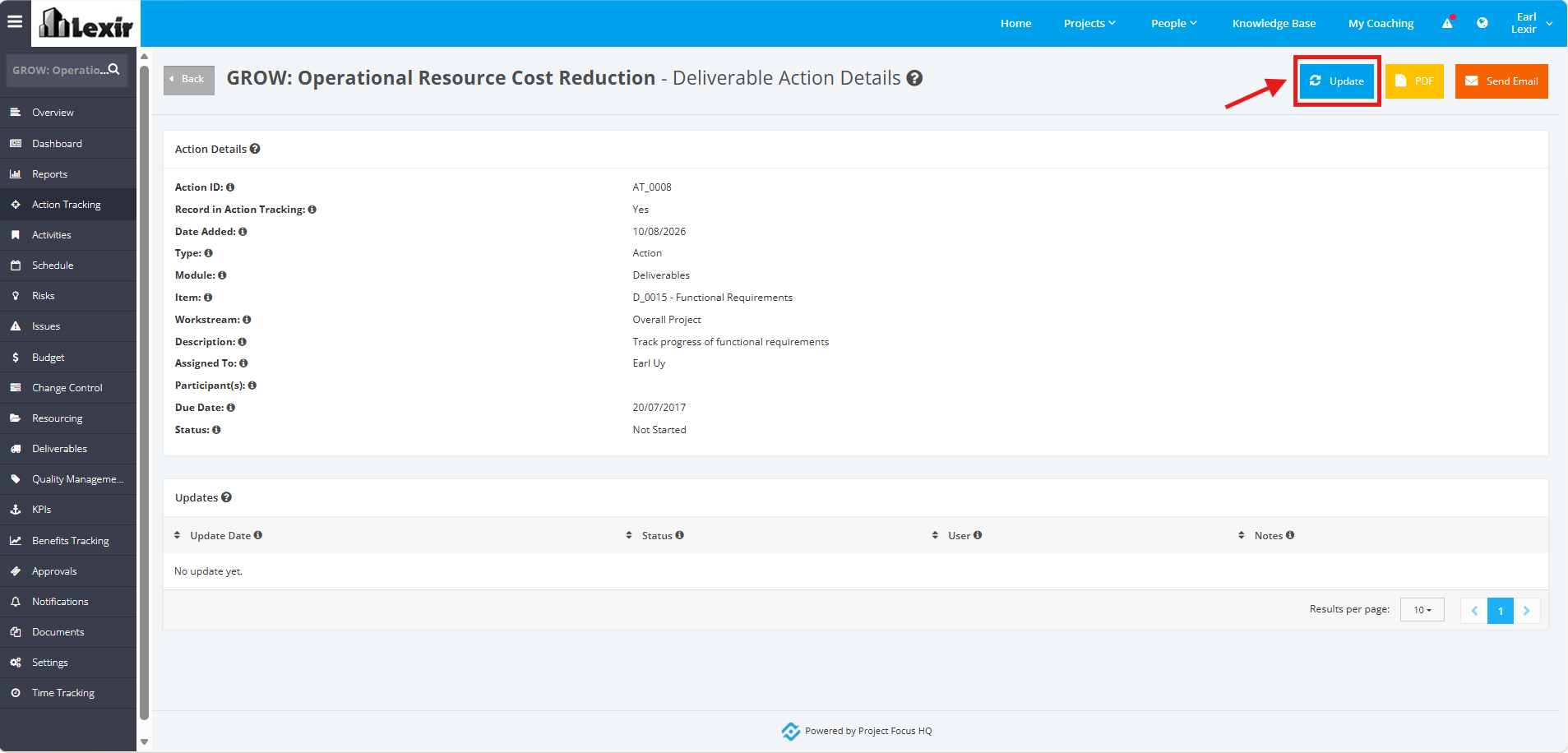
3. Click the ‘Update’ button within the ‘Deliverable Action Details’ page.
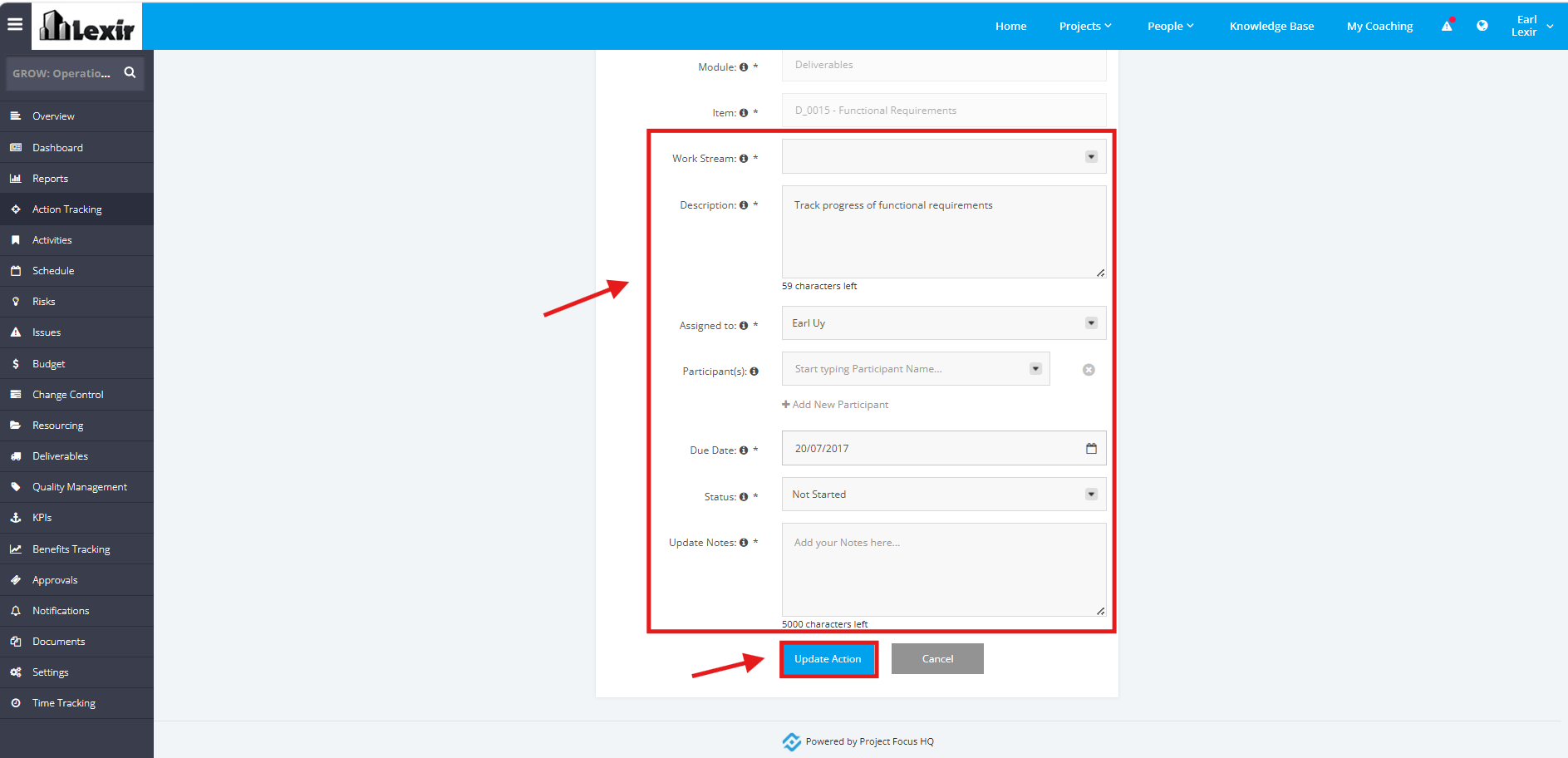
4. Start updating the fields (Work Stream, Description, Assigned to, Due Date, Status). Once done, click on the ‘Update Action’ to save changes.
TIP: You can also click the pencil icon to directly update the Action Item.
