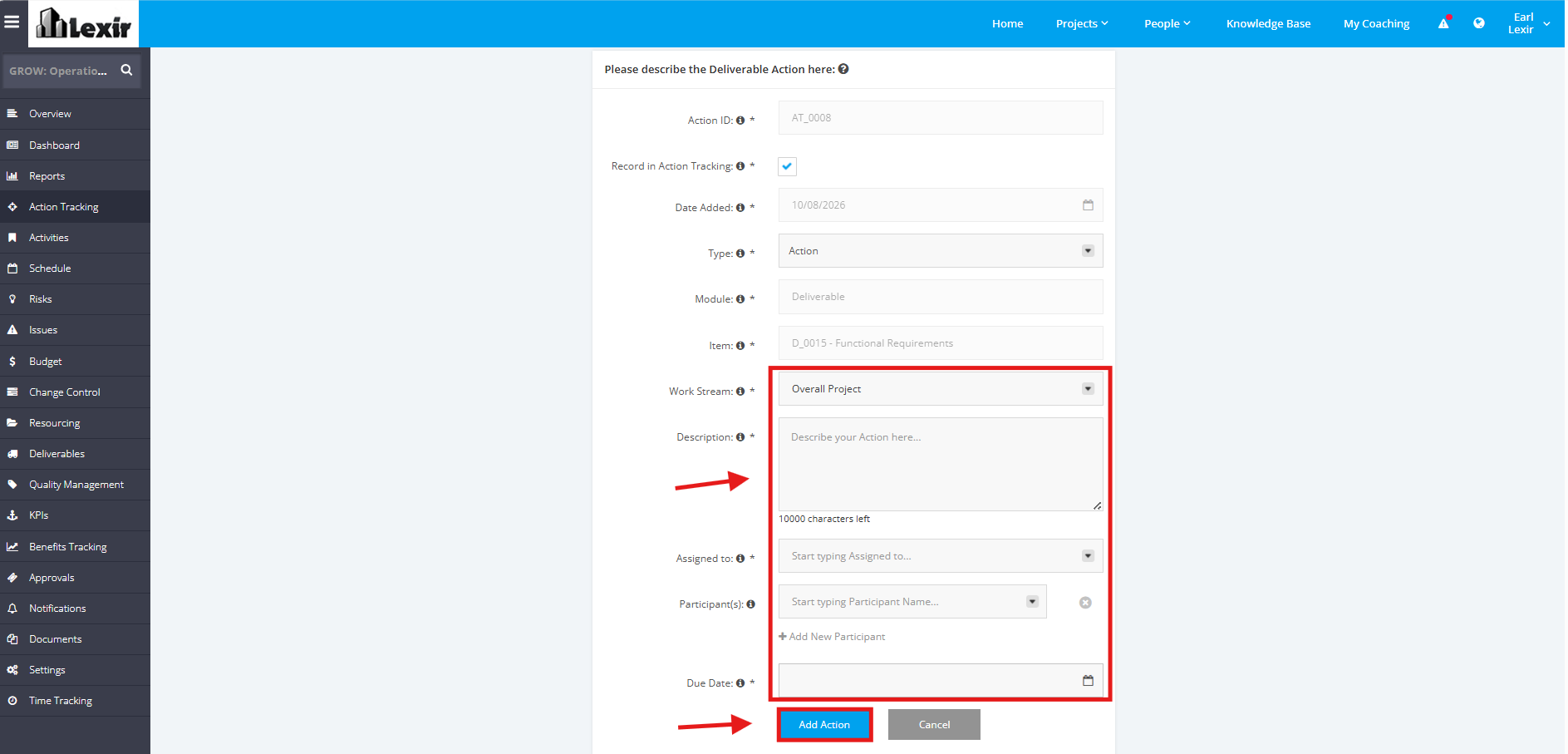
1. Assign an Action to a Deliverable
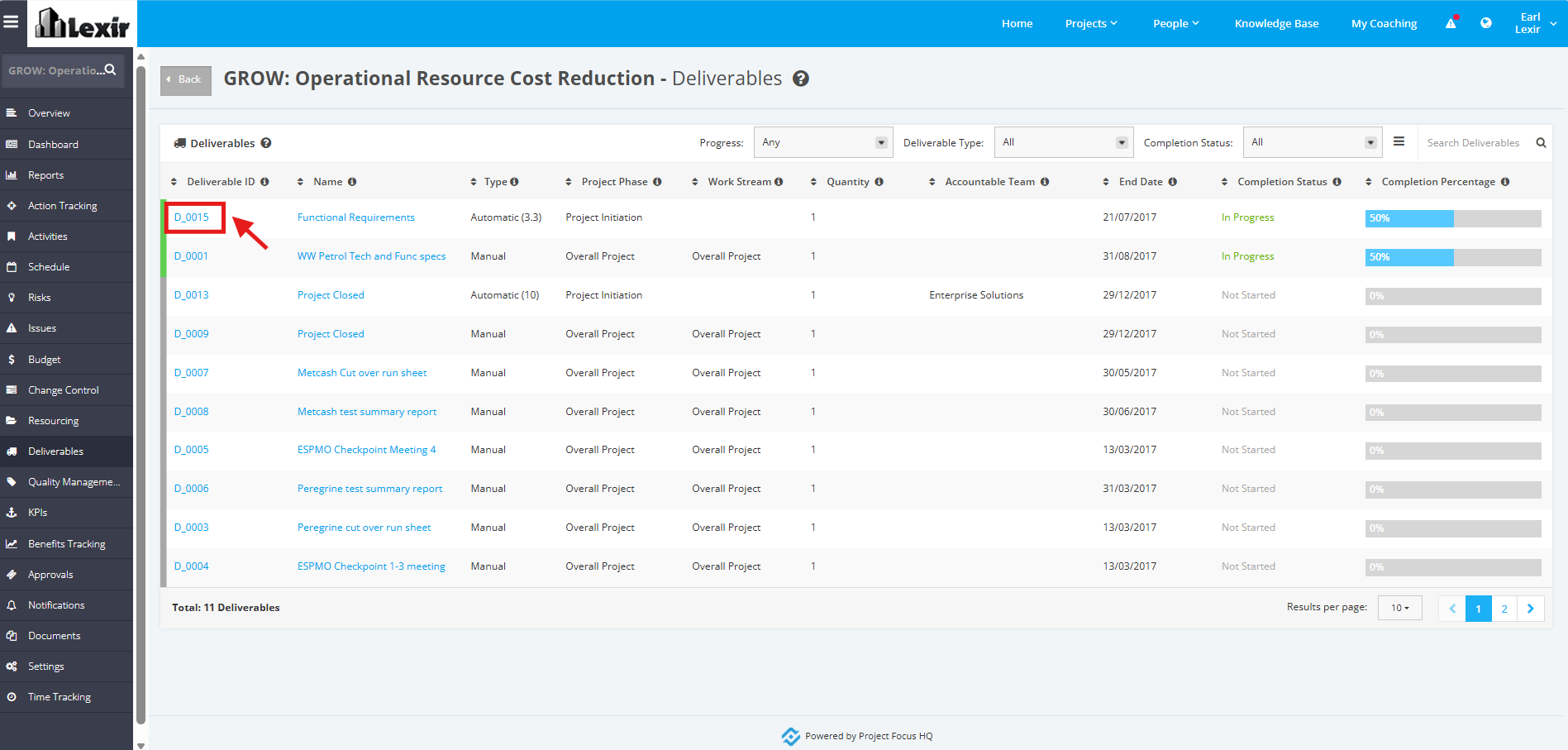
1. In the ‘Deliverables’ table, click the ID of the Deliverable that you want to assign an action with.
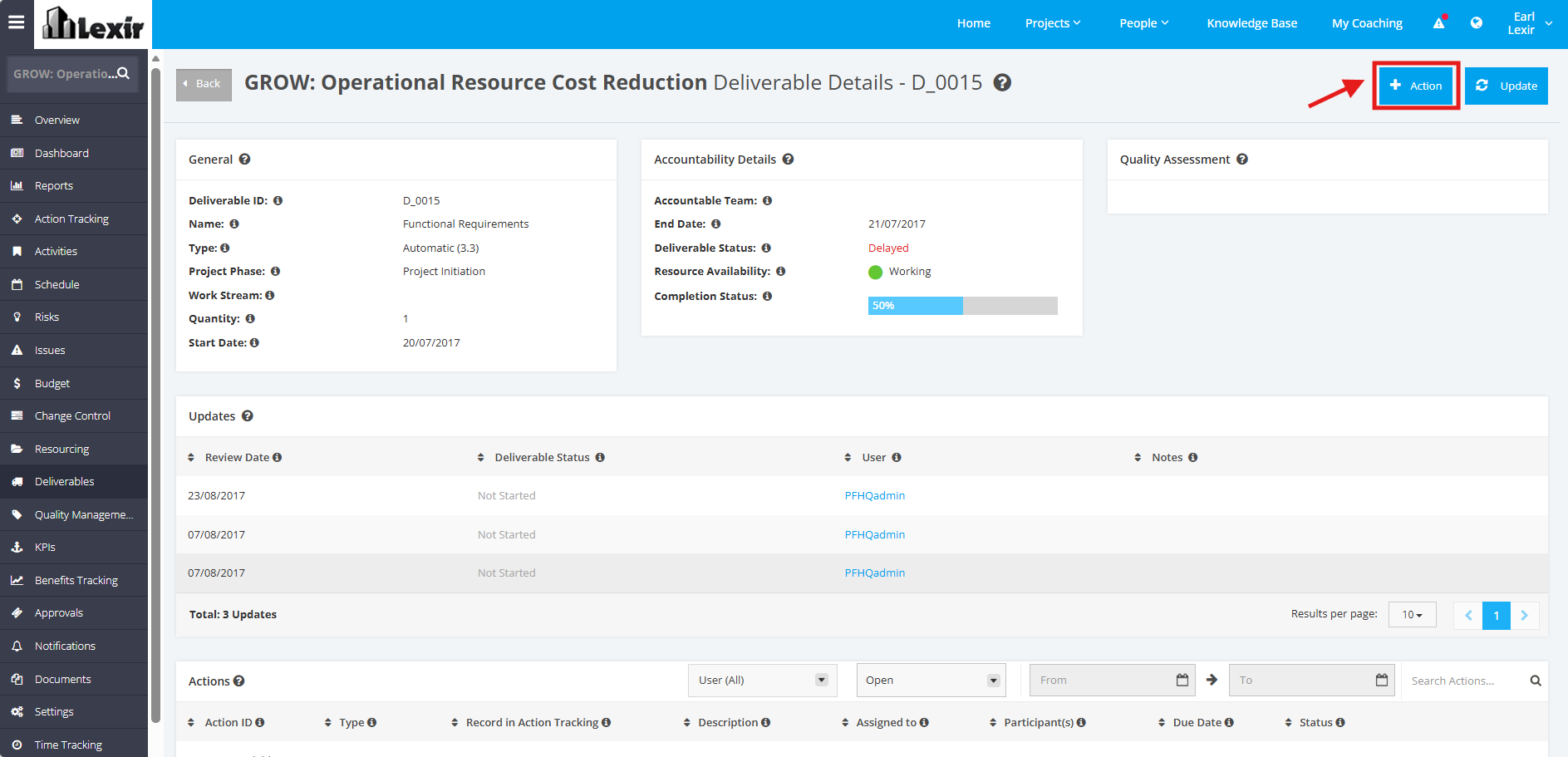
2. Once redirected to the ‘Deliverable Details’ page, click the ‘+Action’ button.
3. Fill in the necessary fields (Work Stream, Description, Assigned to, Due Date). Then, click the ‘Add Action’ button to save the new action.