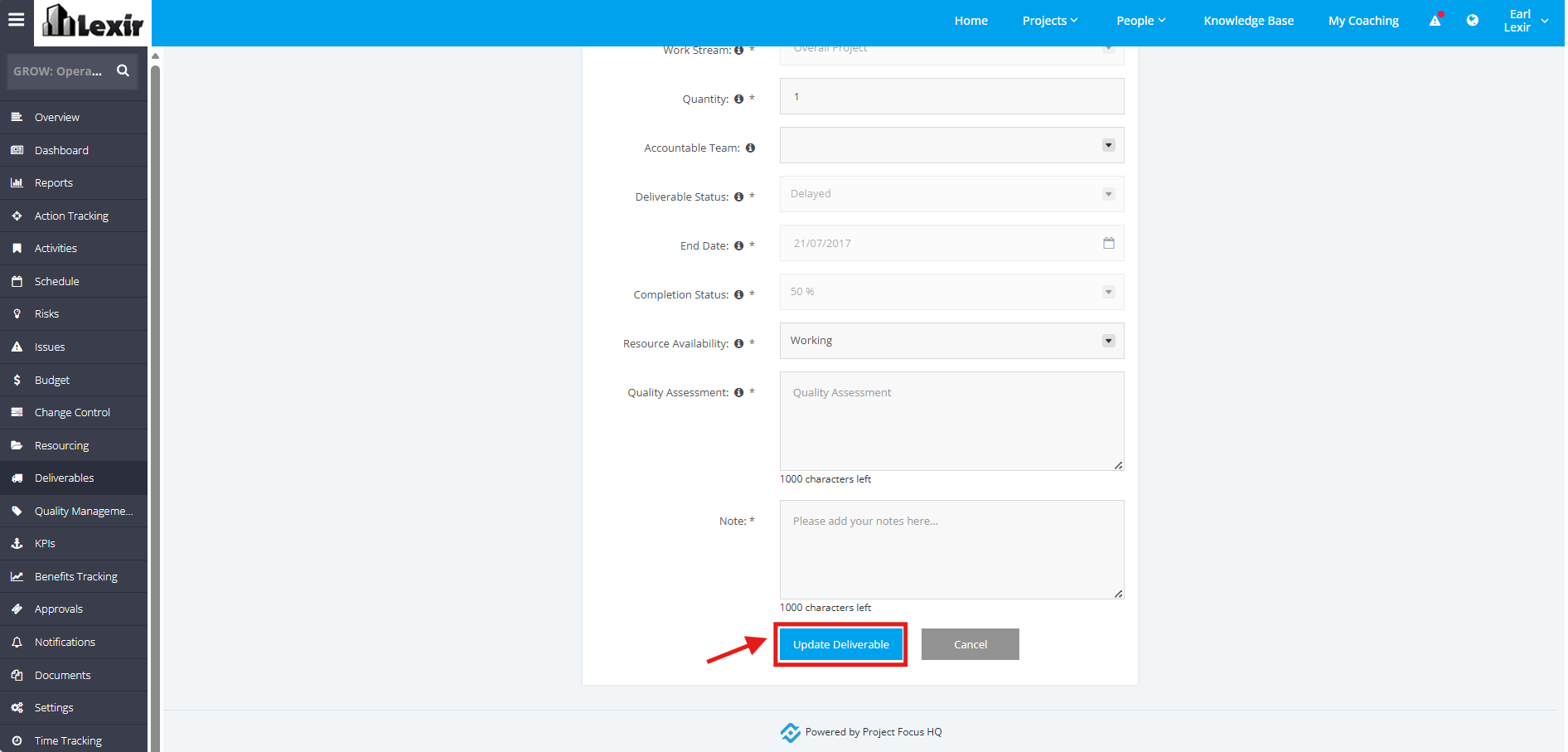
1. Update Project Deliverables
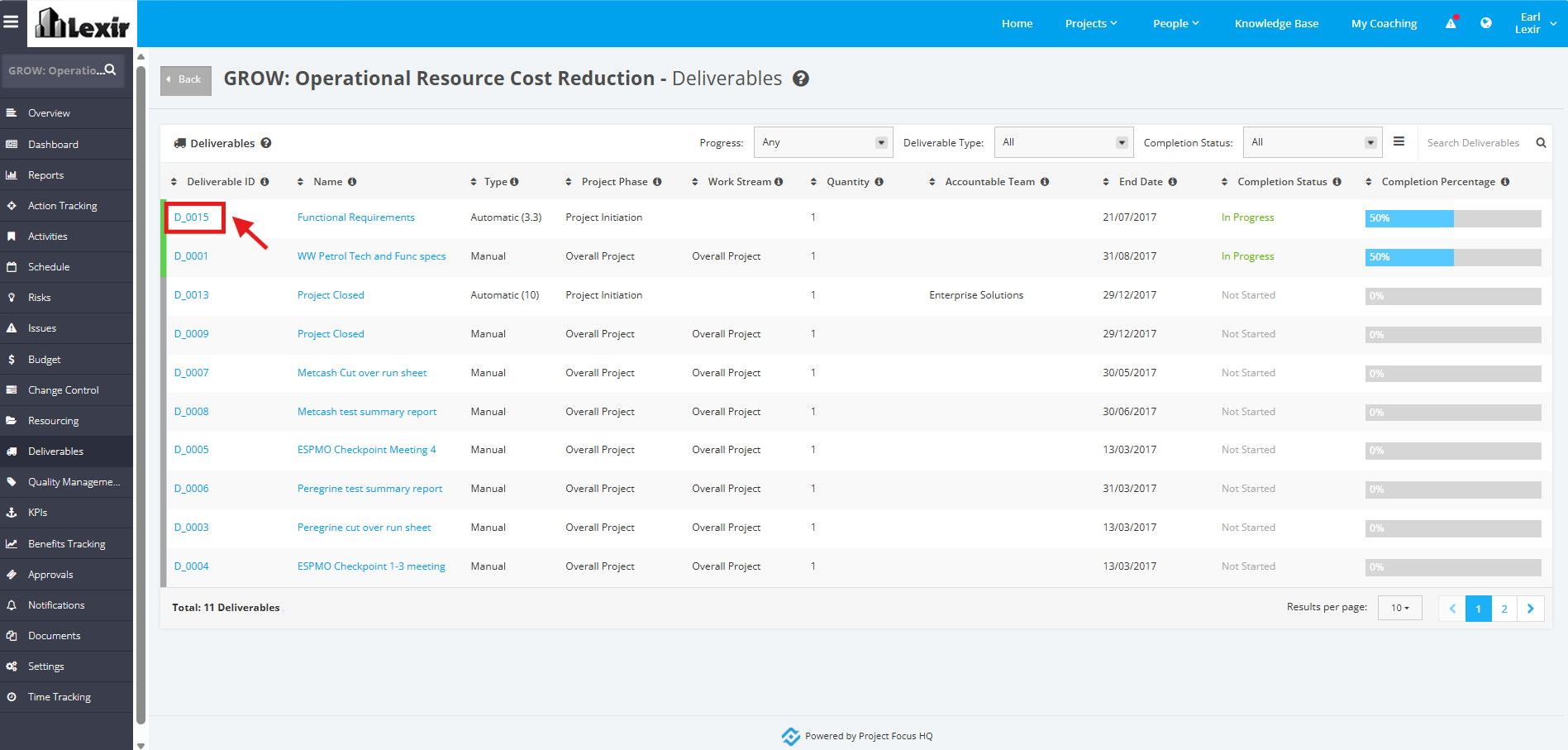
1. In the ‘Deliverables’ table, click the ID of the Deliverable that you want to update.
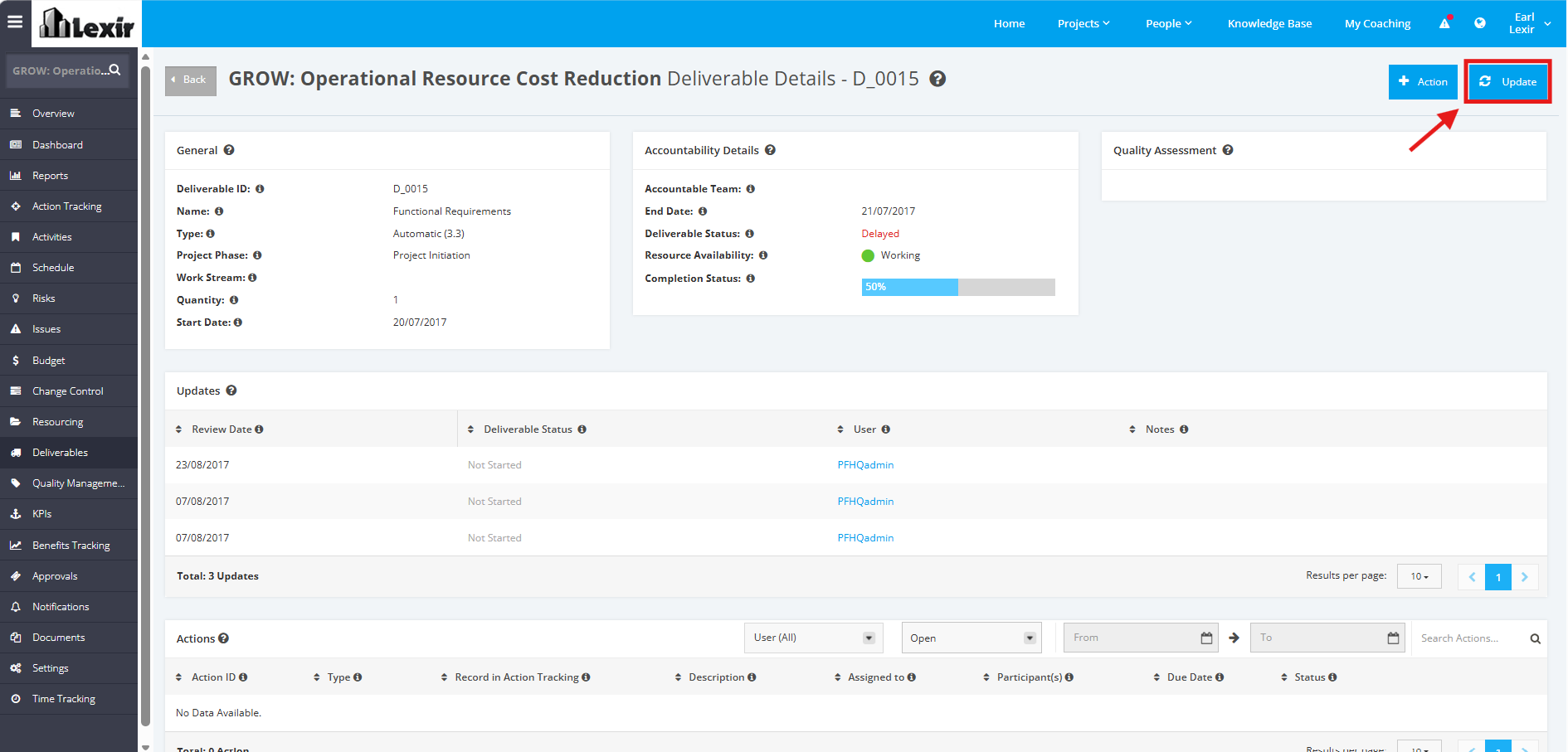
2. Once redirected to the Deliverable details page, click the 'Update' button.
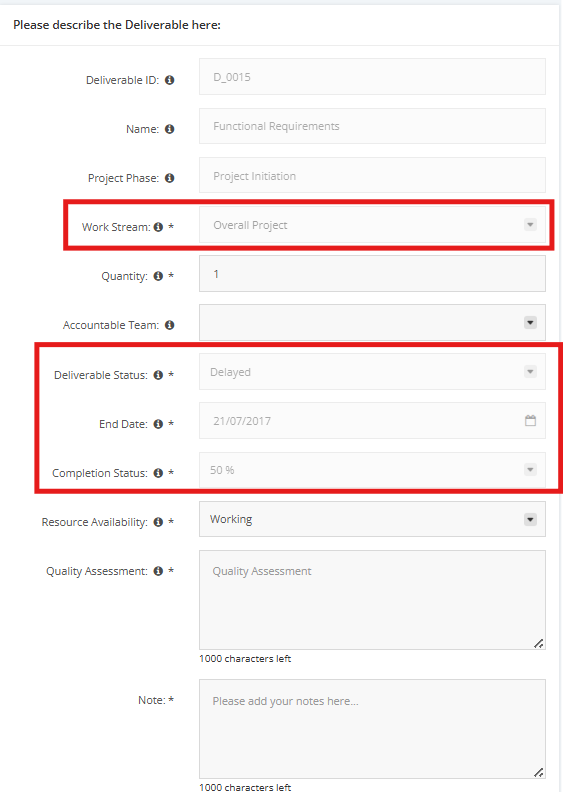
3. Update the necessary information for the Deliverable. These are the following fields that can be updated:
- Quantity - The number of deliverables required to be completed in order to fully complete the deliverable
- Accountable Team - The department accountable for a specified deliverable
- Resource Availability - The status can fall under 3 categories:
* Working- 100% full capacity
* Under resourced by half- 50% or more capacity not available
* Under resourced by a quarter- 25% required resources not available - Quality Assessment - Results and findings of a quality assessment review of the deliverable. It is important to highlight any current or potential issues related to the deliverable. Project Managers can use the information from this section to implement mitigation measures to ensure a deliverable is executed effectively.
- Note - Additional information for the deliverable
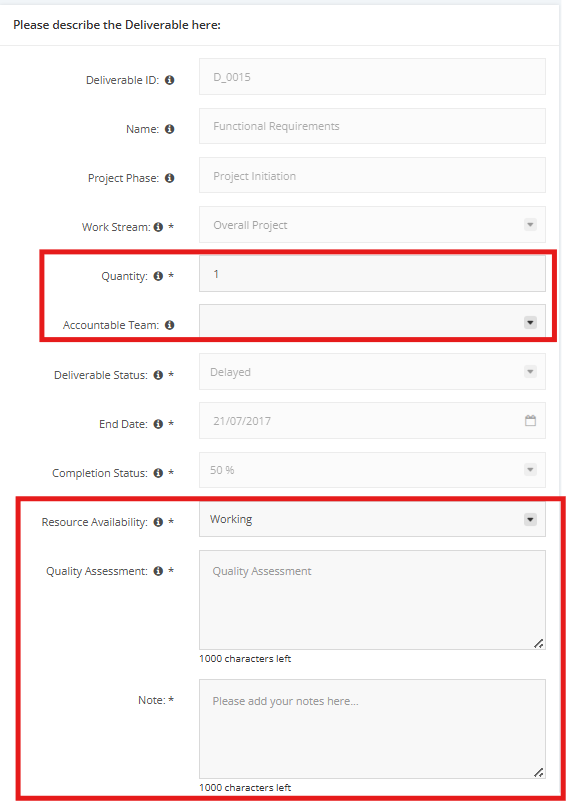
Though the following fields are marked as required, they are automatically inputted.
- Work Stream
- Deliverable Status - The current status of a deliverable. Project Managers can refer to this field to assess the progress of a deliverable. The status types include:
* Not started - work on the deliverable has not commenced
* Delayed - deliverable is not completed and end date in the past
* Expected delay - deliverable is not completed but end date in the future
* On target - deliverable in progress and expected to be completed by due date
* Completed- The Deliverable is 100% completed - End Date
- Completion Status - The actual percentage completed as updated by the Owner or Project Manager
4. Once all required details have been filled up, click the "Update Deliverable" button.