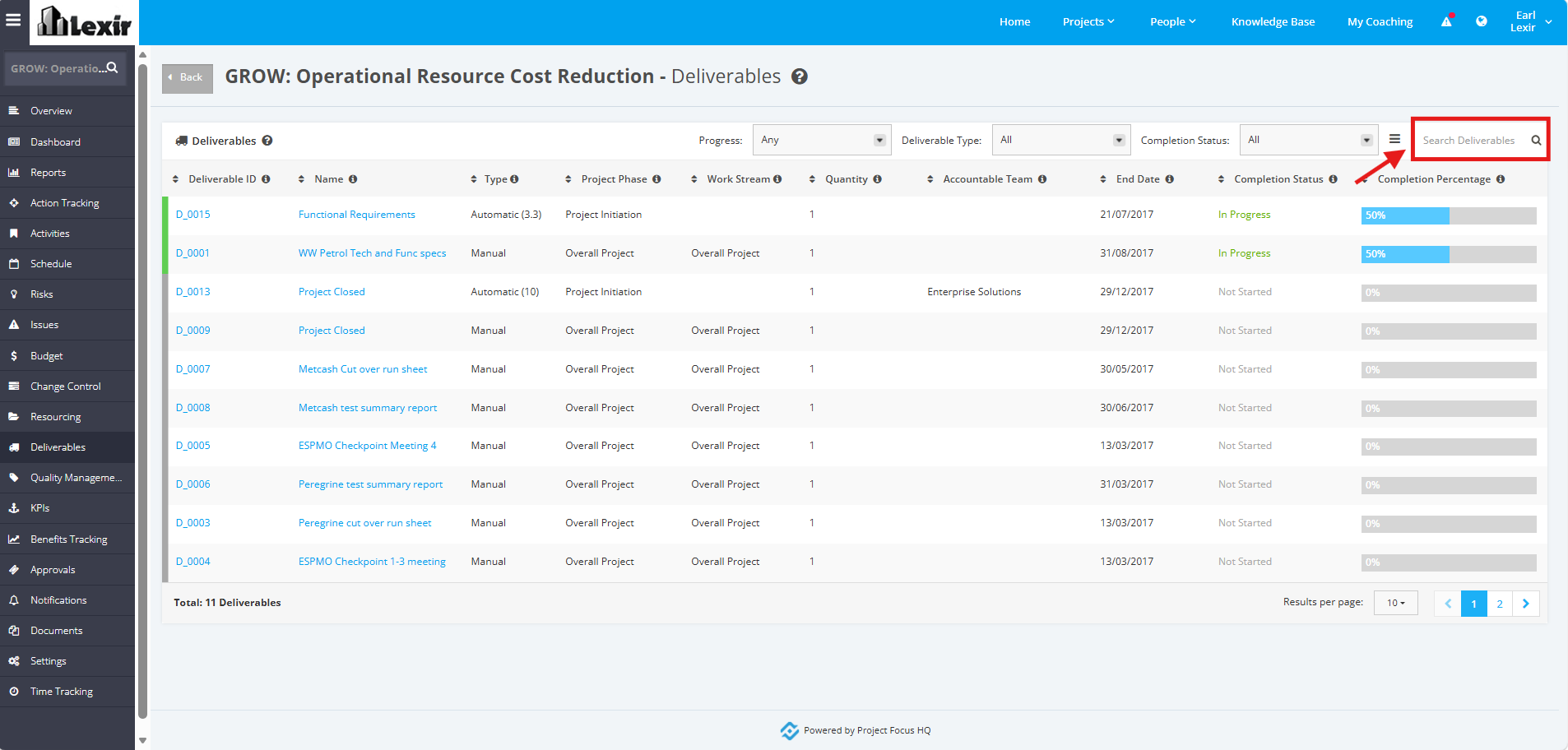
1. Navigating Project Deliverables
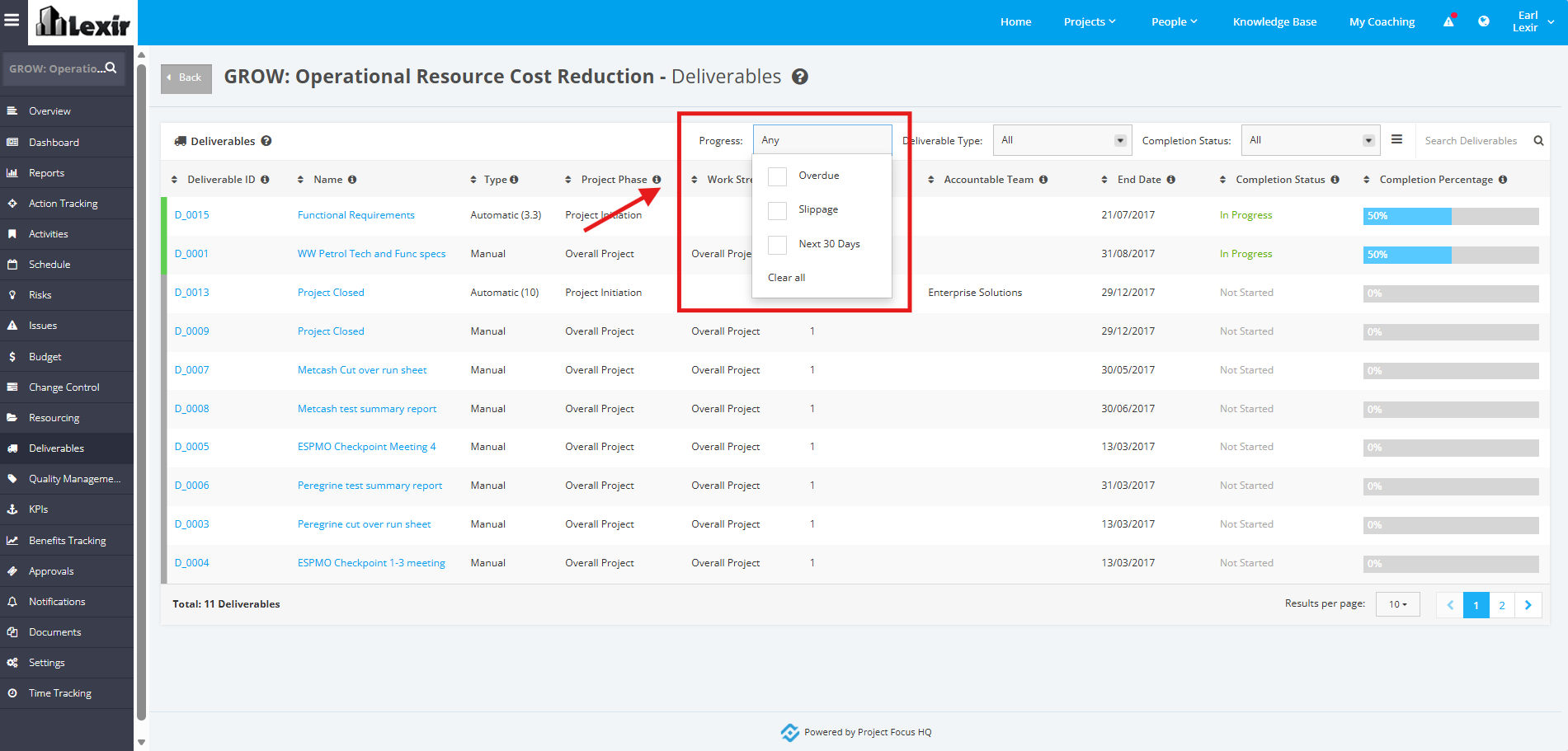
1. User can filter the Deliverables by 'Progress'. Click the 'Progress' filter and tick any of the checkboxes: ‘Overdue’, ‘Slippage’ or ‘Next 30 Days’. To clear the checkboxes ticked, click 'Clear all'.
Deliverables will be displayed based on the ticked checkboxes.
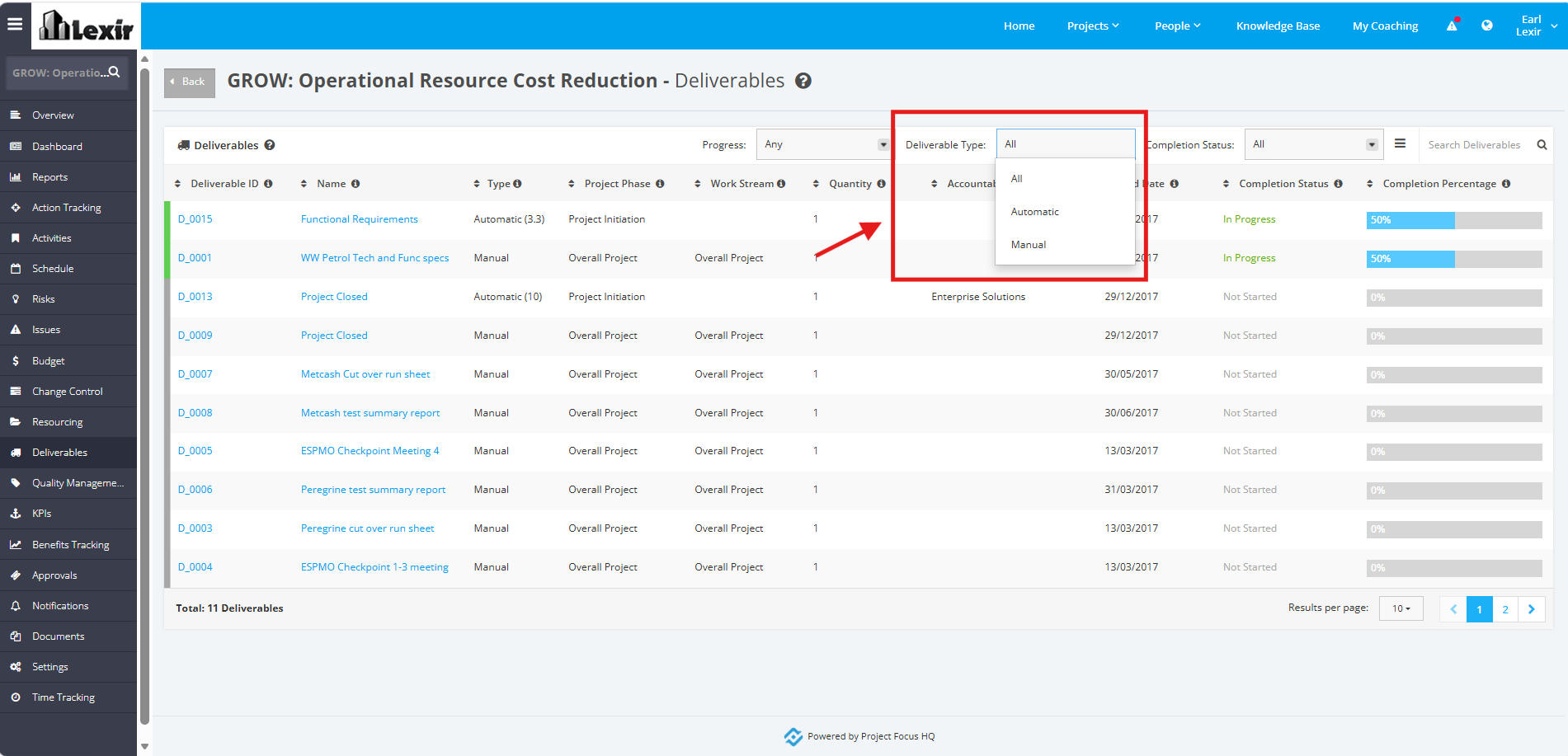
2. User can filter the Deliverables by 'Deliverable Type'. Click the 'Deliverable Type' dropdown and select the Type to be displayed: 'All', 'Automatic', or 'Manual'.
Deliverables will be displayed based on the selected option.
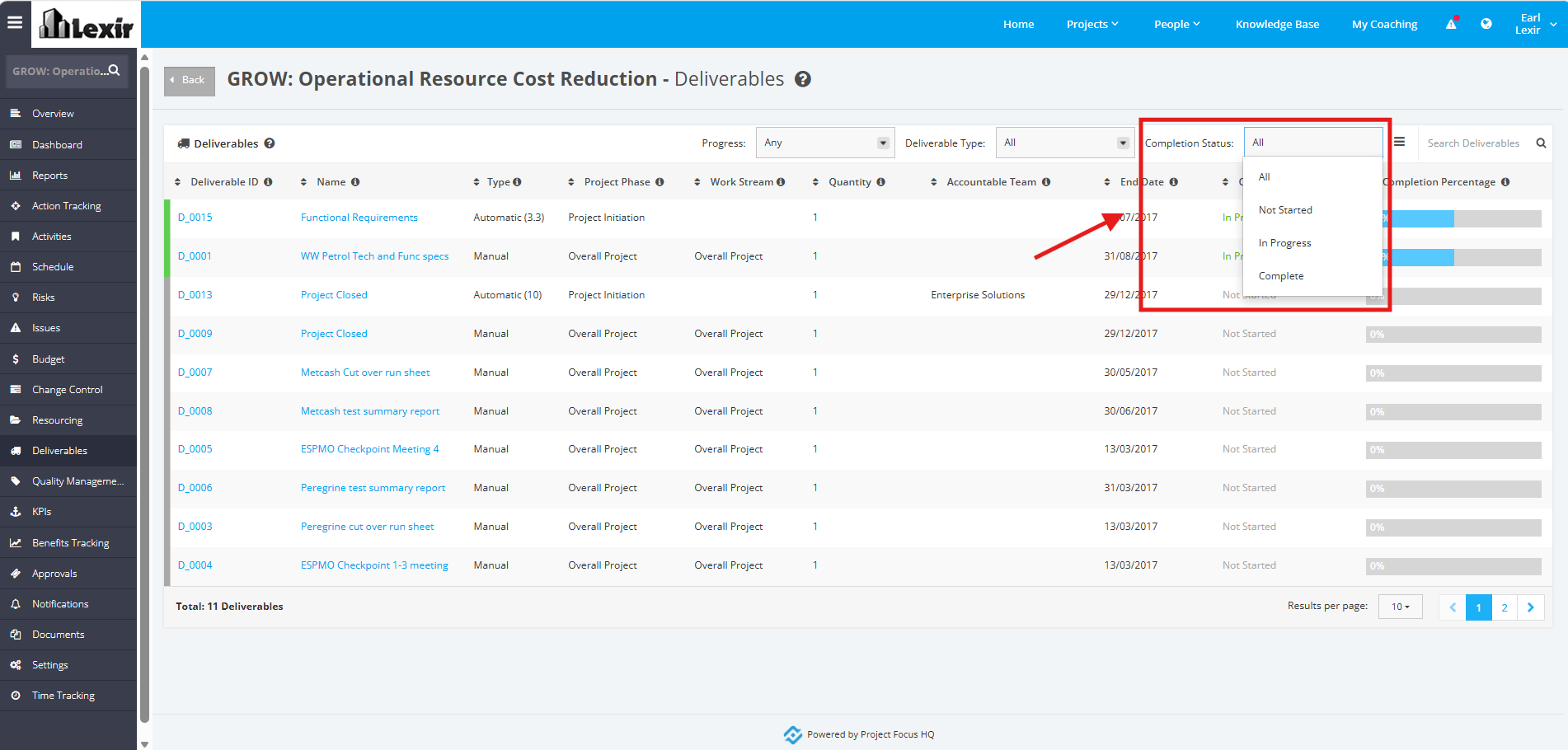
3. User can filter the Deliverables by 'Completion Status'. Click the 'Completion Status' dropdown and select the Status to be displayed: 'All', 'Not Started', 'In Progress', or 'Complete'.
Deliverables will be displayed based on the selected option.
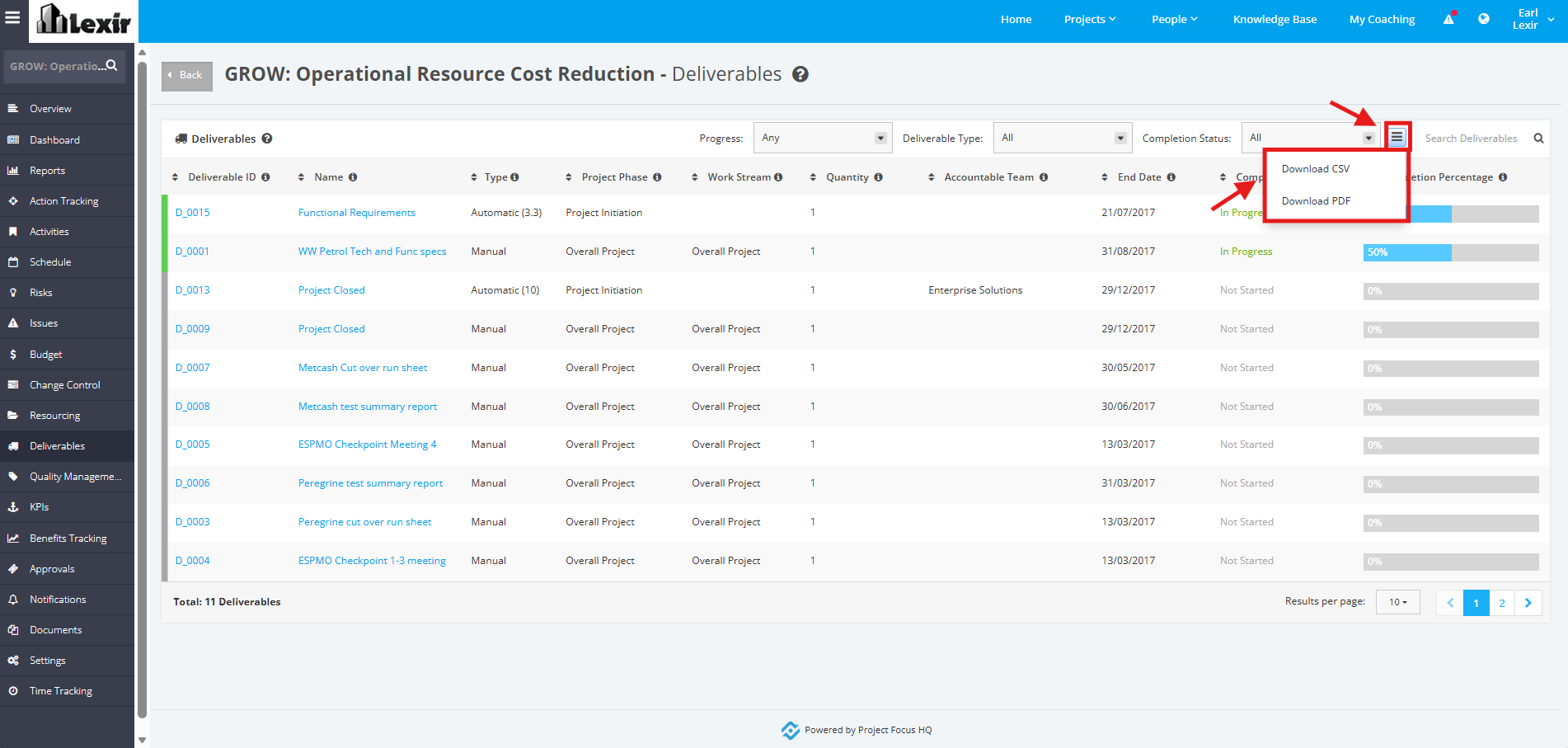
4. User can download the Deliverables by clicking the three-lined download icon. Select a file to export details to: 'Download CSV' or 'Download PDF'.
Once selected, the file will be successfully downloaded.
5. Use can search a Deliverable by entering the Deliverable Name in the Search box and clicking the ENTER key.
The Table will display based on the inputted Deliverable.