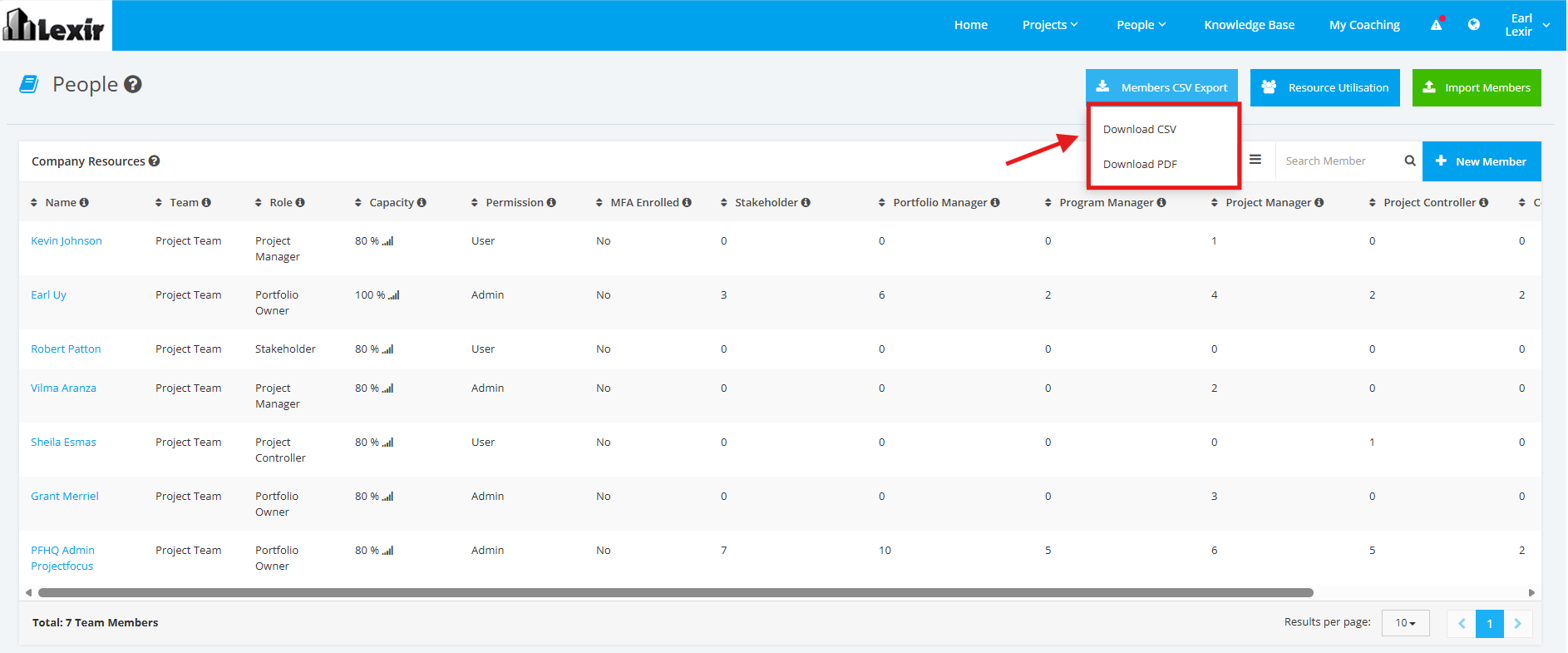
1. Export Company Members
Note: This is only available for users with Admin access.
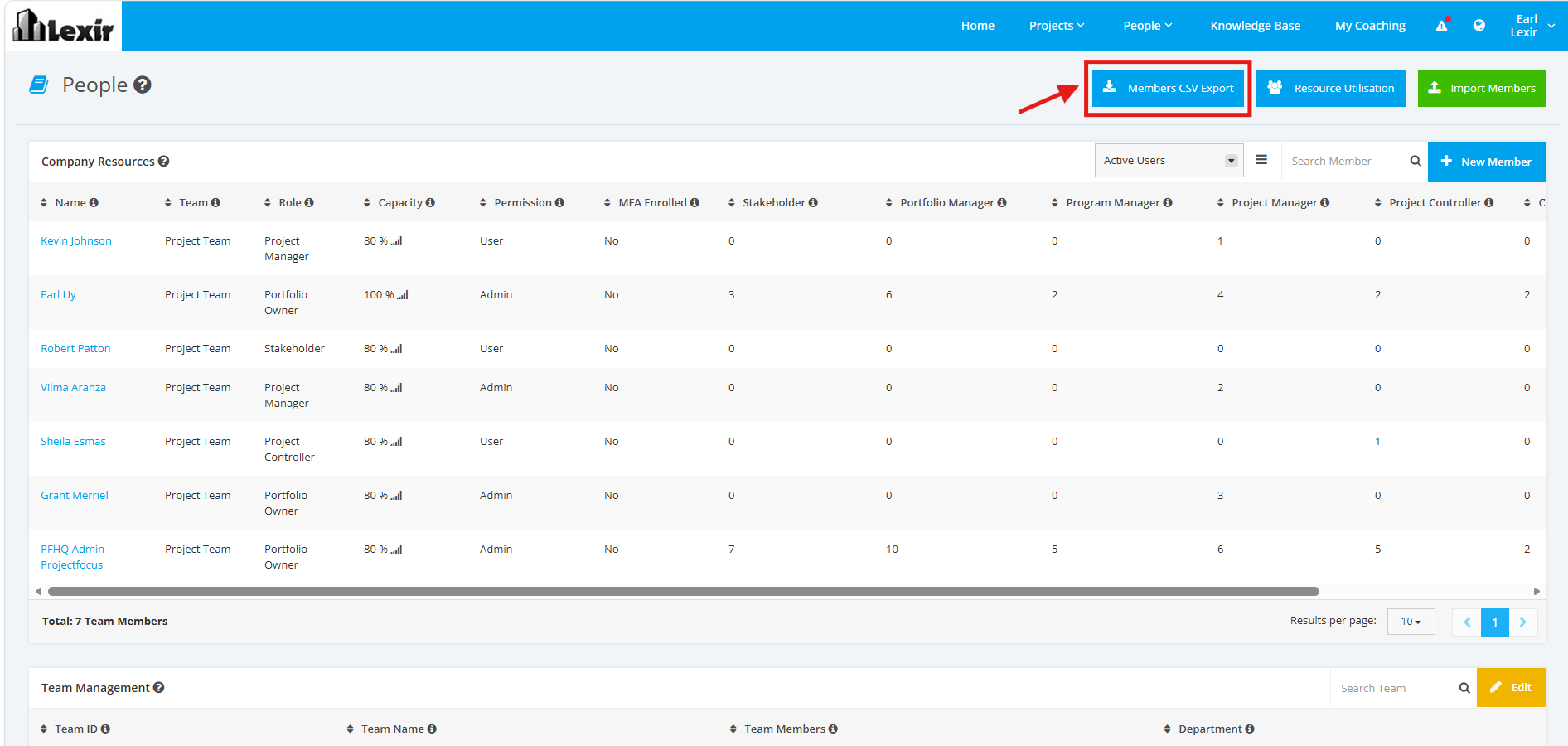
1. Within ‘People’, click the ‘Members CSV Export’ button as shown below.
2. Select a type of file you want to export the Members details to: 'Download CSV' or 'Download PDF'.
Once selected, the file will be successfully downloaded.