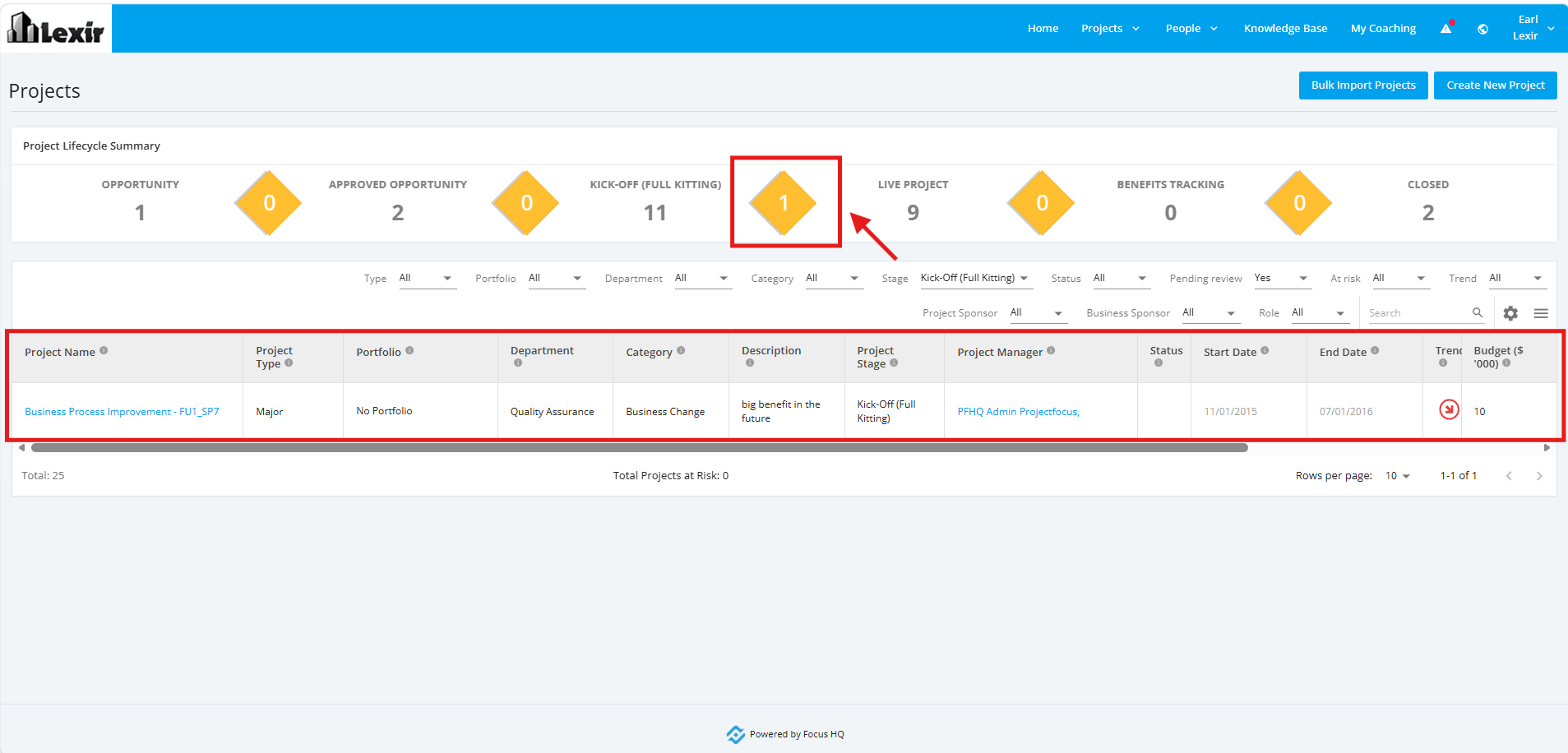
1. Project Lifecycle Summary
The 'Project Lifecycle Summary' is the main landing view on the 'All Projects Dashboard' page. It provides a single, filterable snapshot of every project in the system, grouped by its lifecycle stage.
You can use this section to quickly see how many projects are in each stage, drill down into a specific list of projects, and review key details such as status, ownership, dates, and budget.
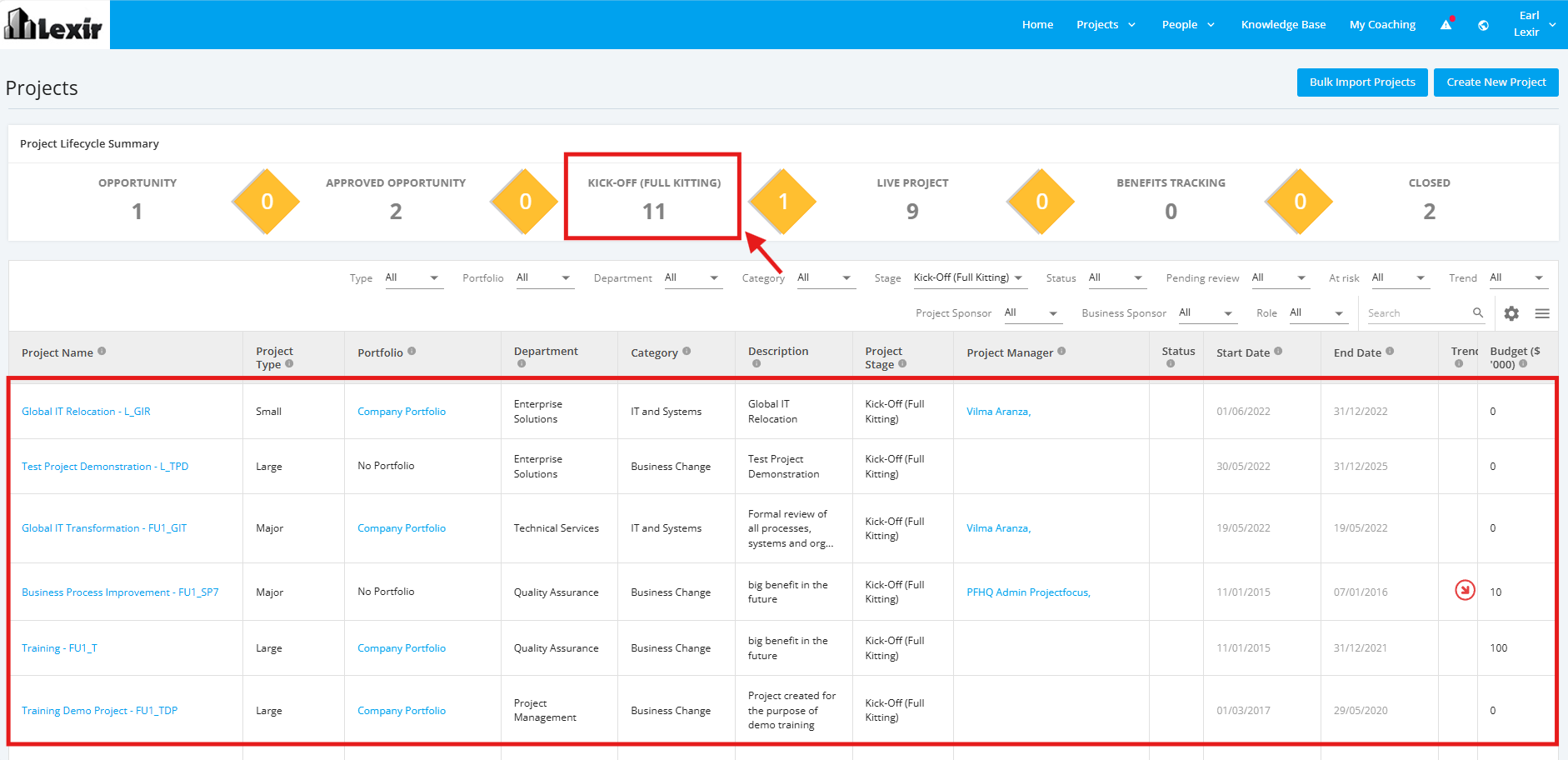
The summary consists of the six 'Stages' of the Project Lifecycle. Each stage displays a live count of projects currently in that stage.
It also includes five 'diamond-shaped tiles' positioned between the stages, representing projects that are 'Pending Review' before they can proceed to the next stage.

1. Click a 'Project Stage Tile', and it will filter the table beneath it to show only projects in the selected stage.
2. Click a 'diamond-shaped tile', and it will filter the table beneath it to show only projects that are 'Pending Review' before they can proceed to the next stage.