1. How to Download Approved Opportunity Project Details
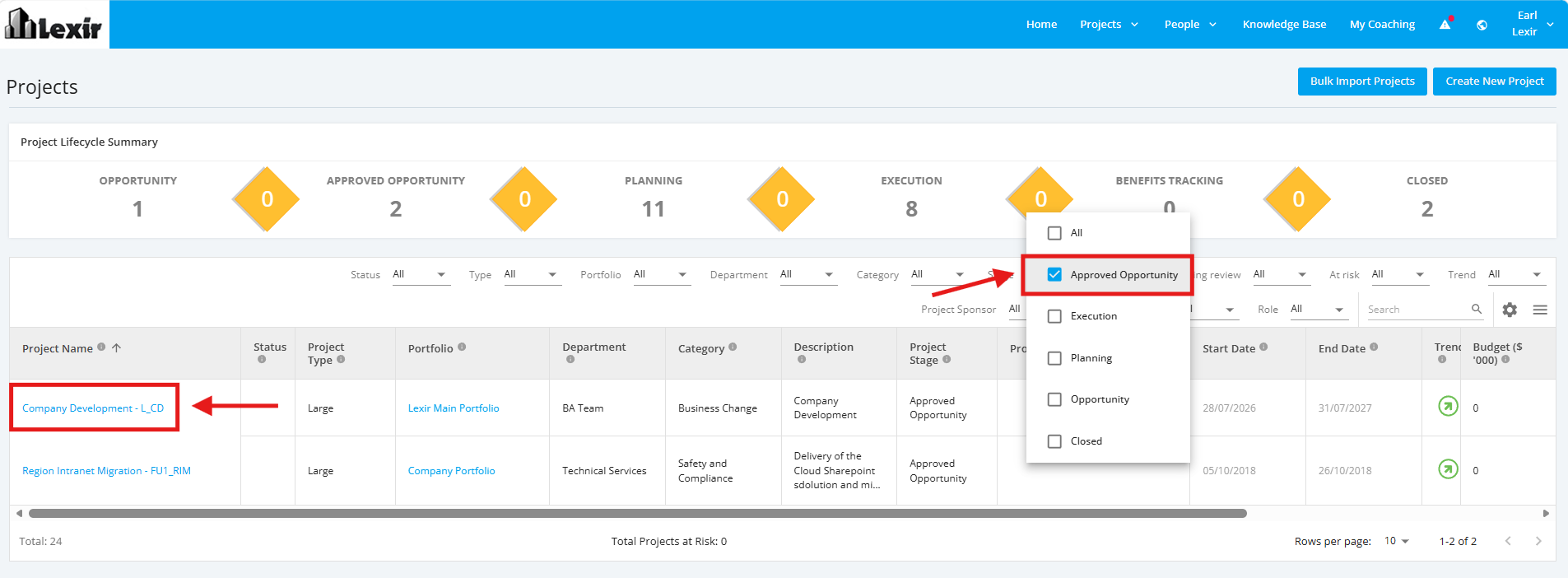
1. To download the details of a ‘Approved Opportunity’ project in a PDF file, select "Approved Opportunity" in the Stage filter of the 'Projects' page.
And then, click on an Approved Opportunity Project.
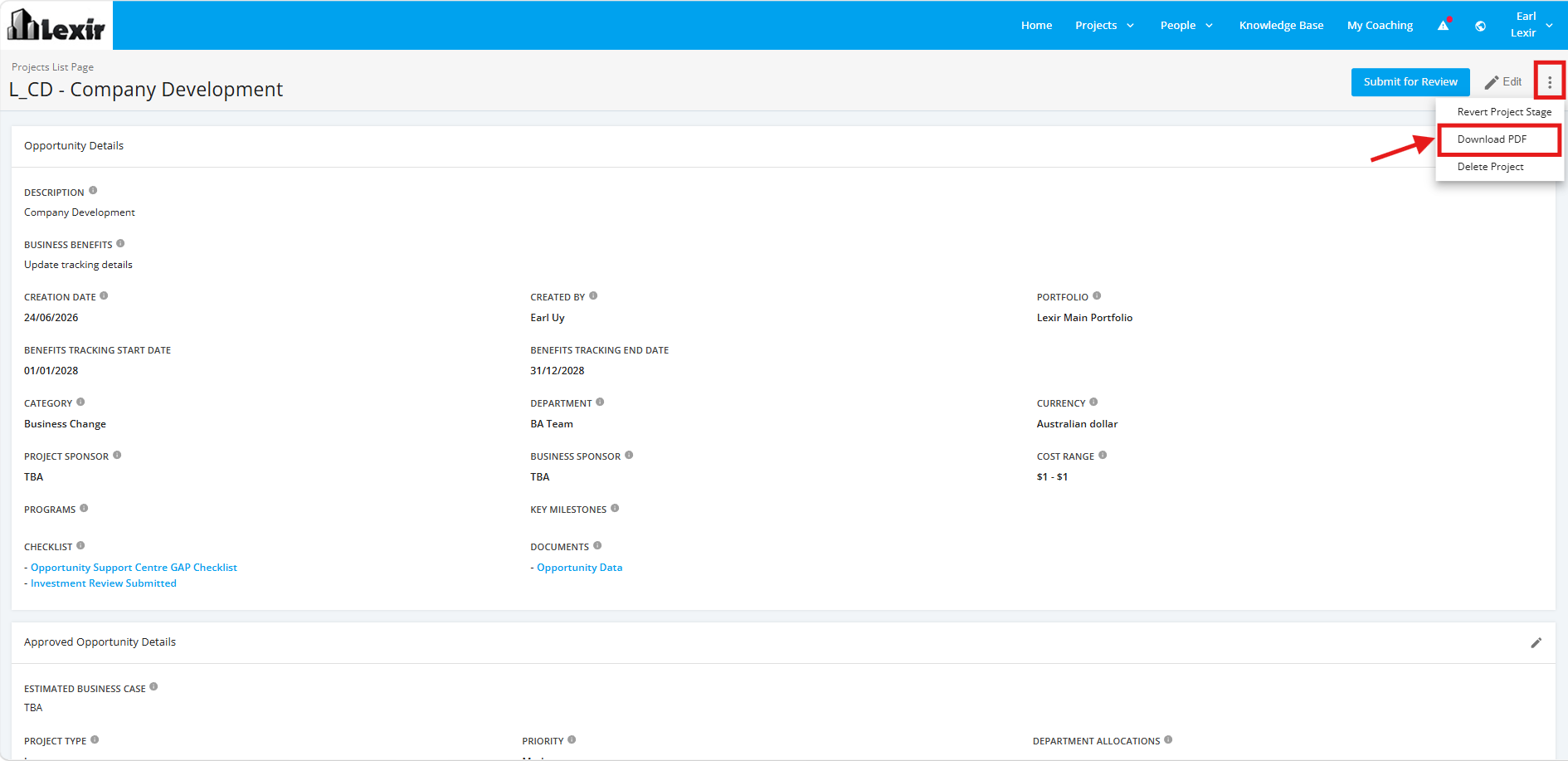
2. In the ‘Approved Opportunity Details' page, click the three dotted line icon to launch the options and then select the ‘Download PDF’ option.