
1. Delete Project Close Out Field Report Field
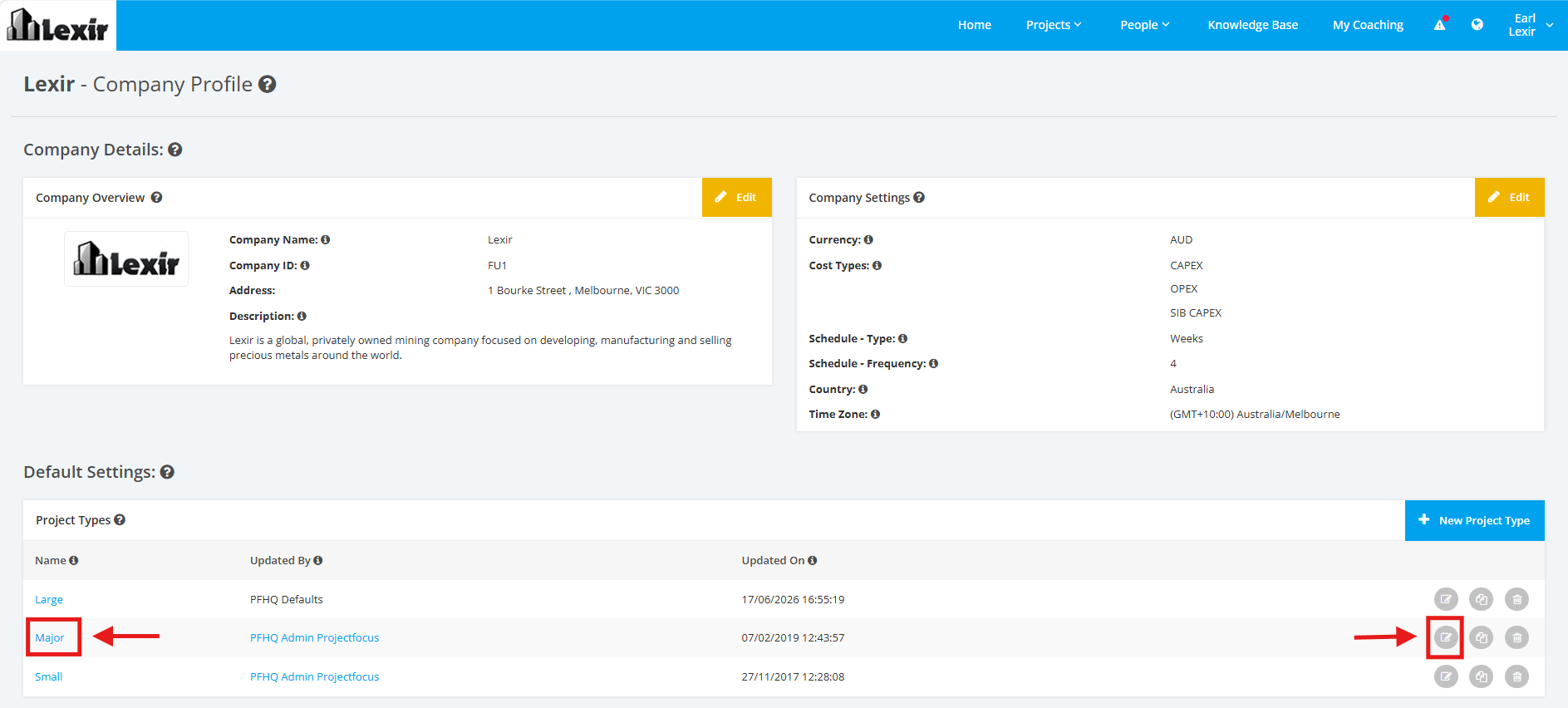
1. Within the Company Profile, navigate to the ‘Default Settings’ section then ‘Project Types’. Click the ‘Edit’ icon or the name of the Project Type.
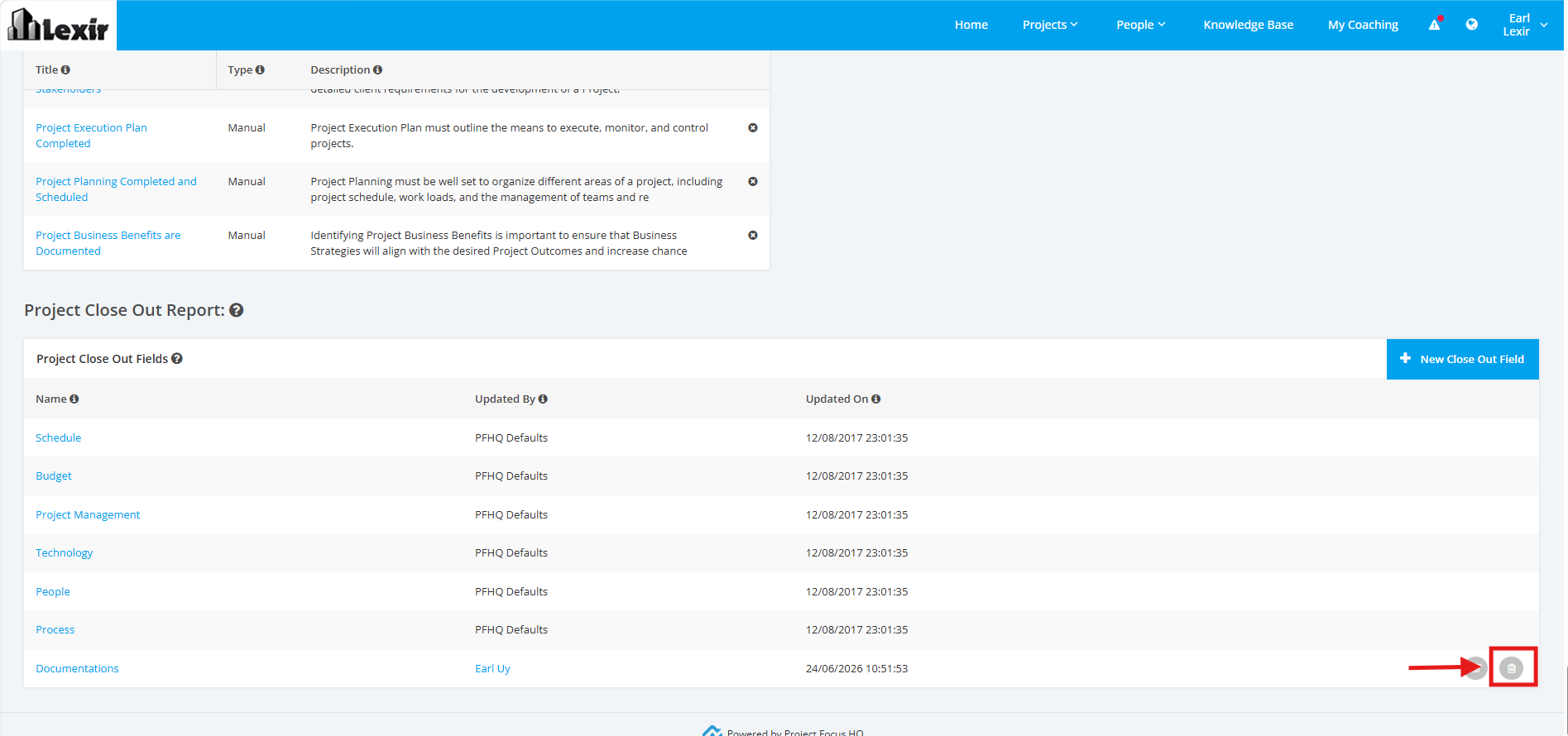
2. On the Project Type Settings page, scroll to the ‘Project Close-Out Report’ section. Click the 'Delete' icon of the Project Close Out Field.
3. Once the Confirmation popup is displayed, Click the ‘Yes’ button.
