1. Project Type – Update Benefit Summary
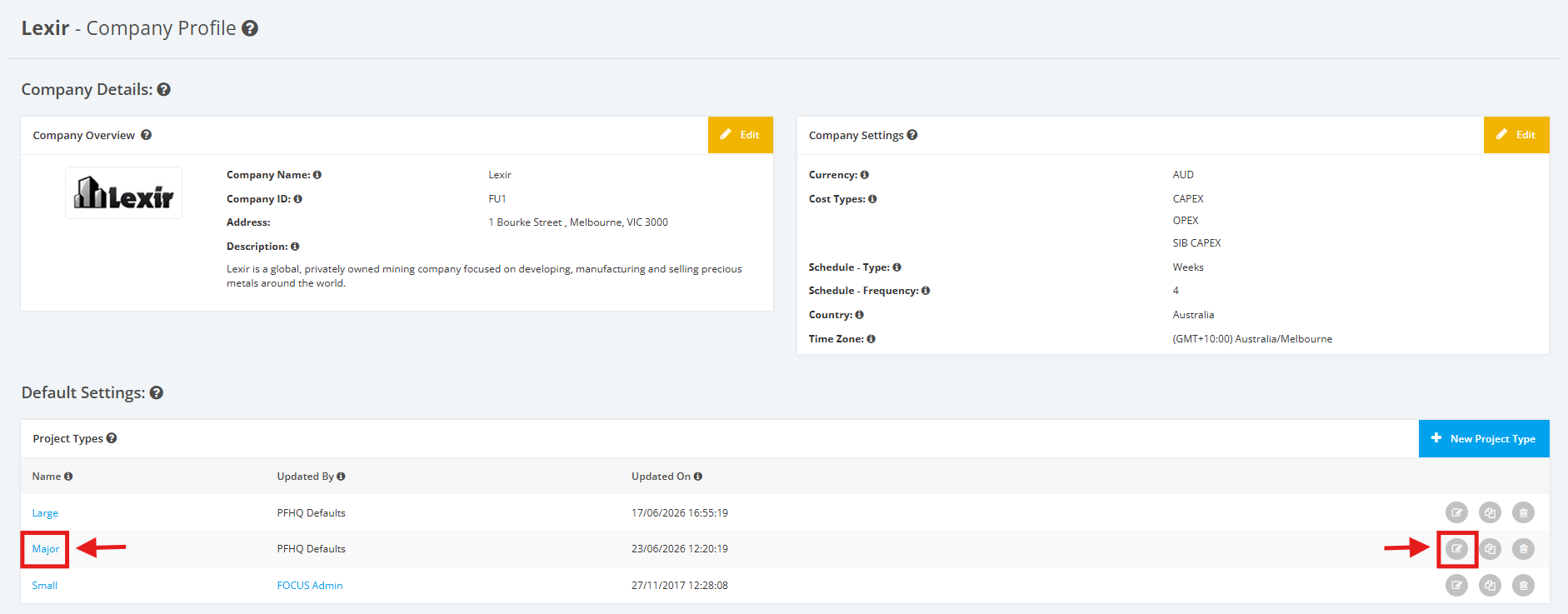
1. Within the Company Profile, navigate to the ‘Default Settings’ section then ‘Project Types’. Click the ‘Edit’ icon or the name of the Project Type.
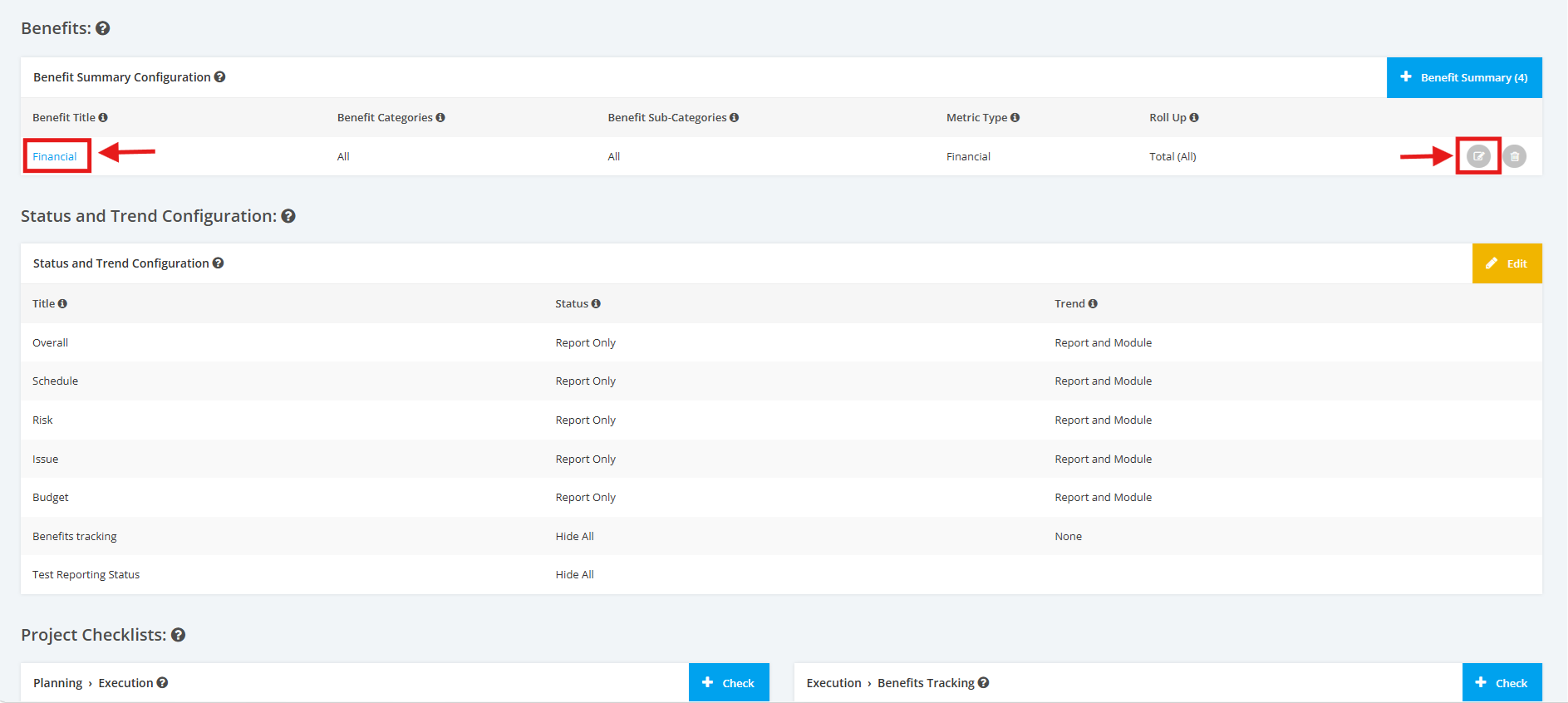
2. On the Project Type Settings page, scroll to the ‘Benefits’ section. Click the ‘Edit’ icon or the title of the Benefit Summary.
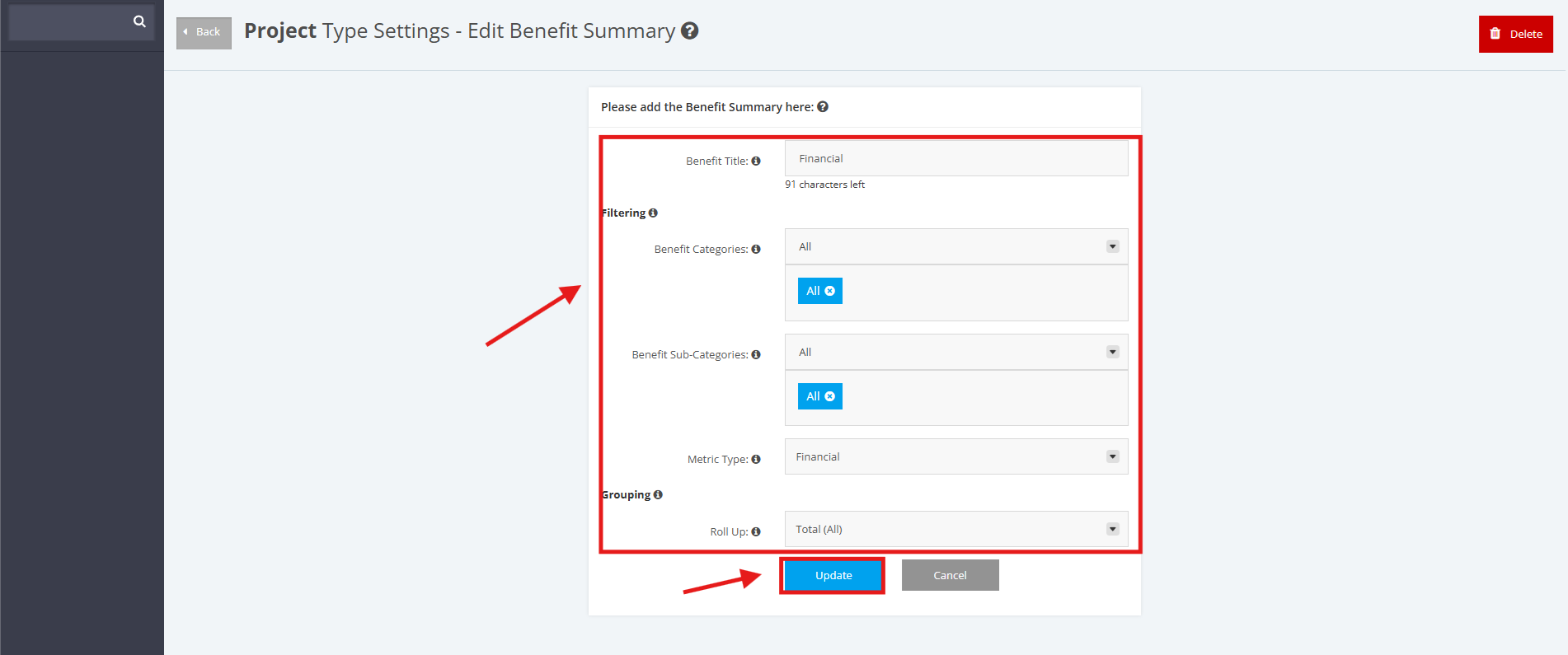
3. Update the following fields as necessary: Benefit Title, Benefit Categories, Benefit Sub-Categories, Metric Type, Roll Up. Once done, click the 'Update' button.