1. Edit Project Fortnightly Reports
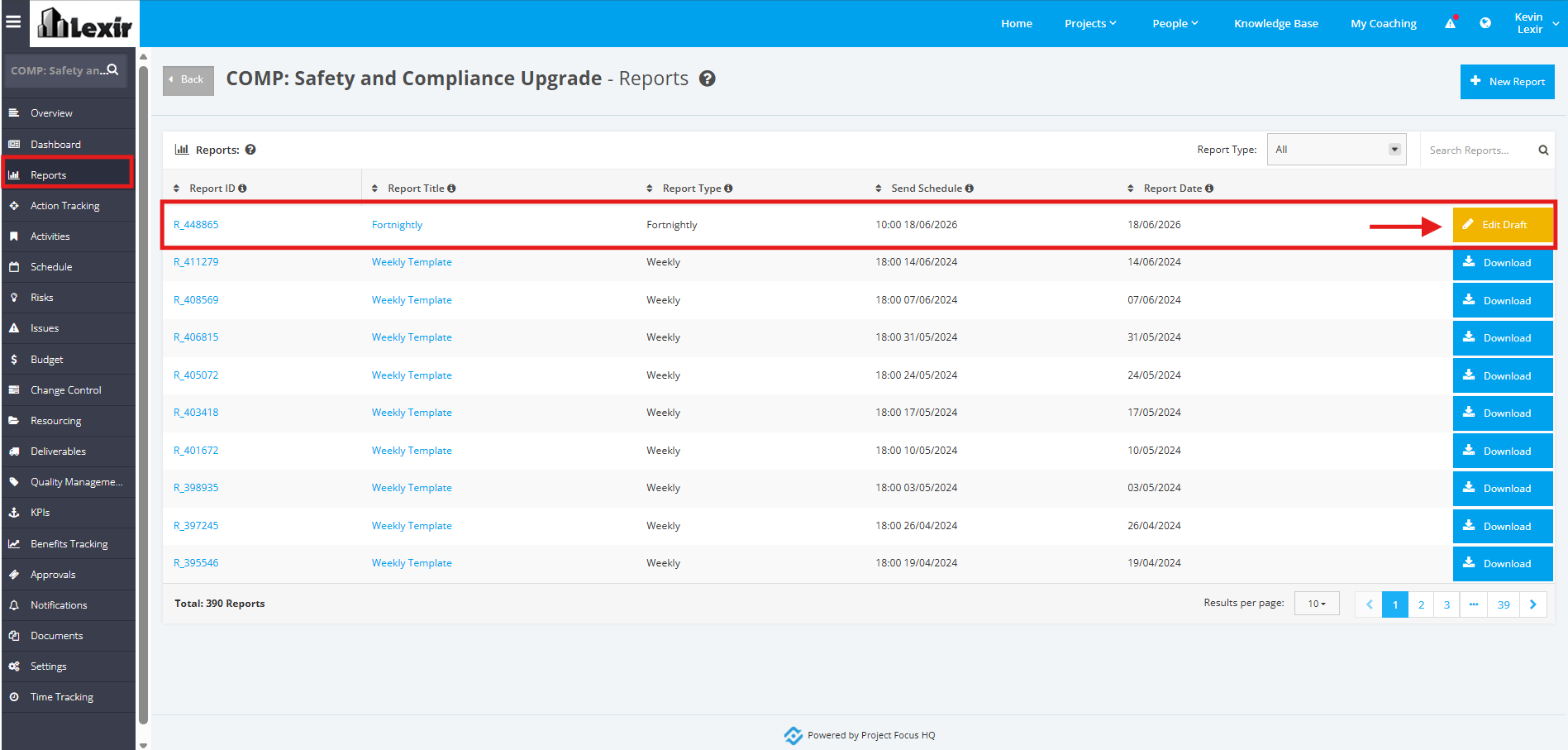
1. To edit a Project ‘Fortnightly Report’, click the ‘Reports’ tab from the left sidebar of the page. Once you reach the ‘Reports’ page, select a report and click the ‘Edit Draft’ button.
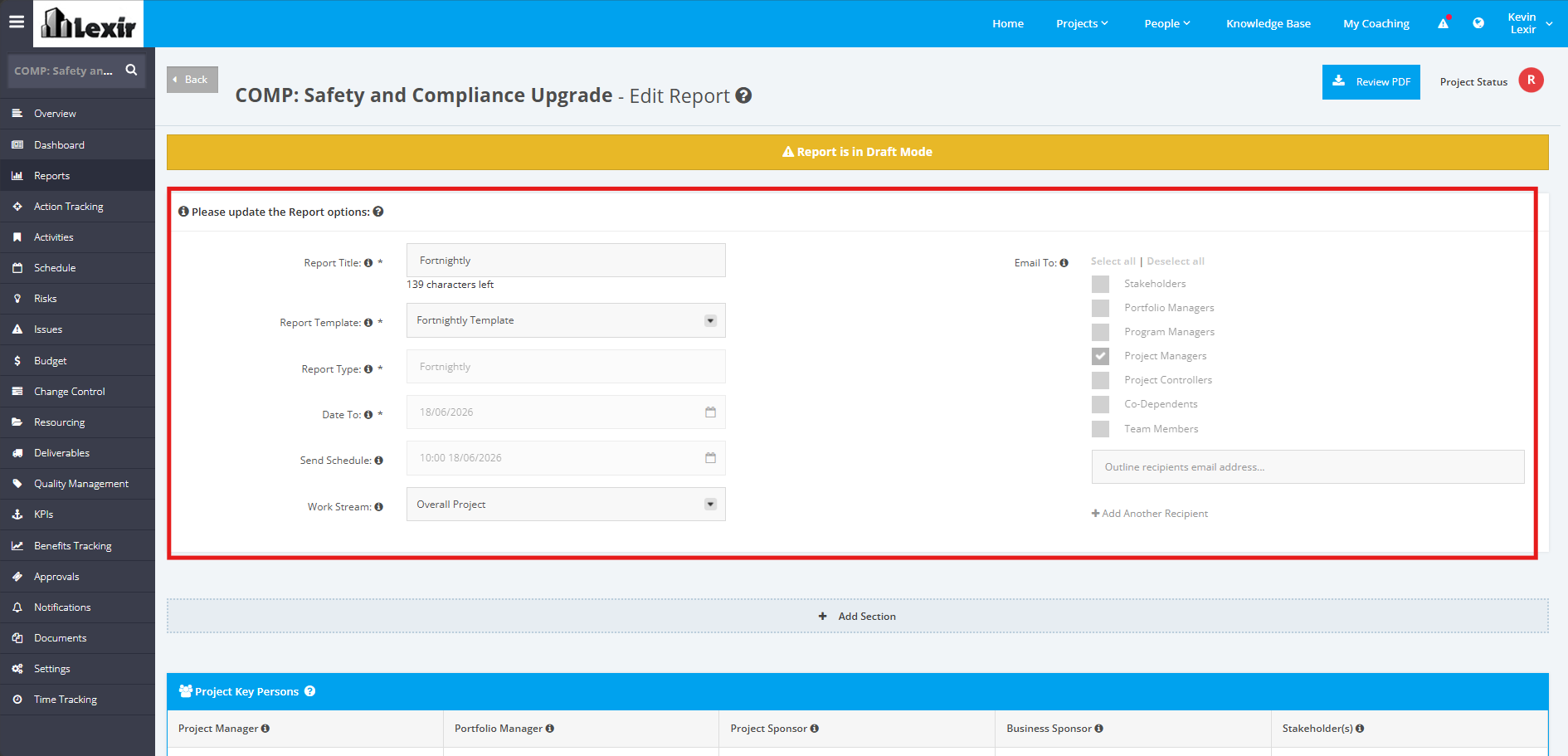
2. In the ‘Edit Report’ section, add the necessary changes in the Report Options section as shown below.
If you want to add another recipient of the report that is external or internal to the project, click the ‘+ Add Another Recipient’ link and then add the ‘Email Address’ of the recipient.
TIP: If you want to select all Project Roles to be Recipients of the Report, click "Select all", and all of the Roles
will be automatically ticked. If you don't want to select any, click "Deselect all".
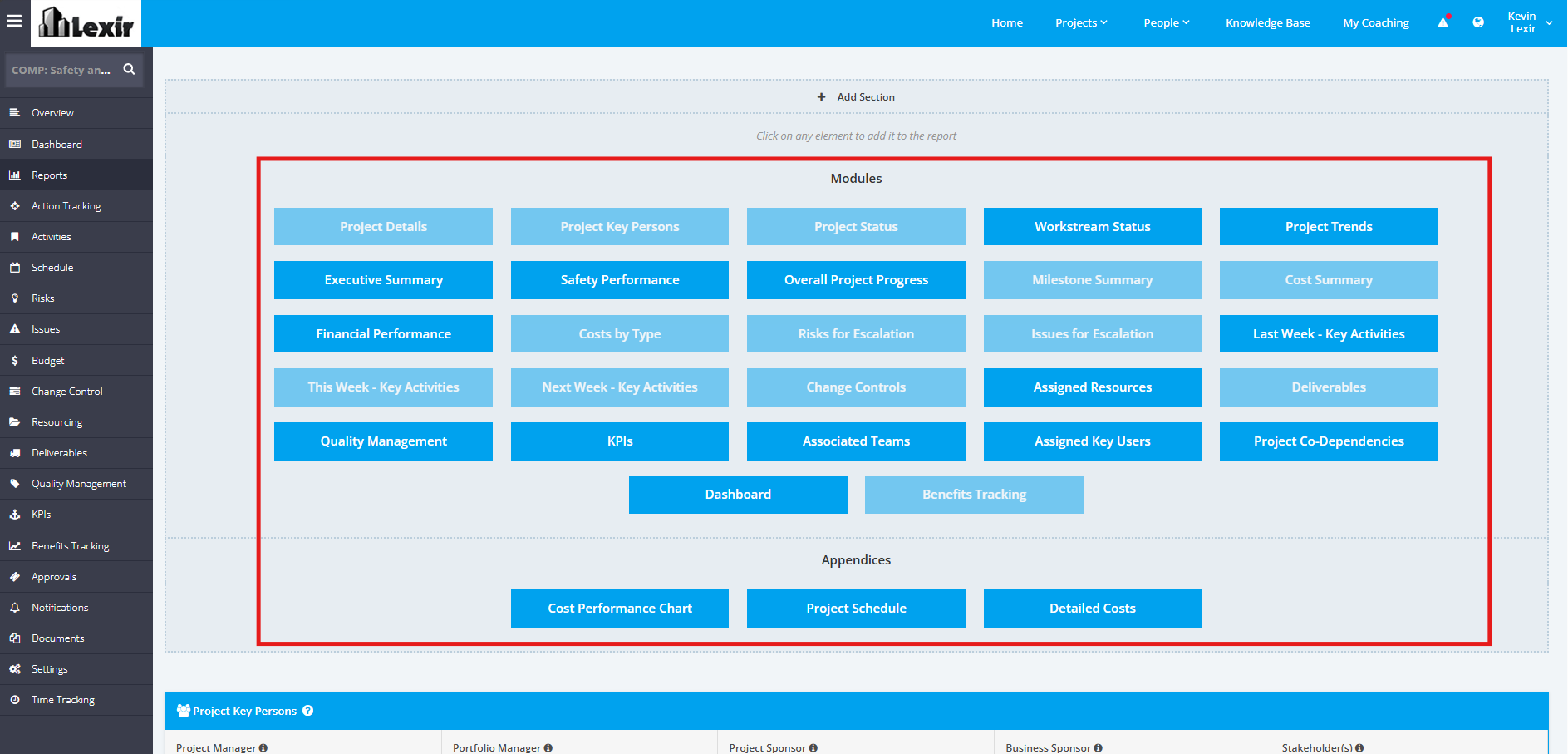
3. To add more elements to the Weekly Report, click the ‘+ Add Section’ link. Go to the Modules or Appendices section and click the element(s) to be added.
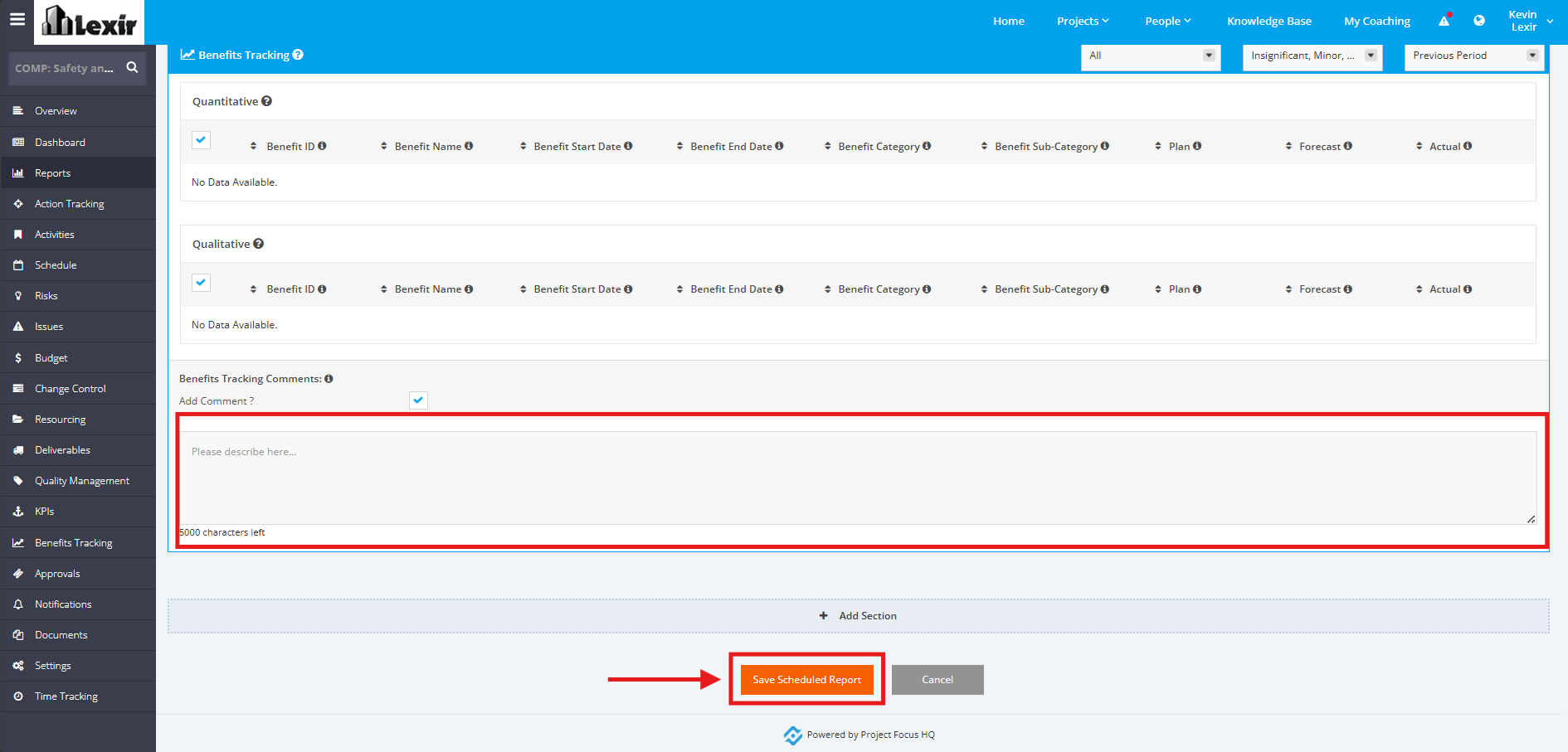
4. You can add a comment in each element of the Report. Once done, click the ‘Save Scheduled Report’ button to save changes.