
1. Delete Benefit Summary within a Project
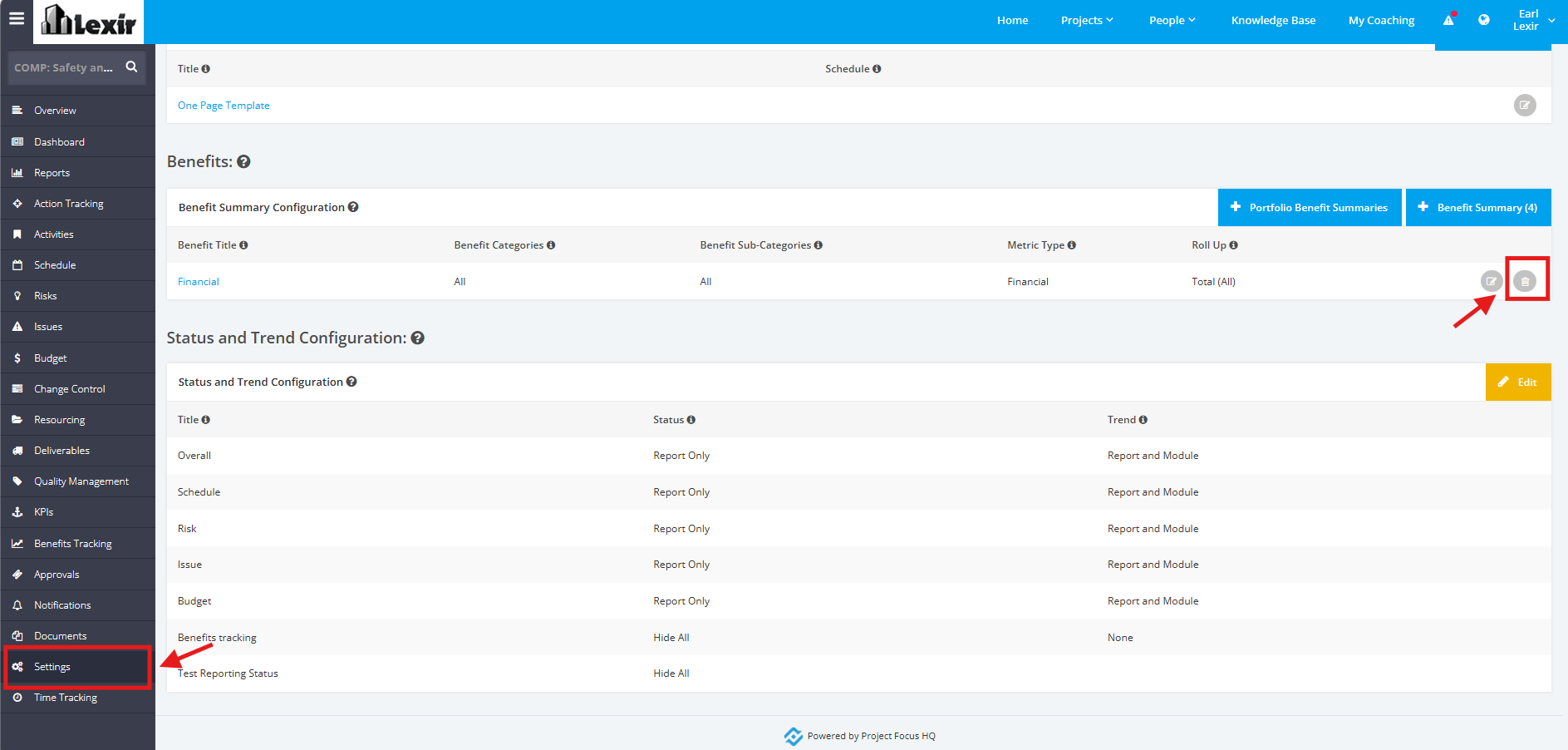
1. To delete a Benefit Summary within a Project, click the ‘Settings’ tab from the left side bar of the Project page.
Once done, navigate to the ‘Benefits’ section. Then, click the 'Delete' icon.
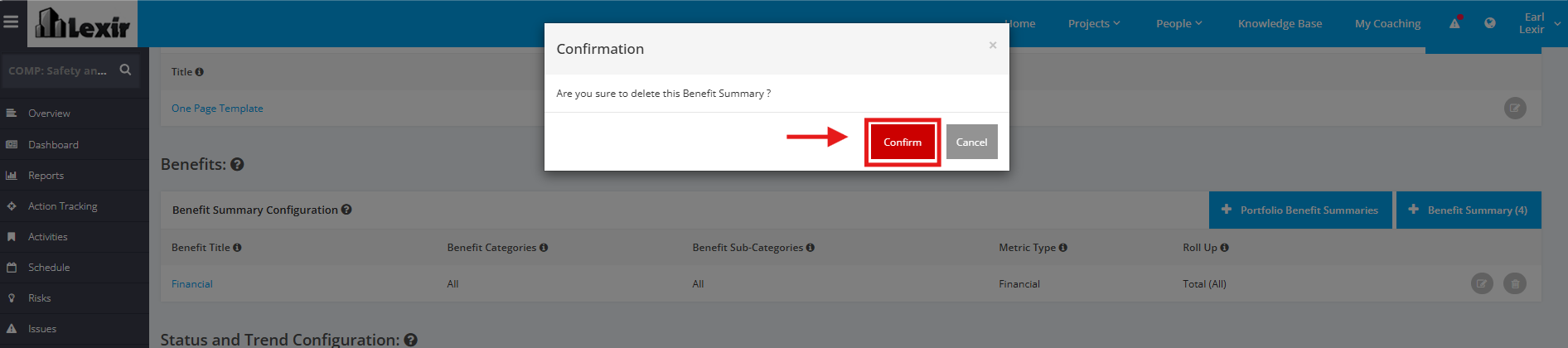
2. A popup will appear for confirmation, click the ‘Confirm’ button to continue with the deletion.
TIP:
You can also Delete the Benefit Summary Title by clicking the link and then clicking the 'Delete' button at the rightmost corner.
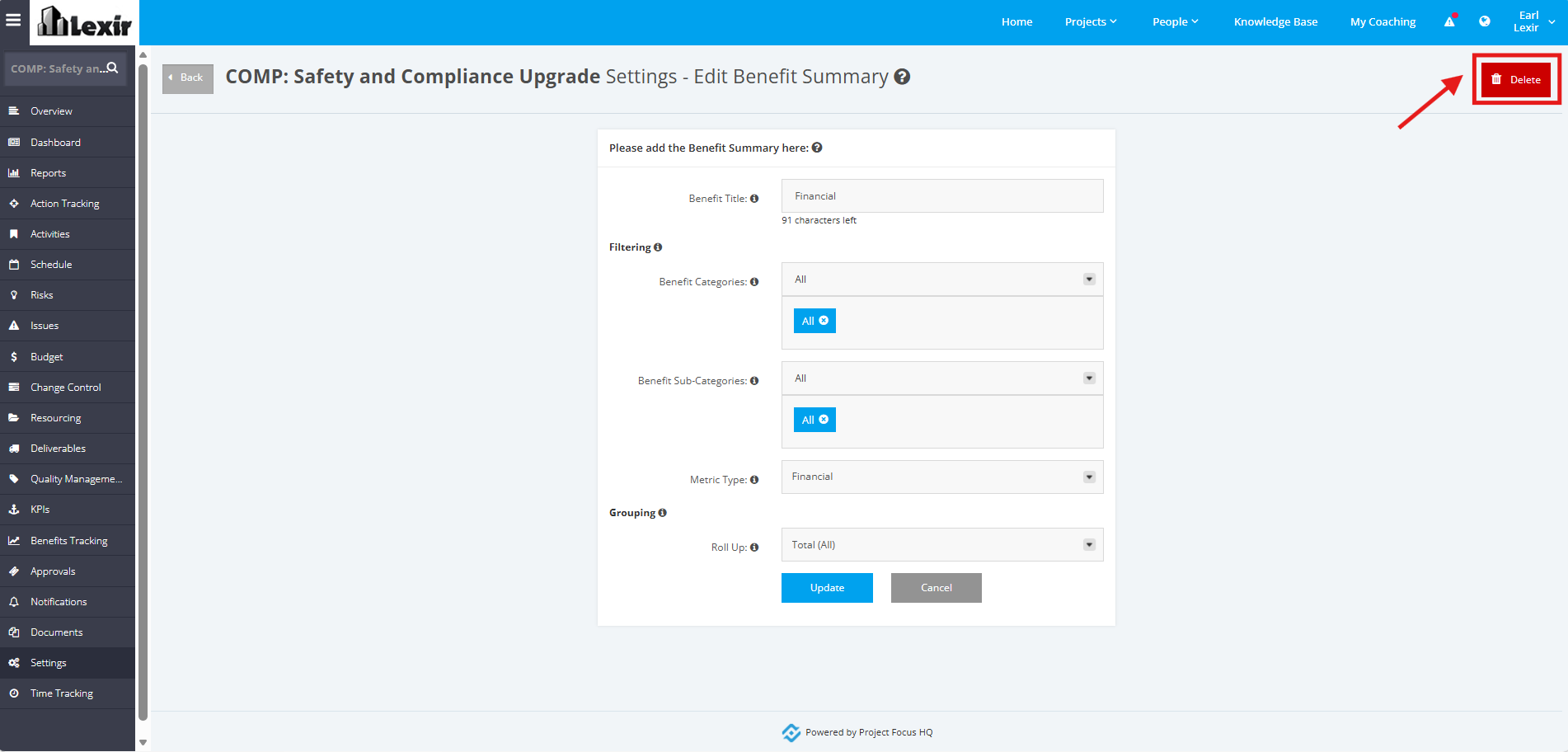
A popup will appear for confirmation, click the ‘Confirm’ button to continue with the deletion.