1. Update Benefit Summary within a Project
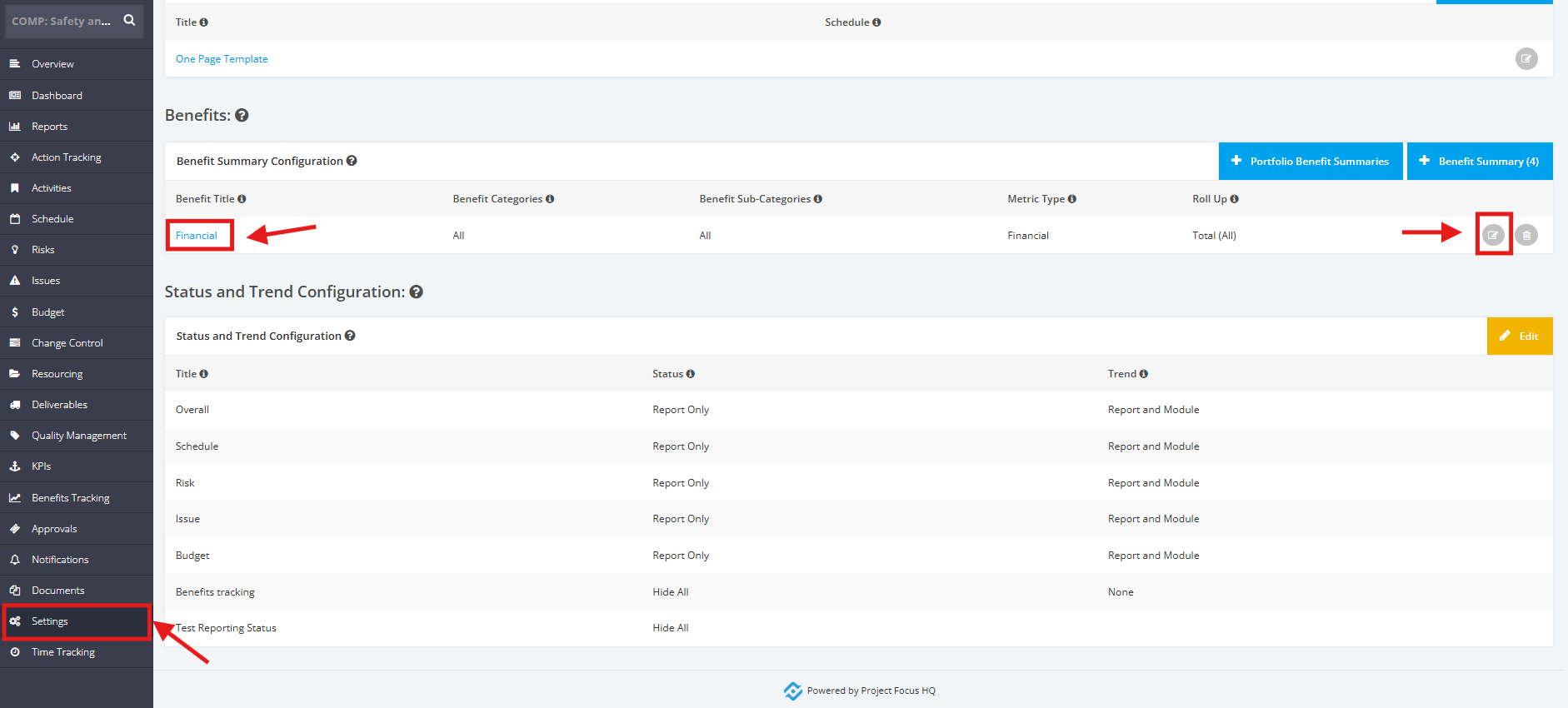
1. To update a Benefit Summary within a Project, click the ‘Settings’ tab from the left side bar of the Project page.
Once done, navigate to the ‘Benefits’ section. Then, click the 'Benefit Summary title' or the 'Edit' icon.
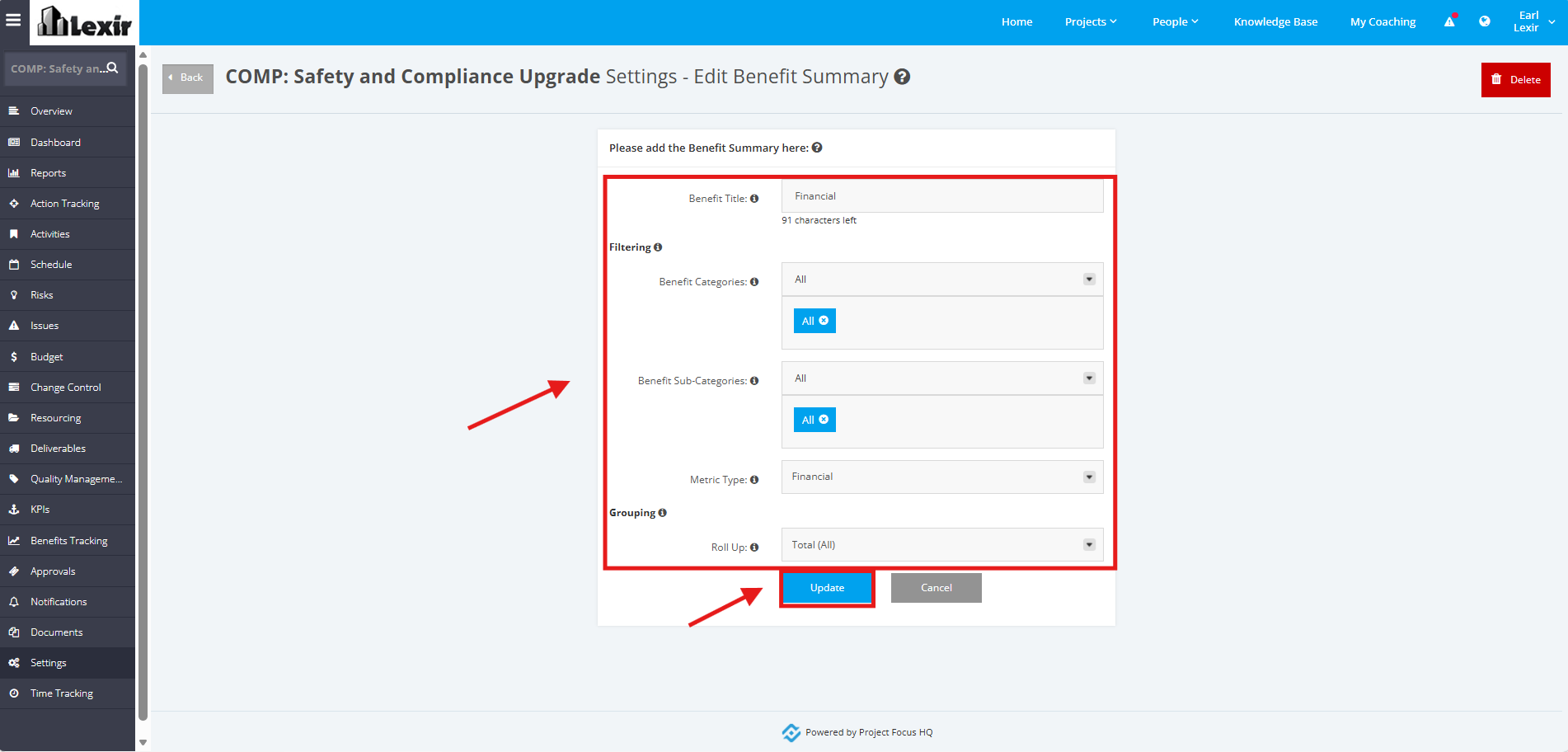
2. Update the following fields as necessary: Benefit Title, Benefit Categories, Benefit Sub-Categories, Metric Type, Roll Up. Once done, click the 'Update' button.