1. Add Benefit Summary within a Project
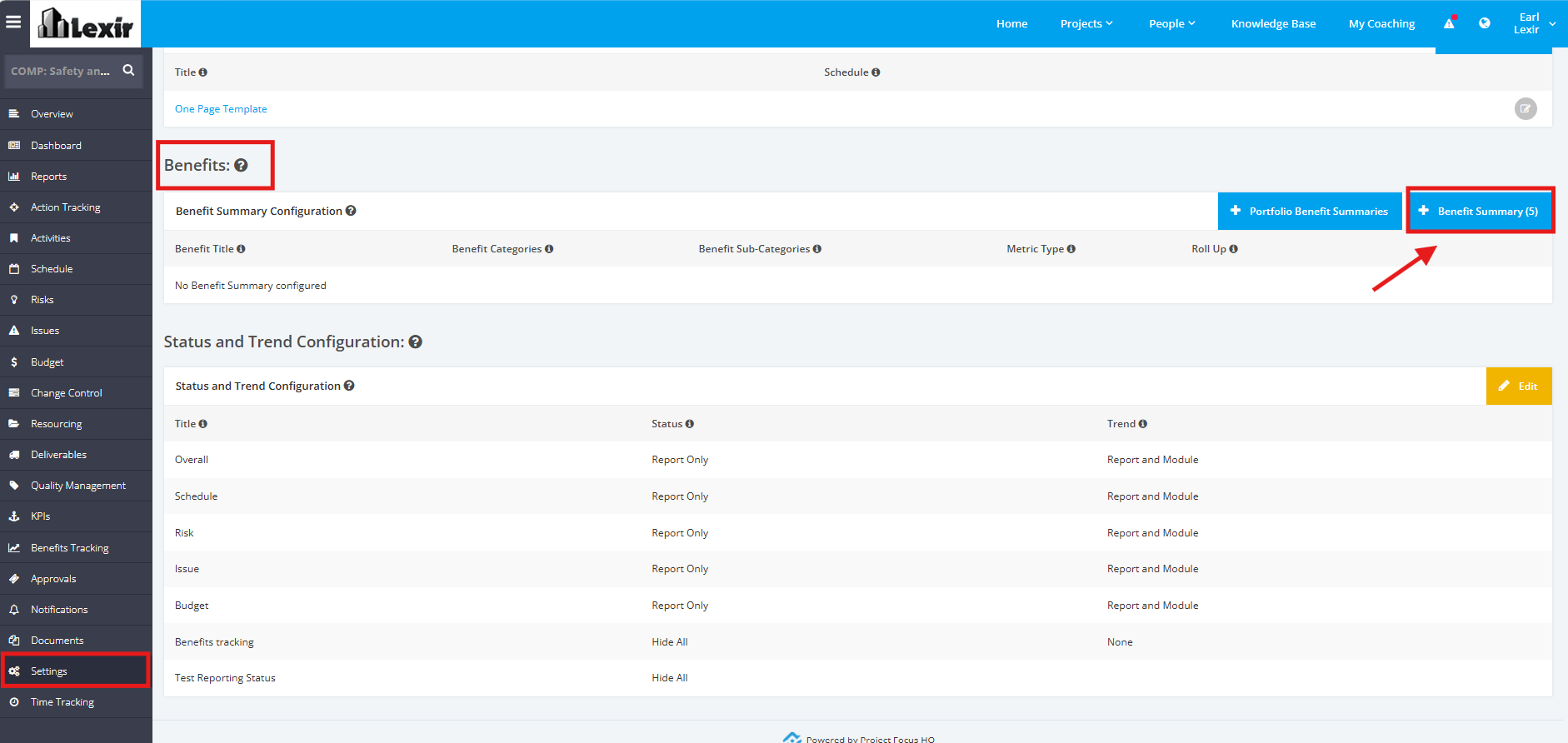
1. To add a Benefit Summary within a Project, click the ‘Settings’ tab from the left side bar of the Project page.
Once done, navigate to the ‘Benefits’ section. Then, click the ''Benefit Summary' button.
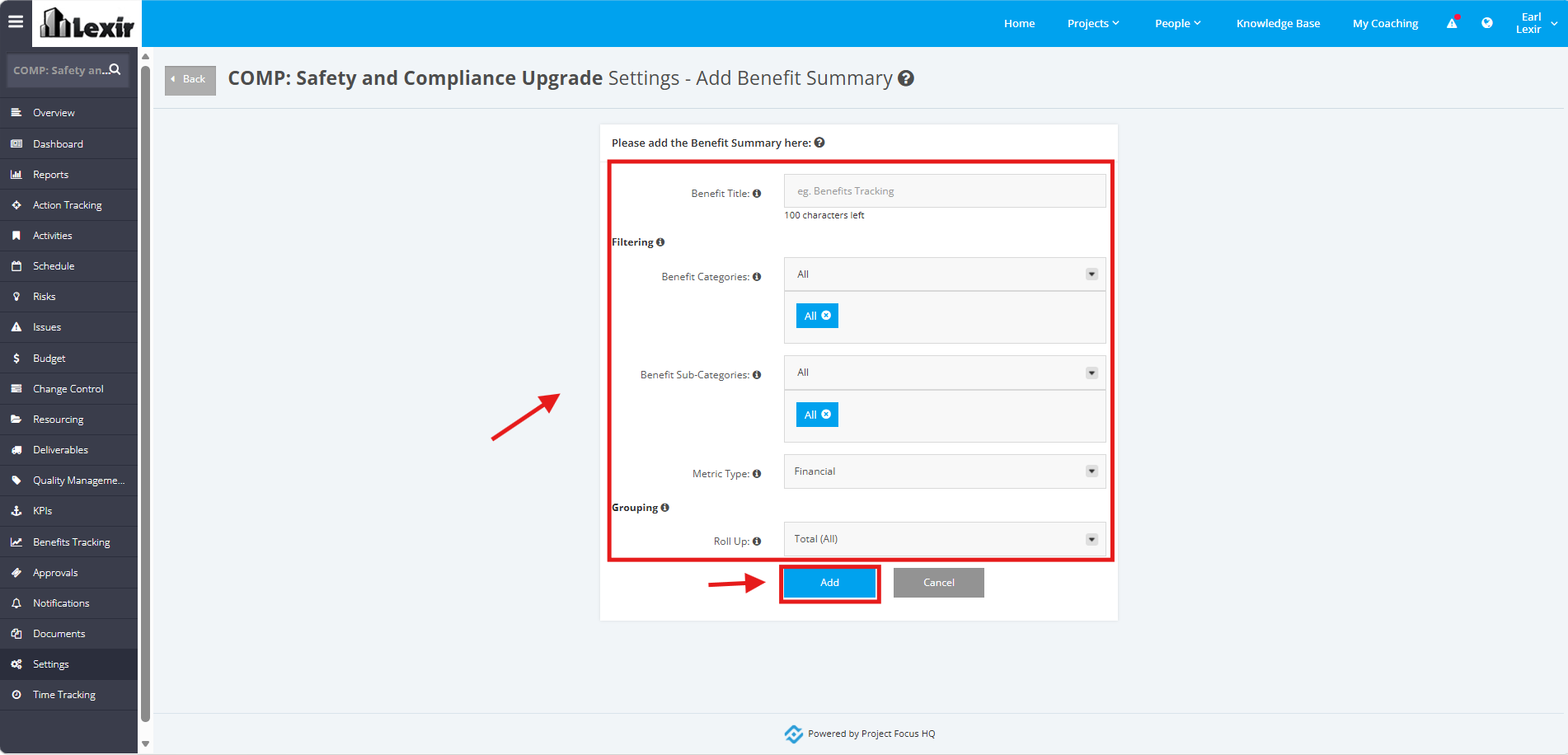
2. In the Add Benefit Summary page, fill in the following fields with the following details:
- Benefit Title
- Benefit Categories - You can choose ALL categories or a selection of them.
- Benefit Sub-Categories - You can choose ALL sub-categories or a selection of them.
- Metric Type - Options are: Financial, Number, Percentage
- Roll Up- Options are: Aggregate, Total (All), Total (By FY), Cumulative (To Date), Cumulative (By FY)
Once done, click the 'Add' button.
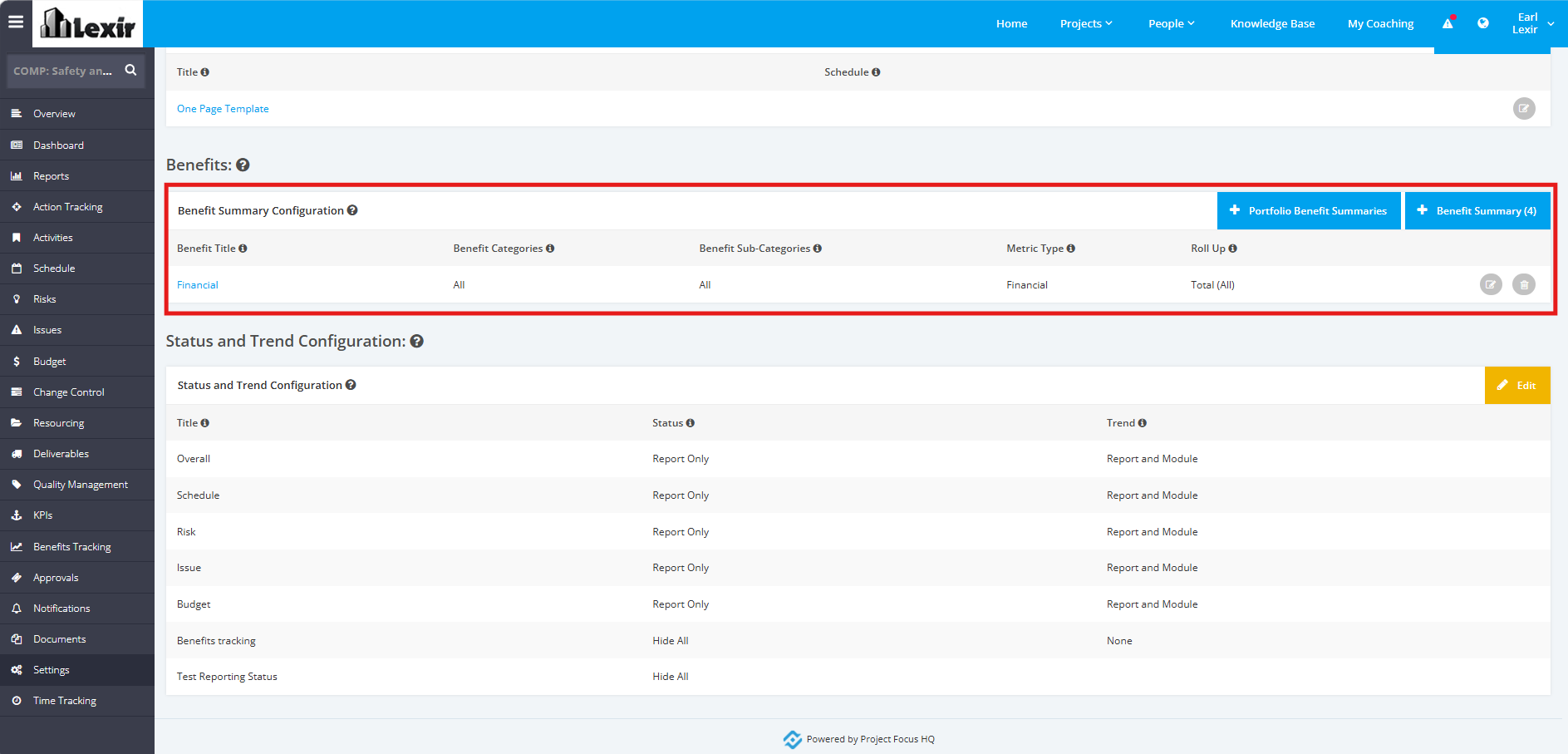
4. The Benefit Summary Item is successfully added in the list. This will also be reflected in the Benefits Summary section of the Benefits Tracking module
NOTE: You can add up to 5 Benefit Summary Items.