1. Update Departments Associated
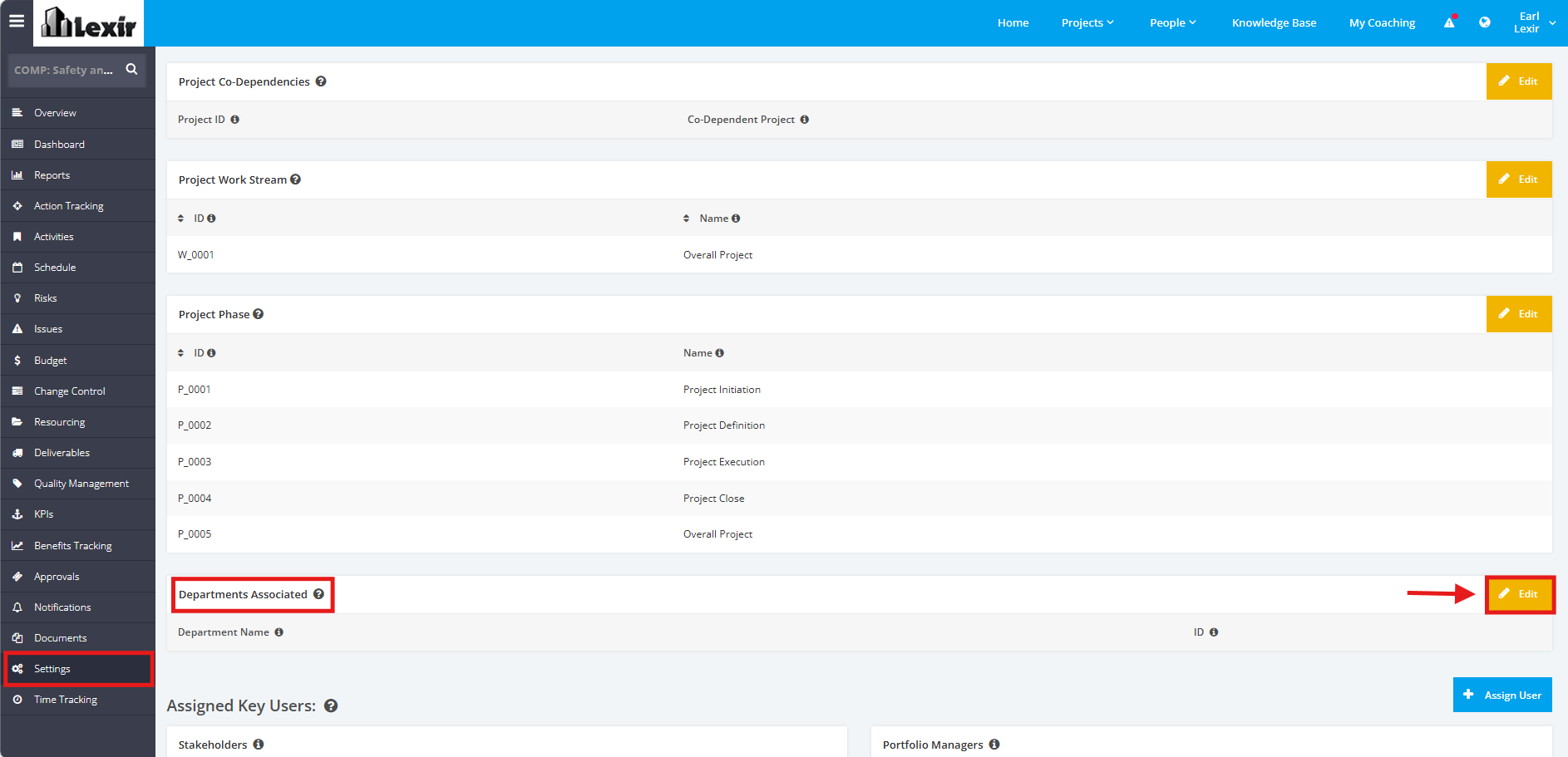
1. In order to add/update a Department or Team associated to the Project, click the ‘Settings’ tab from the left side bar of the Project Page. Once done, navigate to the ‘Departments Associated’ section then click the ‘Edit’ button.
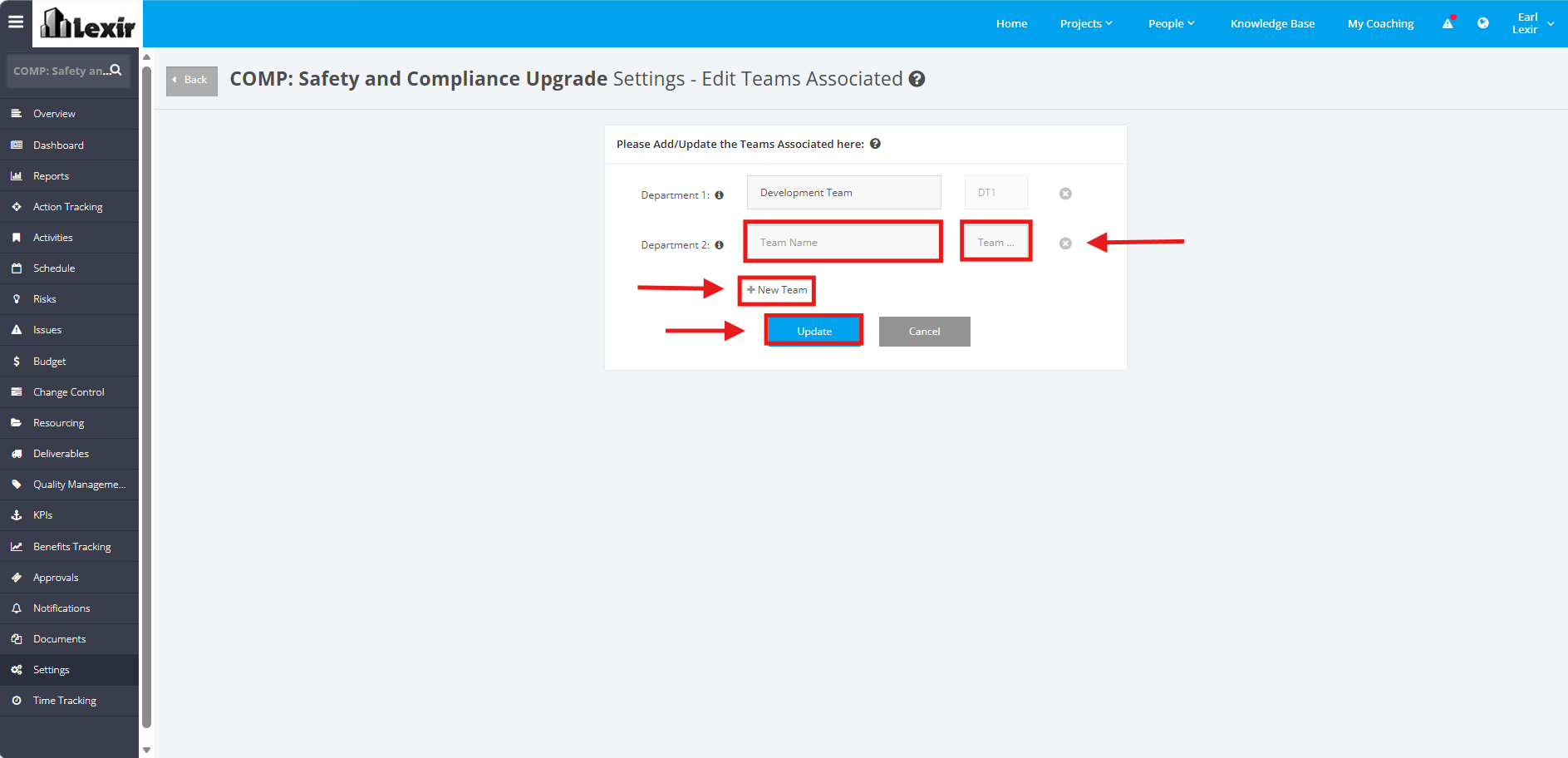
2. To add a new Department, click the ‘+New Team’ link. Once done, enter Project Team and ID as shown below. Click the ‘Update’ button to save changes.
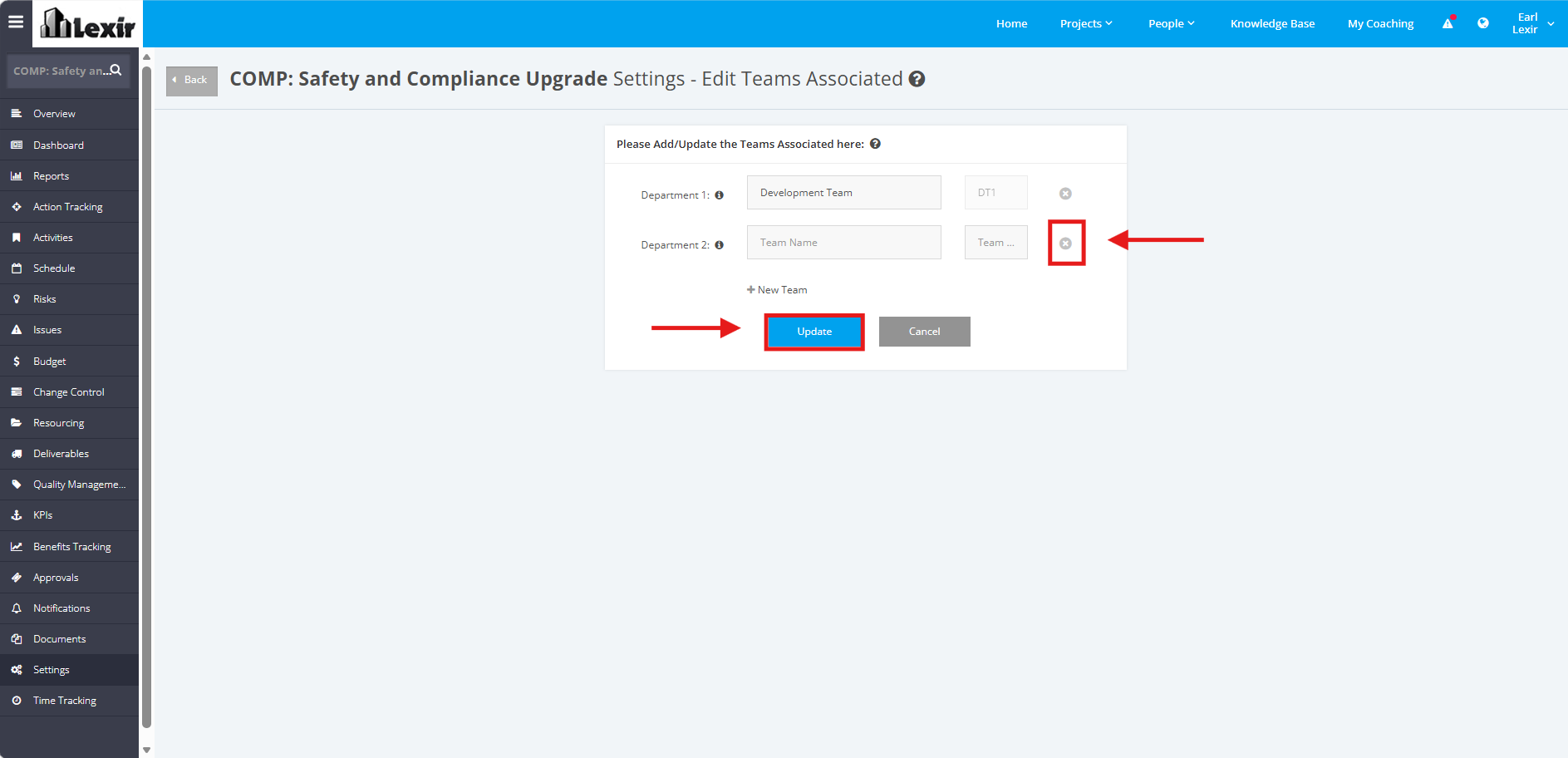
3. To delete a Department, click the ‘x’ button in the field as shown below and then click ‘Update’ to save changes.