1. Duplicate Project Schedule Tasks
Project Schedule has the ability to duplicate a Task, and even a Parent Task.
To ‘Duplicate’ a schedule task, right-click an existing Task or Parent Task, and select "Duplicate".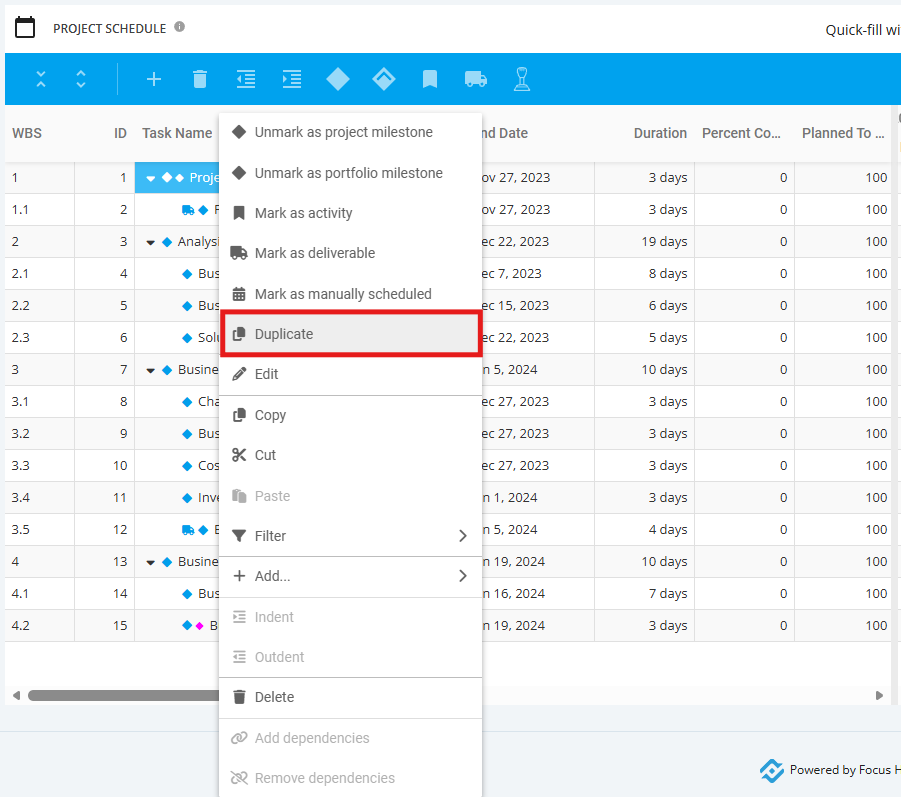
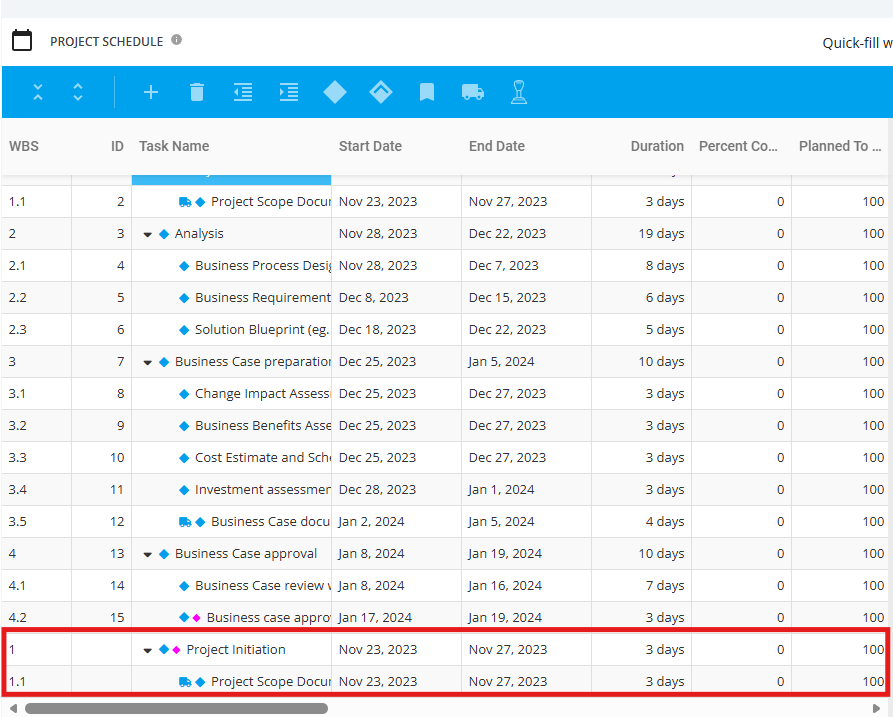
The duplicated Task will be displayed at the end of the Project Schedule. Feel free to update and/or Drag & Drop the Task in the Project Schedule. Once done, click the "Save" icon.