1. Milestone Summary
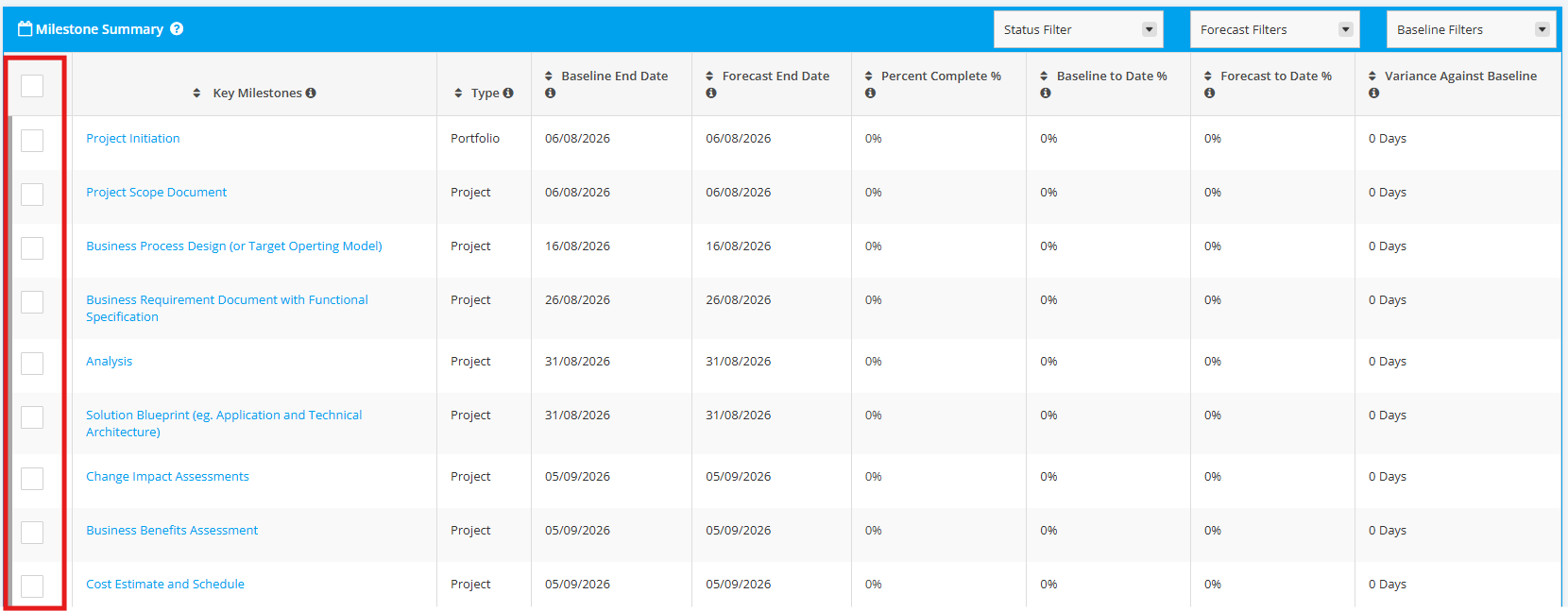
The Milestone Summary section in a Reports module provides a high-level, consolidated view of key milestones, focusing on their status, timelines, and performance against plan. It enables stakeholders to quickly assess whether critical checkpoints are on track, delayed, or at risk.
Purposes:
- Offer a snapshot of milestone health
- Highlight schedule adherence and deviations
- Support executive decision-making and escalation
- Track progress against baseline plans
The section provides the following columns:

1. Key Milestones - Critical checkpoints or major deliverables in the project that signify significant progress or completion of a phase. These are selected based on their business impact, dependencies, or strategic importance.
2. Type - The classification of the milestone. It could either be a Project Milestone or Portfolio Milestone.
3. Baseline End Date - The original planned completion date of the milestone as approved in the Baseline schedule.
4. Forecast End Date - The latest predicted completion date based on current progress, risks, and known issues. This reflects the most realistic expectation of when the milestone will be achieved.
5. Percent Complete (%) - The progress level of the milestone, expressed as a percentage.
6. Baseline to Date - The planned progress (usually in %) that should have been achieved by the reporting date, according to the baseline schedule. This indicates where the project should be at this point in time.
Formula:
Baseline to Date = Duration (Working Days between Milestone Start to Baseline End Date)
Number of days worked to Current Date
7. Forecast to Date - The actual or expected progress (in %) achieved as of the reporting date, based on current execution and updated forecasts.
Formula:
Forecast to Date = Duration (Working Days between Milestone Start to End Date)
Number of days worked to Current Date
8. Variance against Baseline - The difference between planned and forecast performance. It indicates whether the milestone is ahead of schedule (positive variance), on track (zero variance), or behind schedule (negative variance)
Formula:
Variance Against Baseline (days) = Forecast End Date − Baseline End Date
(Note: This calculation uses calendar days.)
2. Milestone Summary Filters
You can filter the Milestones in the Milestone Summary table to show in your Report using the following:
1. Status Filter
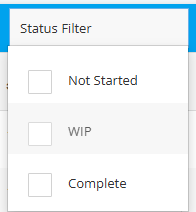 | Not Started – The milestone has not started yet. WIP (Work in Progress) – The milestone is currently in progress. Complete – The milestone has been completed. |
2. Forecast Filters
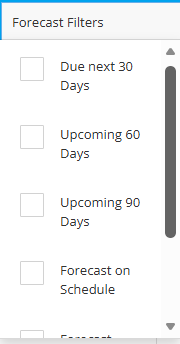 | Due Next 30 Days – Milestones that are scheduled to be completed within the next 30 days. Upcoming 60 Days – Milestones planned for completion within the next 60 days. Upcoming 90 Days – Milestones targeted for completion within the next 90 days. Forecast On Schedule – Milestones that are progressing as planned and are expected to be completed on or before the target date. Forecast Behind Schedule – Milestones that are delayed and are at risk of missing the planned target date. Forecast Overdue – Milestones whose target completion dates have already passed and are still not completed. |
3. Baseline Filters
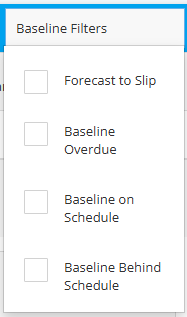 | Forecast to Slip – Milestones that are currently on track to miss their original baseline target date based on the latest forecast. Baseline Overdue – Milestones whose original baseline completion dates have already passed and are still not completed. Baseline On Schedule – Milestones that are progressing in alignment with their original baseline target dates. Baseline Behind Schedule – Milestones that are delayed compared to their original baseline schedule and may require recovery actions to meet targets. |
3. Tick Milestones in Report
You can tick and untick the Milestones to be displayed in the Milestone Summary section of your Report.
If you like ALL Milestones to be viewed in the Report, click the checkbox on the header row of the section.
NOTE: For Reports using the One Page Template, you can select up to 5 Milestones to show in the Report.