Deliverables
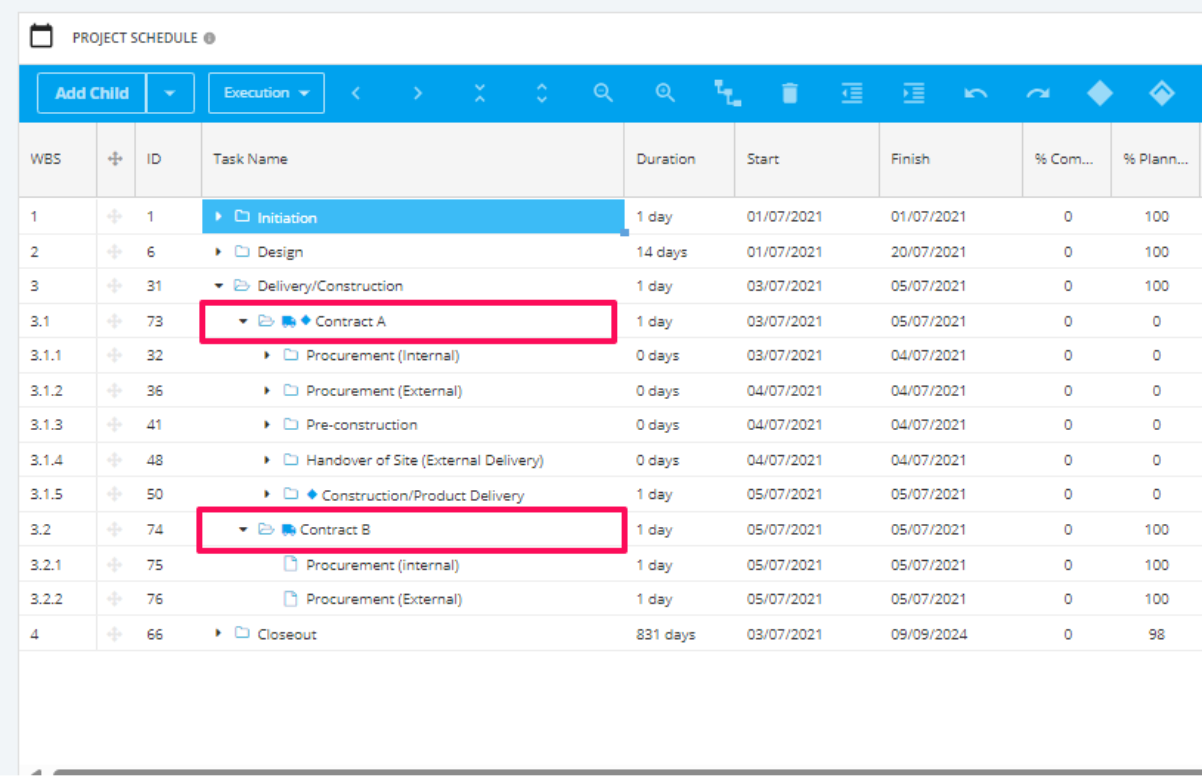
Setup your Project Schedule tasks.
To aide in aggregated Deliverable reporting per Workstream, ensure the parent task is where you assign the Deliverable, as per example below.
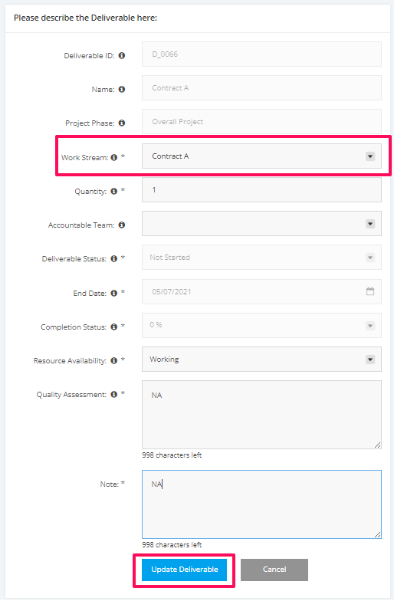
Once the schedule tasks/deliverables are set, navigate to the Deliverables Module.
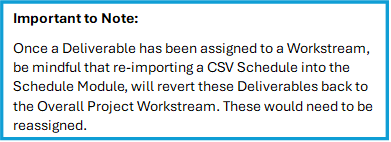
Open each Deliverable and change the Workstream field as desired (as per below).
Risks
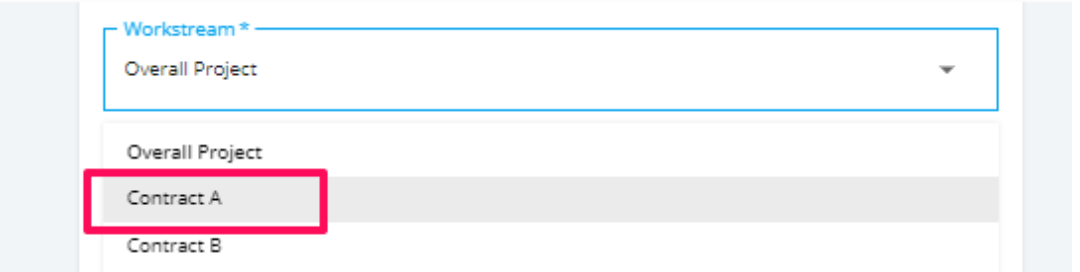
When creating a risk, you can assign this to any configured Workstreams. As per the following:
Issues
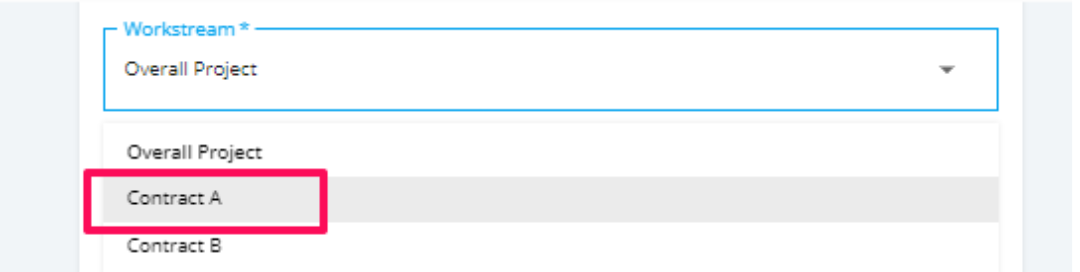
When creating an Issue, you can assign this to any configured Workstreams. As per the following:
Actions
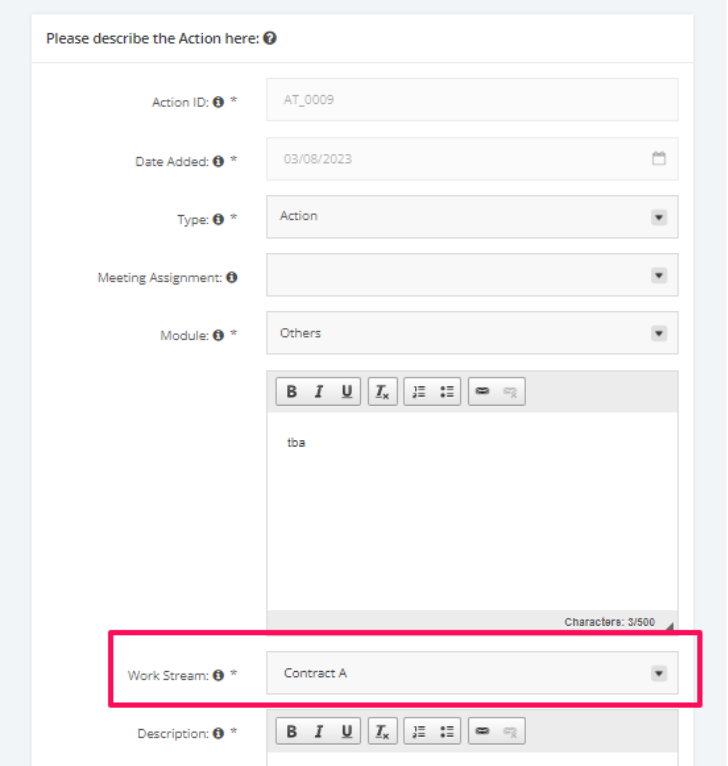
When creating an Action, you can assign this to any configured Workstreams. As per the following:
Change Control
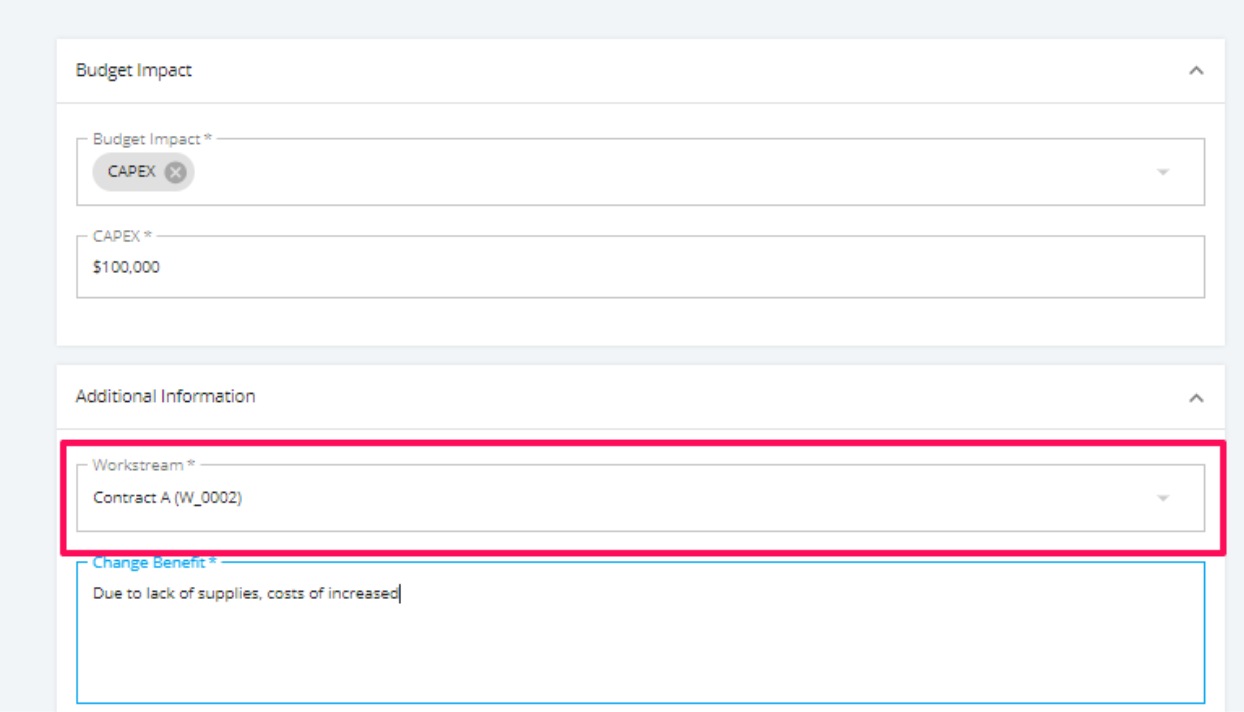
When creating a new Change Request, you can assign this to any configured Workstreams. As per the following: