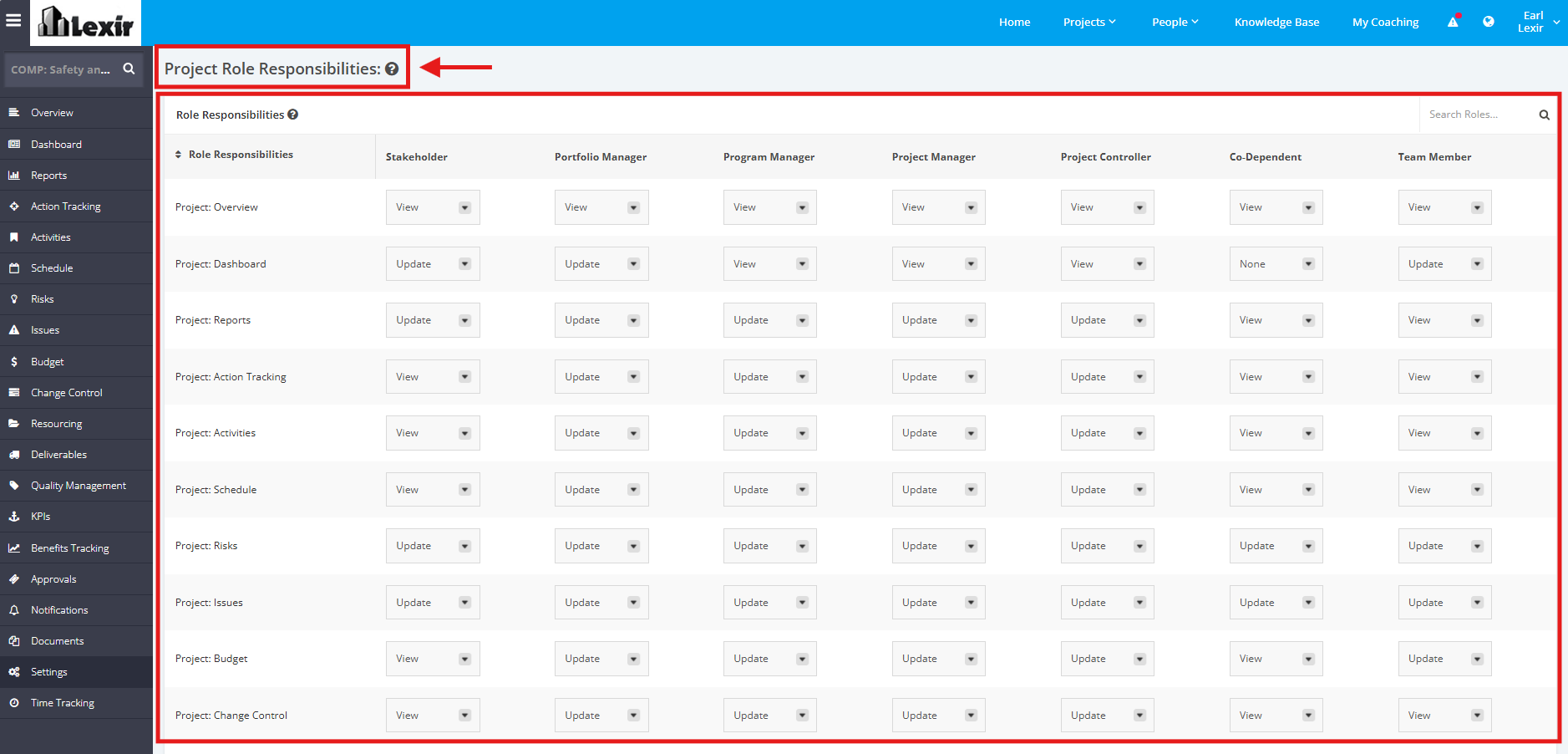
1. Manage Role Responsibilities within a Project
Once user is assigned to a Role in the Project, he or she will then be given appropriate access to the different modules like Risk, Issue, Schedule, Budget, etc.
Project access levels are permission sets that allow members to perform different tasks within a project. By assigning project members to access levels, you determine the information they can see and actions they are allowed to perform. Focus HQ Access Levels can be "None", "View", or "Update"
You can have "Update" access to one Project module, but "View" access to another Project module.
Default access settings will be in place during the turn-over of the environment to the client but can be updated by the client anytime.
See Focus HQ Default access levels settings below:
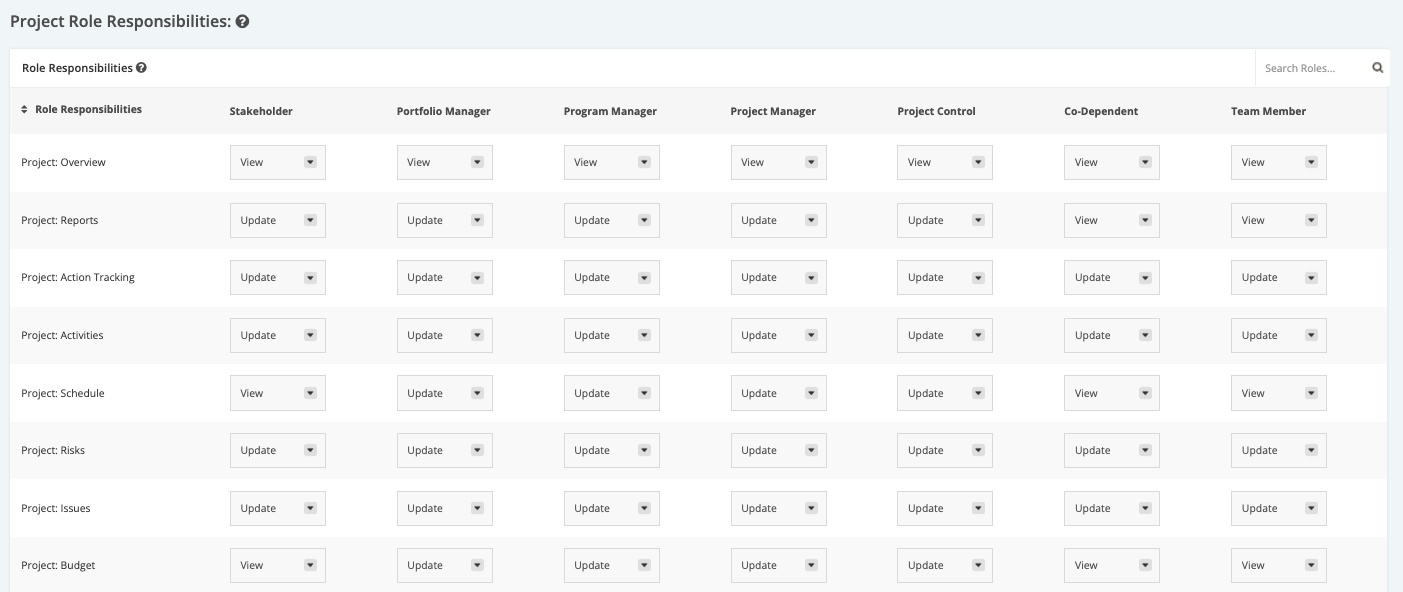
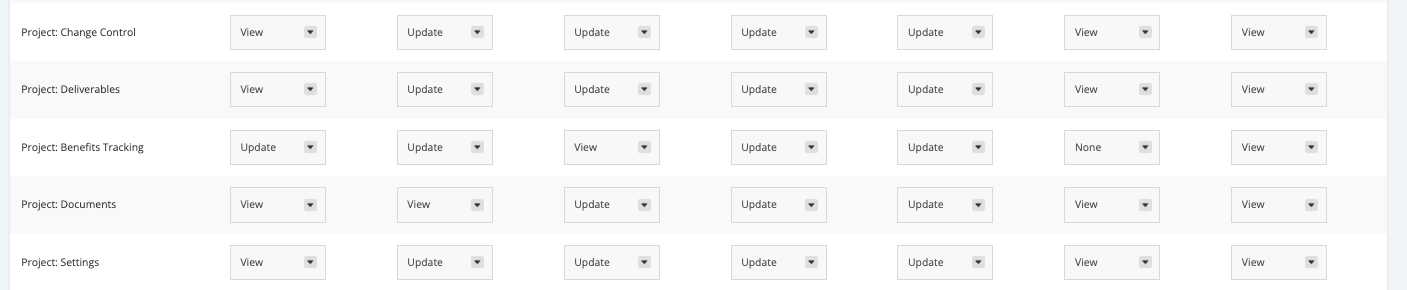
1. To manage the Role Responsibilities, click the ‘Settings’ tab from the left side bar of the Project page.
2. Once done, navigate to the ‘Project Role Responsibilities’ section.
3. Click the dropdown menu and then assign a User Role with their corresponding access rights to various modules within the project (E.g. Stakeholder can Update Project Reports). Below are the dropdown menu options:
- ‘Update’ – a User Role can view and make changes to modules assigned
- ‘View’ – a User Role can only view modules
- ‘None’ – a User Role can’t view or update any modules
Note: ‘Project: Overview’ can only be viewed.