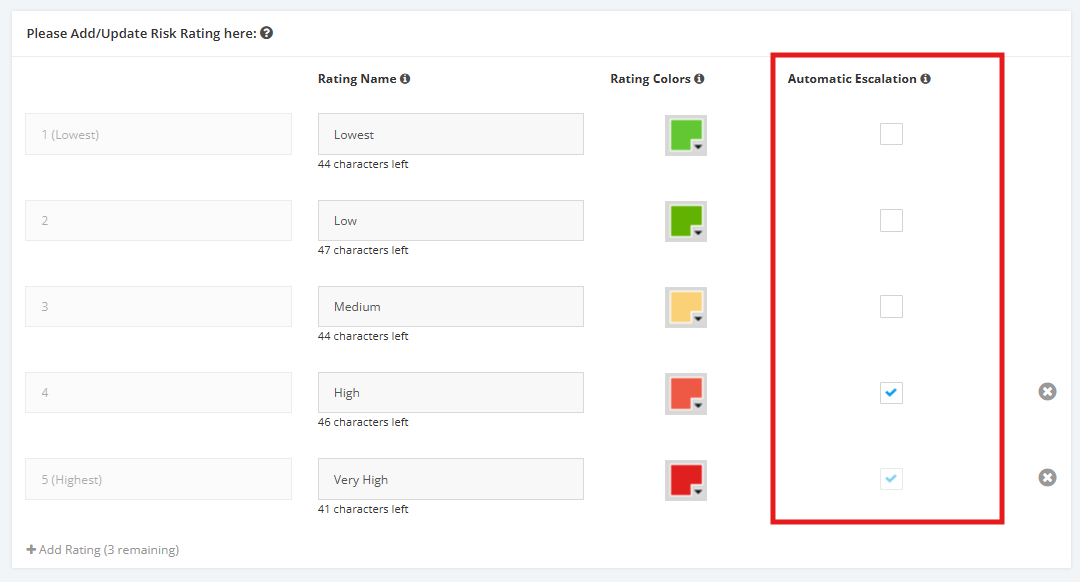
1. Escalation of Risks
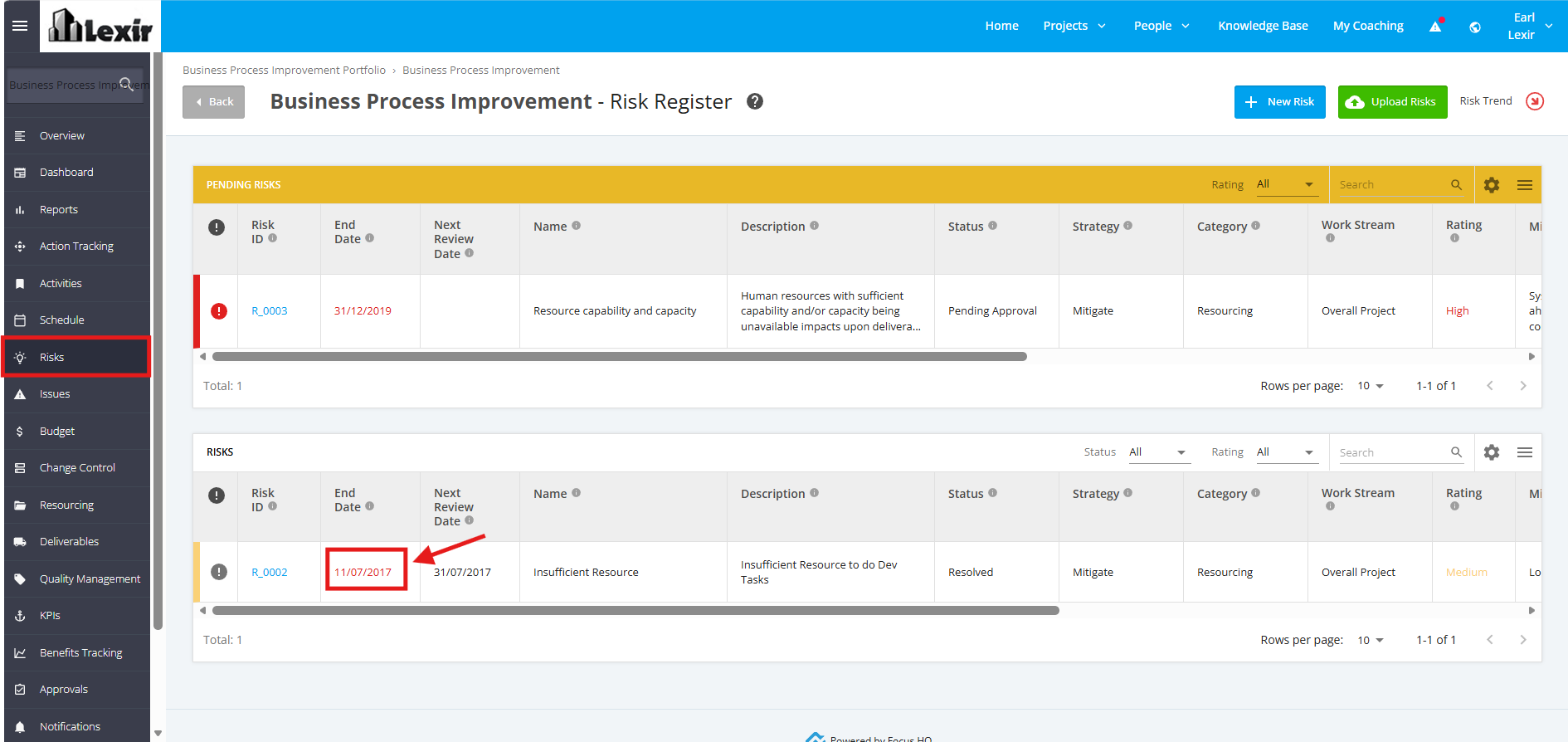
1. Past End Date Project Risks
Risks with lapsed ‘End Date’ will automatically be Escalated regardless of ‘Low Priority’.
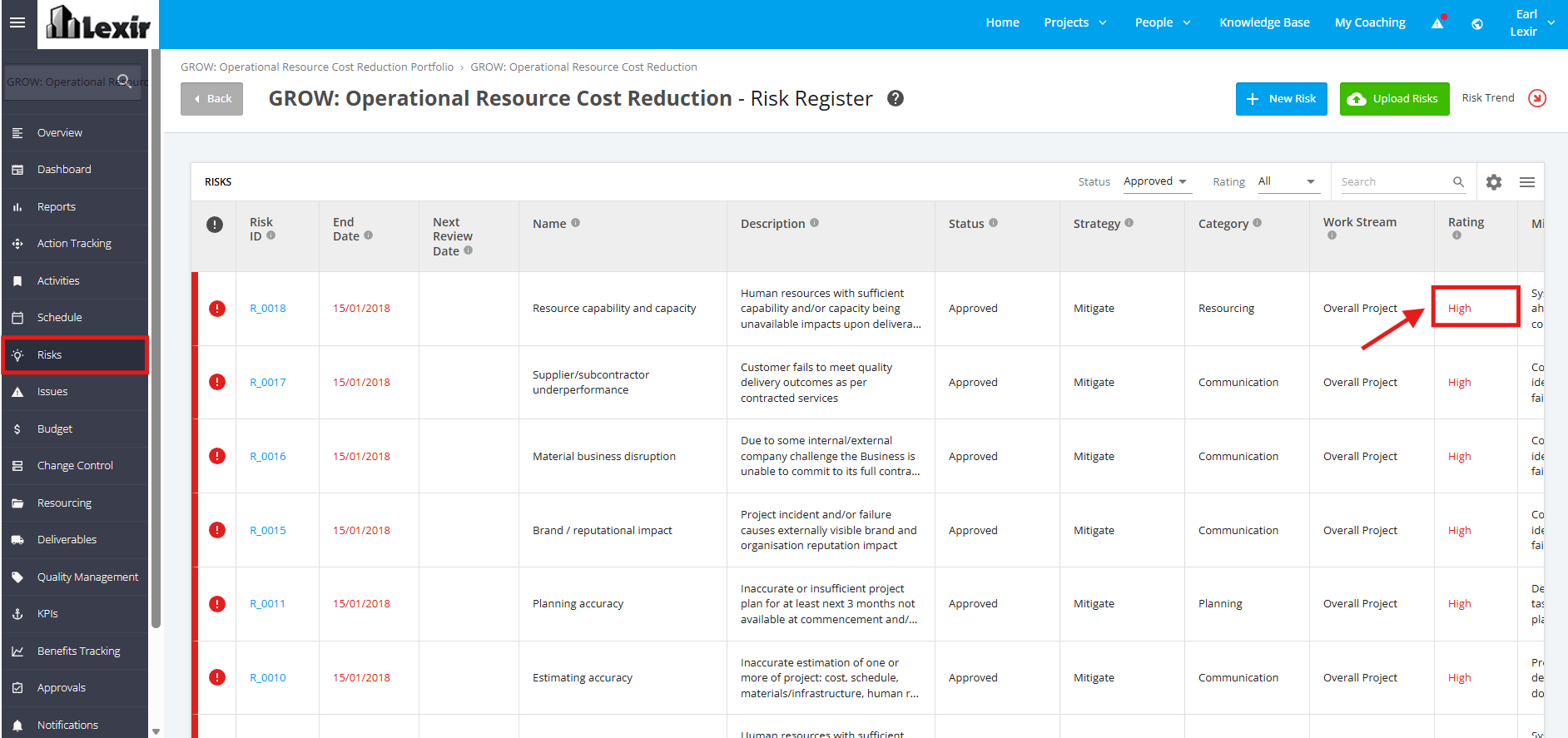
2. Project Risk Rating is Too High
Risks with ‘High Priority’ will automatically be Escalated.
3. Manually Escalate a Project Risk
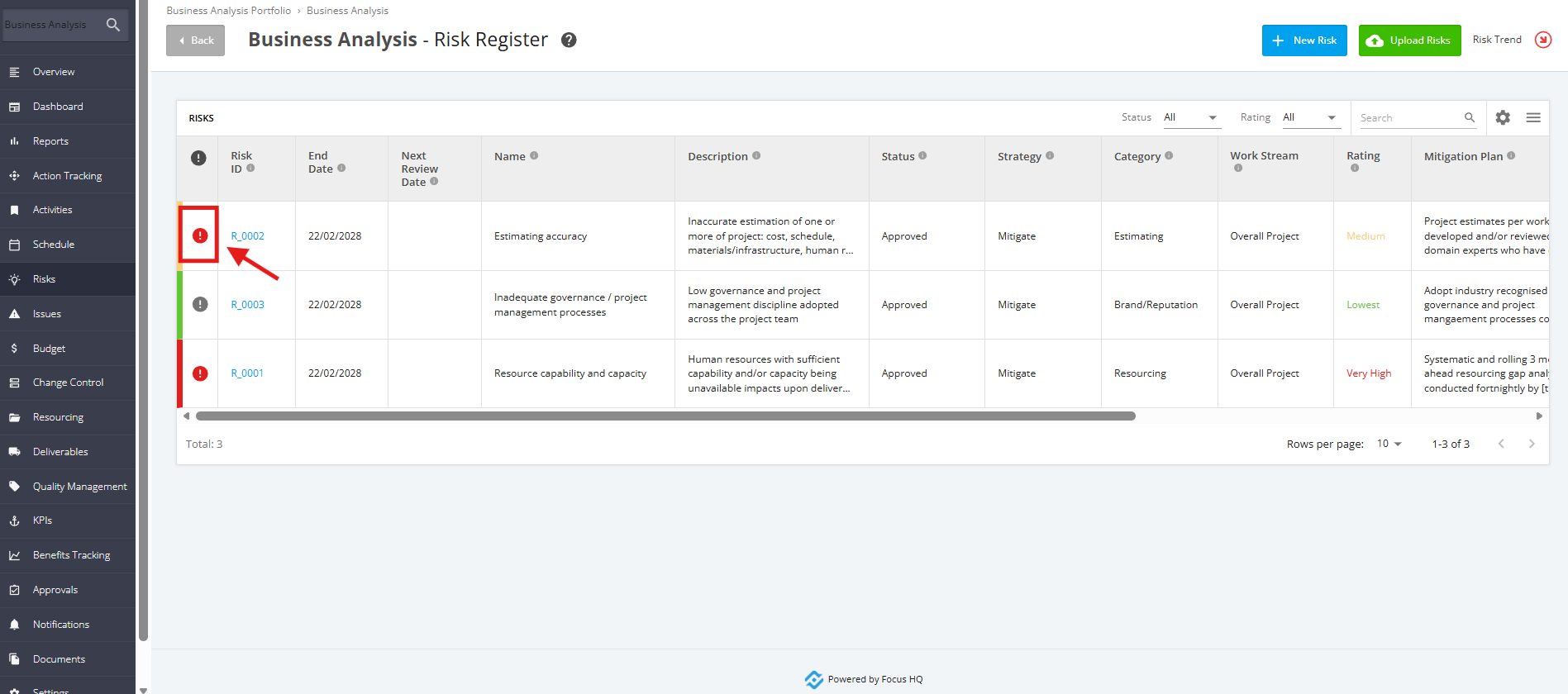
1. To manually escalate a Risk, click the ‘Risk’ tab from the left sidebar of the Project page. Once done you will reach the Project Risk Register. Then, navigate to the Project Risk that you want to escalate and click the ‘Escalation’ icon.
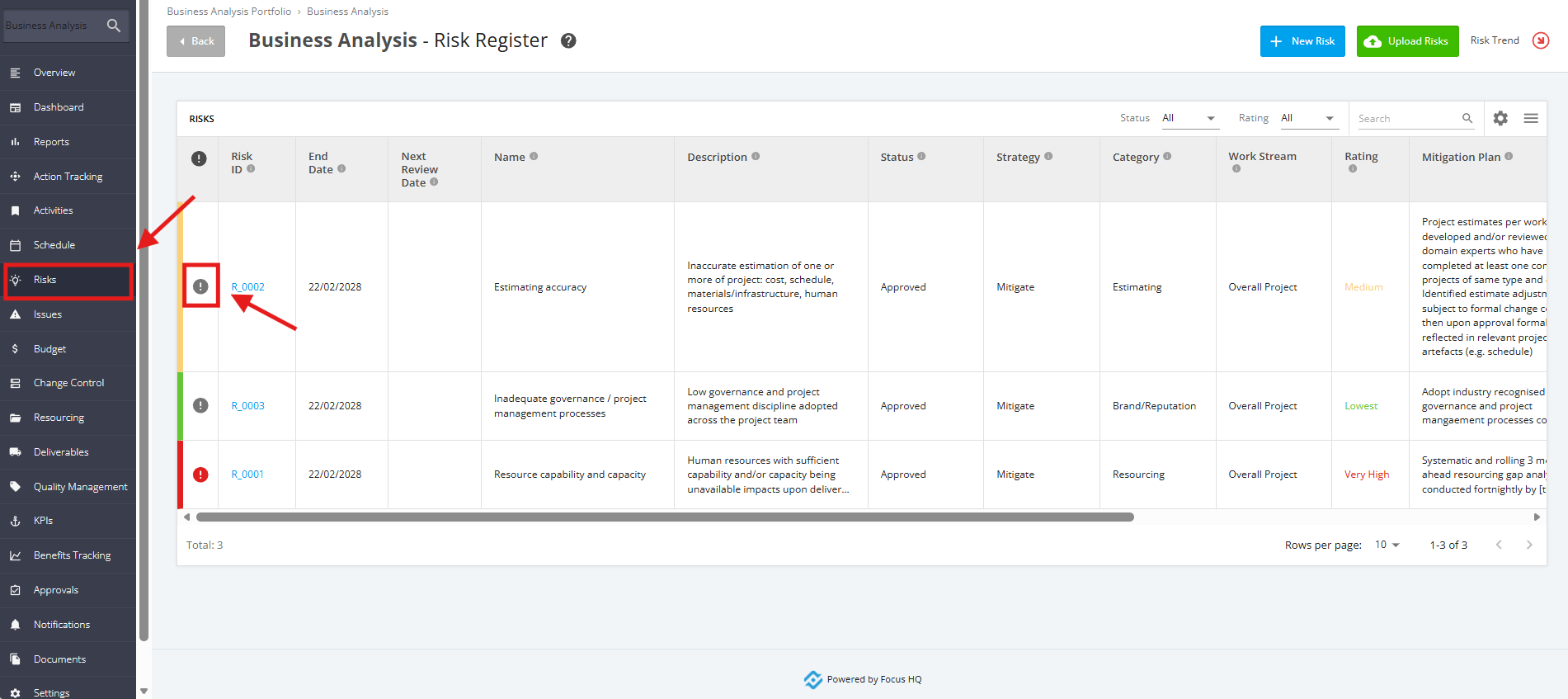
2. The Escalated Risk icon will now become Red.
NOTE: The ability to manually escalate Risks depends on your Risks Management Configuration Settings if a Risk Rating is automatically escalated.
To check this, go to 'Company Settings'. Scroll down to the 'Risks Management' section, then click the 'Edit' button.
Check the 'Risk Rating' section to determine which ratings are automatically escalated.