1. How to Download Approved Opportunity Projects
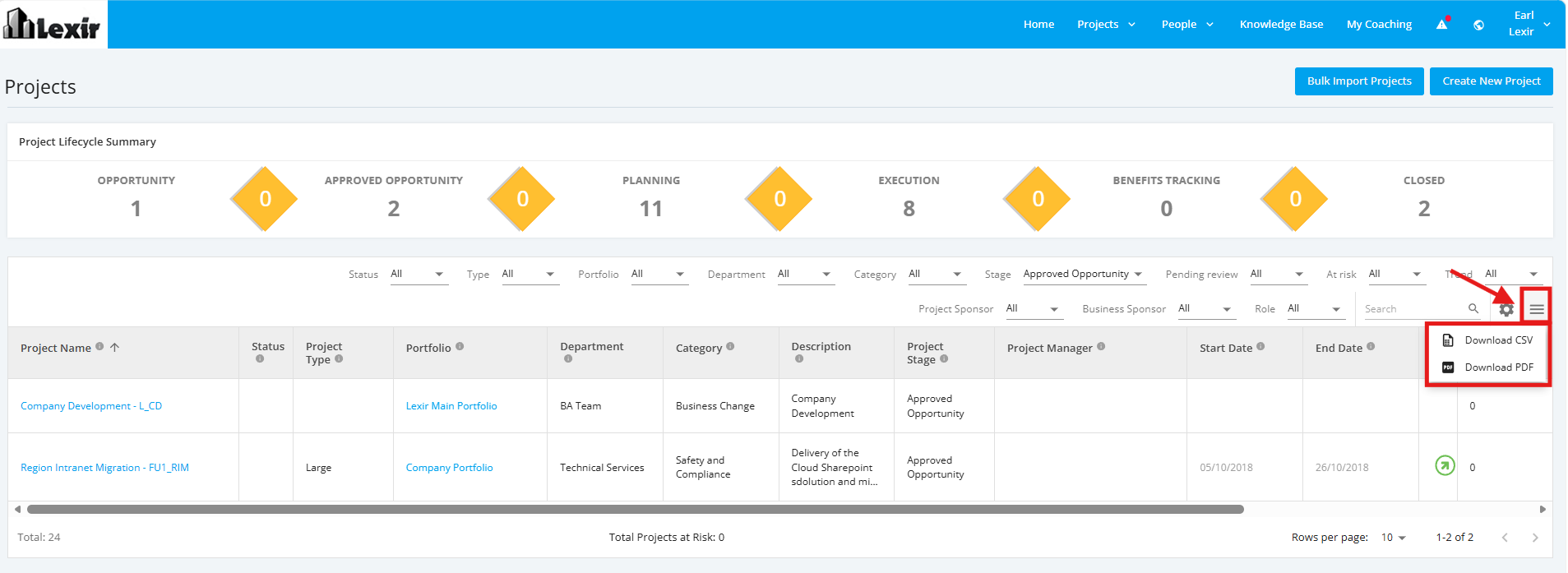
Within the 'All Projects Dashboard' page and ‘Approved Opportunity’ projects are selected, go to the ‘Download’ icon.
Once done, select a file format to download: ‘Download CSV’ or ‘Download PDF'.

Modified on: Tue, 28 Jul, 2026 at 6:13 PM
Within the 'All Projects Dashboard' page and ‘Approved Opportunity’ projects are selected, go to the ‘Download’ icon.
Once done, select a file format to download: ‘Download CSV’ or ‘Download PDF'.
Did you find it helpful? Yes No
Send feedback