1. Milestones are Defined
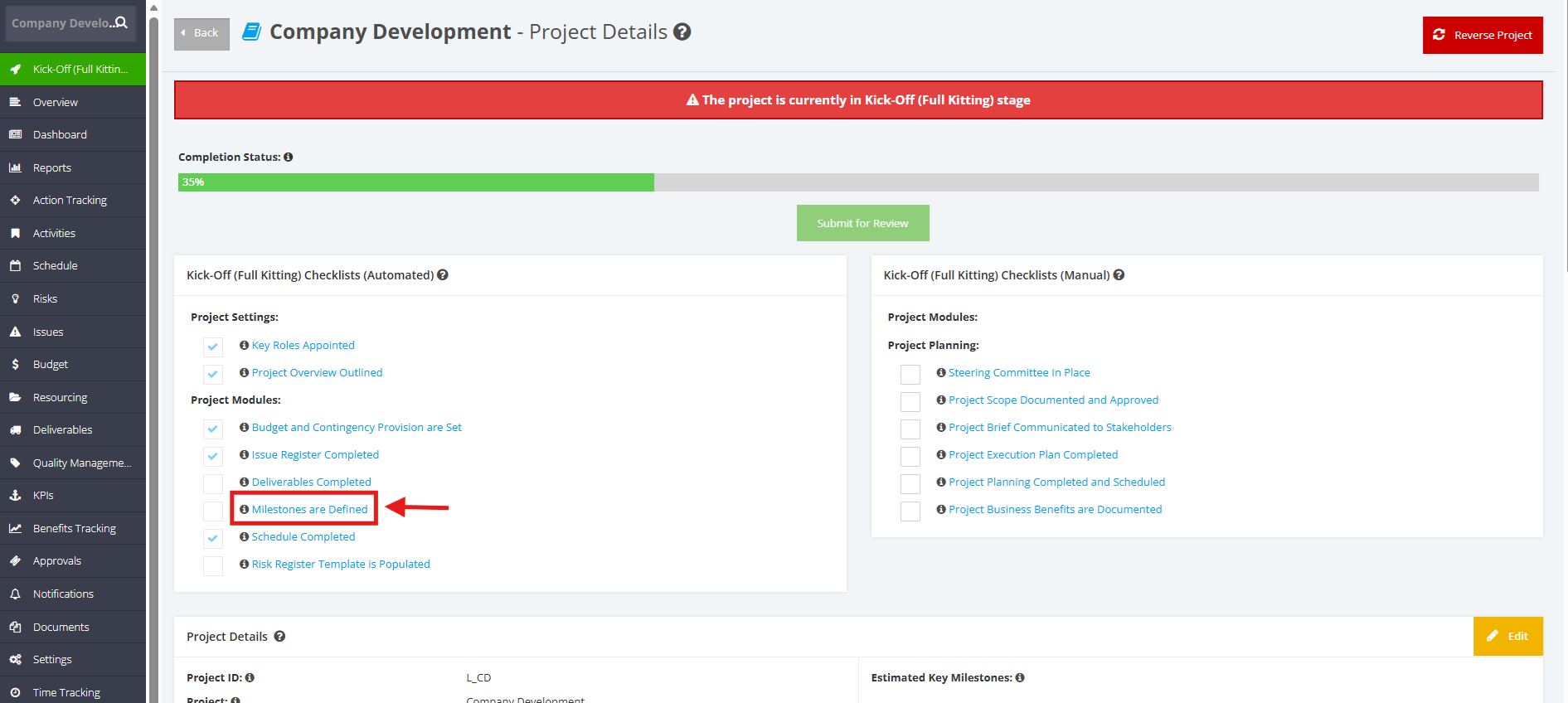
"Milestones are Defined" is one of the automated checklists for a Kick-Off (Full Kitting) project. For this checklist item to be automatically ticked, add a Project Milestone in the Kick-Off (Full Kitting) project.
1. Within the ‘Pipeline Details’ page, navigate to ‘Full Kitting Checklist (Automated)’ section then click the ‘Milestones are Defined’ checklist.
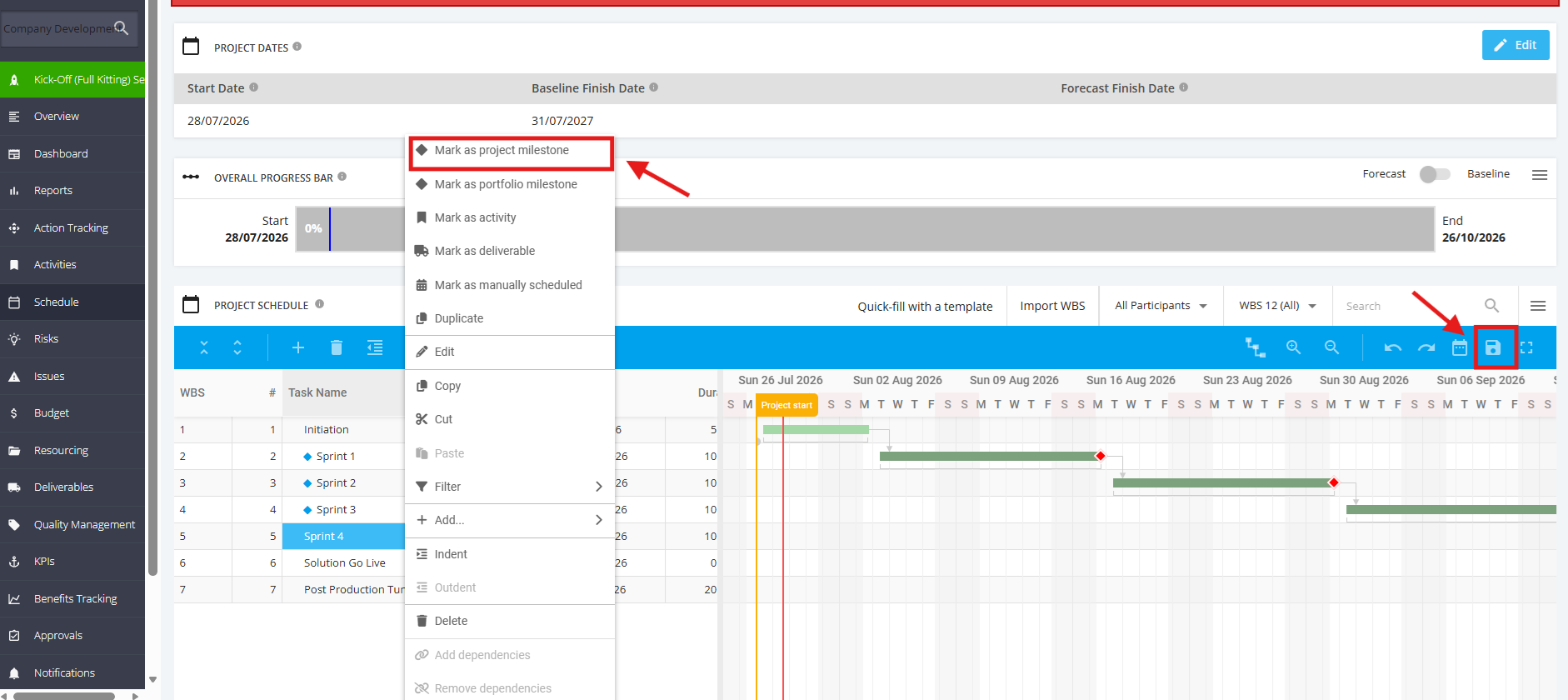
2. Once redirected to the Schedule page, navigate to the ’Project Schedule’ table.
To add a Milestone, point the ‘Task’ you want to set as milestone then right click and hit ‘Mark as project milestone’.
Once done, click the 'Save' icon.