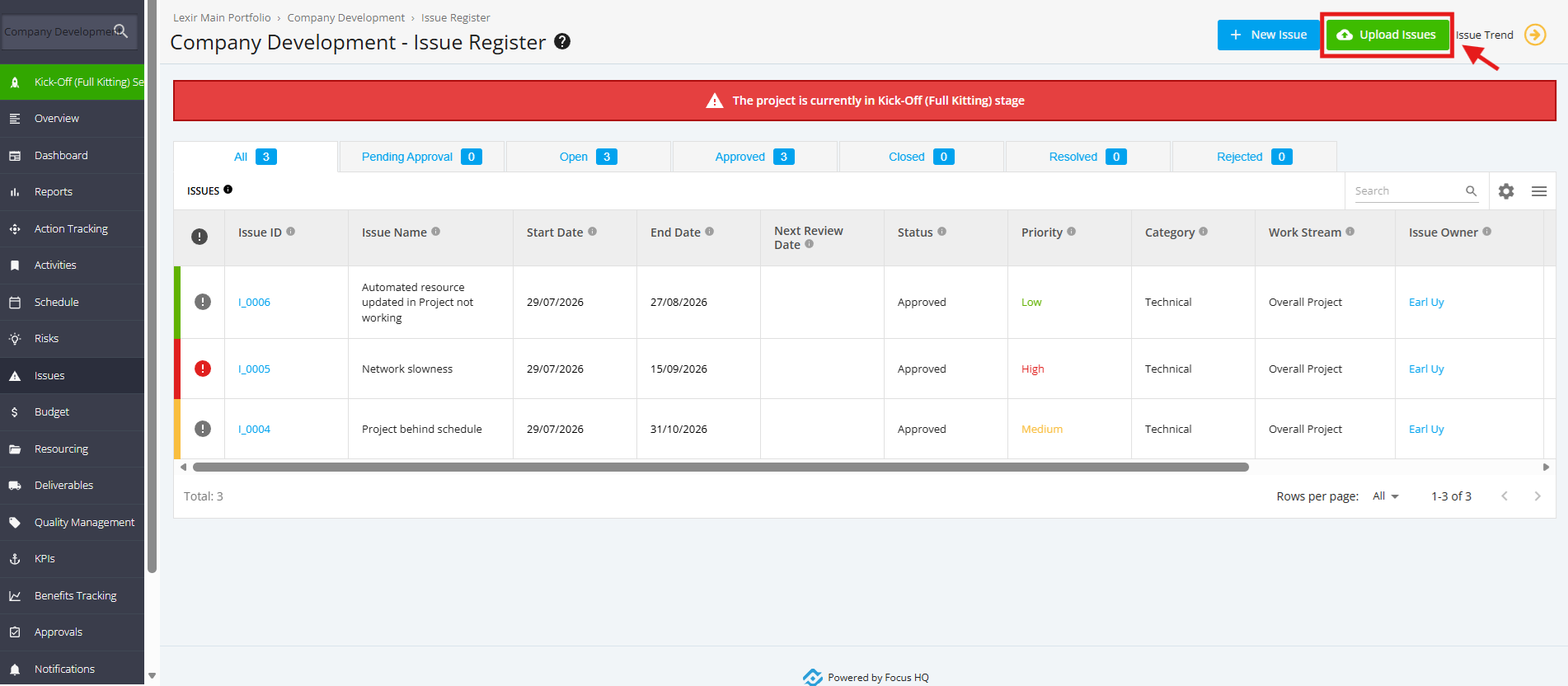
1. Issue Register Completed
"Issue Register Completed" is one of the automated checklists for a Kick-Off (Full Kitting) project. For this checklist item to be automatically ticked, add a Project Issue in the Kick-Off (Full Kitting) project.
1. Within the ‘Pipeline Details’ page, navigate to ‘Full Kitting Checklist (Automated)’ section then click the ‘Issue Register Completed’ checklist.
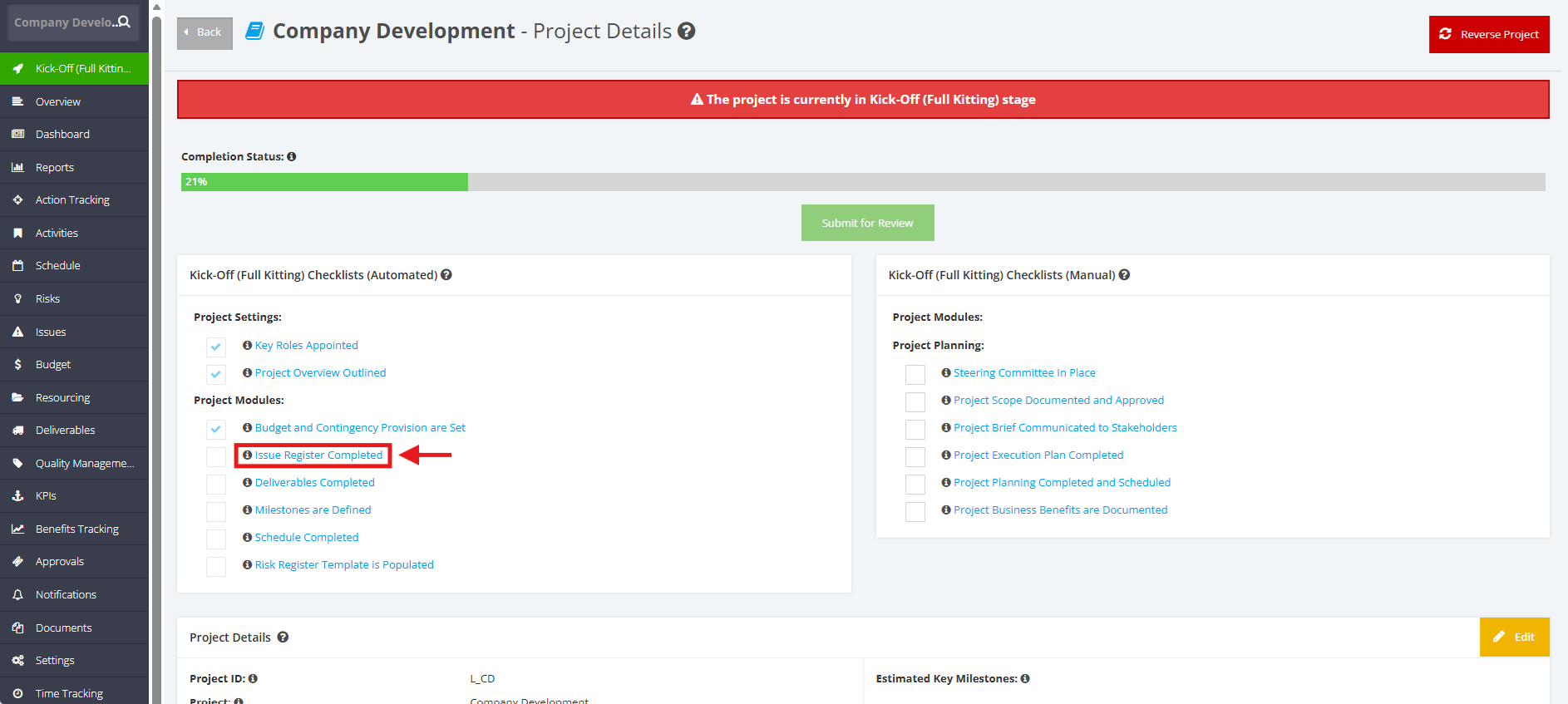
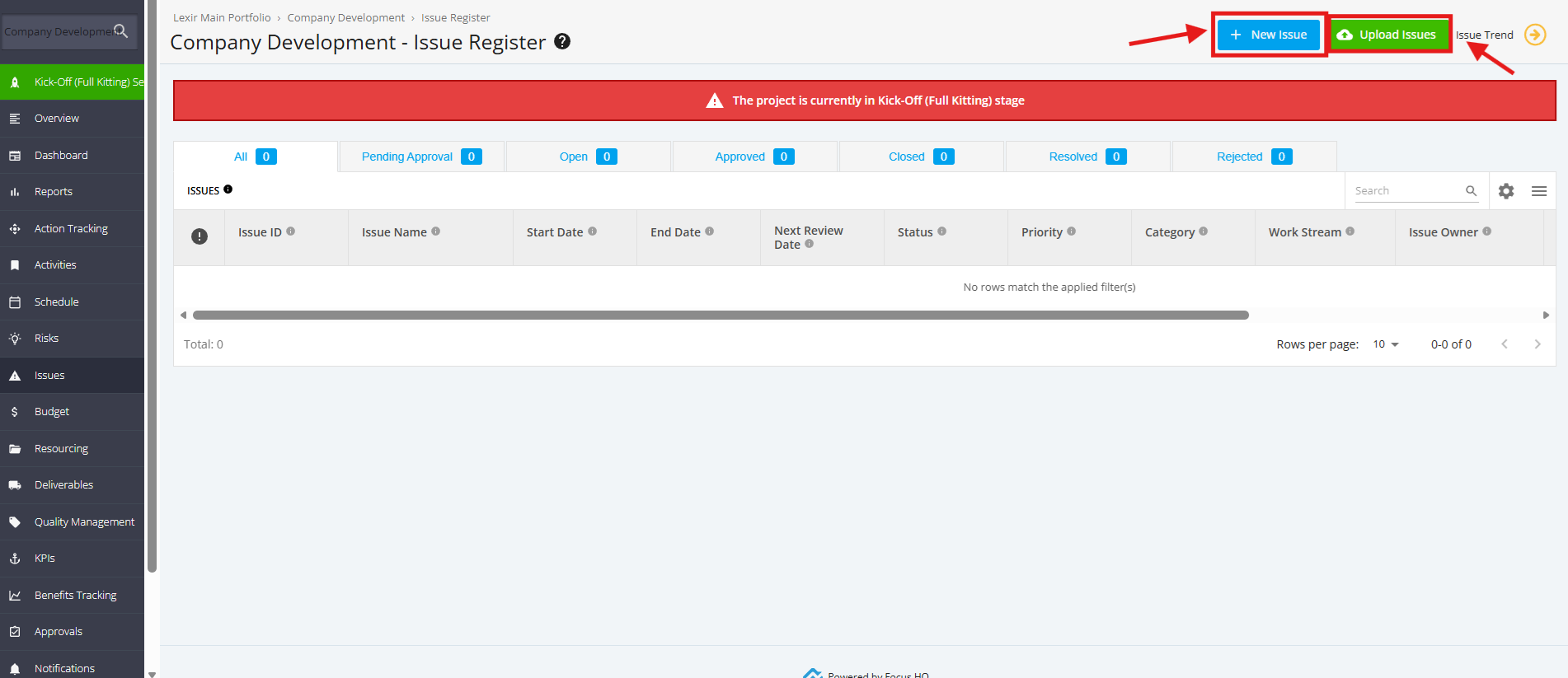
2. Once redirected to the Issues page, you can add an Issue item by:
- Clicking the ‘New Issue’ button
- Clicking the ‘Upload Issues’ button
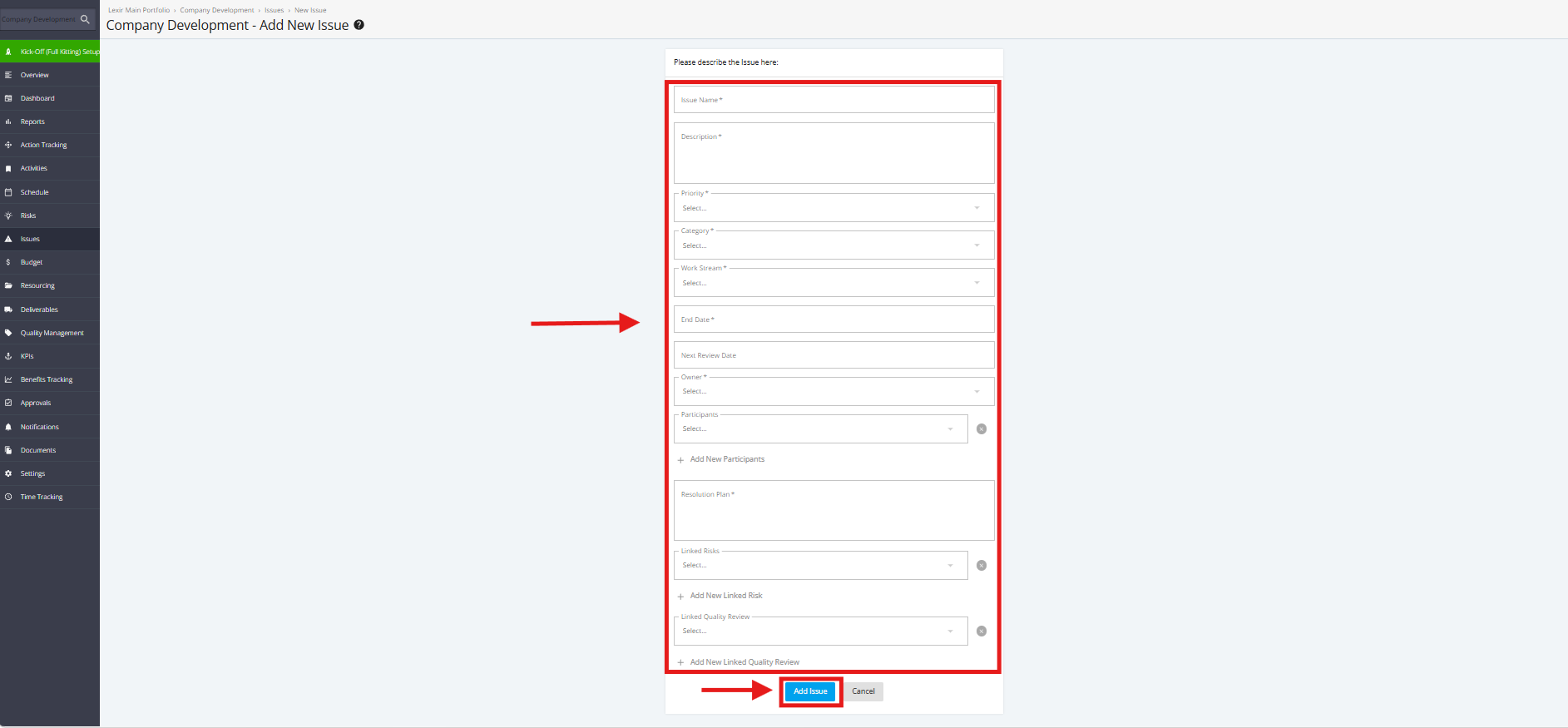
3. Once 'New Issue' is clicked, fill in the required fields within the ‘Add New Issue’ page:
Issue Name, Description, Priority, Category, Work Stream, End Date, Next Review Date, Owner, Participants, Resolution Plan.
Once done, click the ‘Add Issue’ button.
4. Once ‘Upload Issues’ button is clicked, upload the CSV file containing the Risk Items and map the CSV columns in line with the Focus HQ columns. Once done, click the "Import" button.
The Issues will be displayed once Import is successful.