1. Project Overview Outlined
"Project Overview Outlined" is one of the automated checklists for a Kick-Off (Full Kitting) project. For this checklist item to be automatically ticked, fill up all Project Overview information in the Kick-Off (Full Kitting) project.
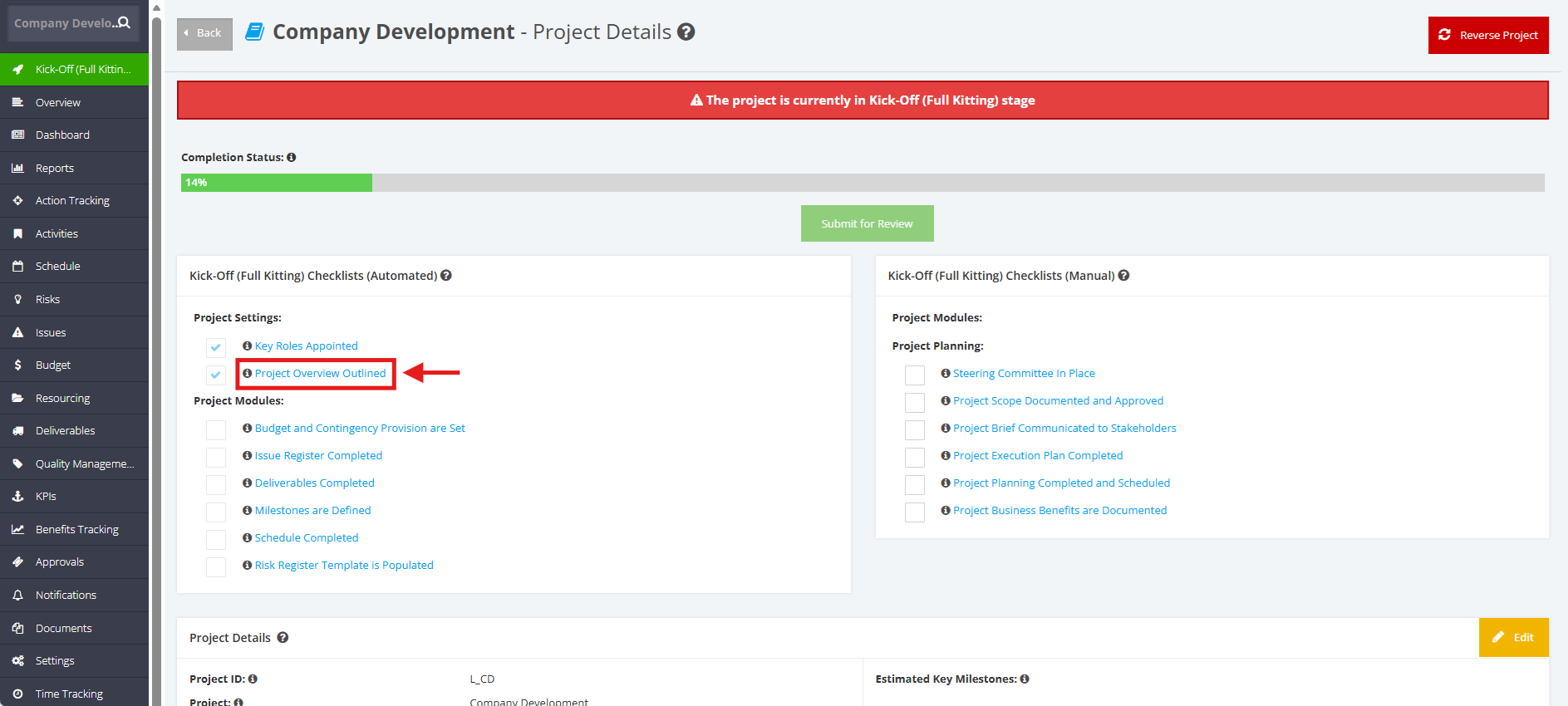
1. Within the ‘Pipeline Details’ page, navigate to ‘Full Kitting Checklist (Automated)’ section then click the ‘Project Overview Outlined’ checklist.
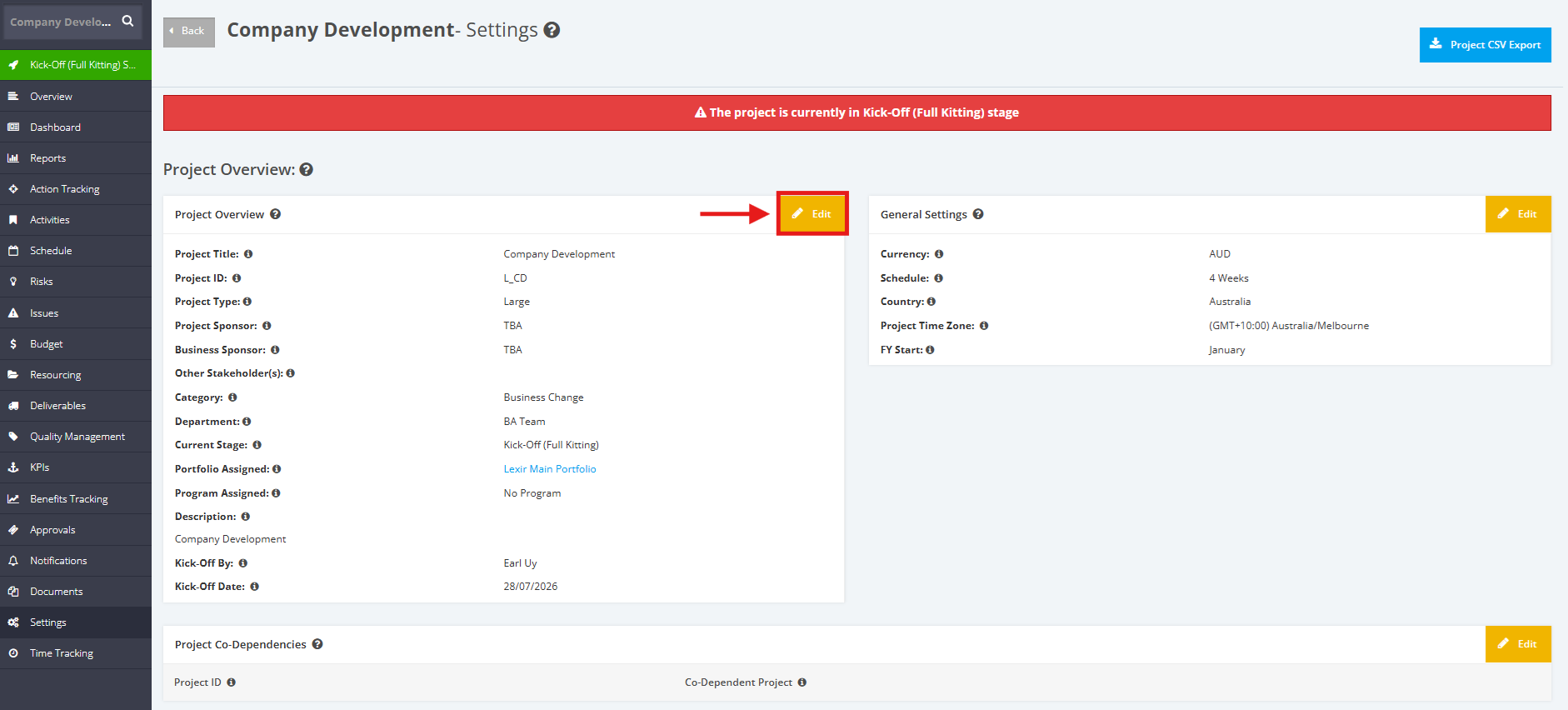
2. Once redirected to the ‘Settings’ page, go to the ‘Project Overview’ section and click the ‘Edit’ button.
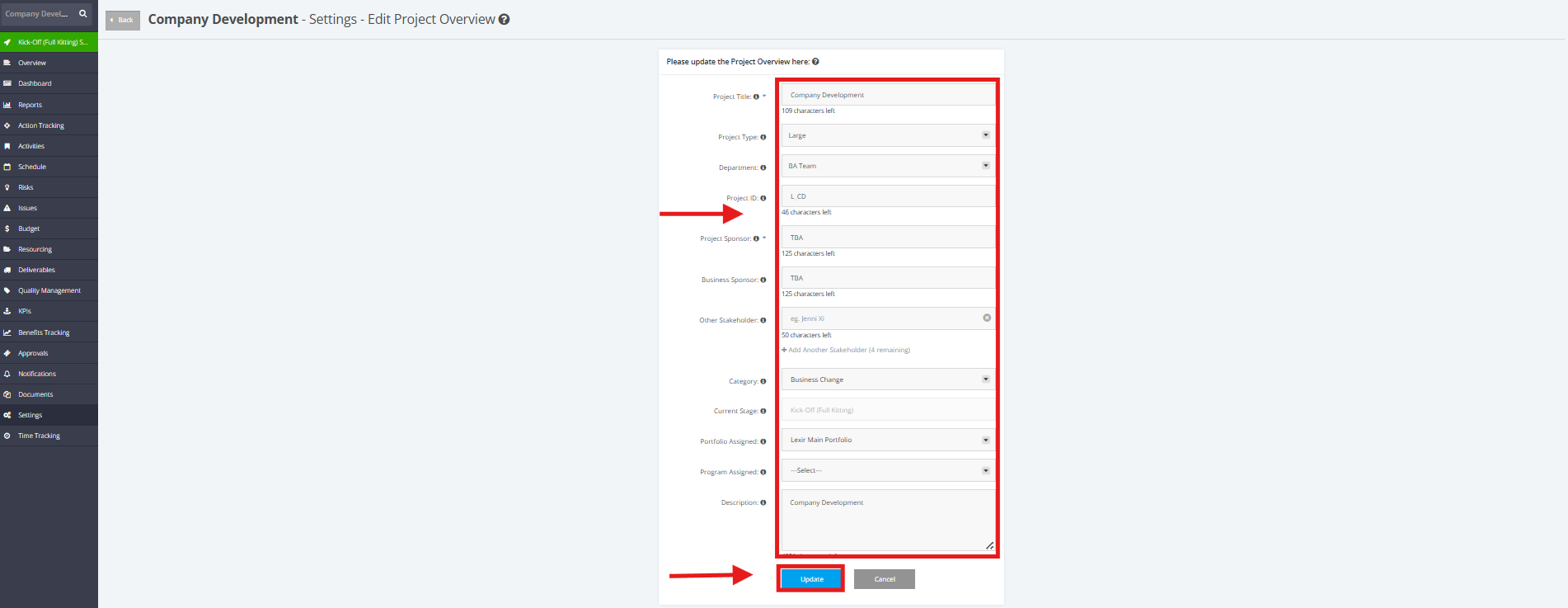
3. Make the necessary changes for the Project Overview Details:
Project Title, Project Type, Department, Project ID, Project Sponsor, Business Sponsor, Other Stakeholder, Category,
Portfolio Assigned, Program Assigned, Description
Once done, click the ‘Update’ button to save the data.