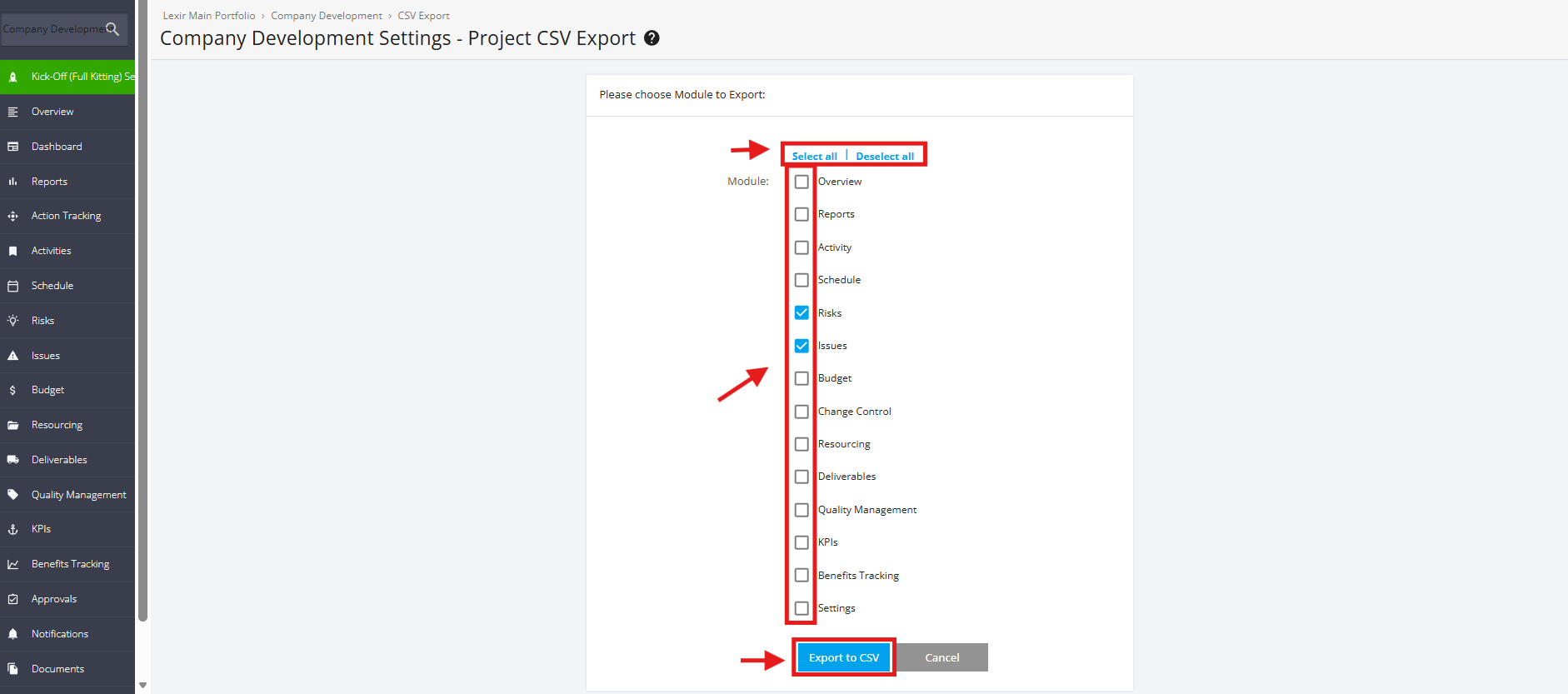
1. Export Kick-Off (Full Kitting) Project CSV
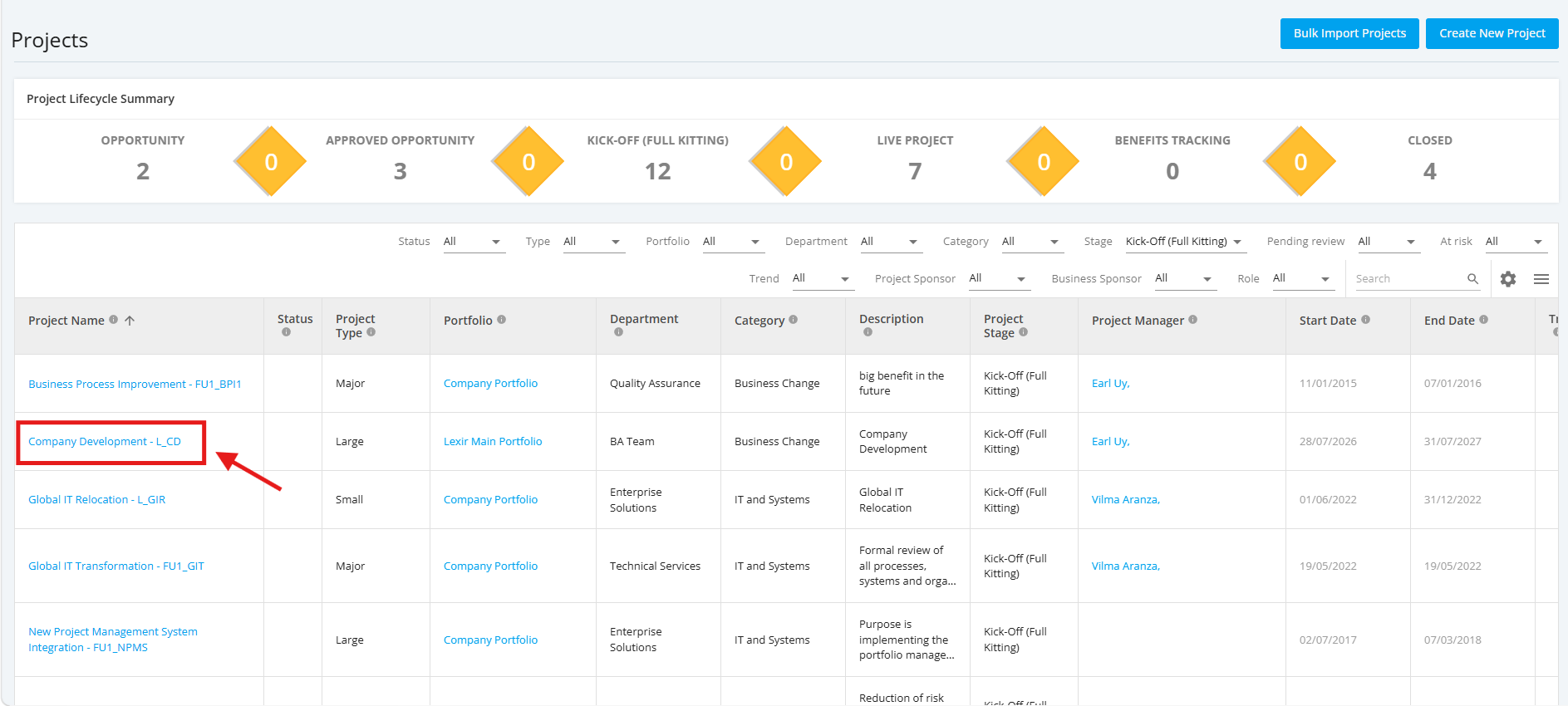
1. Within the ‘All Projects Dashboard’ page, click any Kick-Off (Full Kitting) project you want to export in CSV.
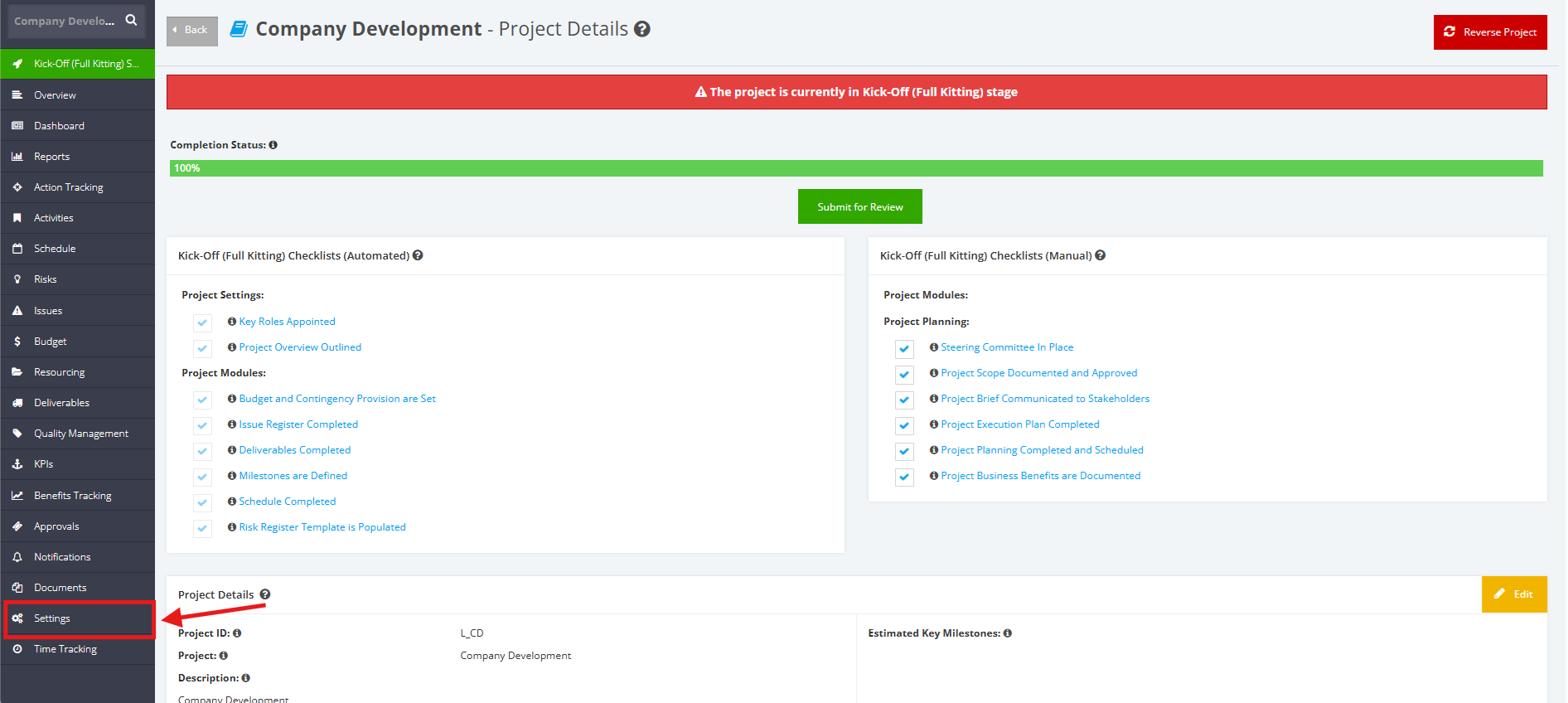
2. Once redirected to the ‘Pipeline Details’ page, go to the left side bar and click the ‘Settings’ module.
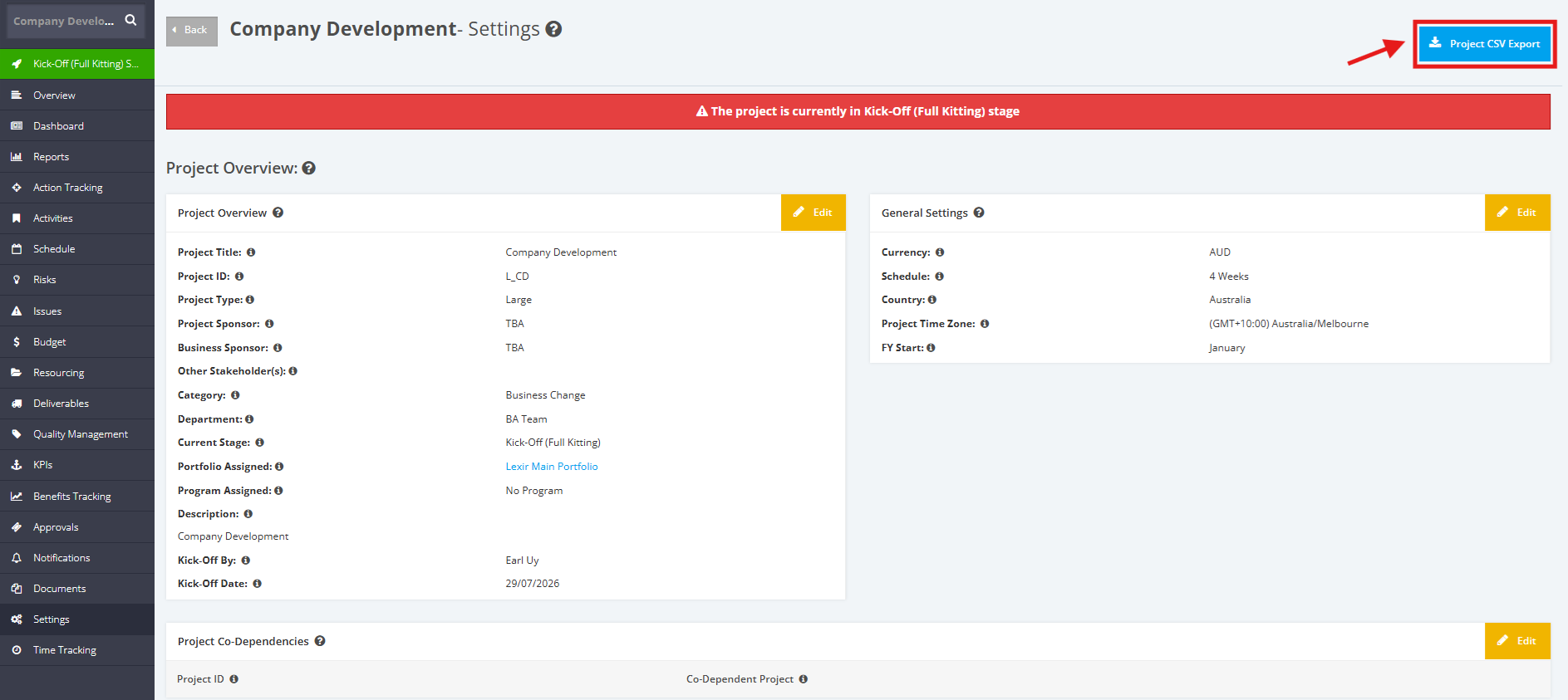
3. Within the ’Settings’ page, click the ‘Project CSV Export’ button.
4. Choose the modules you want to export by ticking the ‘checkbox’ before each module.
You can also click 'Select all' if you like to export ALL modules.
Once done, click the ‘Export to CSV’ button.