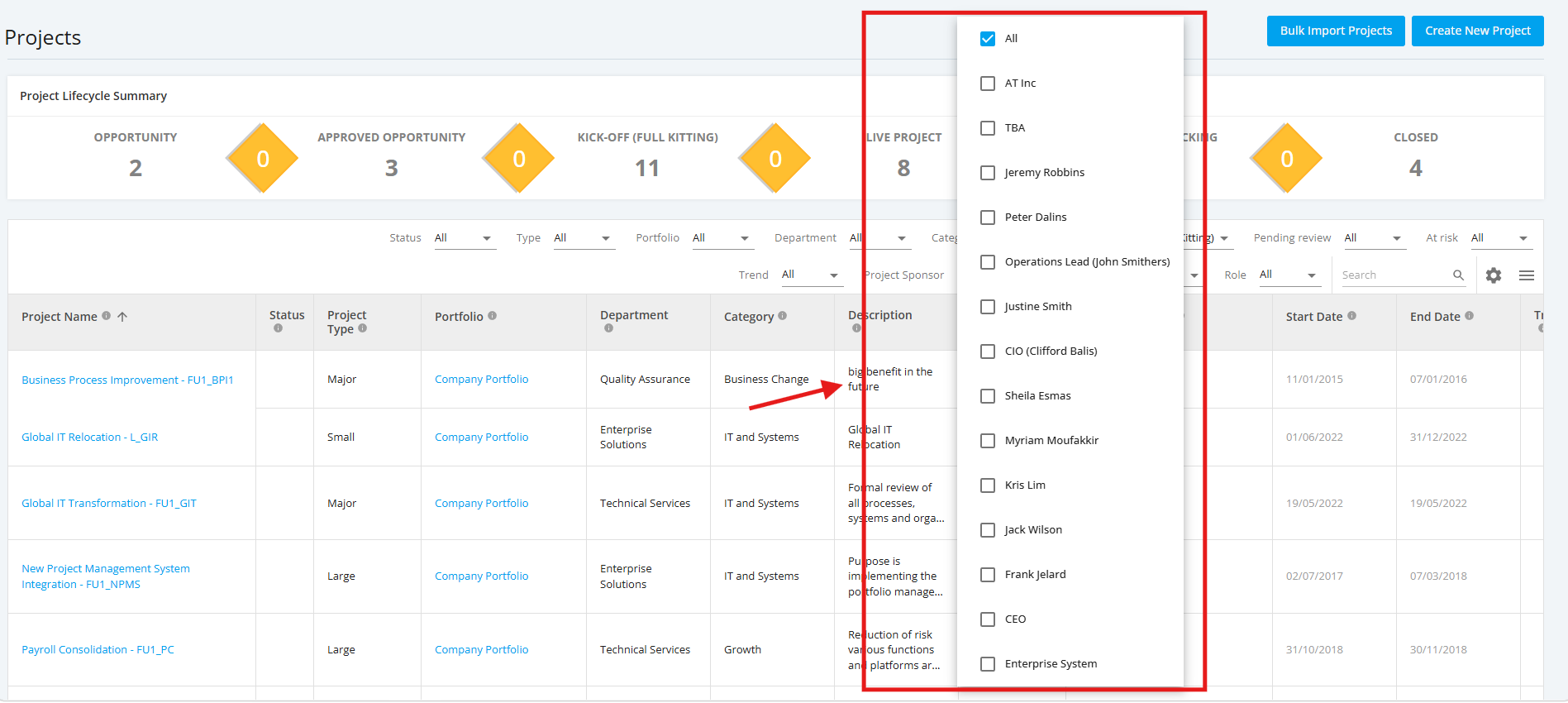
1. Filter Kick-Off (Full Kitting) Projects
You can filter list of Kick-Off (Full Kitting) Projects to display with options like
Project Type, Department, Category, and Project Sponsor.
You can select one or more filters. Once the desired filters are configured, the Project List will display only the projects that match the selected filter criteria.
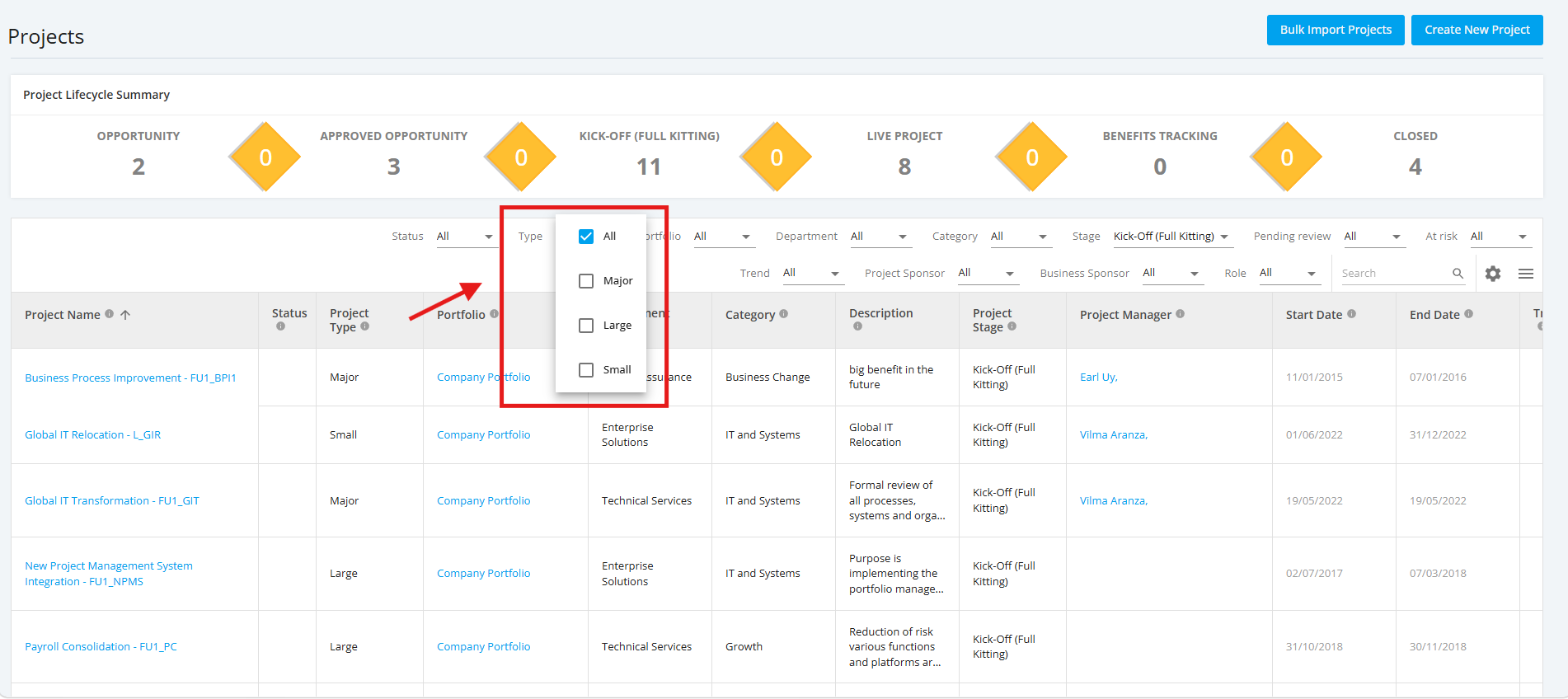
1.1 Filter Kick-Off (Full Kitting) by Project Type
In the ‘Filters’ section. click the ‘Project Type’ dropdown menu. Once done, choose a project type you want to display.
To display projects with all project types, select ‘All’.
1.2 Filter Kick-Off (Full Kitting) by Department
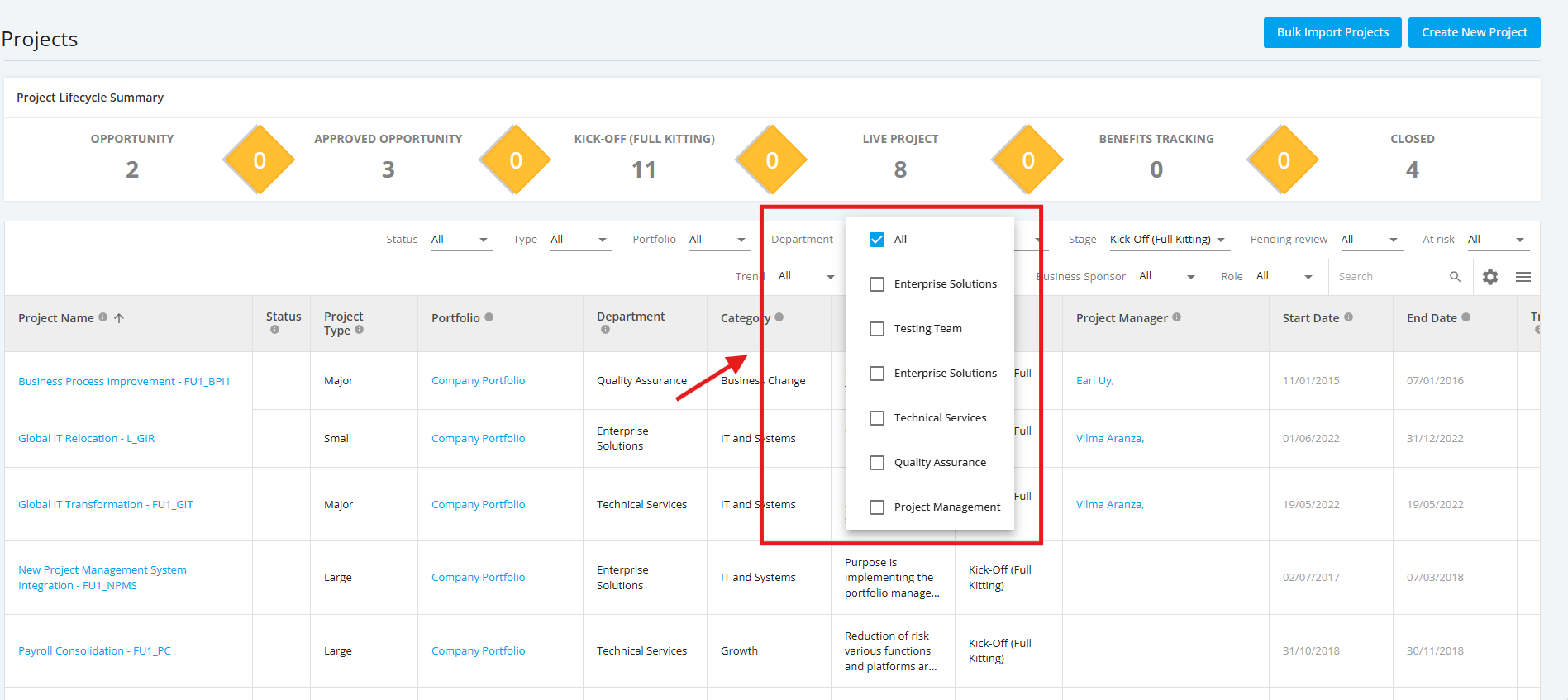
In the ‘Filters’ section. click the ‘Department’ dropdown menu. Once done, choose a Department you want to display.
To display projects with all Departments, select ‘All’.
1.3 Filter Kick-Off (Full Kitting) by Category
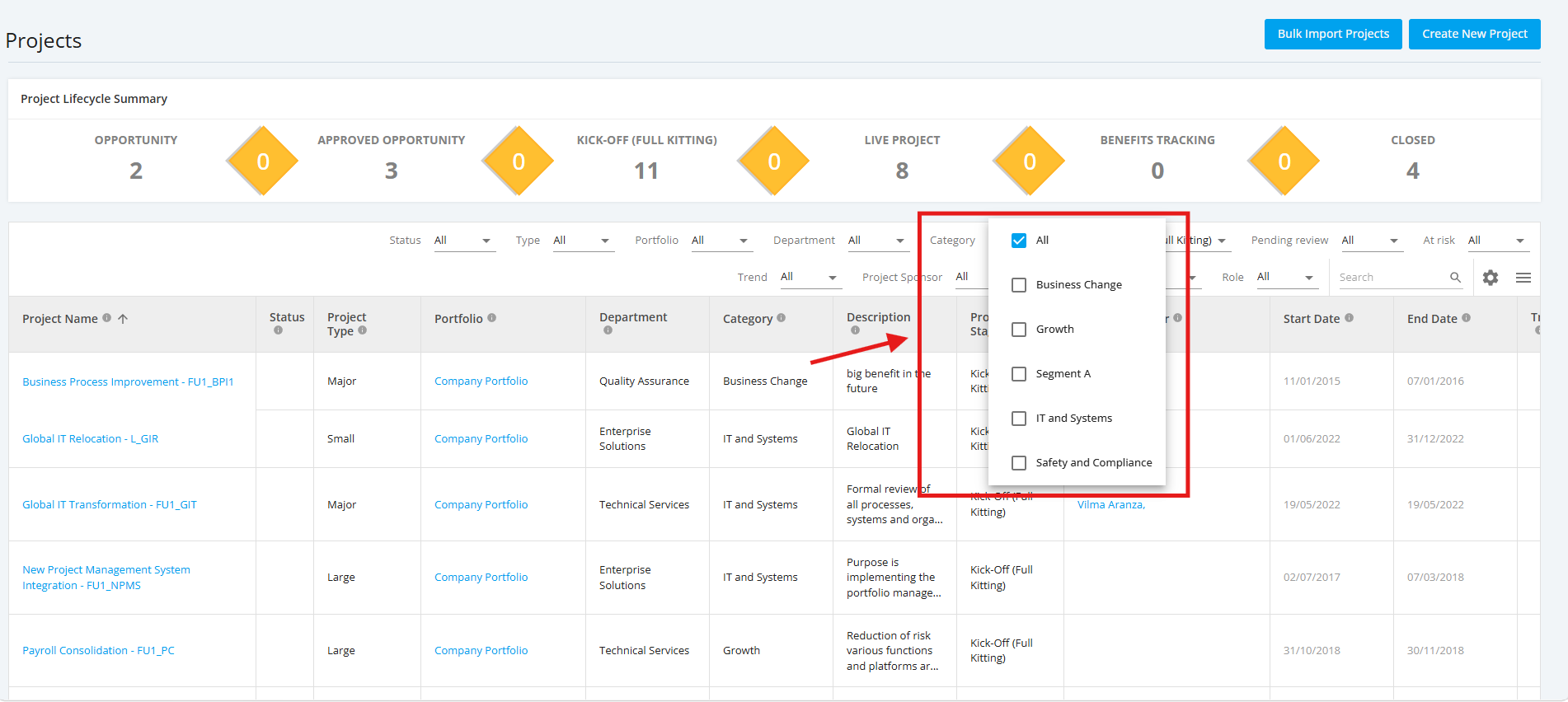
In the ‘Filters’ section. click the ‘Category’ dropdown menu. Once done, choose a Category you want to display.
To display projects with all Categories, select ‘All’.
1.4 Filter Kick-Off (Full Kitting) by Project Sponsor
In the ‘Filters’ section. click the ‘Project Sponsor’ dropdown menu. Once done, choose a Project Sponsor you want to display.
To display projects with all Project Sponsors, select ‘All’.