1. Update a Portfolio Role
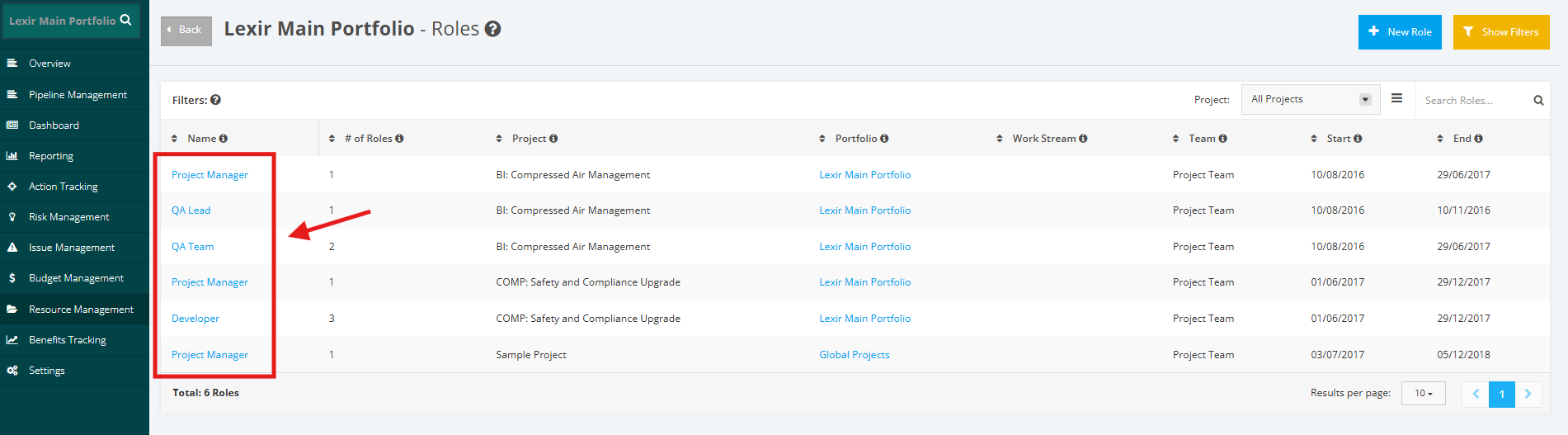
1. In the ‘Roles’ page, go to ‘Filters’ section then click any ‘Role’ item you want to update .
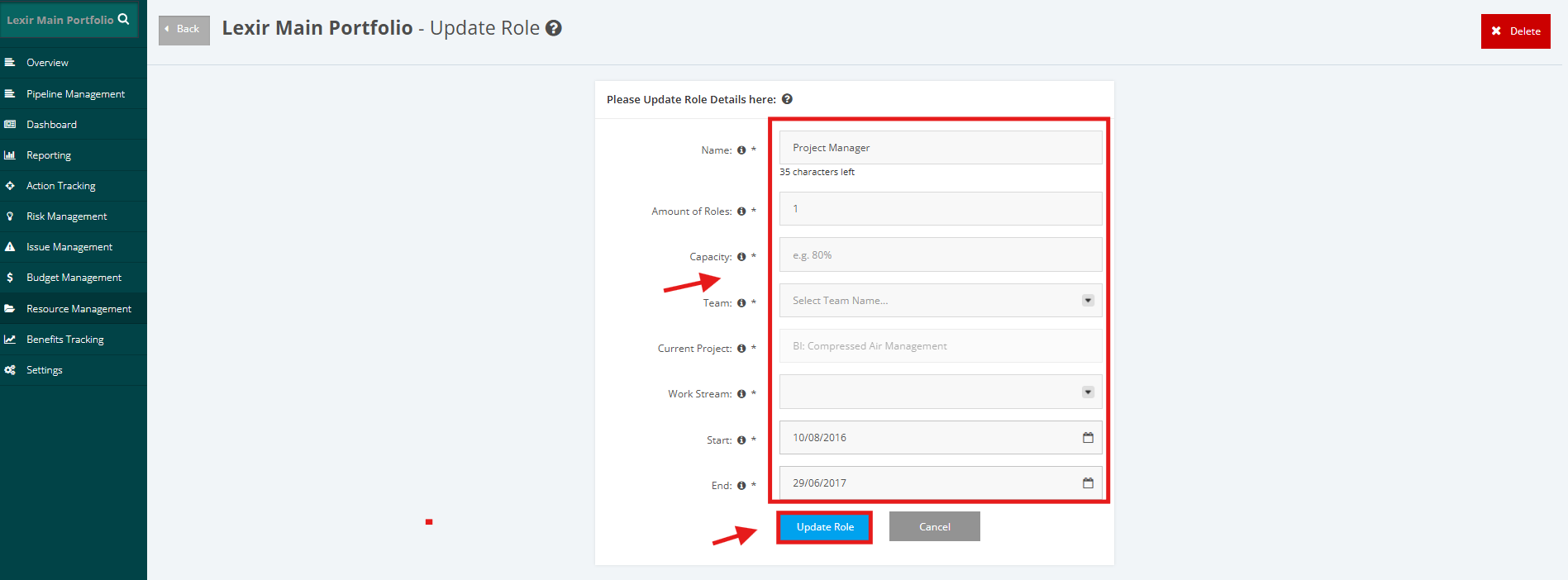
2. Input necessary updates in the form (Name, Amount of Roles, Capacity, Team, Work Stream, Start Date, and End Date). Once done, click ‘Update Role’ button to save the changes made.