1. Navigate Portfolio Roles
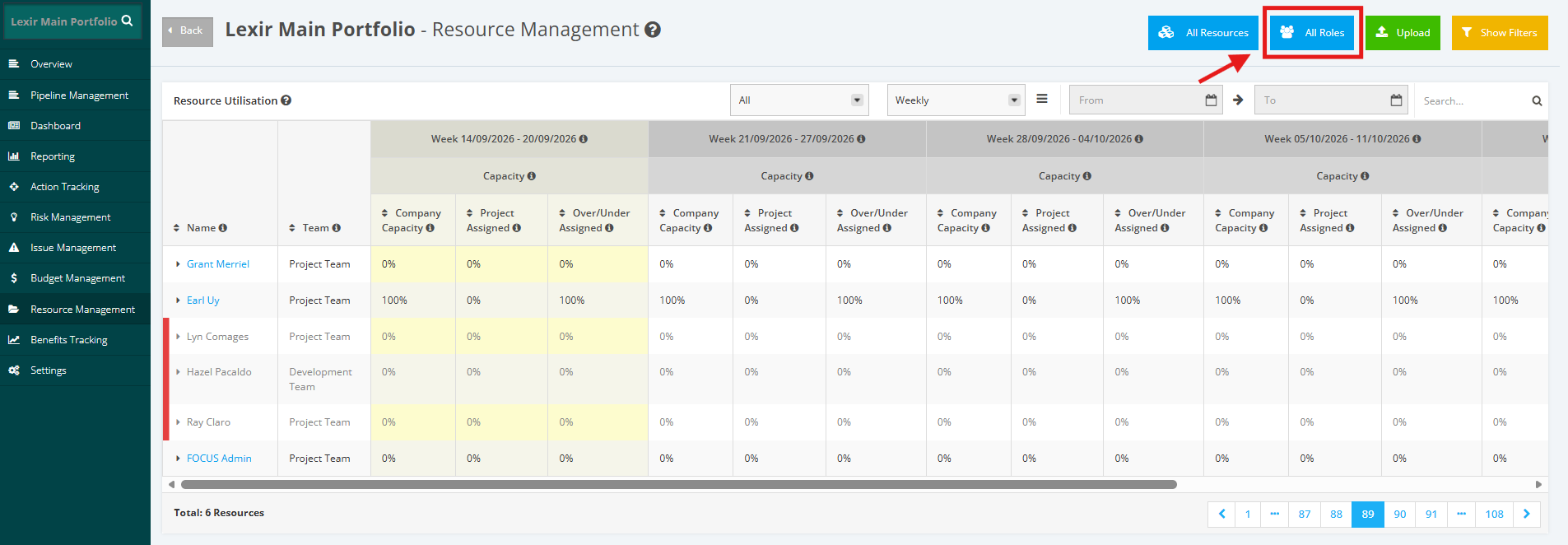
Within the ‘Resource Management’ page, click the ‘All Roles’ button. You will be redirected to the ‘Roles’ page.
1. Filter Portfolio Roles by Project
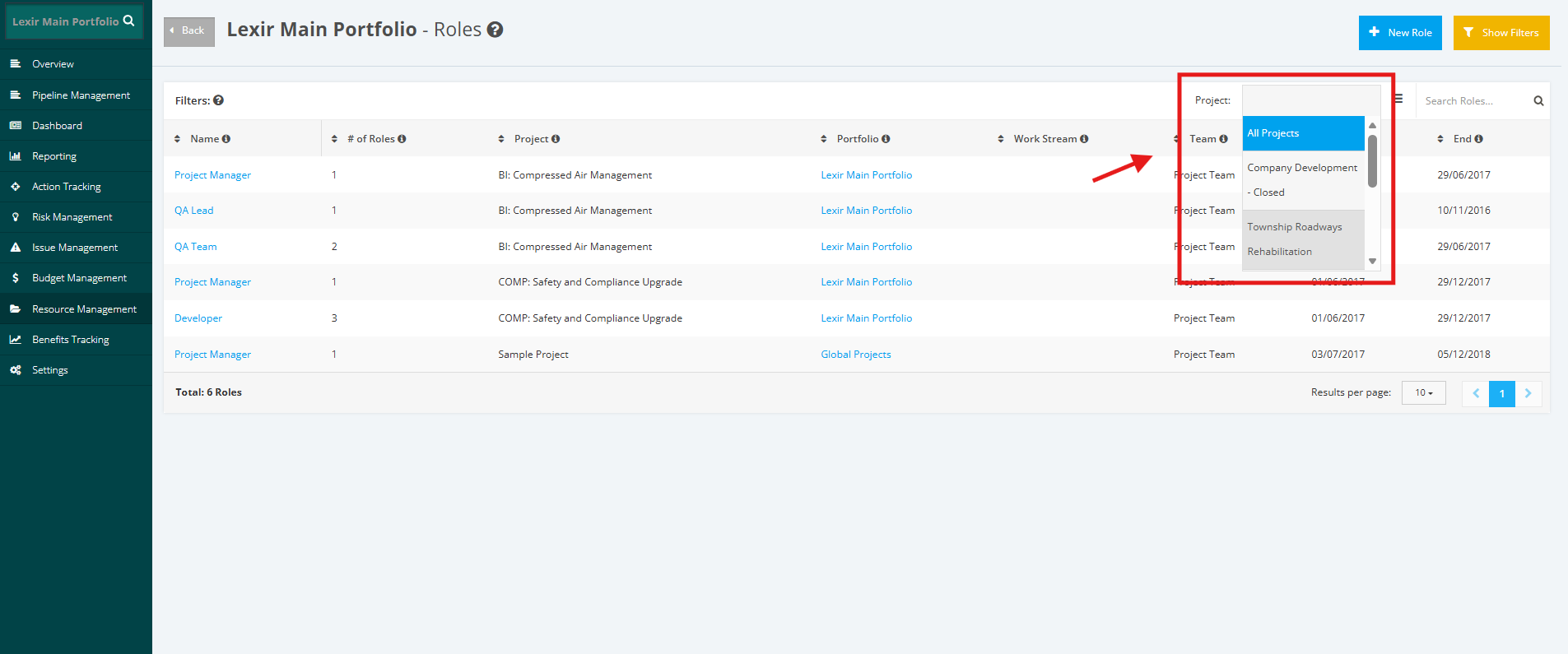
To filter All Portfolio Roles by Project, click the ‘dropdown’ button in the ‘Project’ field, then select the project name. If you want to display all roles, click ‘All Projects’.
2. Search a Portfolio Role
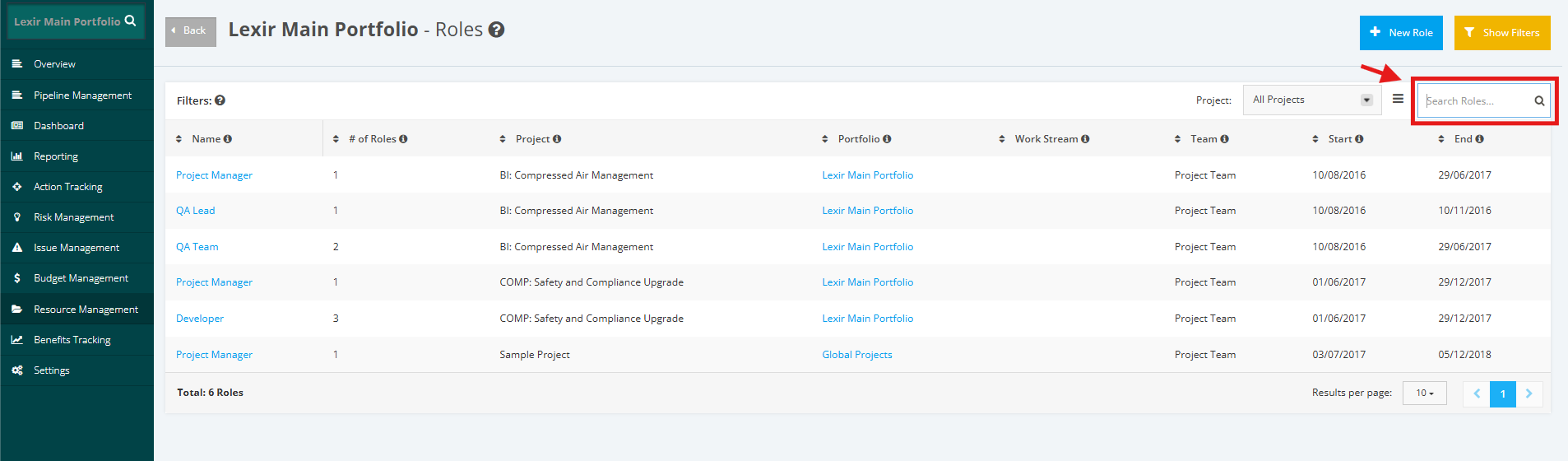
To search a Portfolio Role, go to ‘Search’ field then type in the name of the role. Once done, click the ‘magnifying glass’ icon or press ENTER key.
3. Download Portfolio Role Table
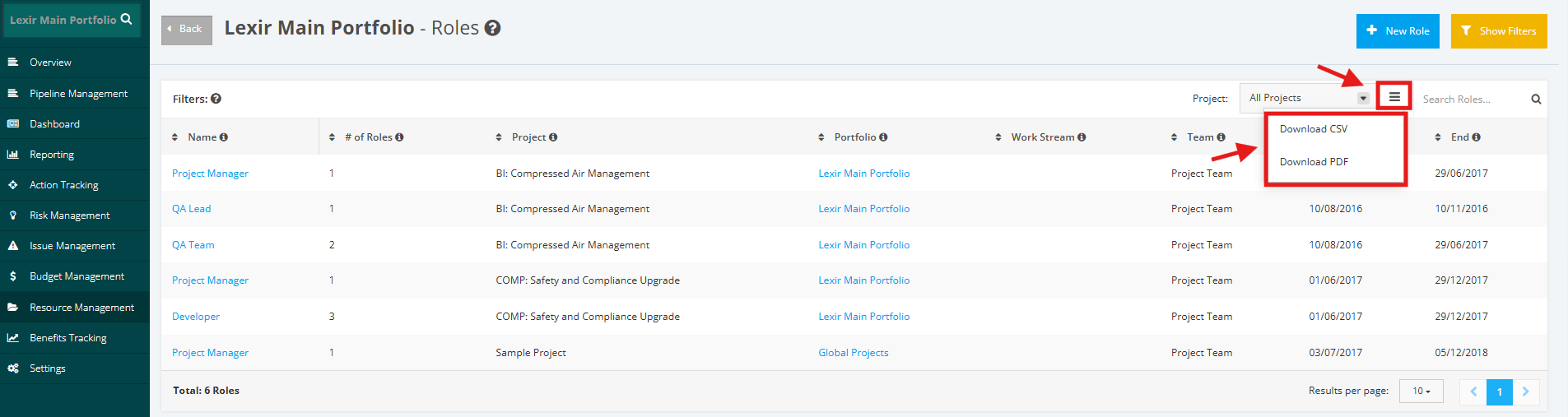
To download ALL Portfolio Roles in the table, click the download menu icon. Once done, select a file to download: ‘Download CSV’ or ‘Download PDF’.