1. Navigate Resource Utilisation
1. Filter Resource Utilisation by Departments
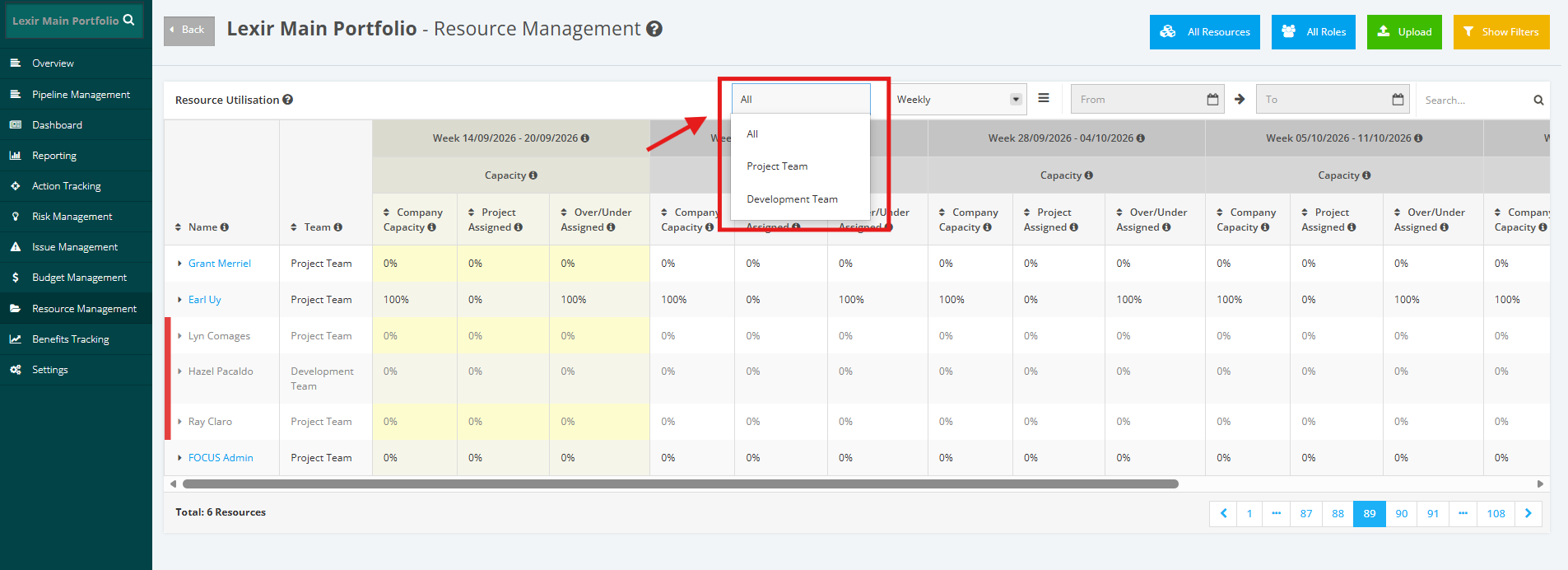
Navigate to ‘Resource Utilisation’ table and click dropdown button in the ‘Departments’ field. Once done, choose a department. To display all resources, click ‘All Departments’ item.
2. Filter Resource Utilisation by Weekly or Monthly
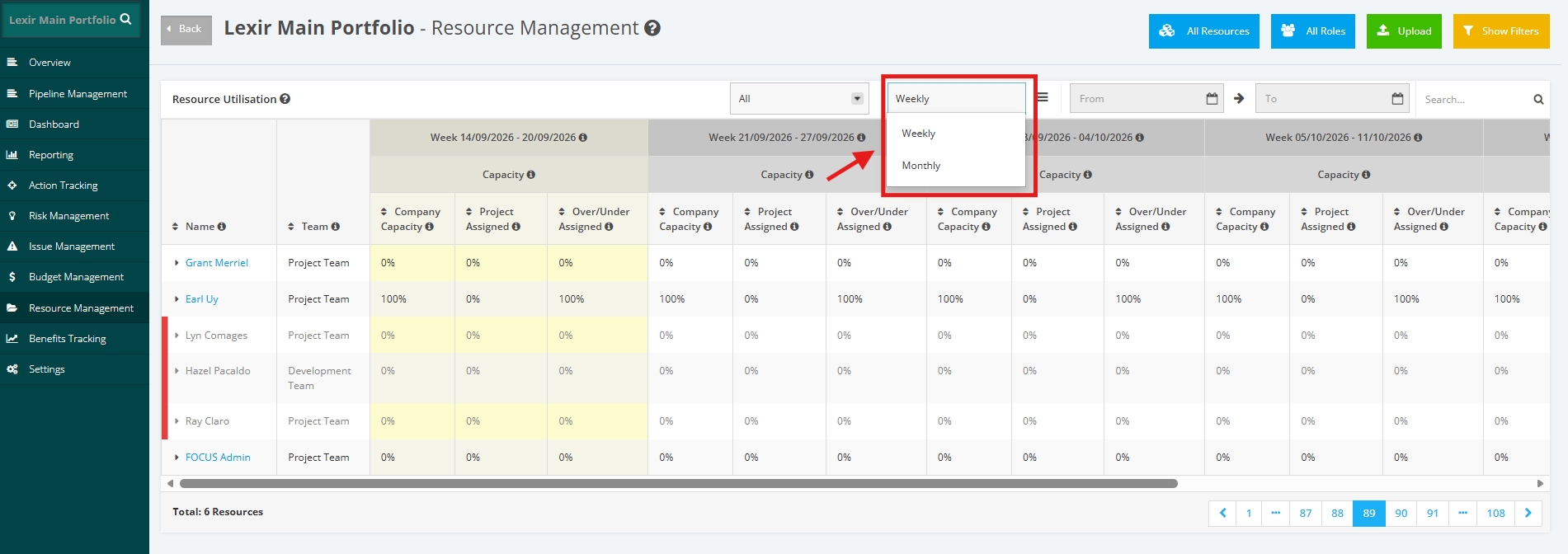
Within the ‘Resource Utilisation’ section, go to the display field and click either ‘Weekly’ or ‘Monthly’ item.
3. Filter by Period
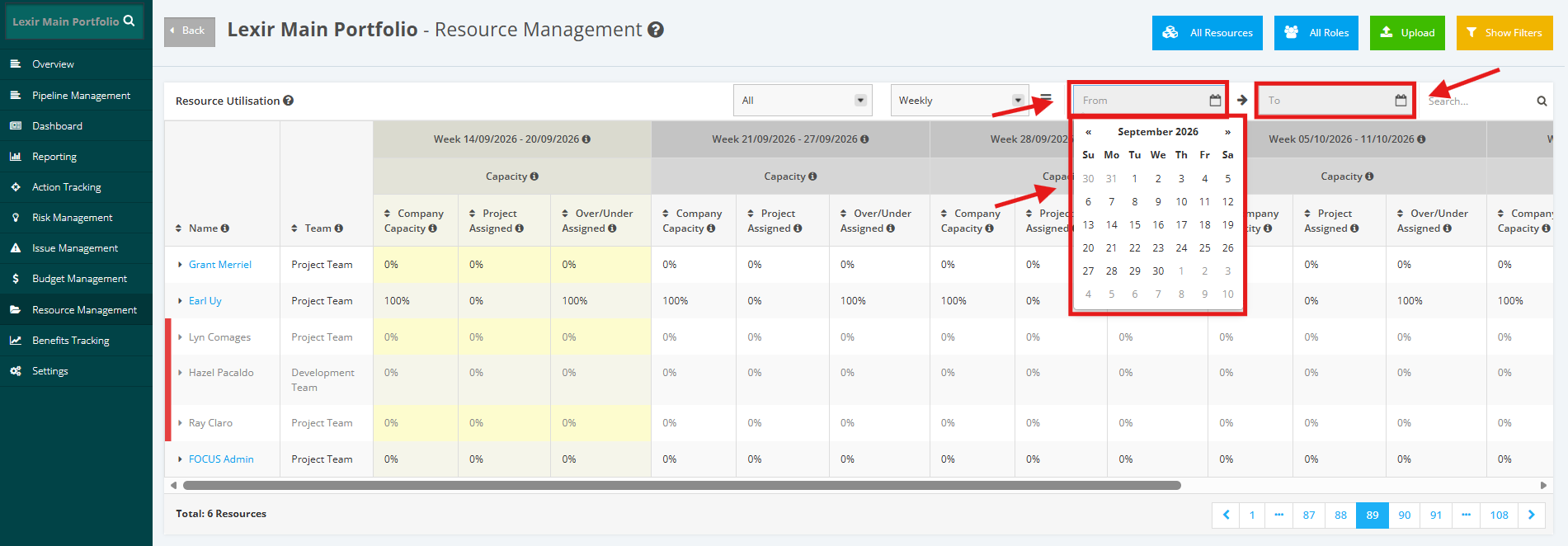
Go to the ‘Resource Utilisation’ section. Once done, set the period in the ‘From’ and ‘To’ field by clicking the ‘calendar selector’ icon
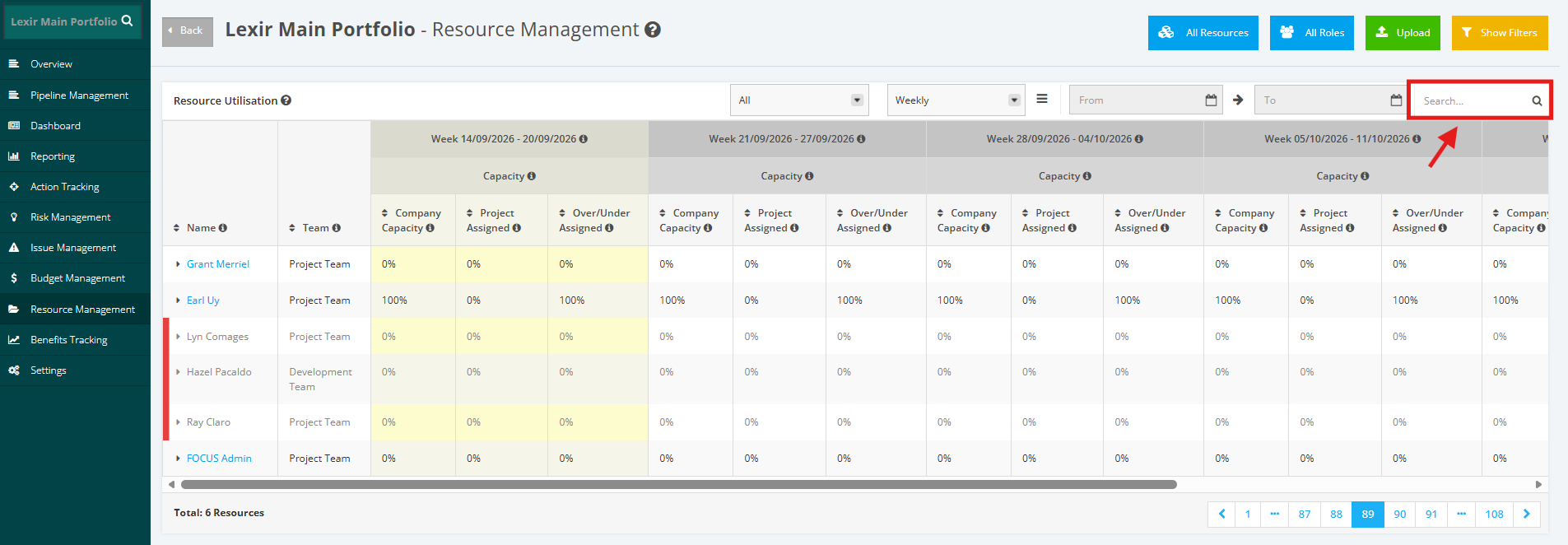
4. Search a Portfolio Resource
Within the ‘Resource Utilisation’ section, go to ‘Search’ field then type in the name of the resource. Once done, click the ‘magnifying glass’ icon or press ENTER key.
5. Download Resource Utilisation
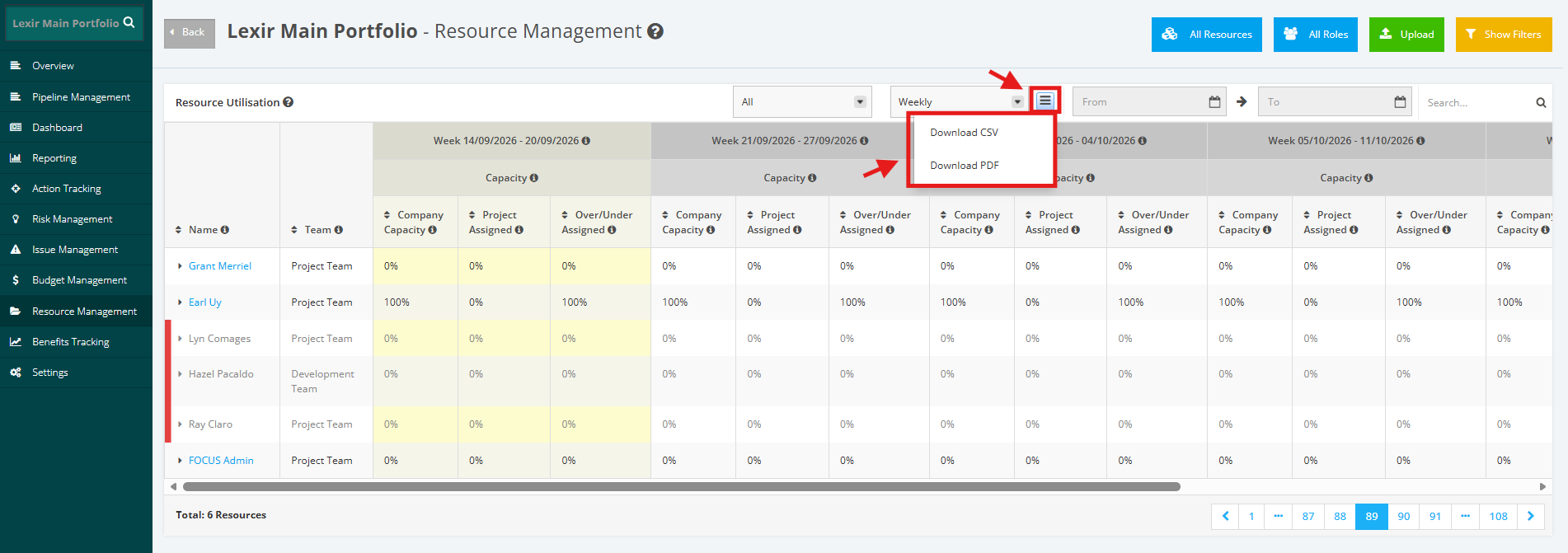
Navigate to the ‘Resource Utilisation’ section, then click the download menu icon. Once done, select a file to download: ‘Download CSV’ or ‘Download PDF’.