1. Project Type – Update Work Stream
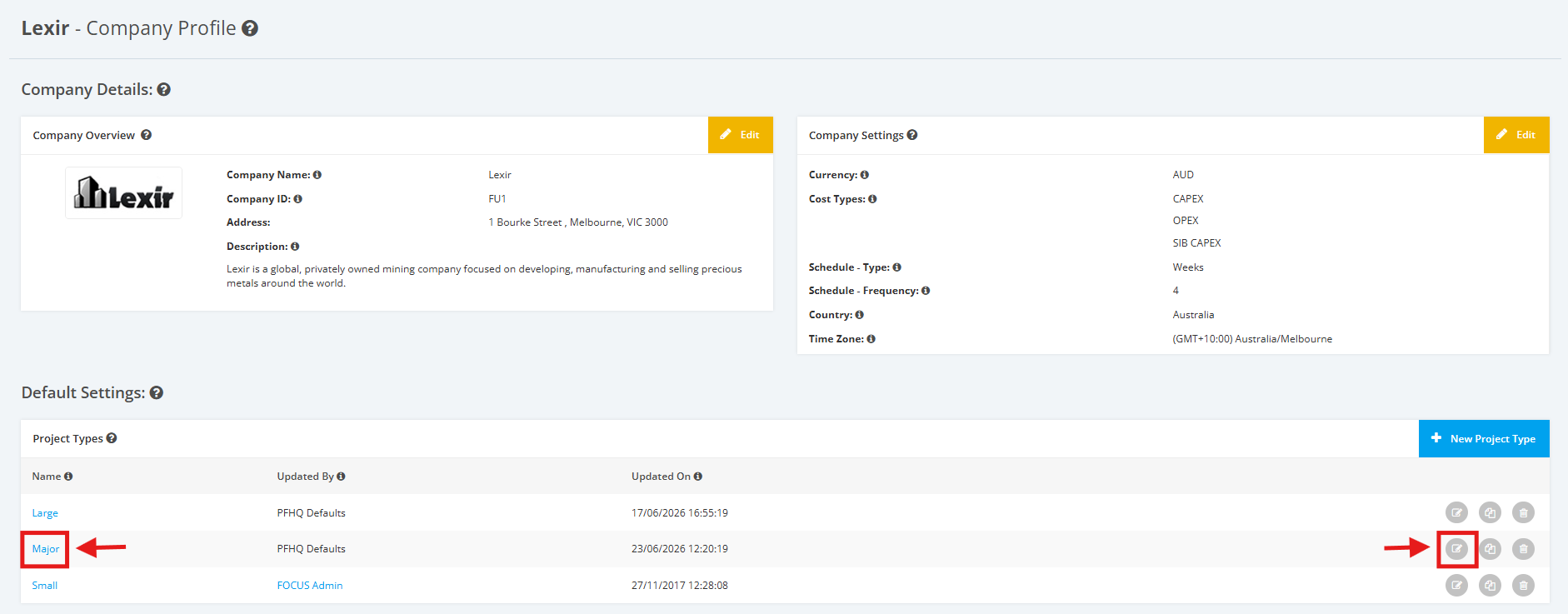
1. Within the Company Profile, scroll to the ‘Default Settings’ section then ‘Project Types’. Click the ‘Edit’ icon or the name of the Project Type.
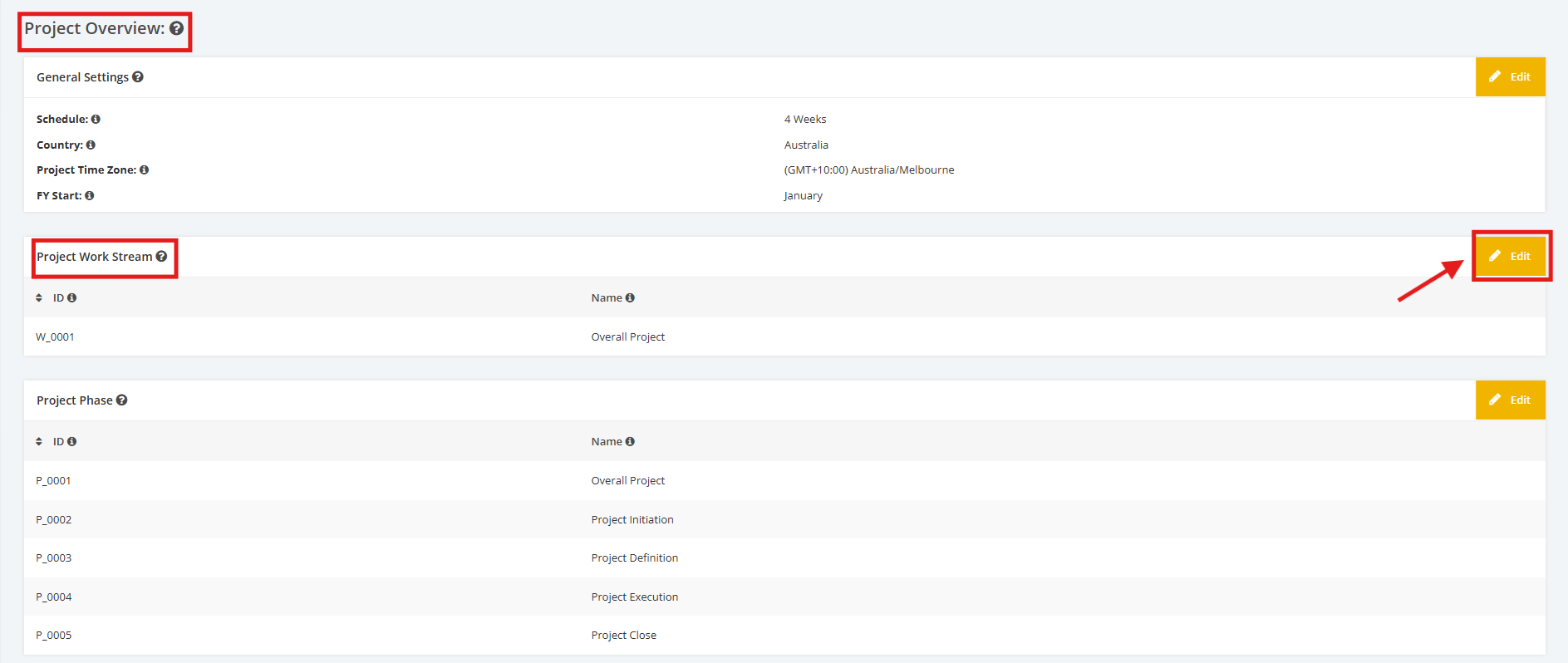
2. On the Project Type Settings page, scroll to the ‘Project Overview’ section then ‘Project Work Stream'. Click the ‘Edit’ button.
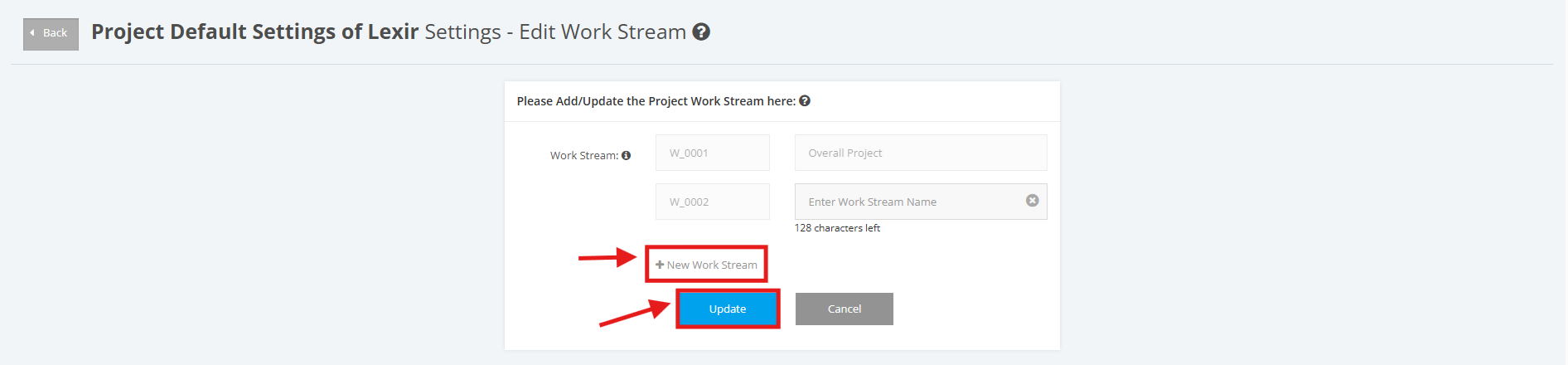
3. In order to add a new ‘Work Stream’, click the ‘+ New Work Stream’ link then enter the data on the input field. Once done, click the ‘Update’ button to save changes.
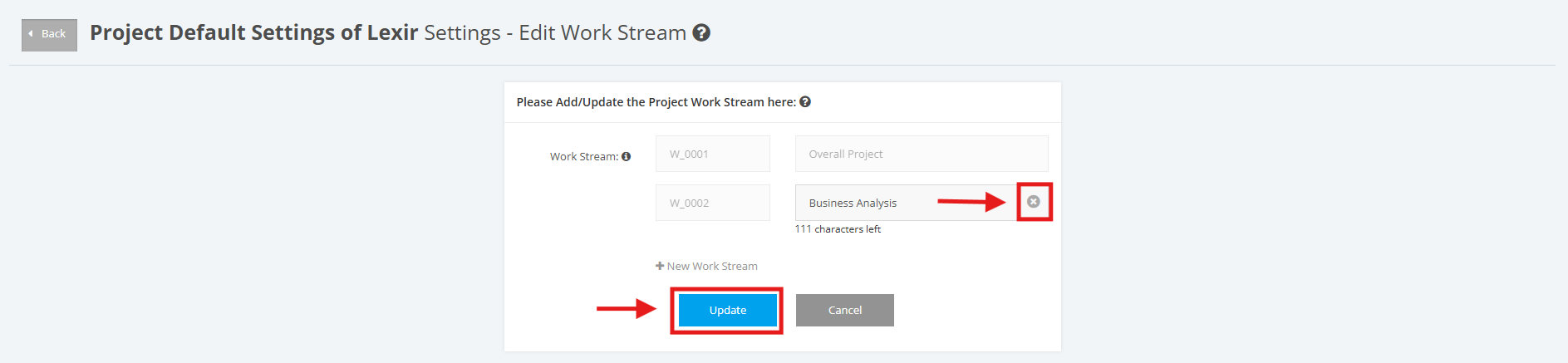
4. If you want to update the existing ‘Work Stream’, go to the input field and apply the necessary changes (E.g. ‘Business Analysis’). Once done, click the ‘Update’ button to save changes.
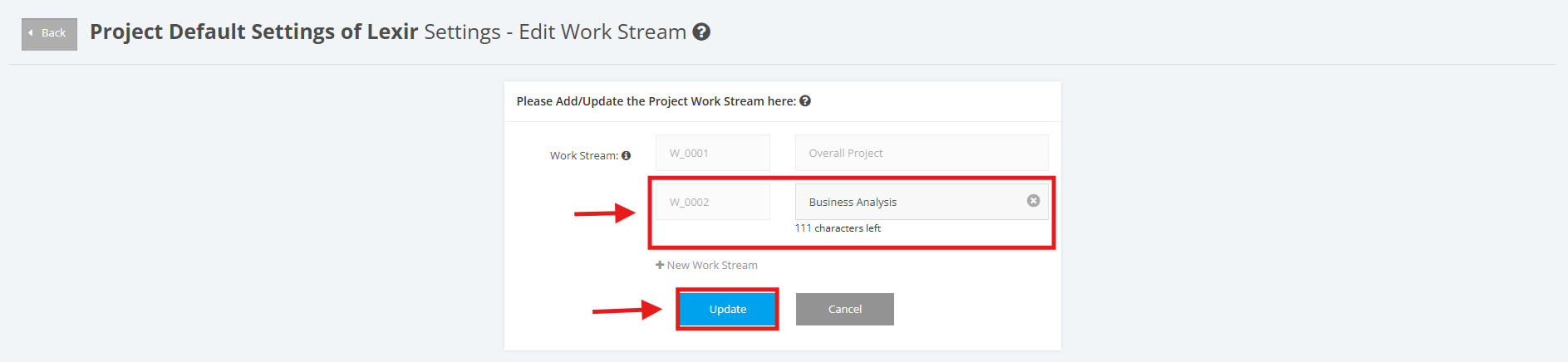
5. To delete an existing ‘Work Stream’, go to the input field and click on the delete icon ‘x’. Once done, click the ‘Update’ button to save changes.