1. Project Type – Update Monthly/ Fortnightly Reporting Schedule
1. Within the Company Profile, navigate to the ‘Default Settings’ section then ‘Project Types’. Click the ‘Edit’ icon or the name of the Project Type.
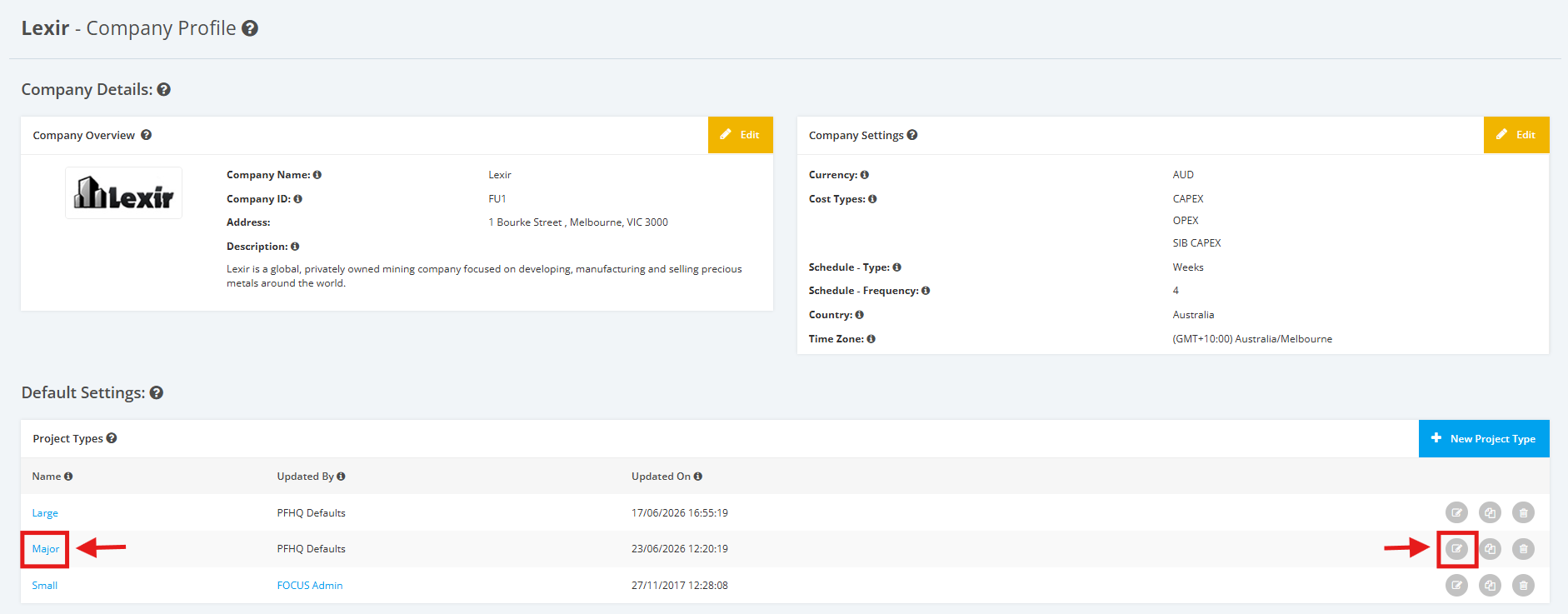
2. On the Project Type Settings page, scroll to the ‘Reporting Schedule’ section then ‘Monthly/Fortnightly Reporting’.
Click the ‘Edit’ button.

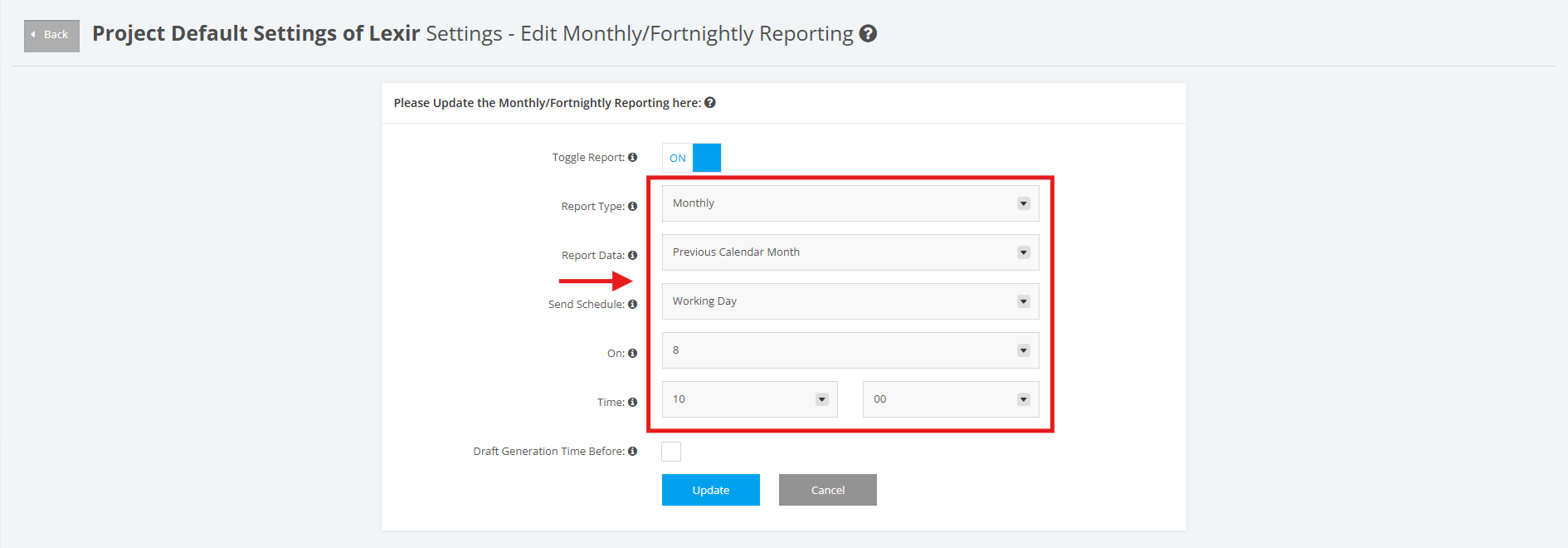
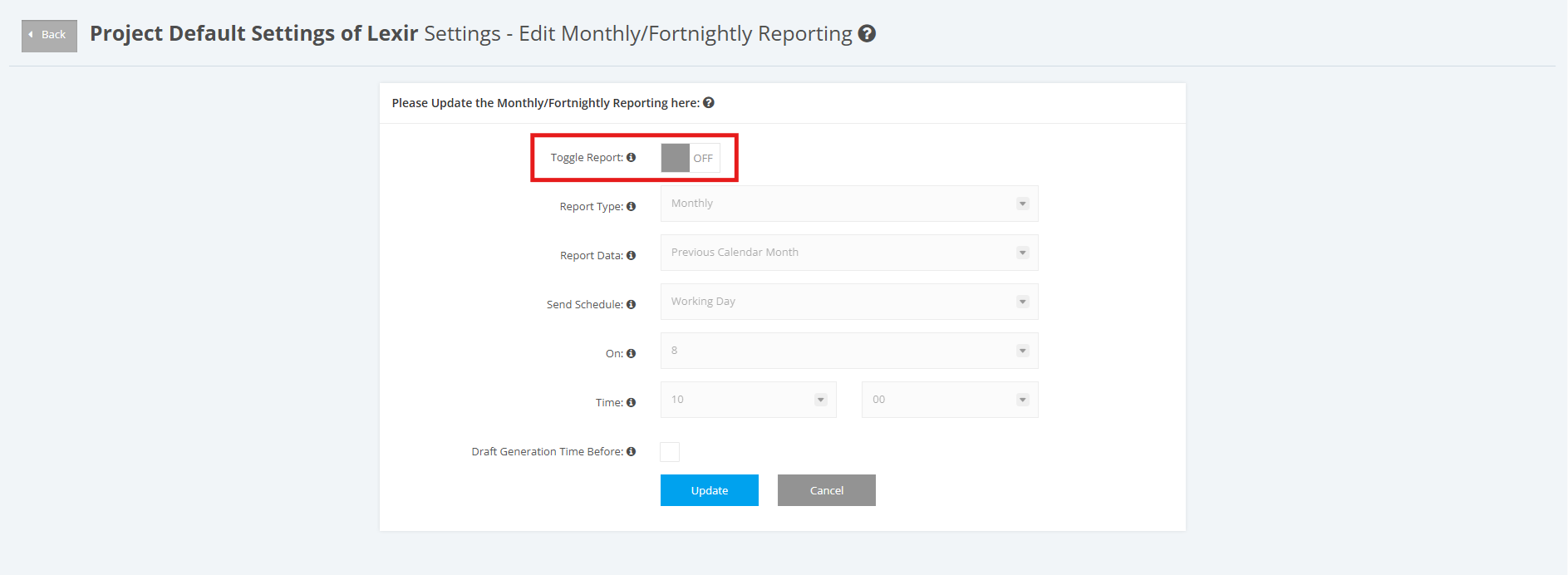
3. Set ‘Report Data’, ‘Send Schedule’, ‘On’ and ‘Time’.
NOTE: 'On' is only available for Monthly Reporting.
For Monthly Report Data, options that can be selected are: ‘Previous Calendar Month’ and ‘Last 30 days from Send Schedule’
For Fortnightly Report data, options that can be selected are: ‘Previous 2 Calendar Week’ and ‘Last 14 days from Send Schedule’
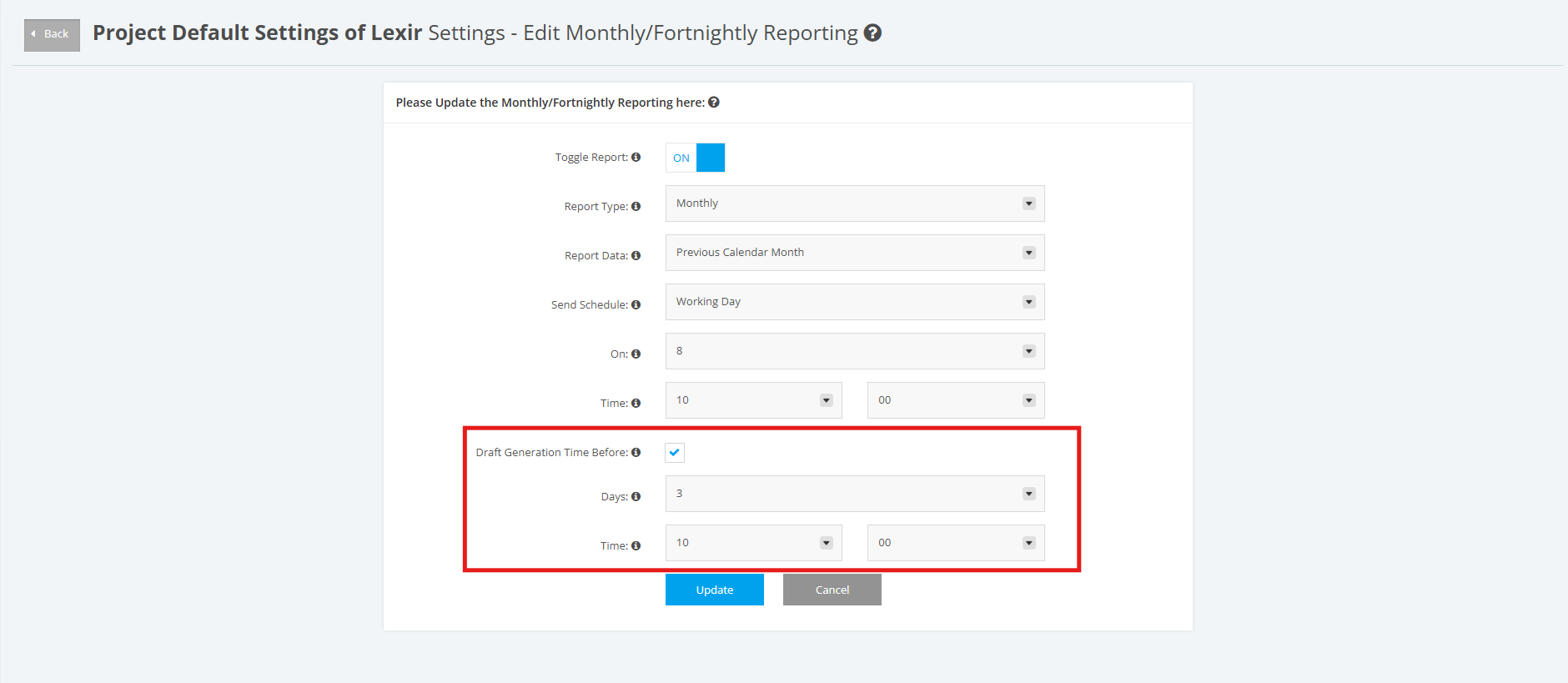
4. You can select the ‘Draft Generation Time Before’ checkbox if you want to generate your draft report at a time different from the default schedule. By default, draft reports are generated 72 hours before your configured project schedule.
Once ticked, select your preferred number of days and time for when your draft report is generated before your send schedule.
5. You can also turn the toggle 'OFF' if you choose not to generate a Monthly/ Fortnightly Report for the Project Type.
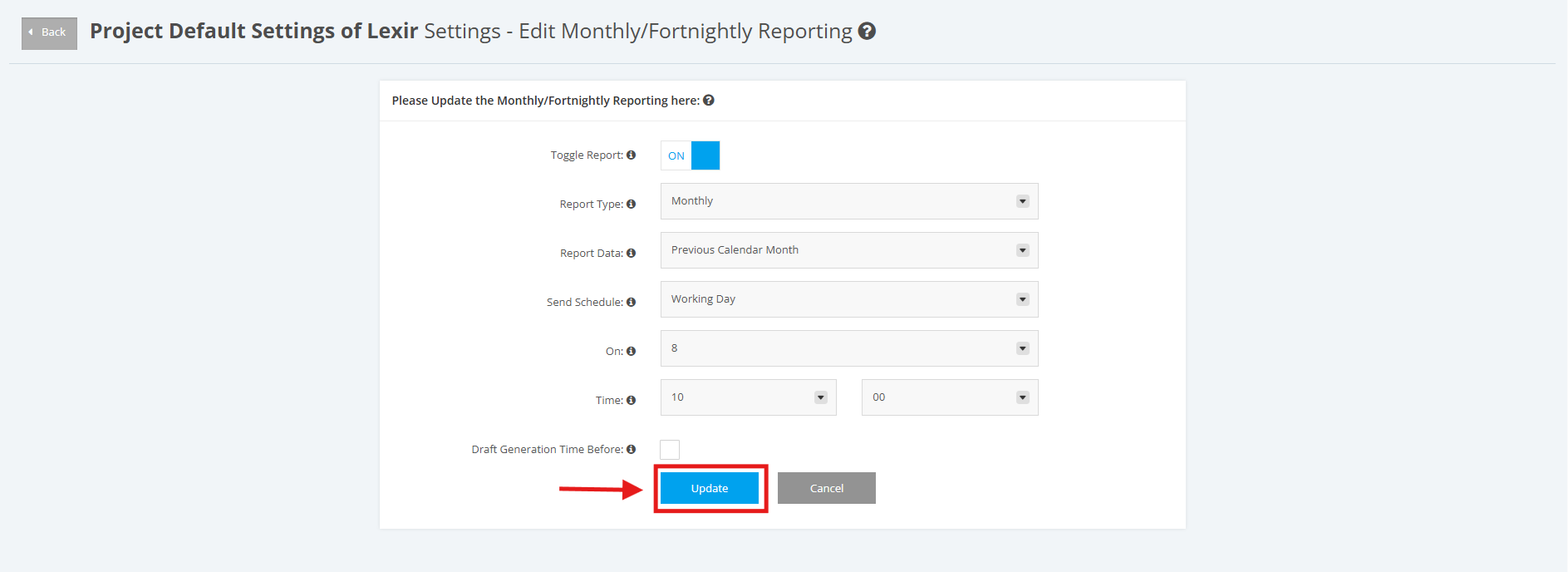
6. Once done, click the ‘Update’ button to save changes.