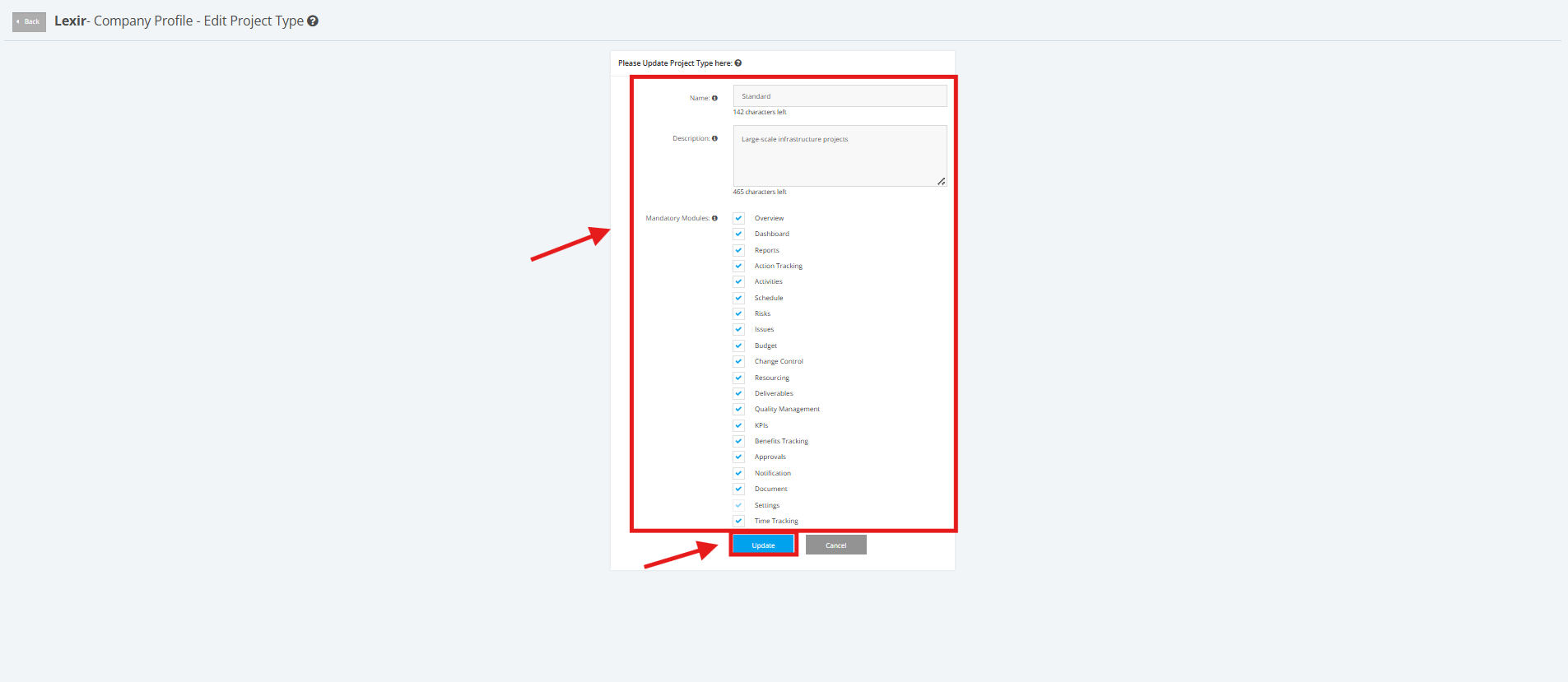
1. Update a Project Type
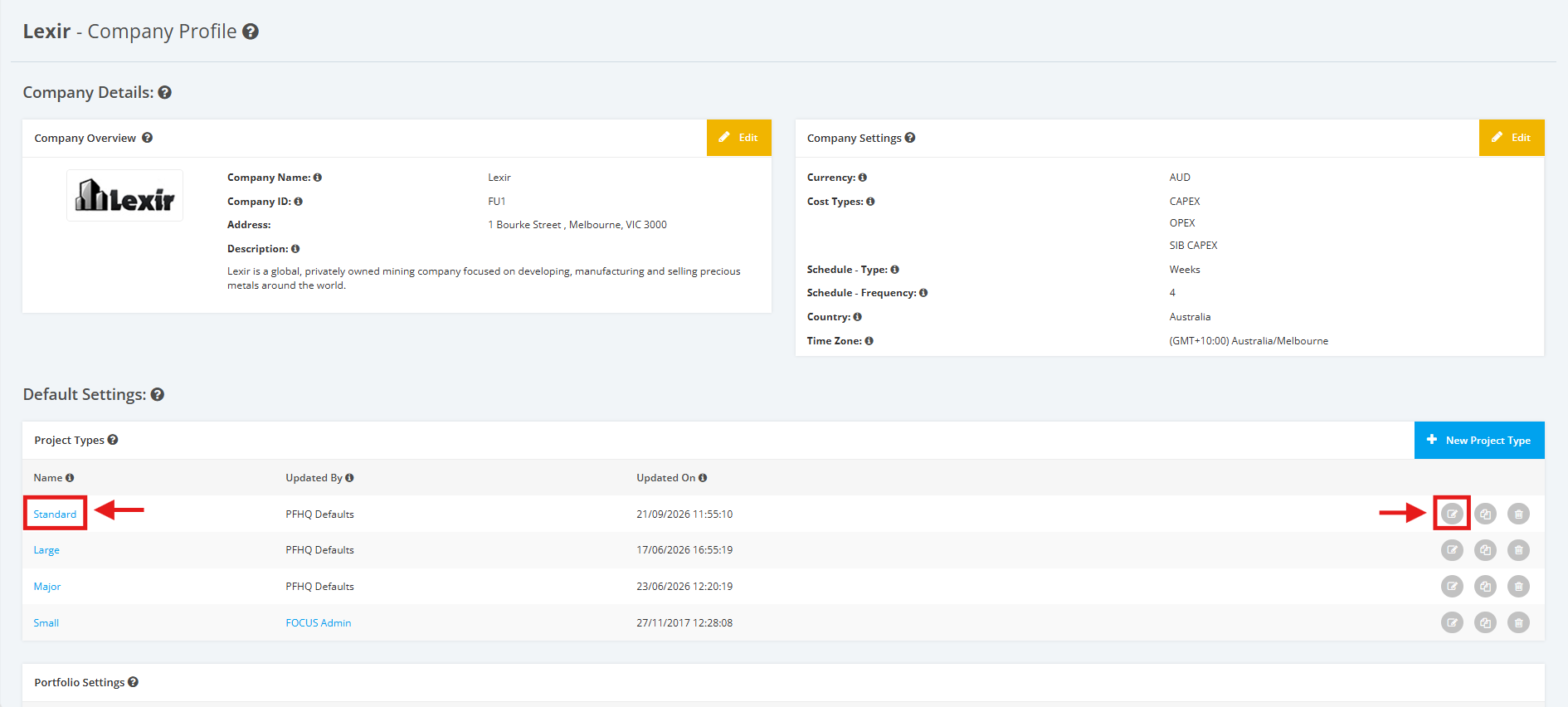
1. To update a Project Type, navigate to the Company Profile. Scroll down to the ‘Default Settings’ section then ‘Project Types’. Click the ‘Edit’ icon or the name of the Project Type.
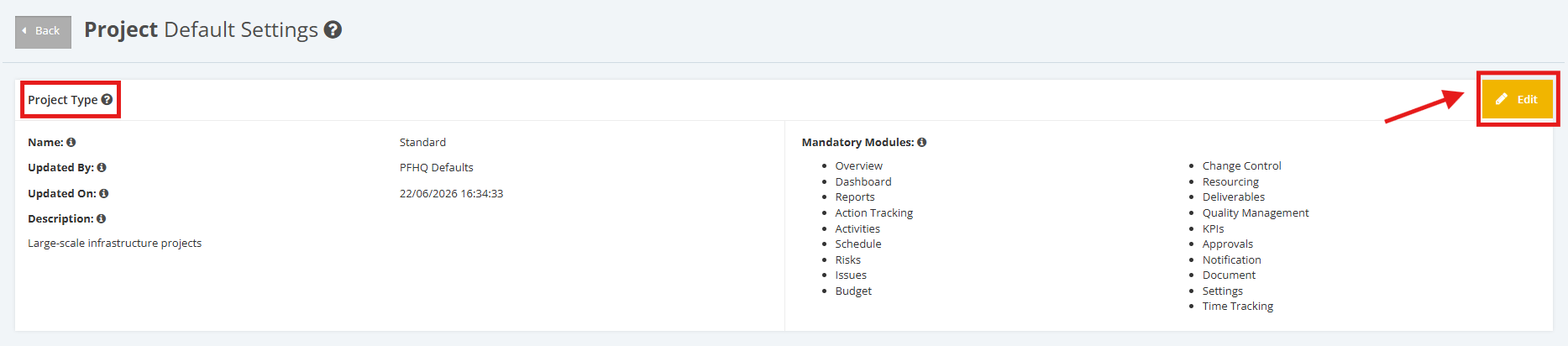
2. Once redirected to the Project Default Settings page, click the 'Edit' button of the 'Project Types' section.
3. Make any necessary changes. Once complete, click the ‘Update’ button to save the changes.