1. Project Type - Manage Project Approver Responsibilities
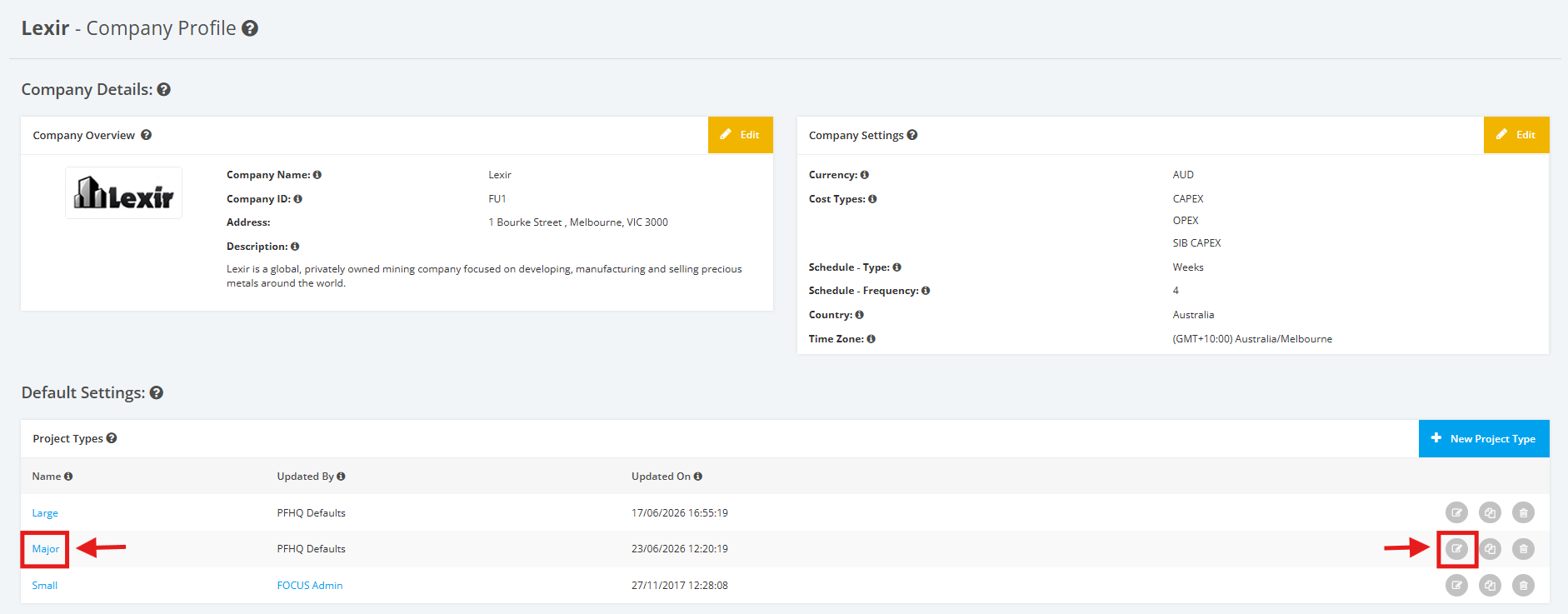
1. Within the Company Profile, navigate to the ‘Default Settings’ section then ‘Project Types’. Click the ‘Edit’ icon or the name of the Project Type.
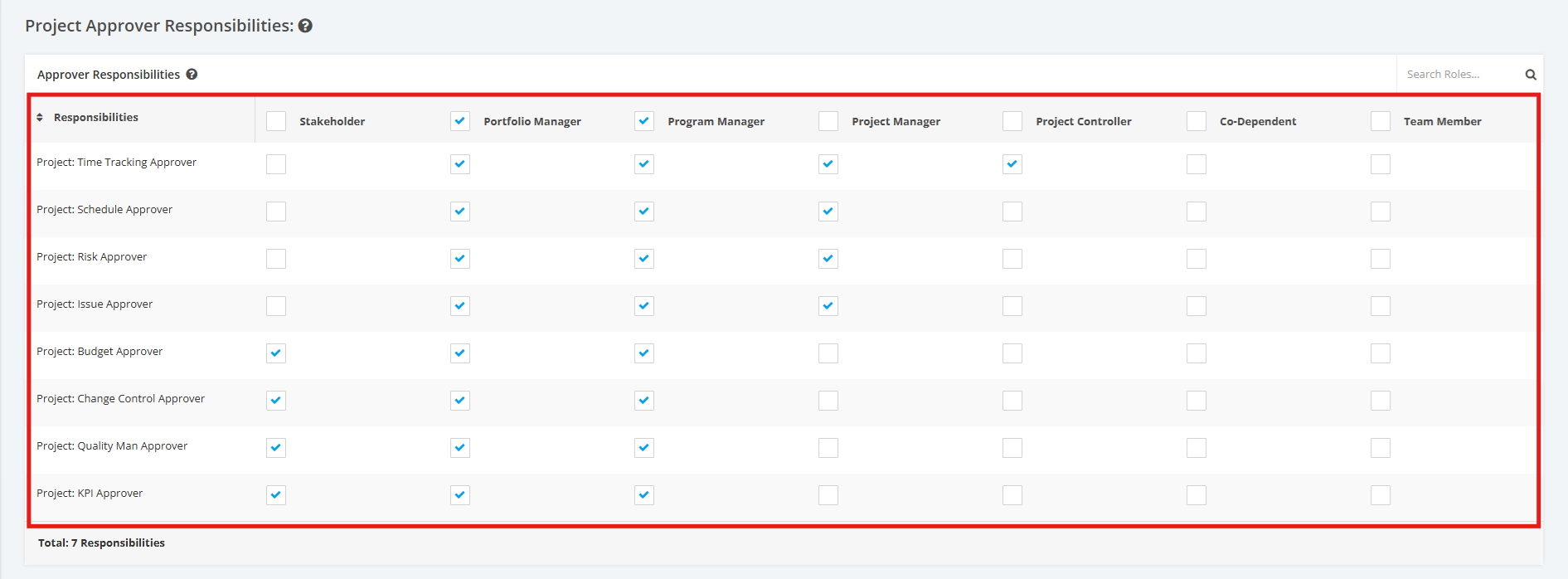
2. On the Project Type Settings page, scroll to the ‘Project Approvers Responsibilities’ section then ‘Approver Responsibilities’.
- Tick the checkboxes to make a Role an Approver to various modules
- Untick the checkboxes to remove an Approver’s right from a Role
Note: There should be at least 1 Approver for each Responsibilities
Responsibilities include the following below:
- Project: Time Tracking Approver
- Project: Schedule Approver
- Project: Risk Approver
- Project: Issue Approver
- Project: Budget Approver
- Project: Change Control Approver
- Project: Quality Man Approver
- Project: KPI Approver