
1. Project Type – Manage Report Notifications
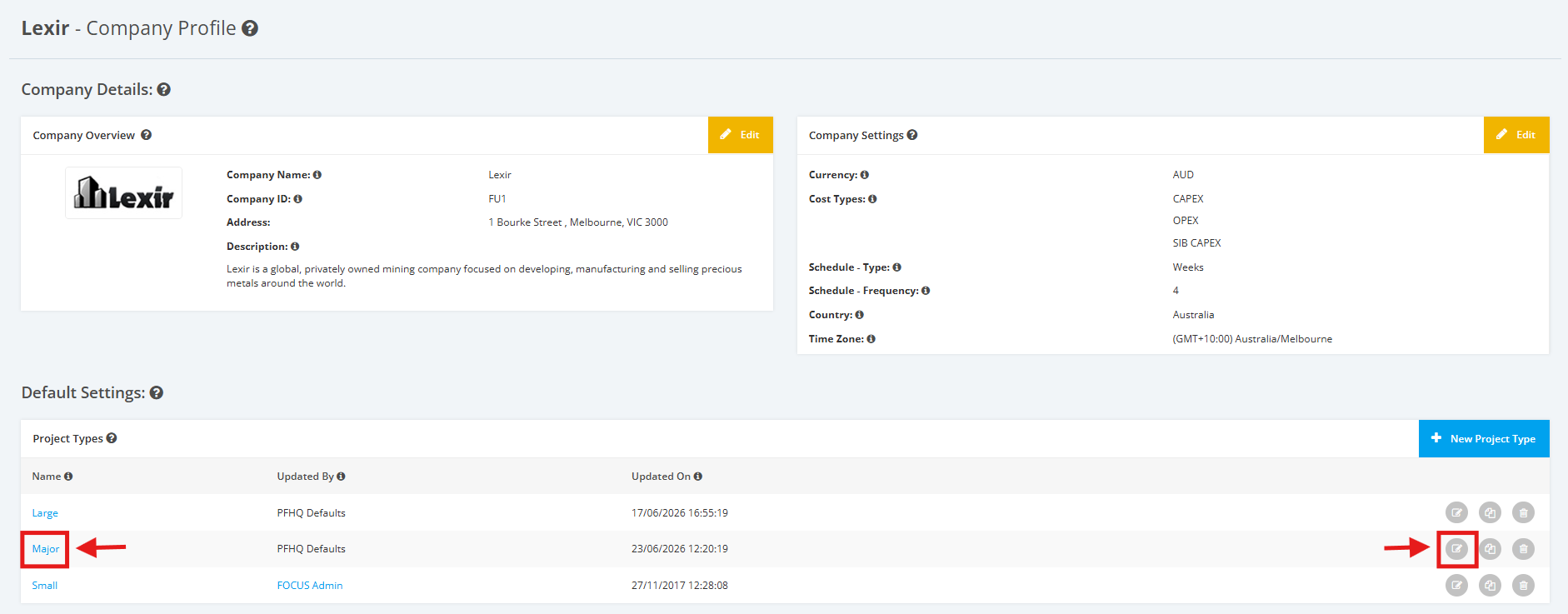
1. Within the Company Profile, navigate to the ‘Default Settings’ section then ‘Project Types’. Click the ‘Edit’ icon or the name of the Project Type.
2. On the Project Type Settings page, scroll to the ‘Notification Settings’ section then ‘Email Notifications’.
Tick/untick checkboxes to enable/disable sending of Report Notifications (per Key Role).
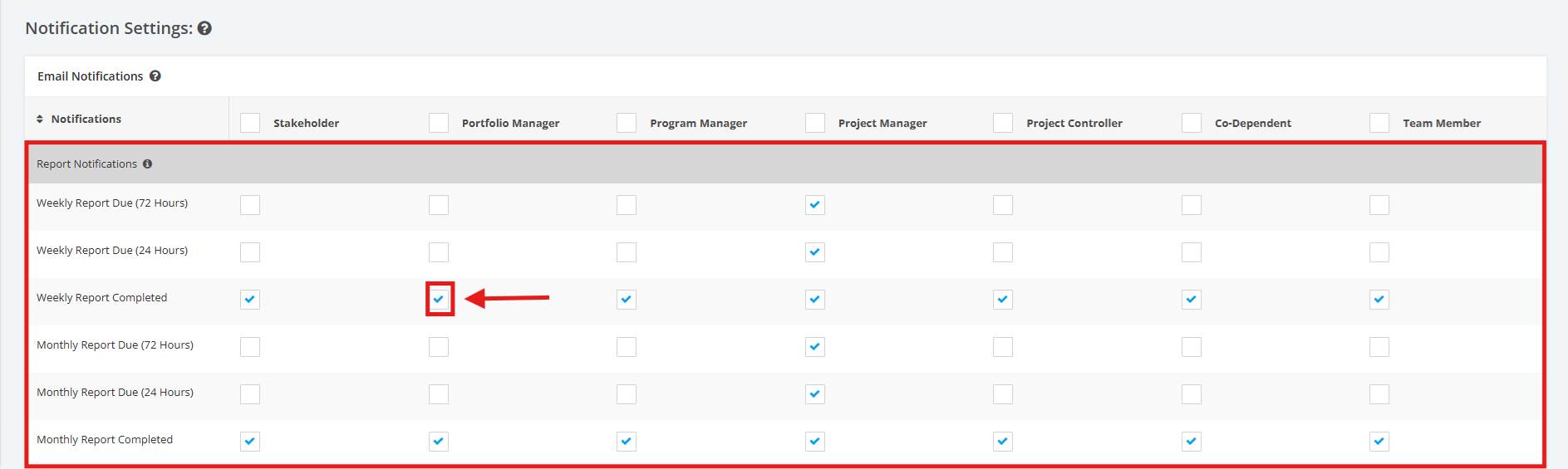
Weekly Report Completed – sends an email reminder when the report is available for editing in the reports section (E.g. 24 Hours and 72 Hours). All data will still be updated while a report is in a draft status.