1. Project Type - Add Execution to Benefits Checklists
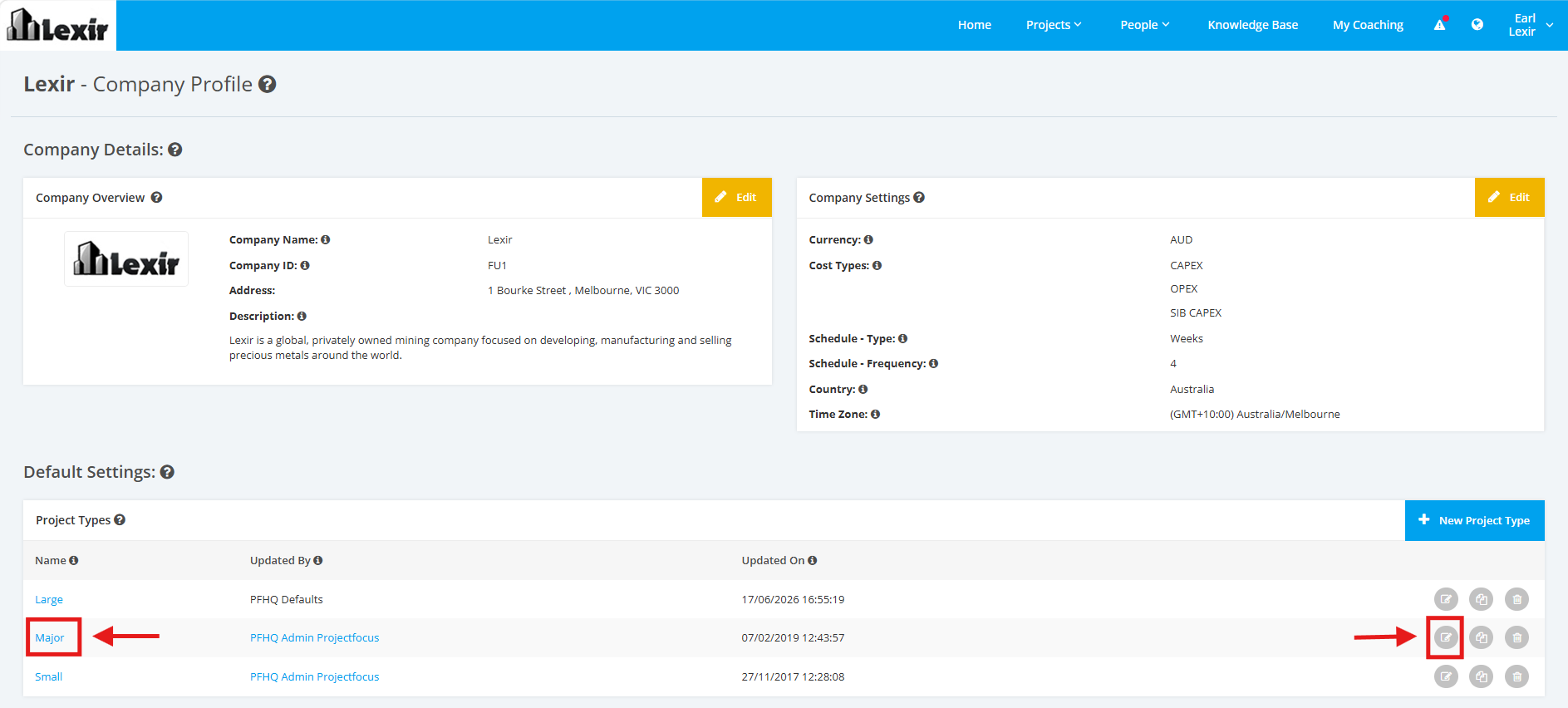
1. Within the Company Profile, navigate to the ‘Default Settings’ section then ‘Project Types’. Click the ‘Edit’ icon or the name of the Project Type.
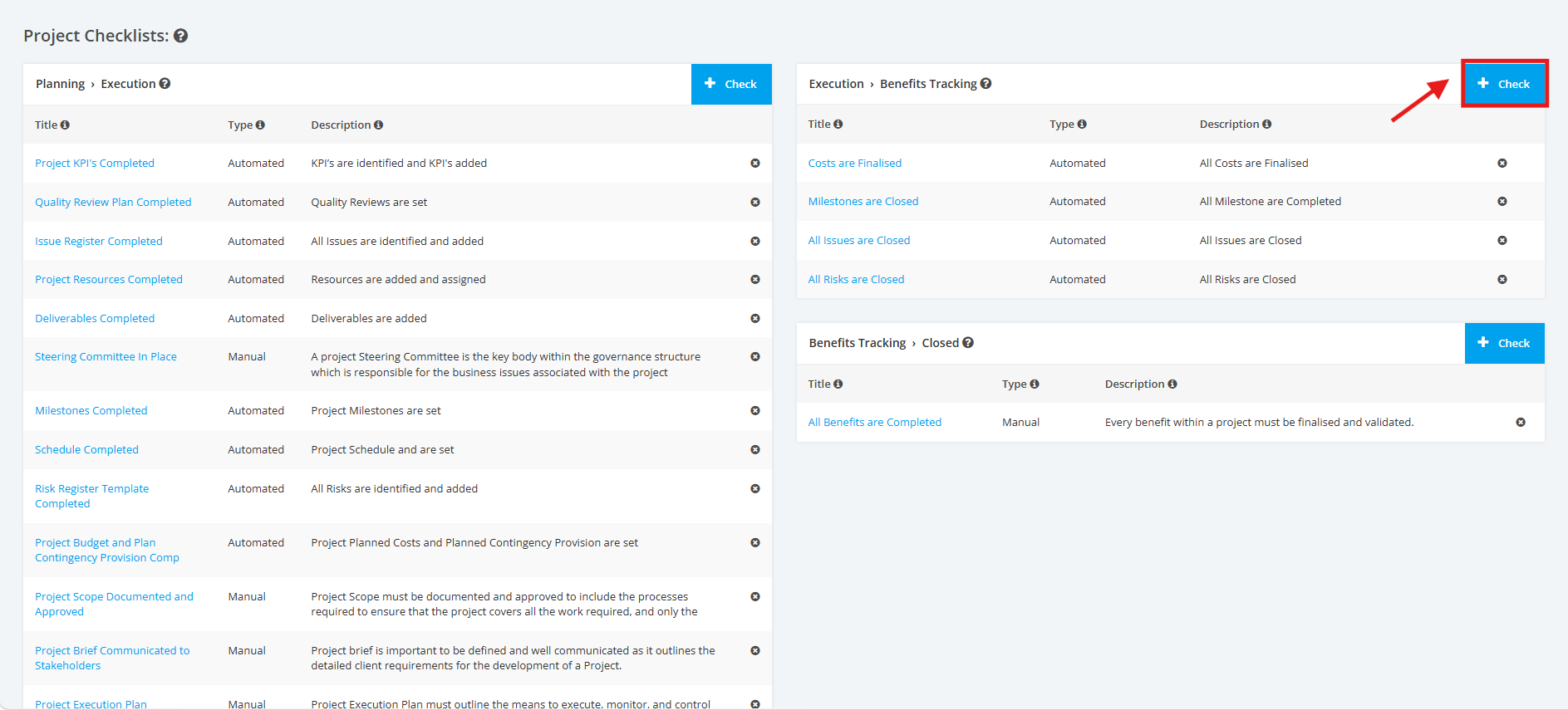
2. On the Project Type Settings page, scroll to the ‘Project Checklists’ section then the ‘Execution > Benefits’ list. Click the ‘+ Check’ button to add a Project Execution to Benefits checklist.
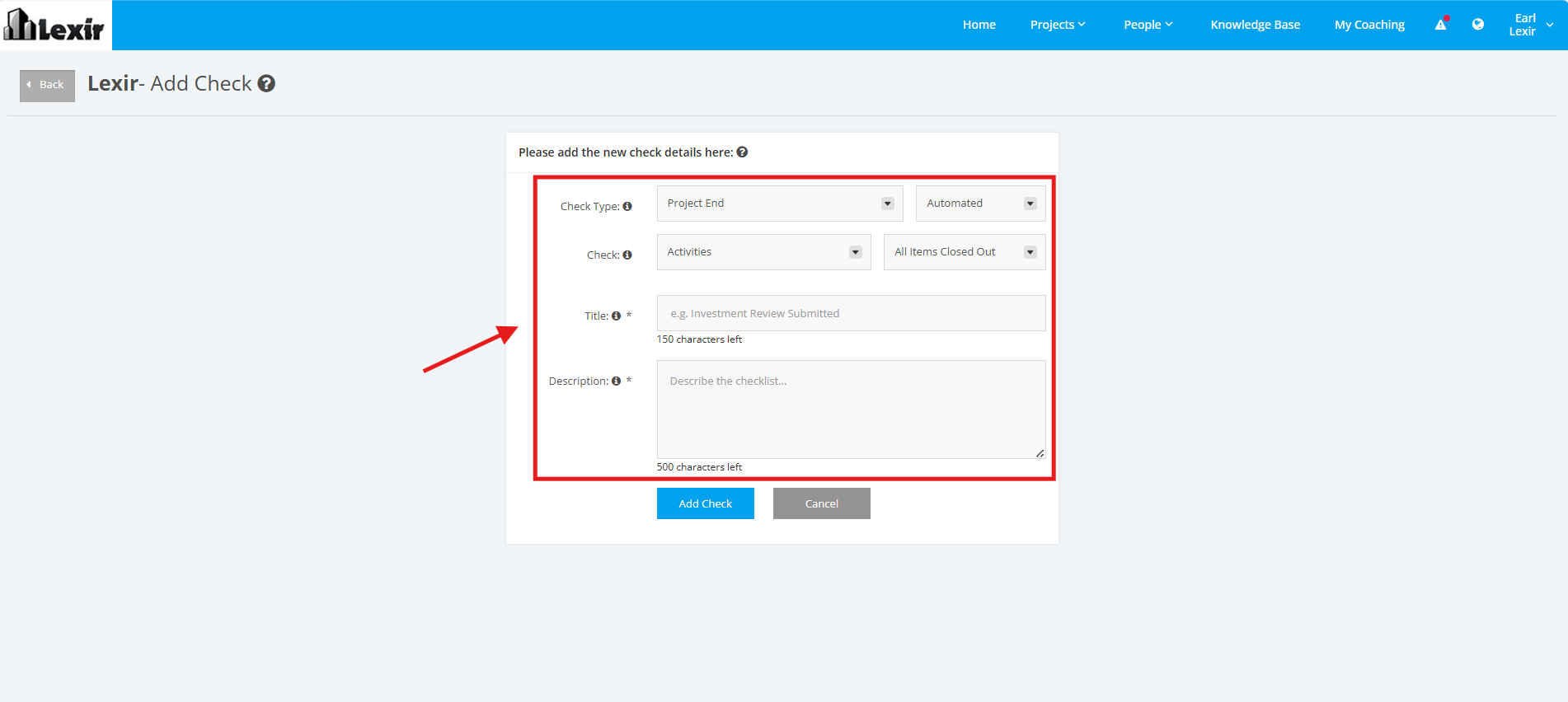
3. Fill in the ‘Check Type’, ‘Title’, ‘Description’, and ‘Link’ input fields with the desired data. Make sure that the data in the ‘Check Type’ field is ‘Project End'.
'Check Type' - can be 'Automated' or 'Manual'
If you want to add an Automated Project Checklist, you can choose from the following options:
Module - Activities, Schedule, Milestones, Risks, Issues, Budget, Resourcing Assignments, Deliverables, Quality Management, KPIs
Target - All Items Closed Out, All Items Completed
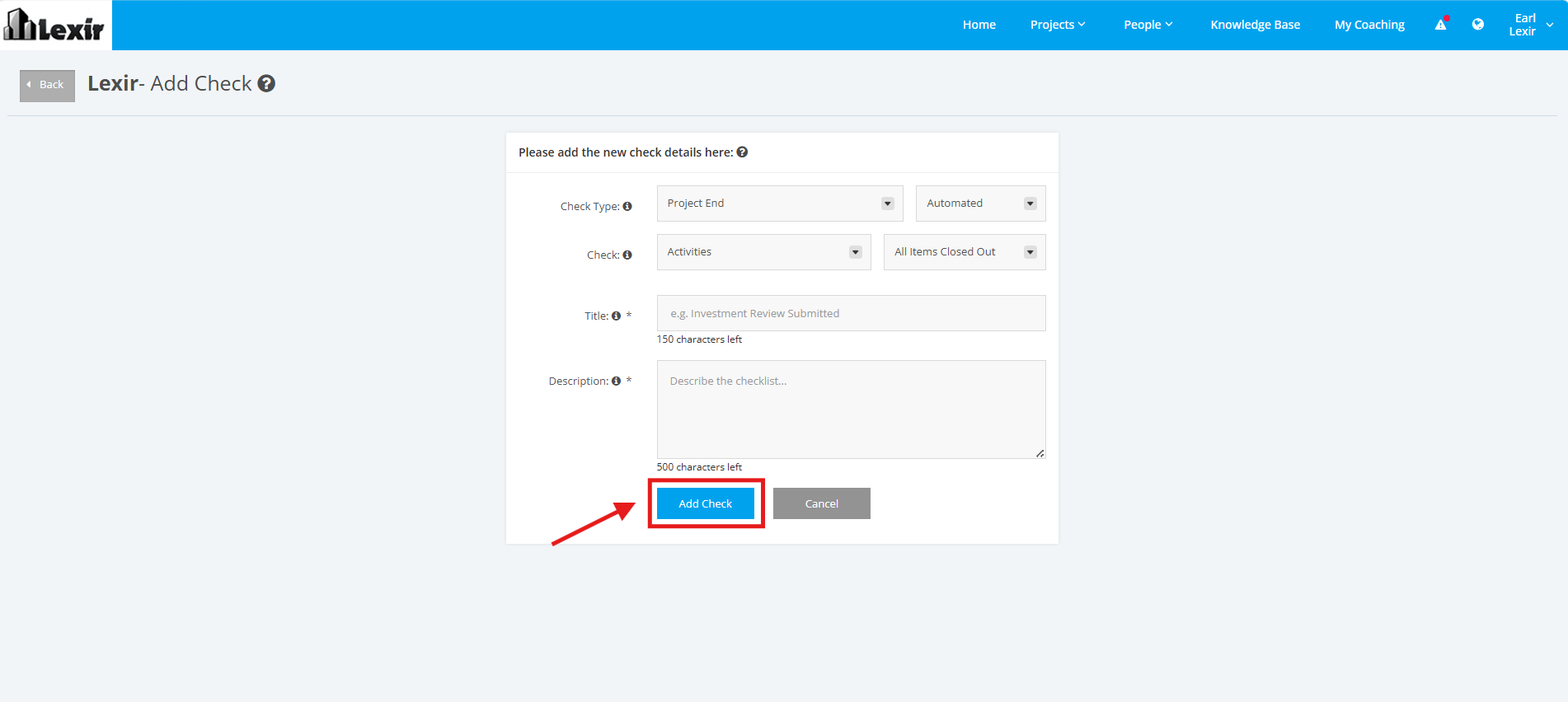
4. Once complete, click the ‘Add Check’ button.