1. Update Team Member’s Details
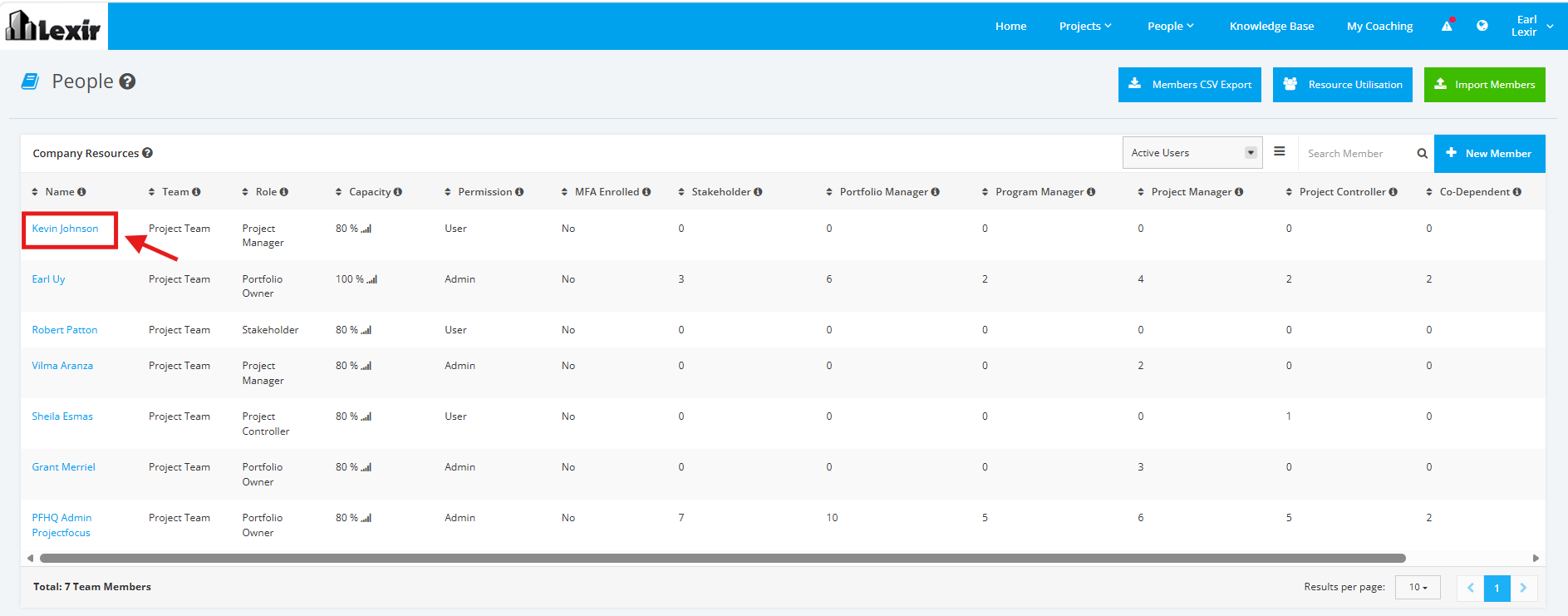
1. Within ‘People’, navigate to the ‘Company Resources’ section and click the ‘Name’ of the Team Member that you want to update as shown below.
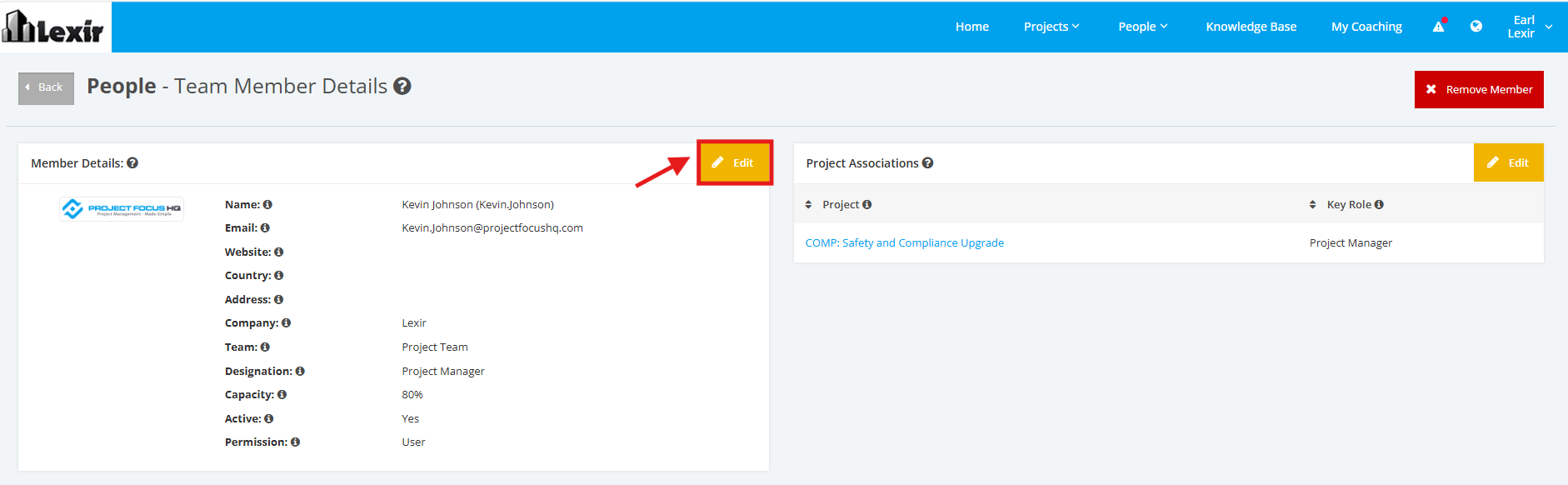
2. Once done, you will reach the Team Member Details’ page. Go to the ‘Member Details’ section and click the ‘Edit’ button.
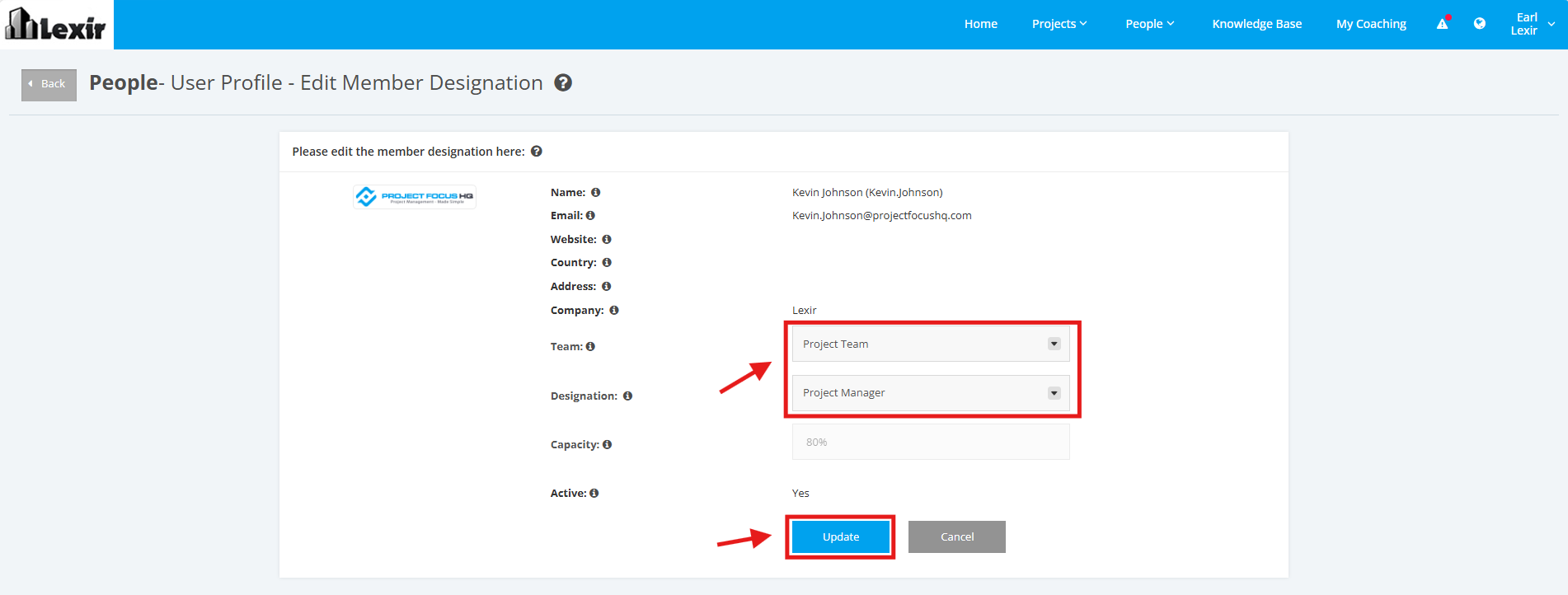
3. There are only two fields in this section that can be updated: ‘Team’ and ‘Designation’. Make changes when needed.
Click the ‘Update’ button once done.