1. Quick Editing an Action, Decision, Dependency, and Assumption in Portfolio Action Tracking
1. In the Portfolio Action Tracking page, hover over the Action ID of the Item you want to update, and you’ll see a link named (Quick Edit). Click the said link.
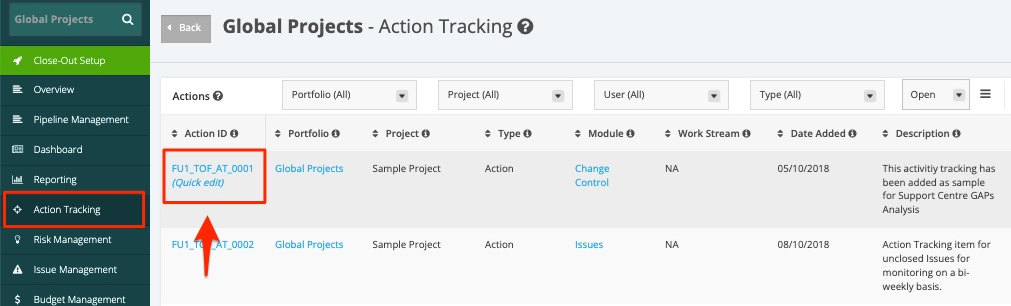
2. Once clicked, you will be redirected to the Update Action page in a new tab.
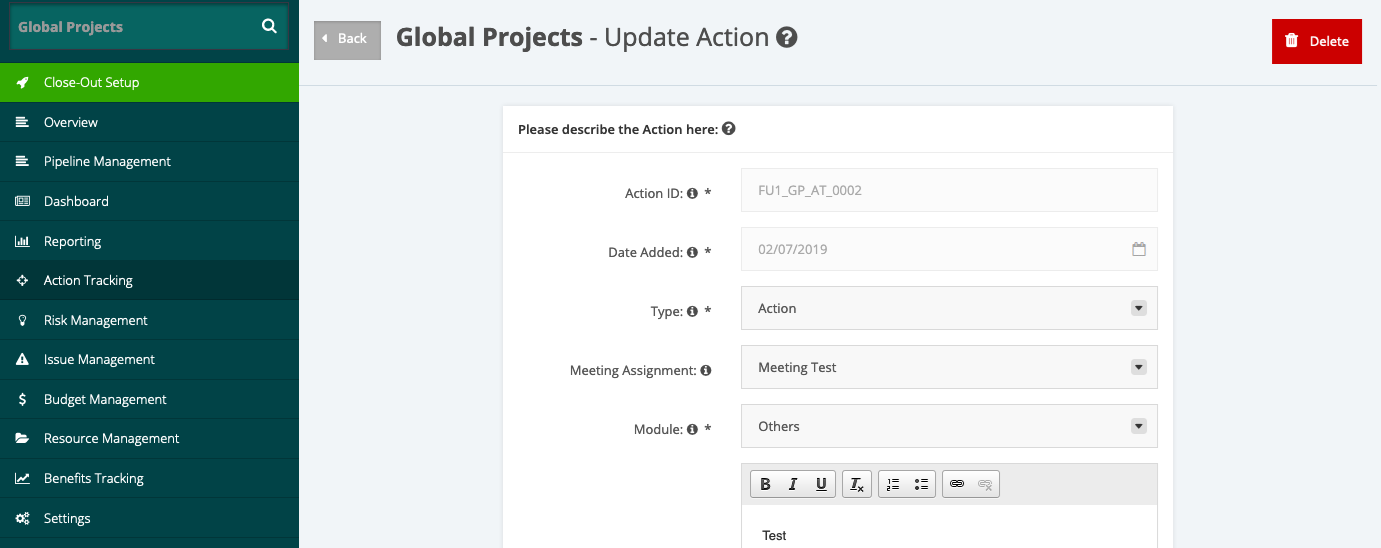
3. In the Update Action page, you can update the following below:
- Type
- Meeting Assignment
- Module
- Work Stream (for Action Level= Project only)
- Description
- Assigned to
- Participants
- Due Date
- Status
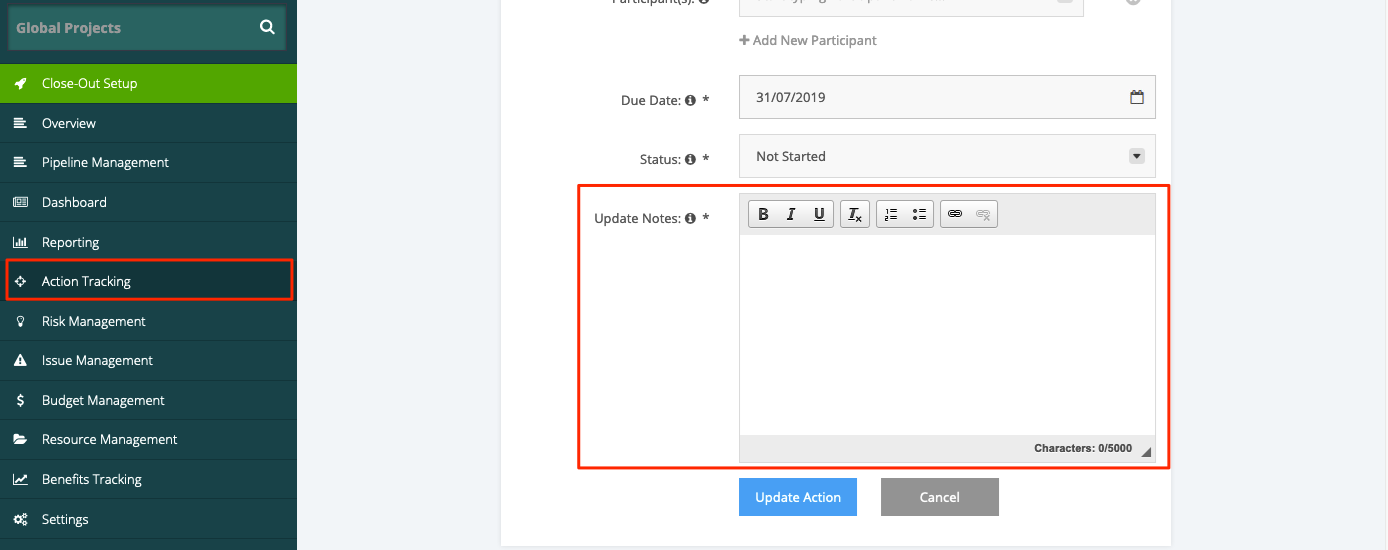
4. Always note the update done for the Action Tracking item and place in the Update Notes data field.
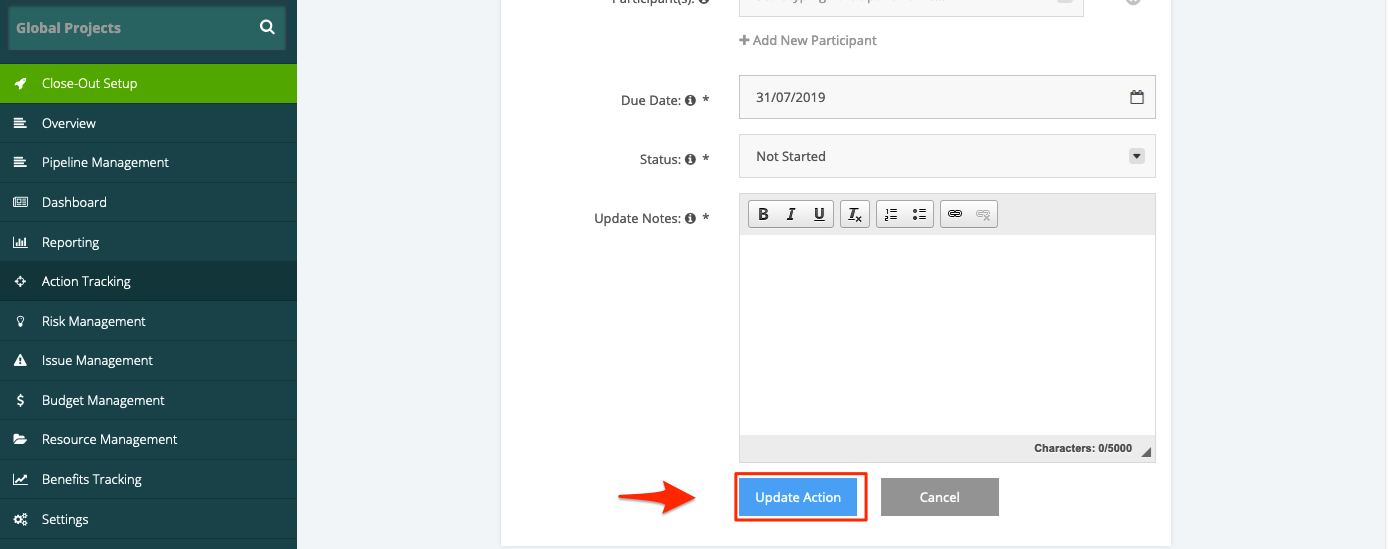
5. Once done, click the Update Action button. Updates done to the Action Tracking item will then be reflected.