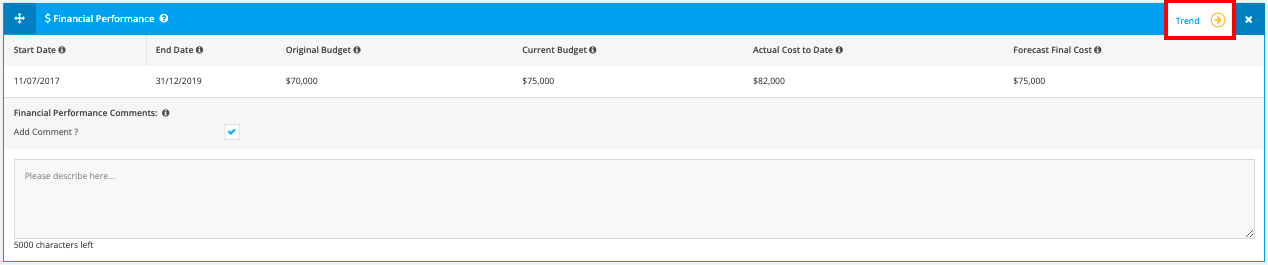
1. Project Budget Trend Calculations - WIP
Project budget trend can be displayed within the Budget Module and Status Reports. The objective of budget trend calculations is to provide an indication on how the budget is trending compared to previous period. Budget trend is the variance between actual and forecast costs for the current month and reflected as a % score.
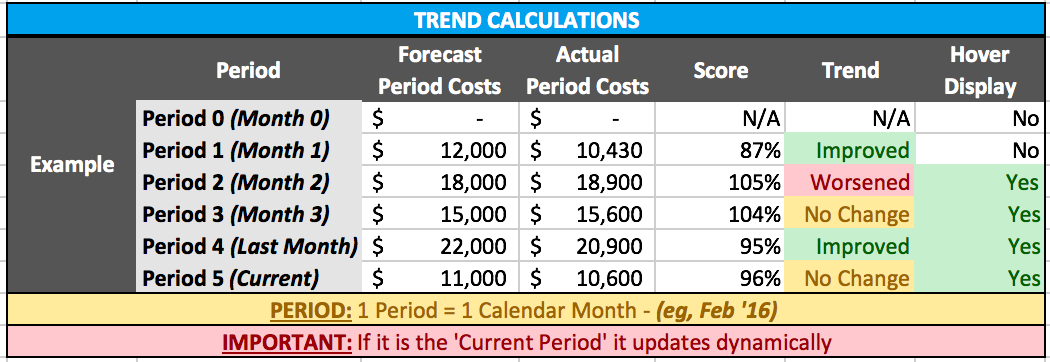
Cost Performance Chart > Trend
- Trend Period: A ‘‘Trend Period’ is equal to 1 calendar week
- Trend History: Displays the previous 4 periods of the trend
- Current Trend Update Frequency: Every update, edit, addition, etc to the Budget section within the current trend period
Trend Icon:
- Improved: If the ‘Actual Cost’ for the period (month) is less than or equal to -5% of ‘Planned Costs’
- No Change: If the ‘Actual Cost’ for the period (month) is between -5% and +5% of ‘Planned Costs’
- Worsened: If the ‘Actual Cost’ for the period (month) is greater than or equal to +5% of ‘Planned Costs’
Budget Module Trend:
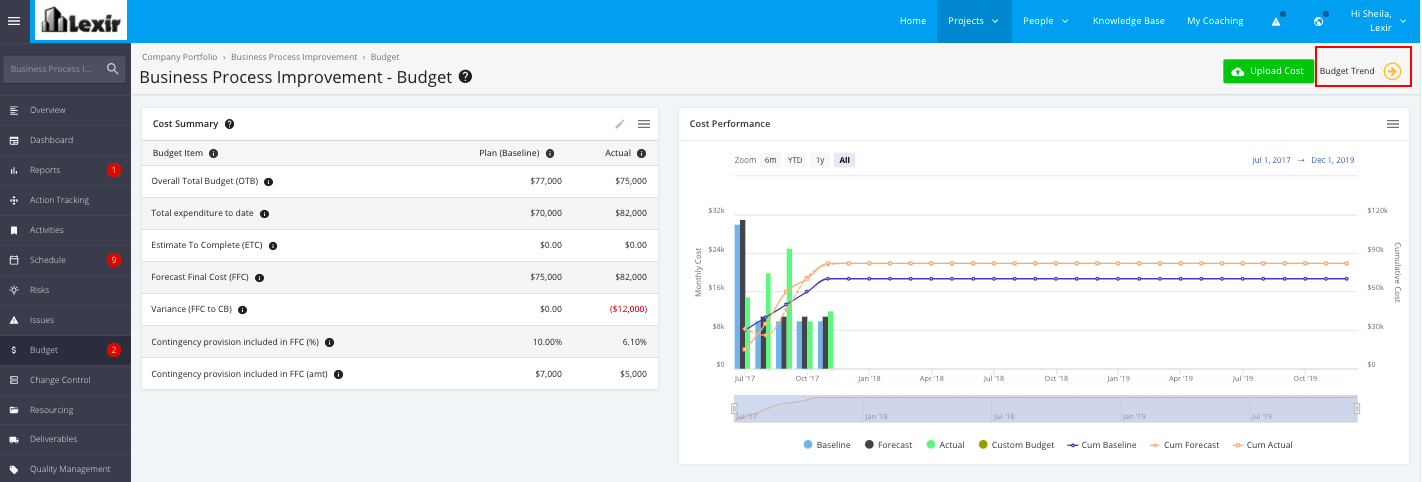
Report: Budget Trend