1. Navigate KPI Overview
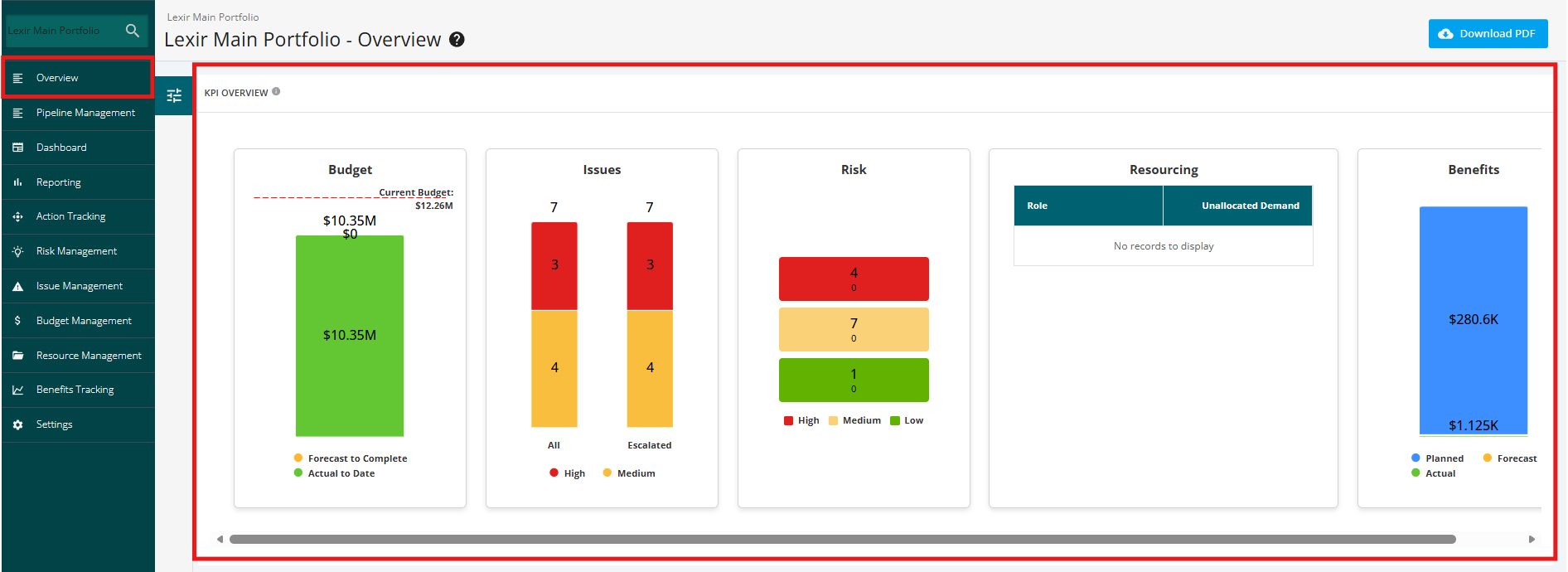
Navigate to the ‘KPI Overview’ section by clicking the ‘Overview’ tab from the left side bar of the page. You can view the following KPI Overview charts for the Portfolio:
- Budget
- Issues
- Risks
- Resourcing
- Benefits

Modified on: Fri, 11 Sep, 2026 at 2:06 PM
Navigate to the ‘KPI Overview’ section by clicking the ‘Overview’ tab from the left side bar of the page. You can view the following KPI Overview charts for the Portfolio:
Did you find it helpful? Yes No
Send feedback