
1. Delete Custom Report Template within a Project
1. To delete a Custom Report Template, click the ‘Settings’ tab from the left side bar of the Project page.
2. Once done, navigate to the ‘Report Templates’ section then ‘Custom Templates’.
3. Click the delete icon as shown below.
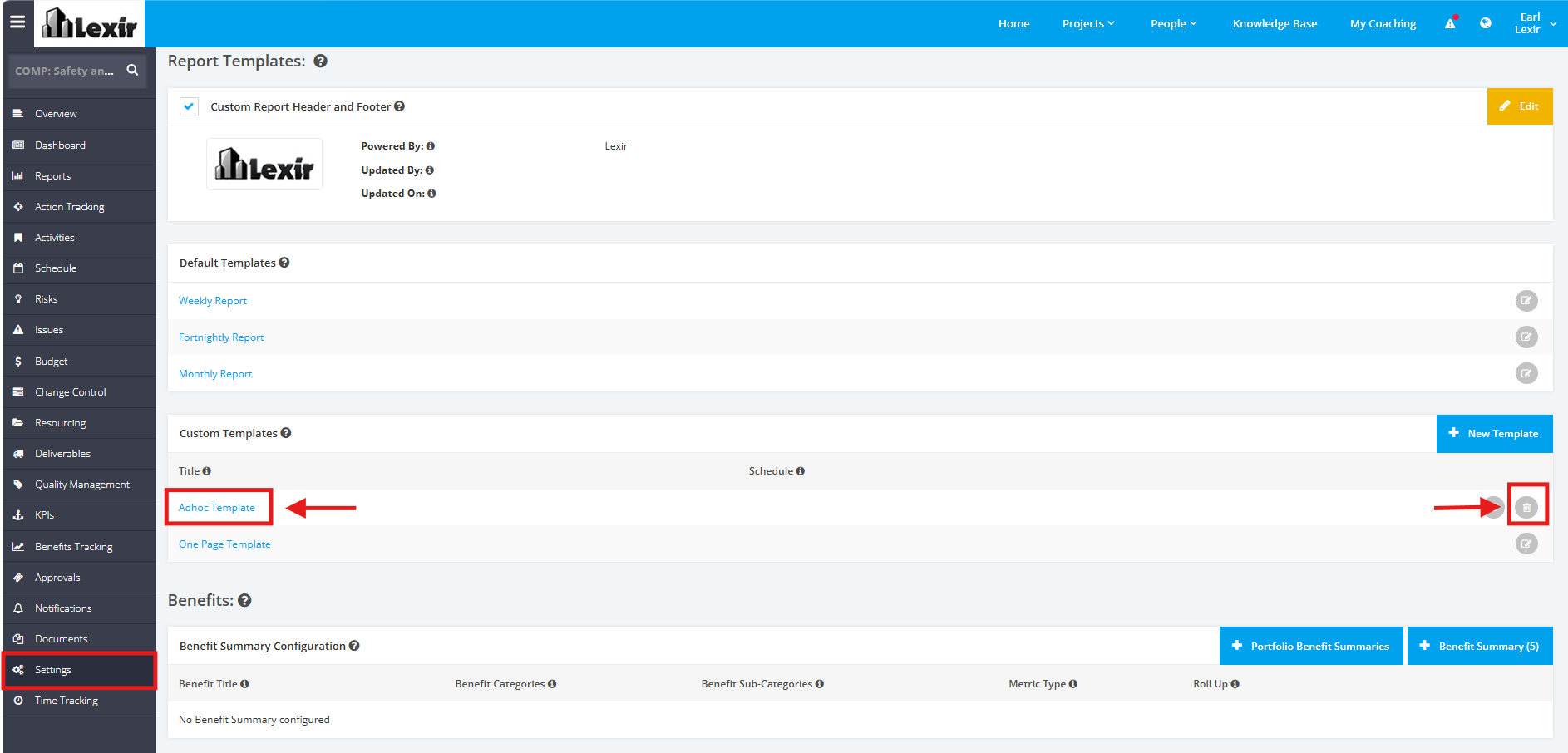
4. A popup will appear for confirmation. Click the ‘Confirm’ button to continue with the deletion.

TIP:
You can also Delete the Custom Report Template by clicking the link of the Name of the Template and then clicking the 'Delete' button at the rightmost corner.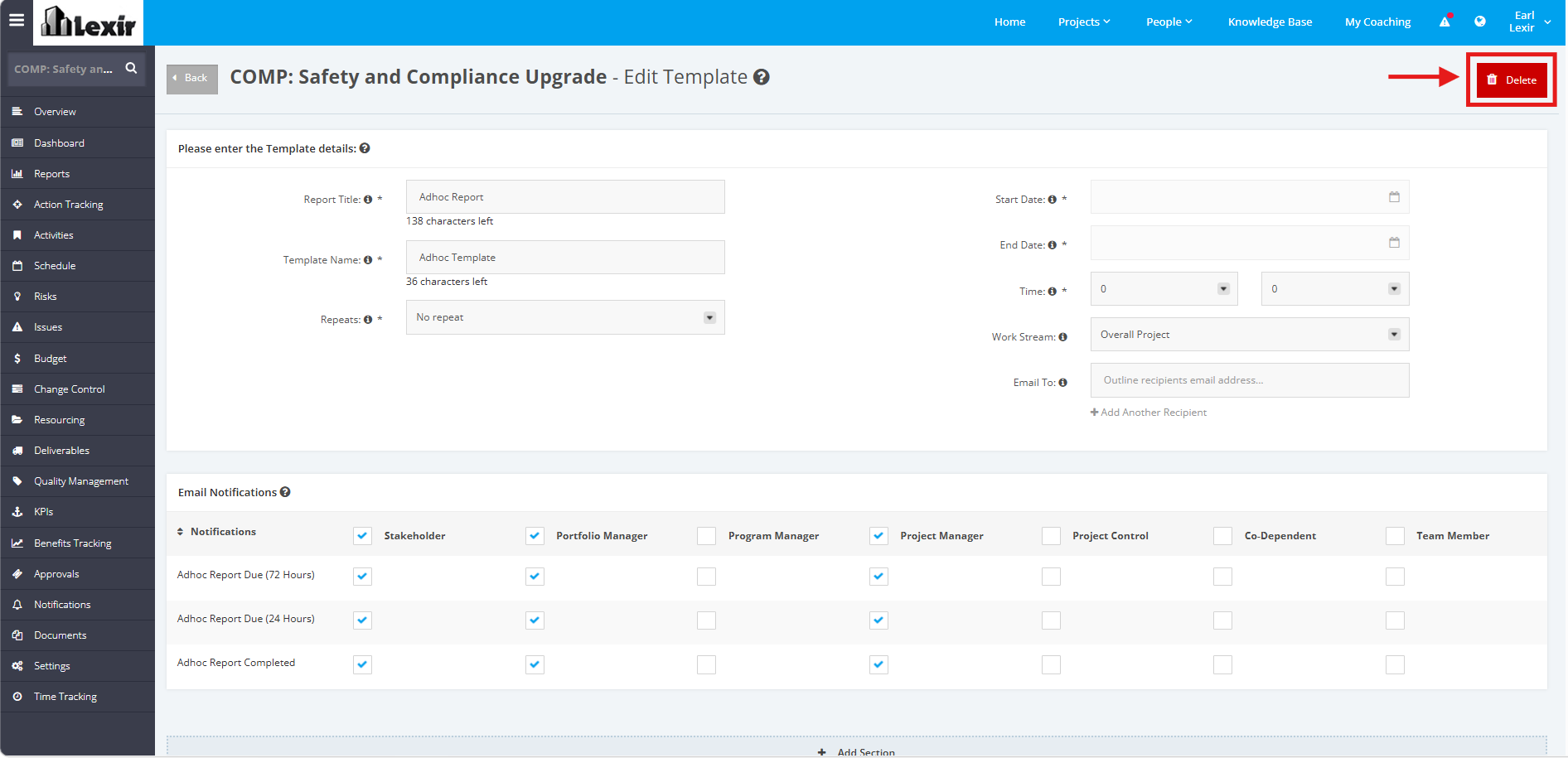
A popup will appear for confirmation. Click the 'Confirm' button to continue with the deletion.
