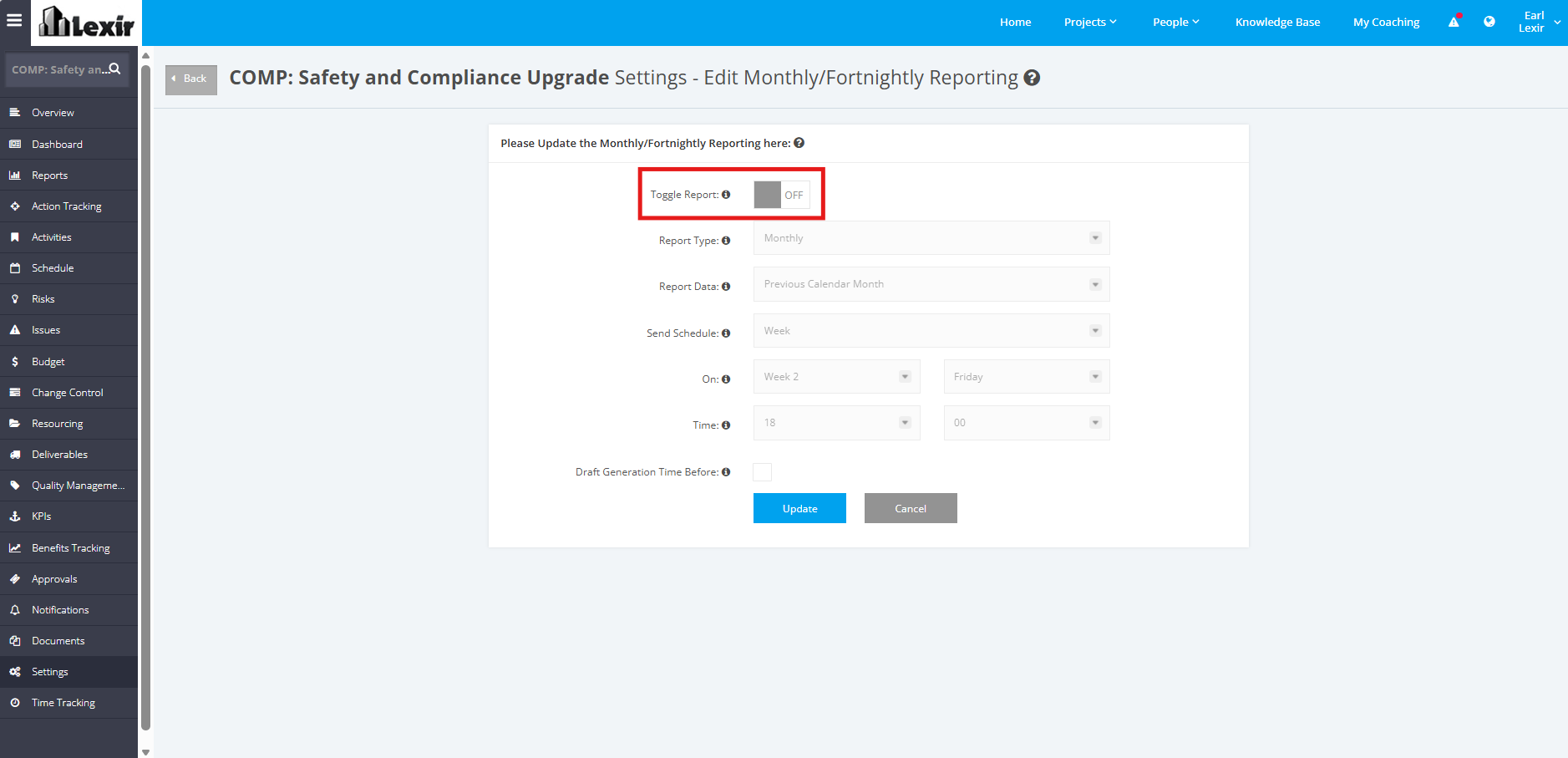
1. Update Project Monthly/ Fortnightly Reporting Schedule
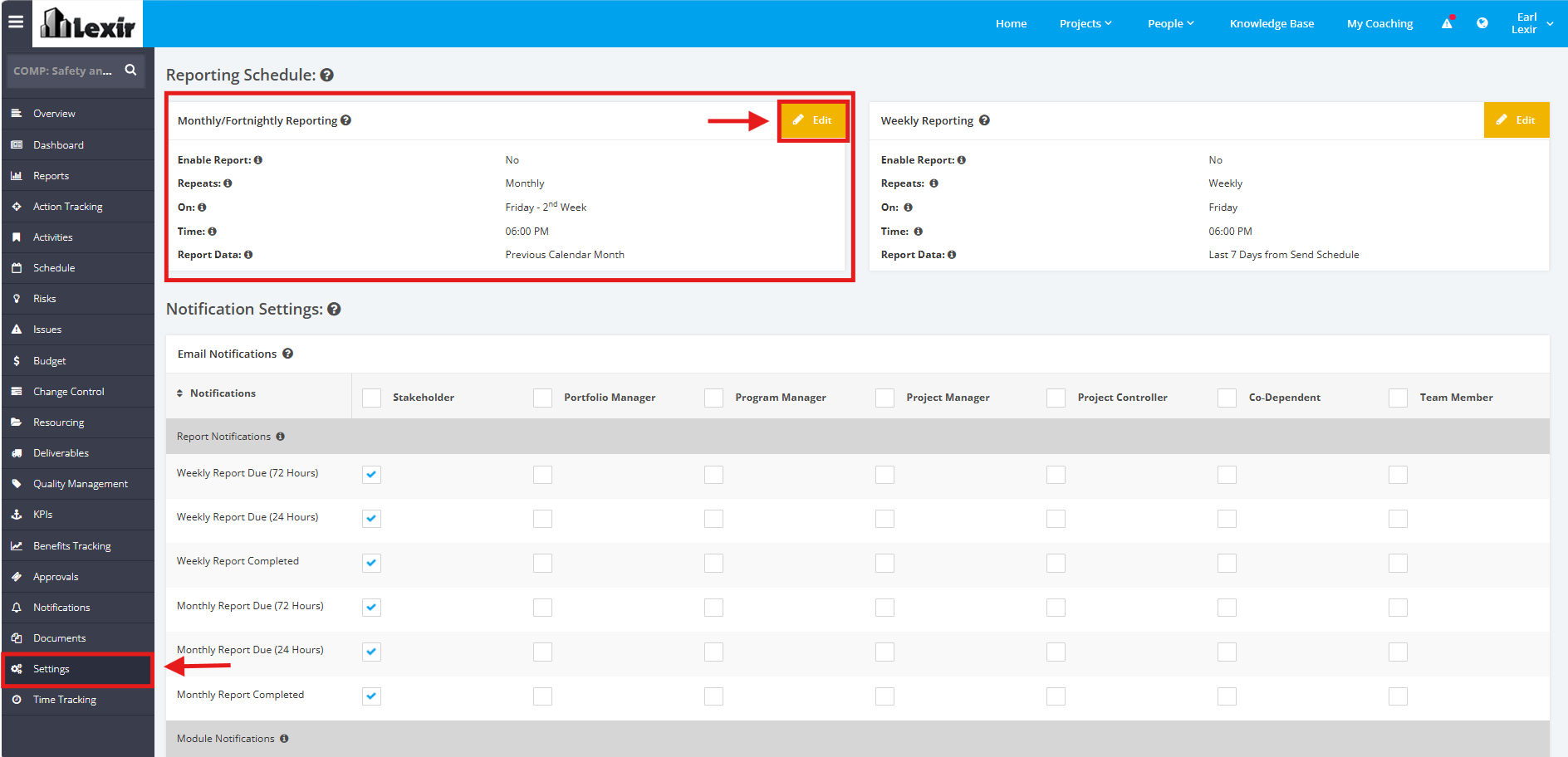
1. To update the Monthly/ Fortnightly Reporting Schedule, click the ‘Settings’ tab from the left side bar of the Project page. Once done, navigate to the ‘Reporting Schedule’ section then ‘Monthly/ Fortnightly Reporting’. Click the ‘Edit’ button.
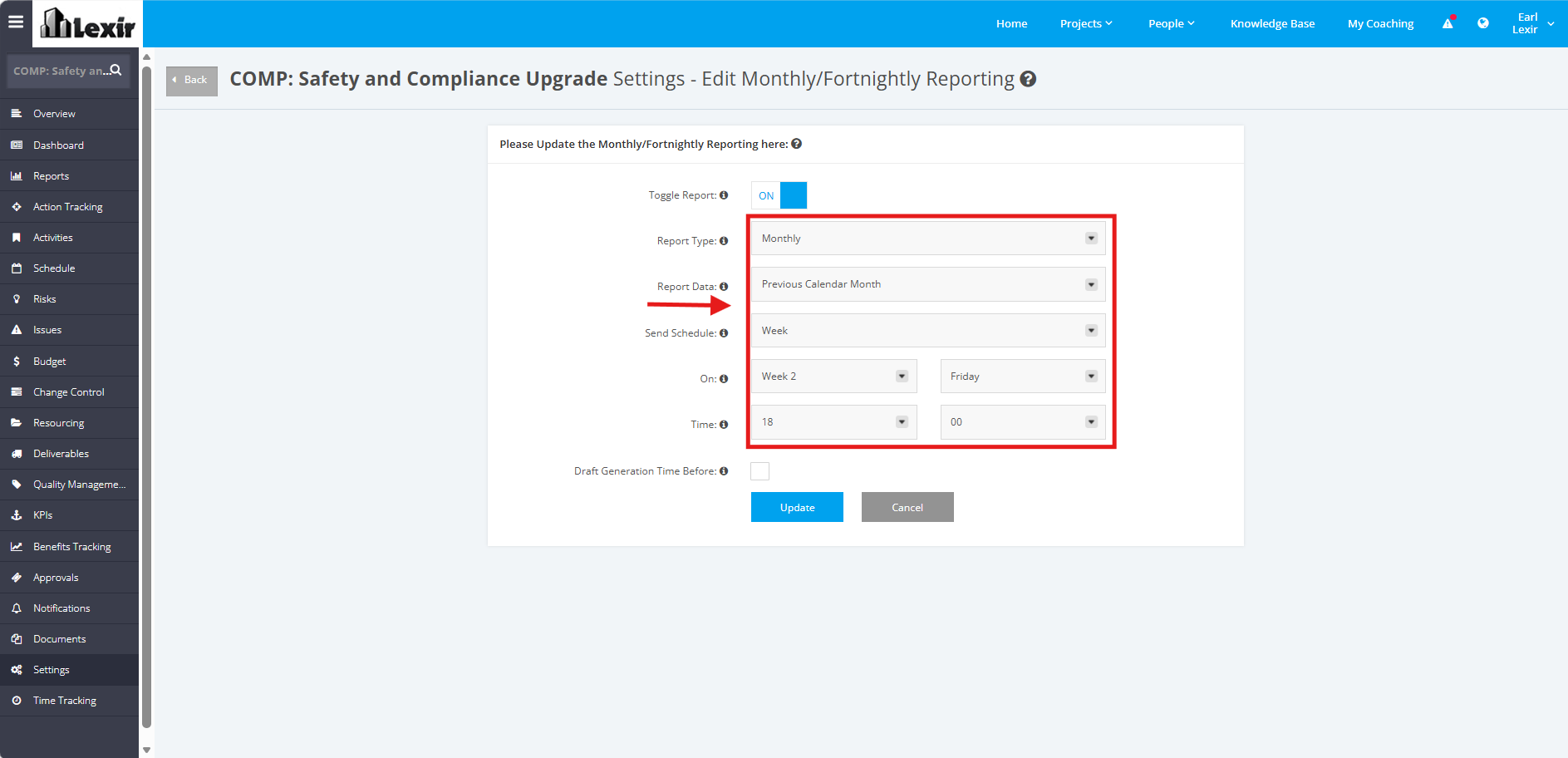
2. Set ‘Report Data’, ‘Send Schedule’, ‘On’ and ‘Time’.
NOTE: 'On' is only available for Monthly Reporting.
For Monthly Report Data, options that can be selected are:
- ‘Previous Calendar Month’ - Data is taken from the project start date up to the last day of the previous calendar month
- ‘Last 30 days from Send Schedule’ - Data is taken from the project start date up to the last day of the 30-day period prior to the send schedule
For Fortnightly Report data, options that can be selected are:
- ‘Previous 2 Calendar Week’- Data is taken from the project start date up to the last day of the previous two calendar weeks.
- ‘Last 14 days from Send Schedule’ -Data is taken from the project start date up to the last day of the 14-day period prior to the send schedule
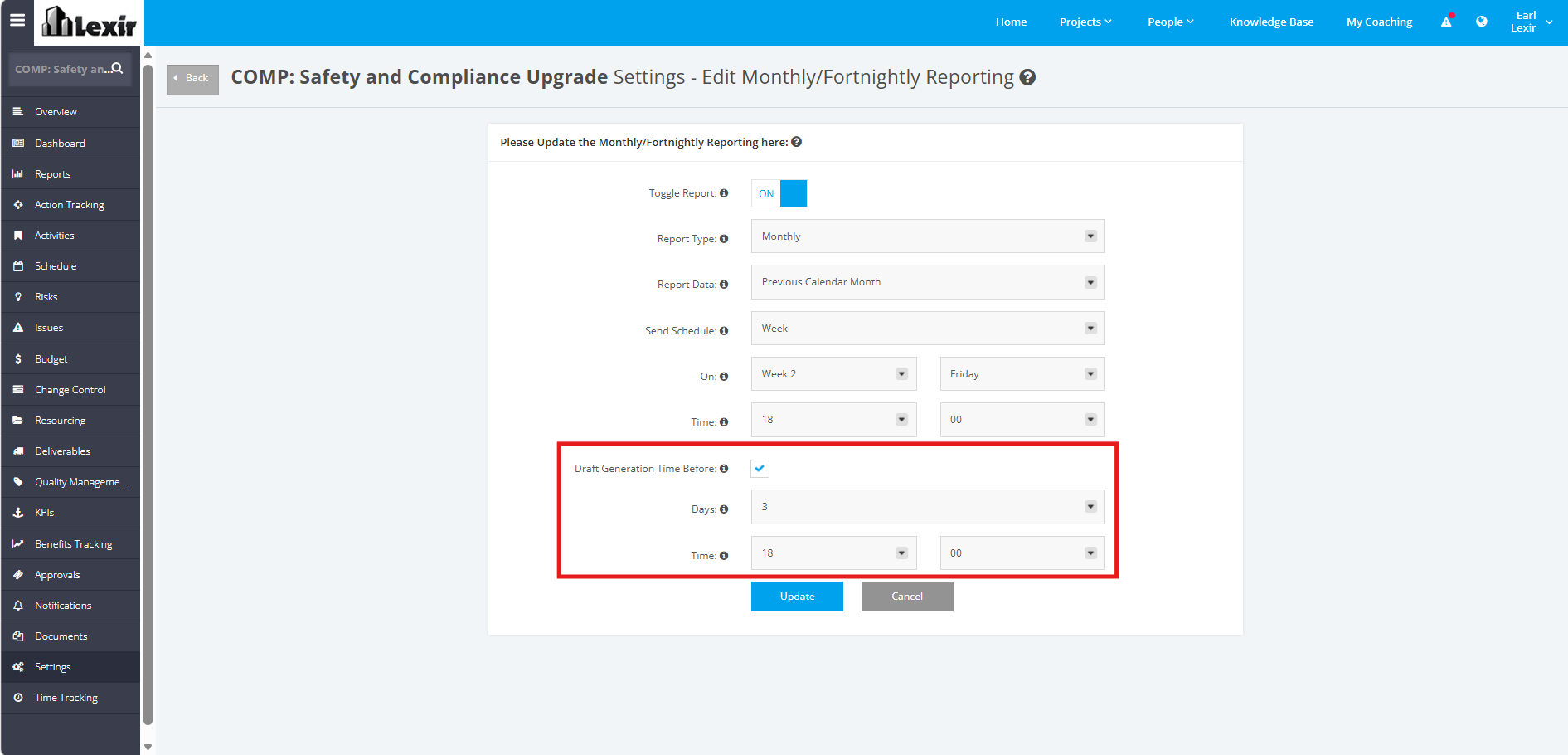
3. You can select the ‘Draft Generation Time Before’ checkbox if you want to generate your draft report at a time different from the default schedule. By default, draft reports are generated 72 hours before your configured project schedule.
Once ticked, select your preferred number of days and time for when your draft report is generated before your send schedule.
4. Once done, click the ‘Update’ button to save changes.
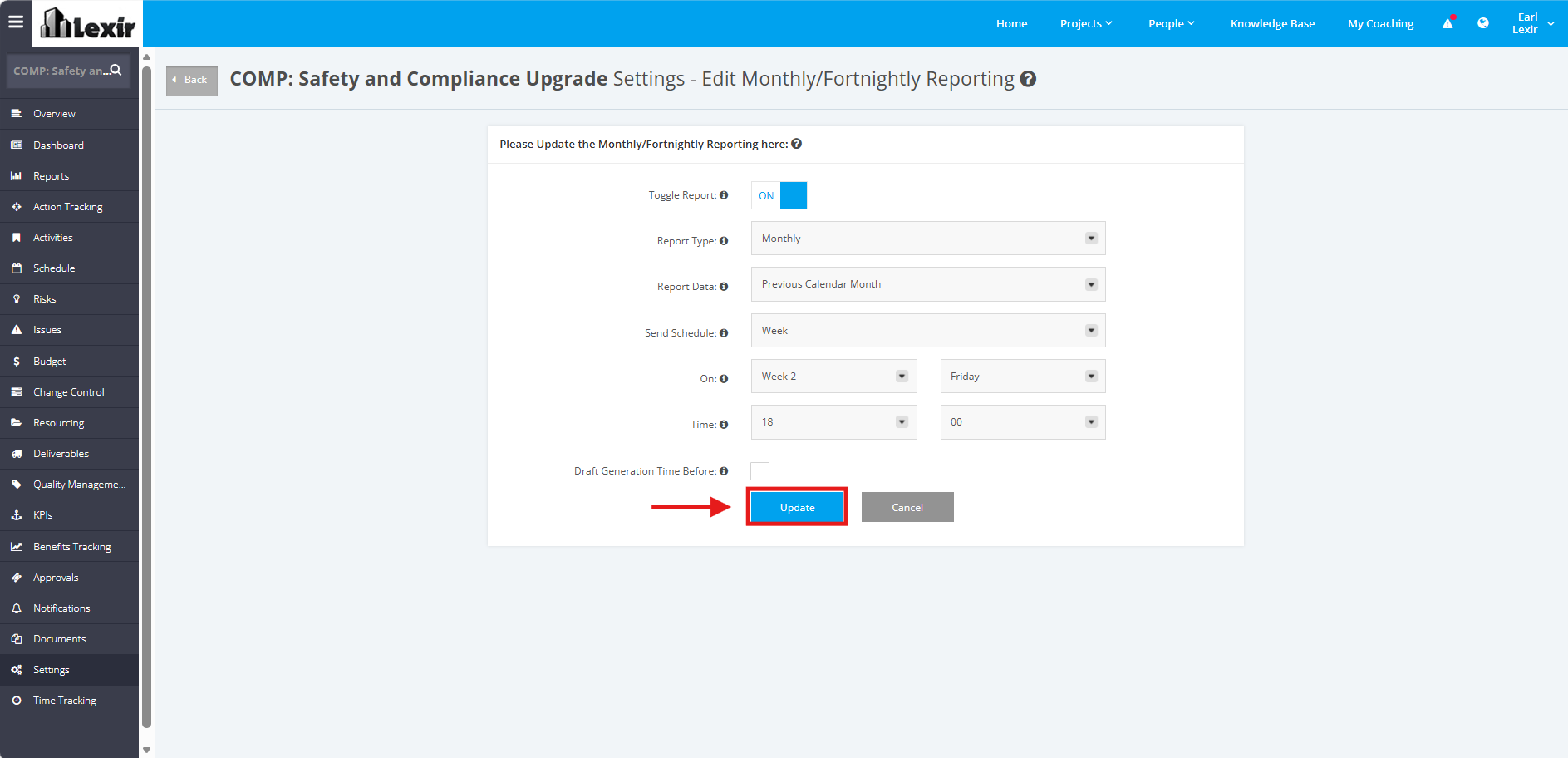
NOTE: You can also turn the toggle 'OFF' if you choose not to generate a Monthly/ Fortnightly Report for your Project.