1. Delete Change Control Before Approval
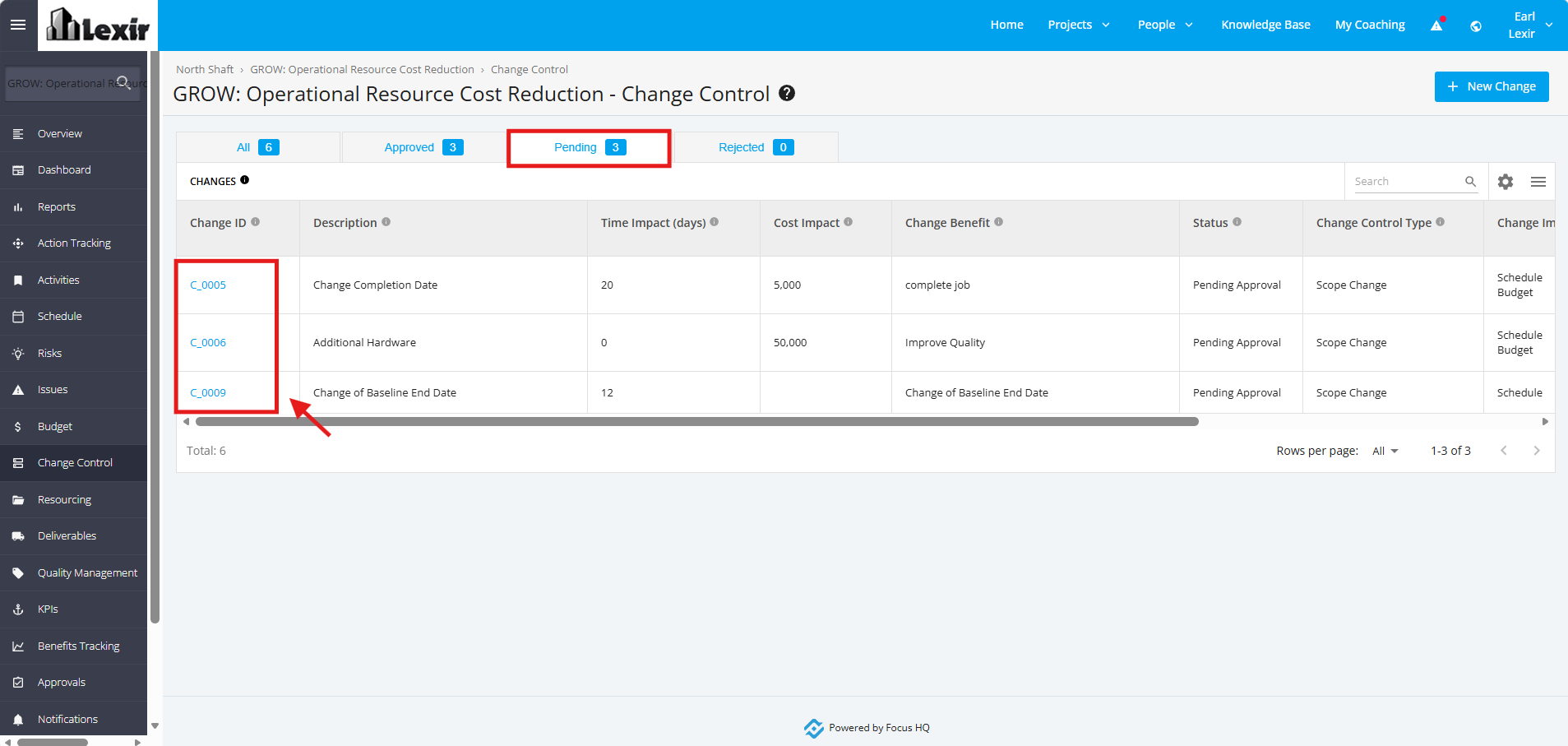
1. Once a project is selected, click the ‘Change Control’ tab from the left sidebar of the page. Click the 'Pending' Status tab, and click any of the ‘Pending’ Change Request Items that you want to delete.
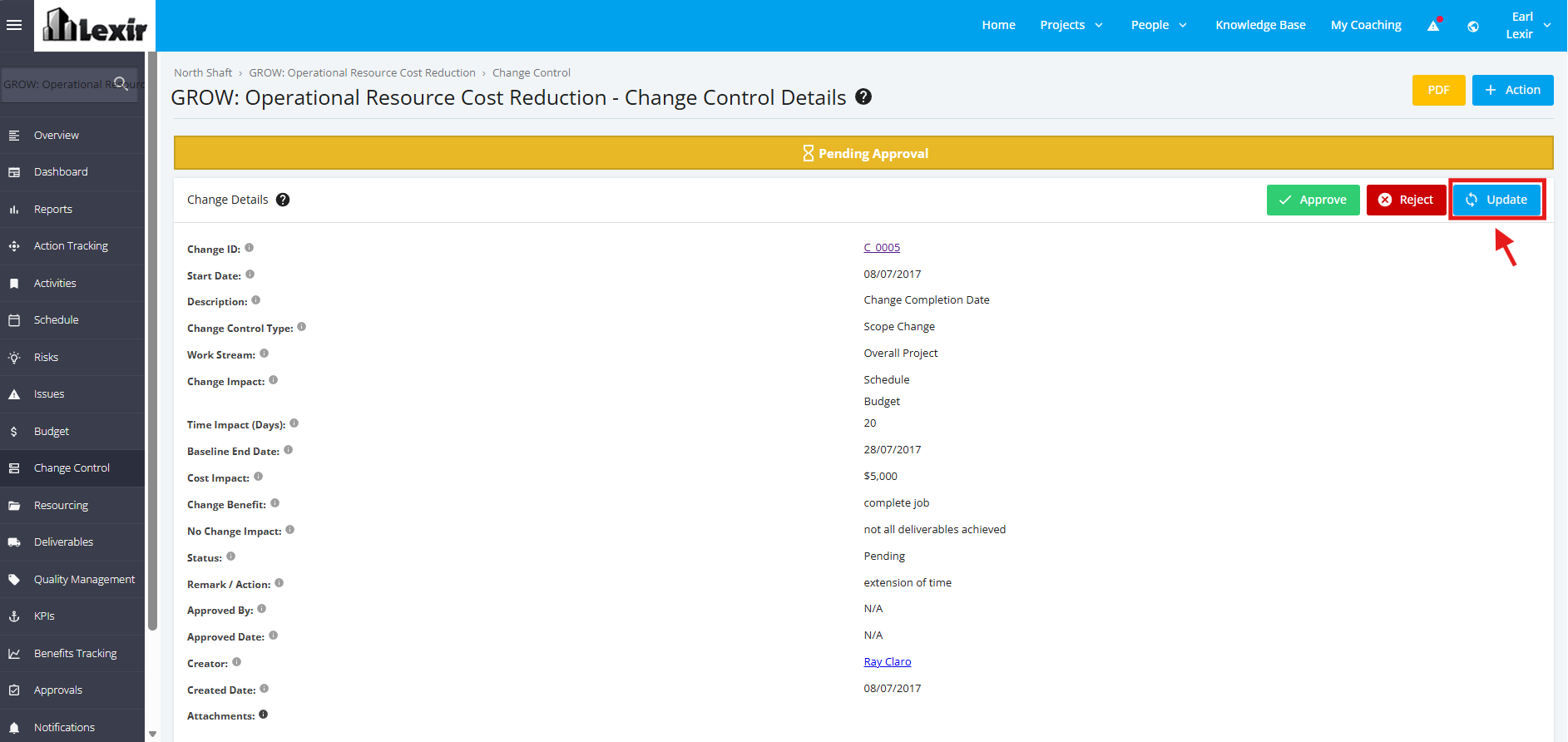
2. Once redirected to the ‘Change Control Details’ page. Click the ‘Update’ button.
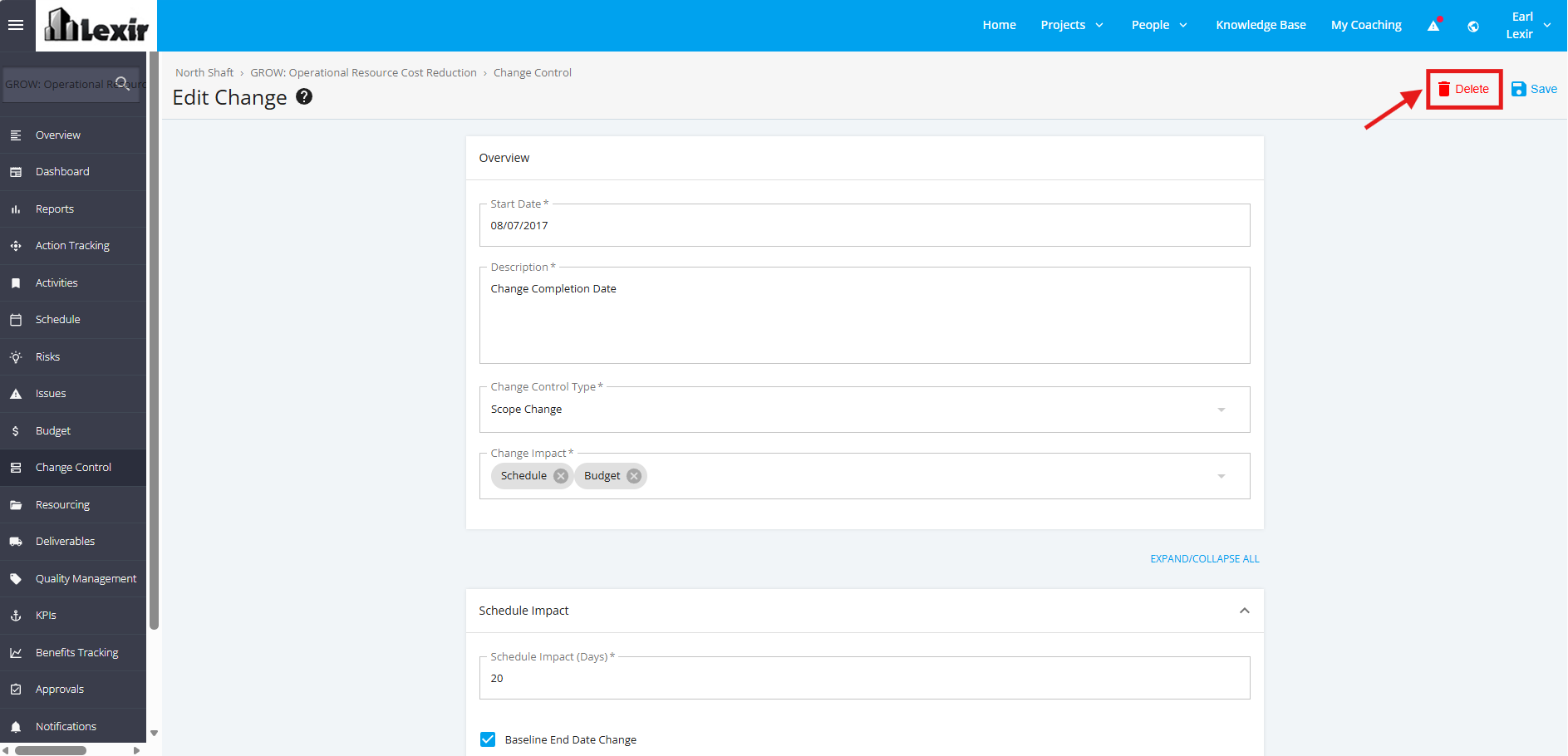
3. Navigate to the upper right corner of the page and click the ‘Delete’ button.
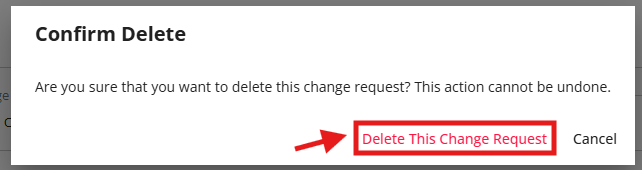
4. A pop-up window will appear for confirmation. Click ‘Delete This Change Request’ to continue with the deletion.