
1. Update Project Co-Dependencies
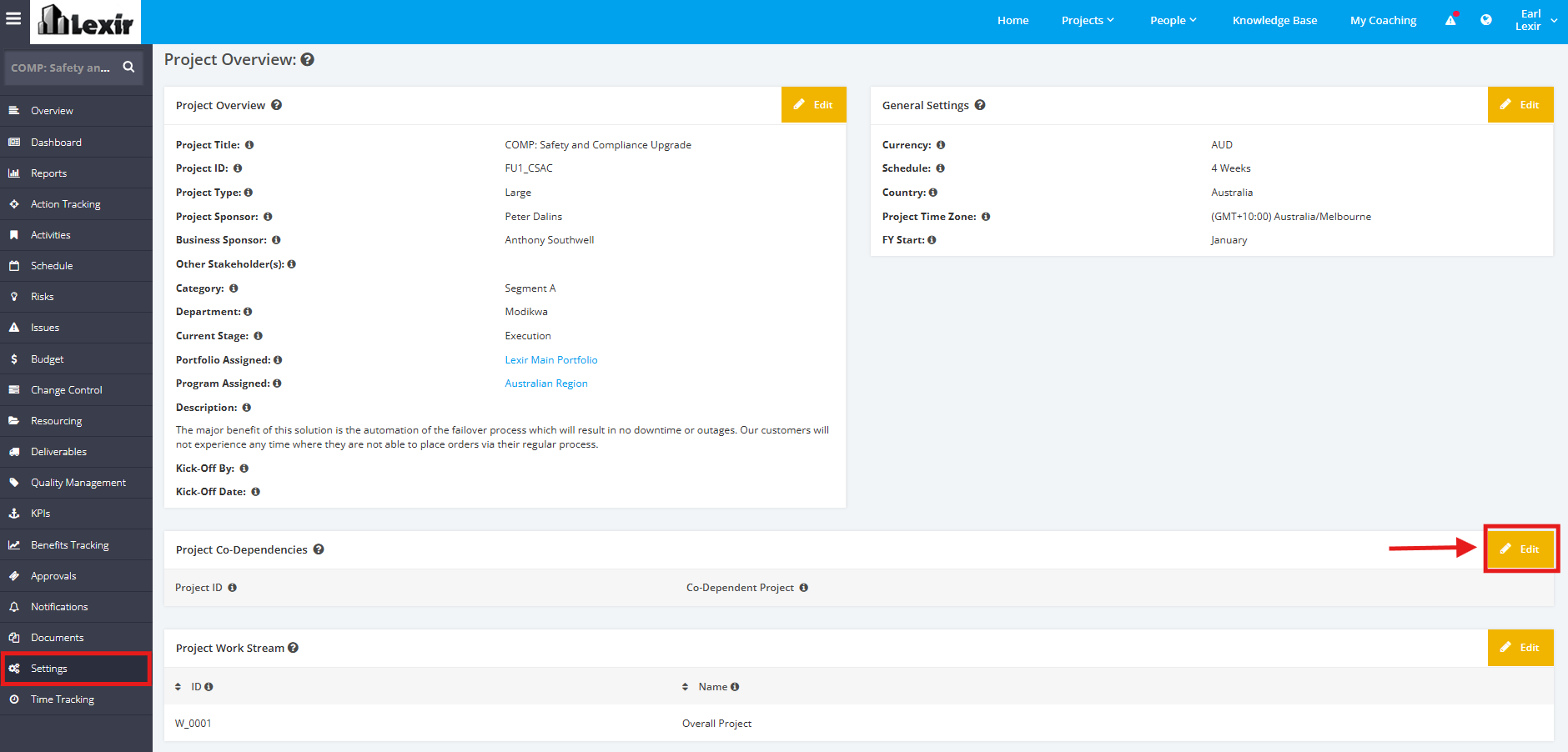
1. To add/update the Co-Dependencies of a Project click the ‘Settings’ tab from the left side bar of the Page. Once done, navigate to the ‘Project Co-Dependencies’ section then click the ‘Edit’ button.
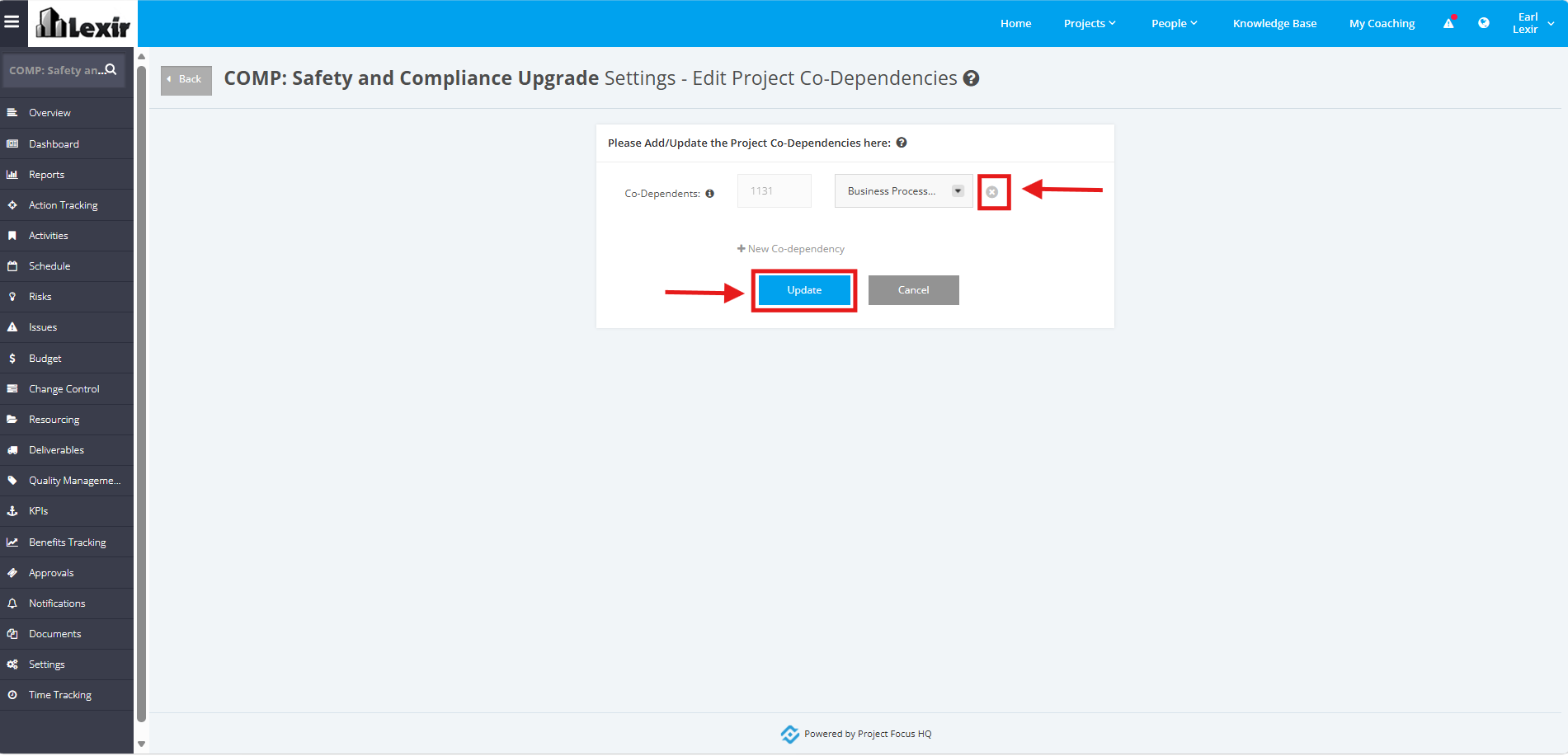
2. To remove a Co-Dependent, click the ‘x’ button beside the Project. Once done, click ‘Update’ to save changes.
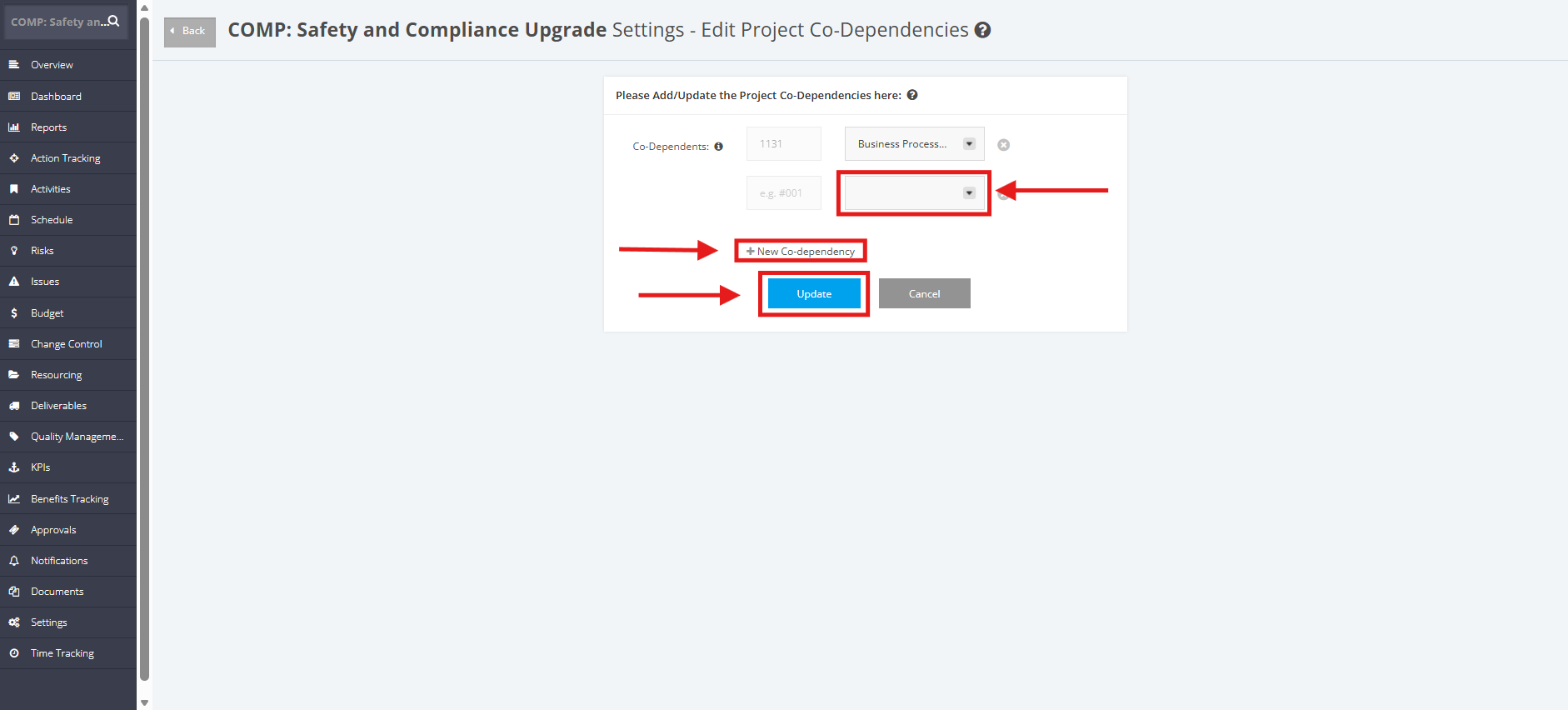
3. Click the ‘+ New Co-dependency’ link to add a new Co-Dependent. Once done, click the dropdown menu to add project and then click the ‘Update’ button to save changes.
NOTE:
The Project Co-Dependencies in this module are a display and do not automatically impact the Dependent Project.
Configuring Project Settings > Project Co-dependency and assigning the user a co-dependent role in the project will help filter co-dependent projects on the Projects List page.