1. Update Project Overview
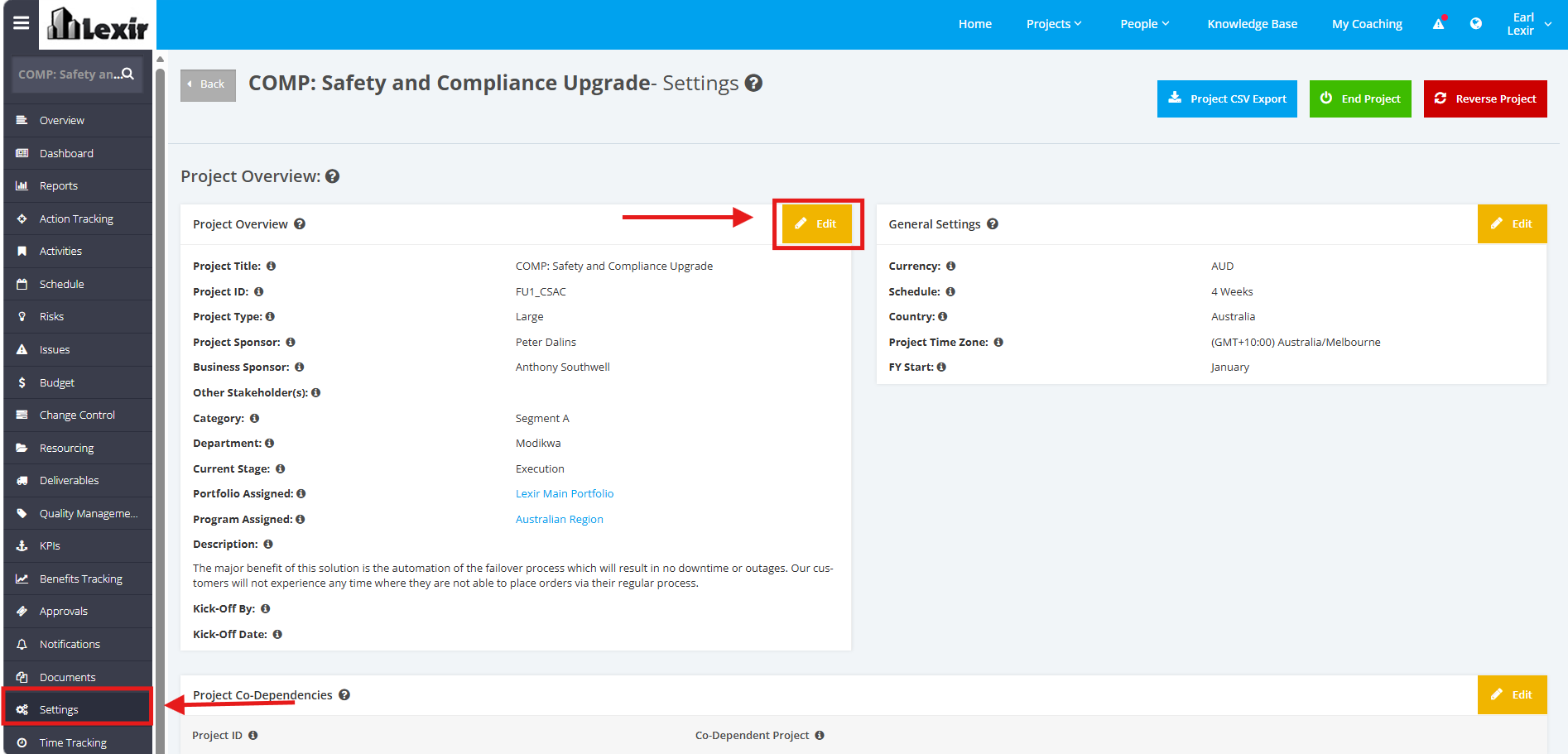
1. Click the Project ‘Settings’ tab from the left side bar. Once done, navigate to the ‘Project Overview’ section then click the ‘Edit’ button. This section captures project information like project details, timeline and budgets.
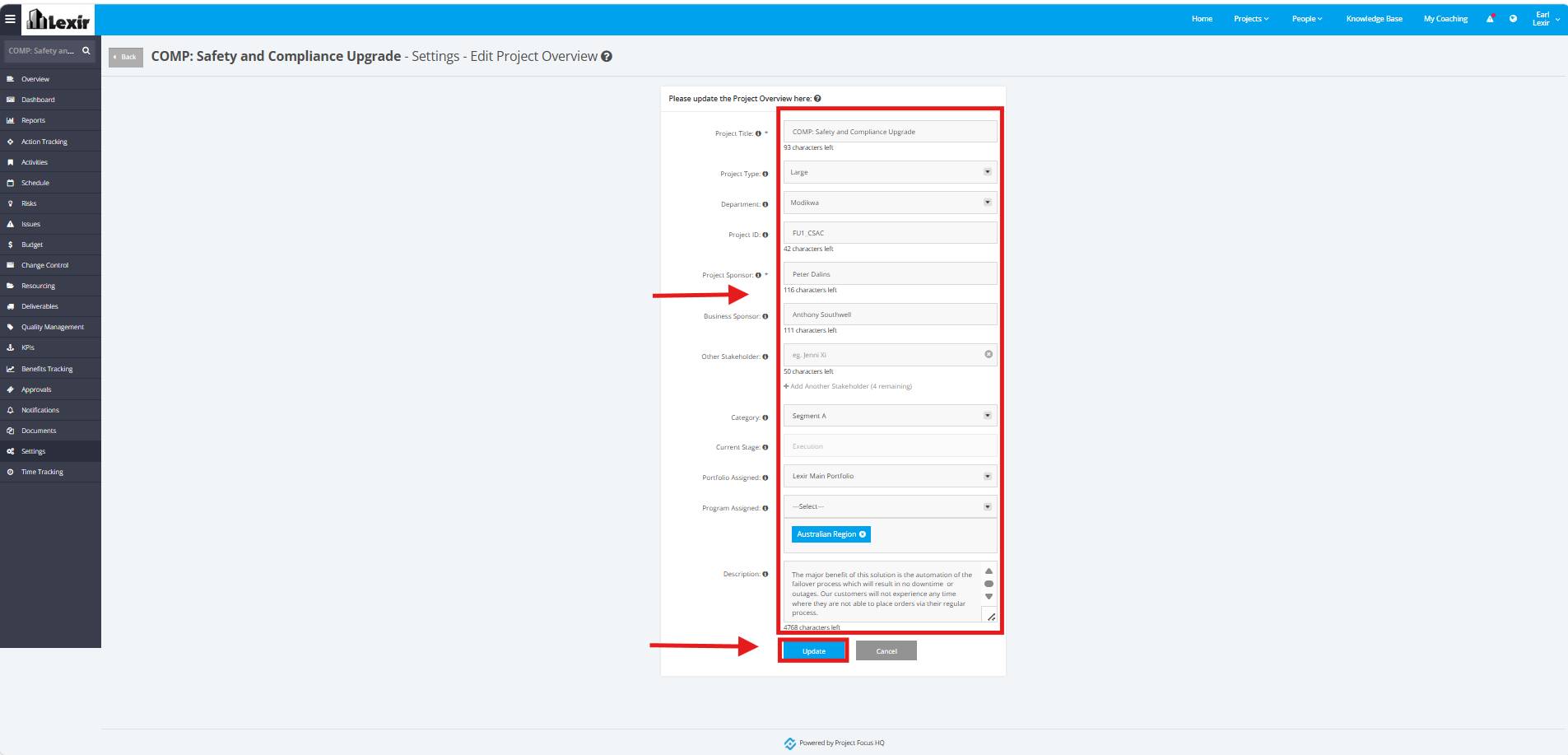
2. Make the necessary changes in the form for the following fields:
Project Title, Project Type, Department, Project ID, Project Sponsor, Business Sponsor, Other Stakeholder, Category,
Portfolio Assigned, Program Assigned, Description
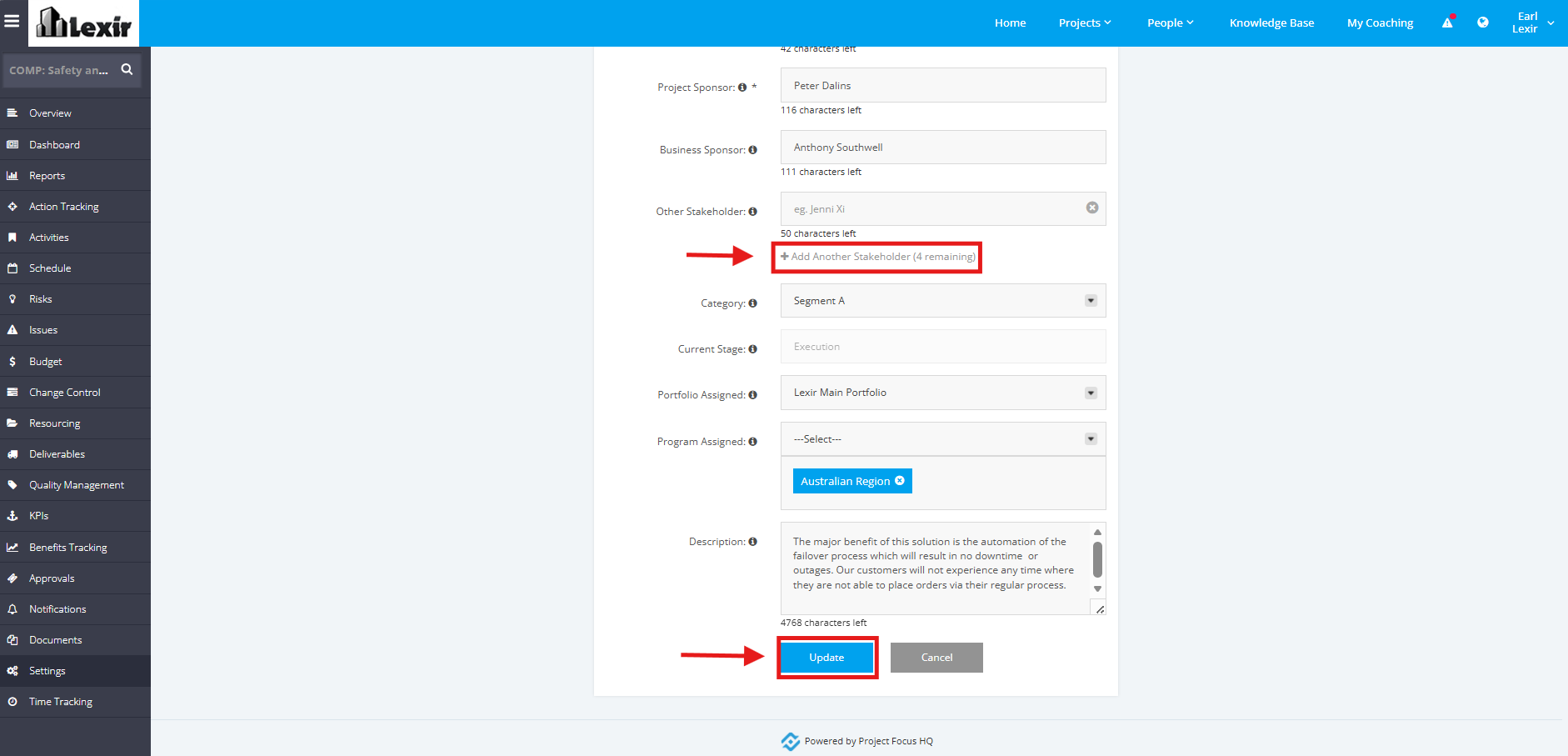
3. You can add up to 5 Stakeholders within a Project, to add, click the ‘+ Add Another Stakeholder’ and then enter the data in the field. Once done, click the ‘Update’ button to save changes.