
1. Manage Project Dates within a Schedule
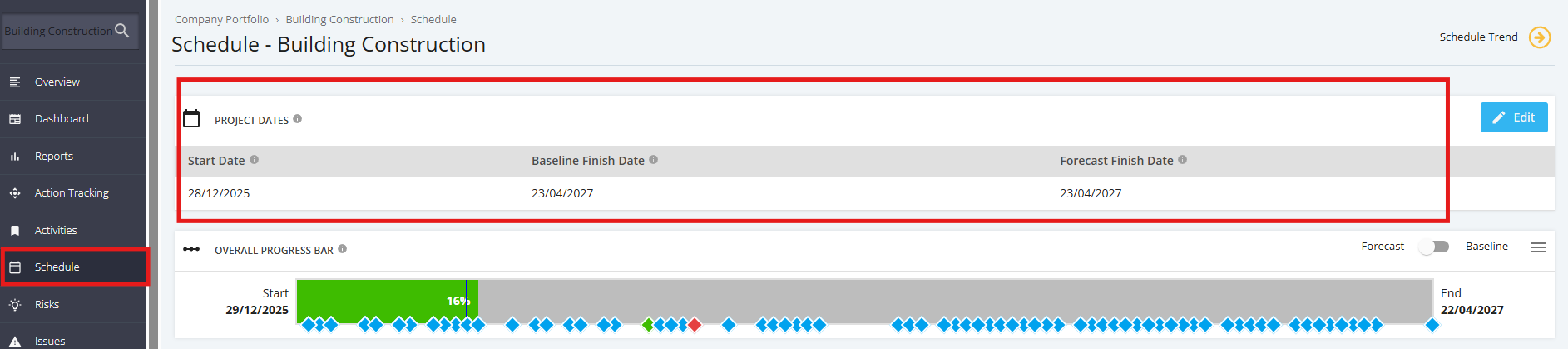
To view the start and end dates for Project Schedule, navigate to the ‘Schedule’, from the sidebar then navigate to ‘Project Dates’
Note that the Execution Start and end dates are displayed within the Project Schedule Module. The ‘Project Dates’ which includes the control of valid start and end dates of the Project for both Baseline and Forecast which determines variances throughout the course of the project.
Important Notes:
- Start Date can be changed during Planning (Phase 3) but has to be at a minimum +1 day past the end date of Planning End Date schedule.
- Start Date cannot be changed once project is in Execution (Phase 4)
- Baseline Finish Date is set when project moves to Execution and can only be changed by an approved Change Request.
- Forecast Finish Date is originally populated with the Baseline Finish Date and can be changed during project life cycle.