1. Add Manual Kick-Off (Full Kitting) Checklist
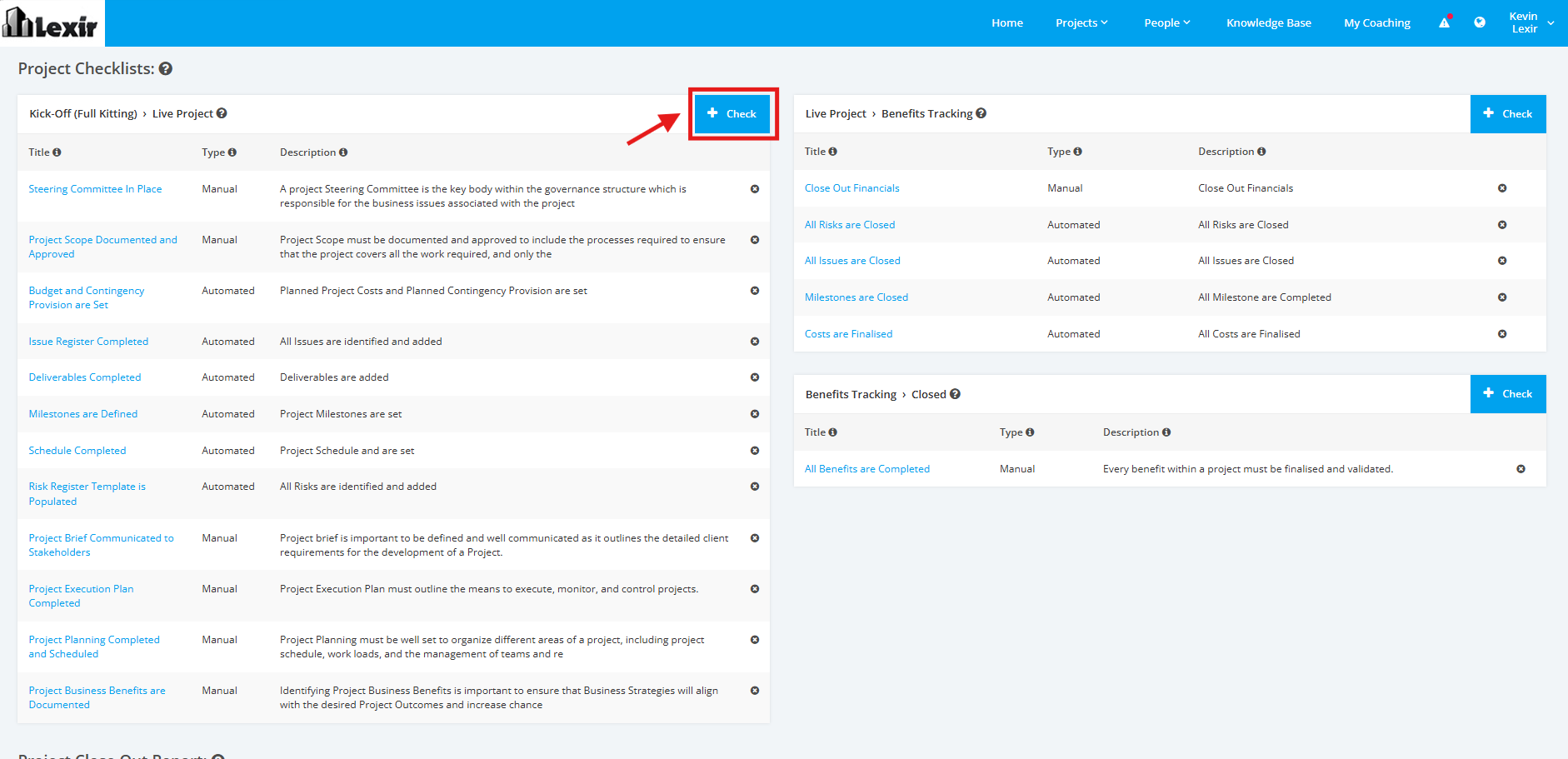
1. On the Project Type Settings page, scroll to the ‘Project Checklists’ section then the ‘Kick-Off (Full Kitting) > Live Project’ list. Click the ‘+ Check’ button to add a Kick-Off (Full Kitting) checklist.
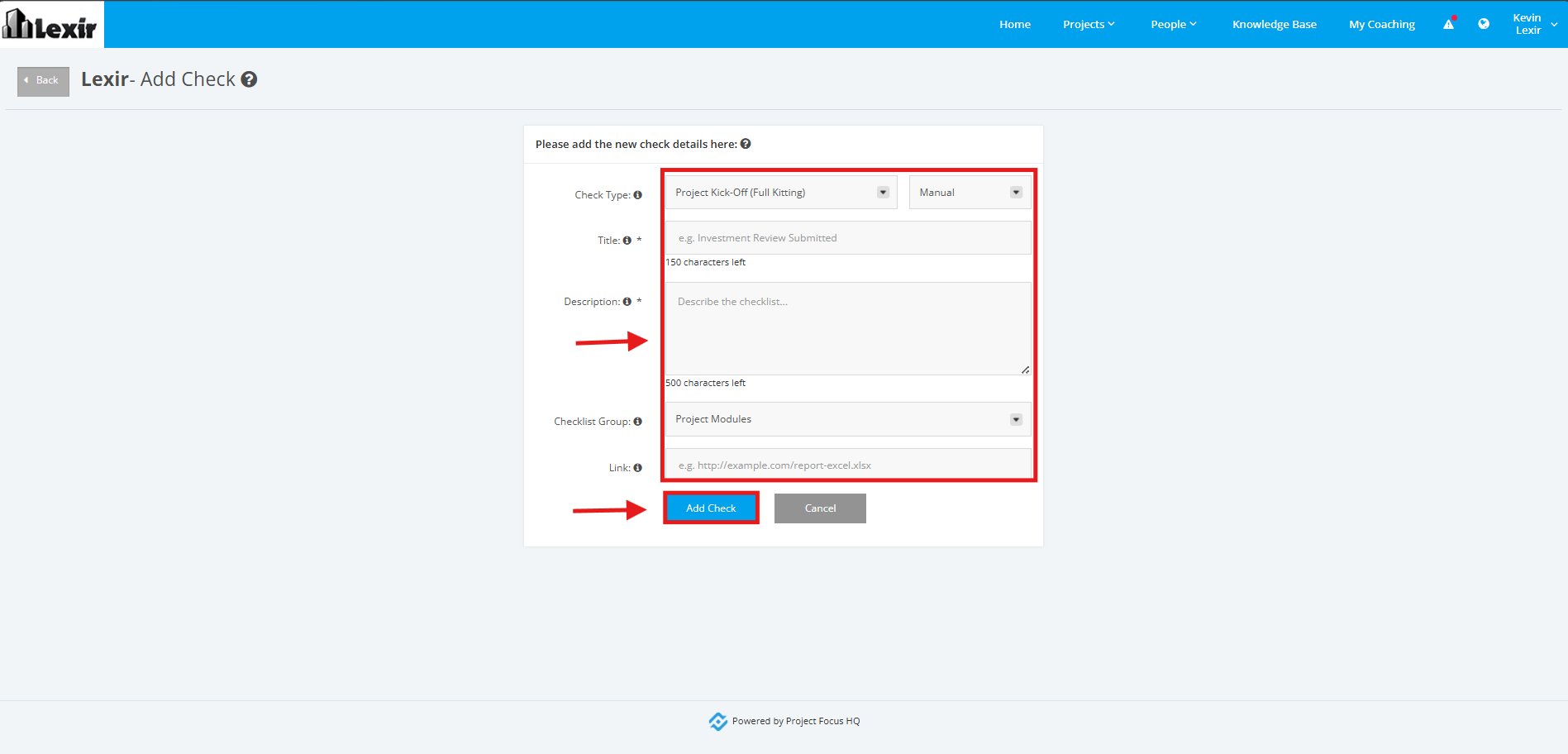
2. Fill in the necessary information in the following fields:
‘Check Type’
For the first dropdown field, select the 'Project Kick-Off (Full Kitting)' option.
For the second dropdown field, select 'Manual'
‘Title’ - Name of the action or step to be considered as part of the checklist
‘Description’ - A brief description of the step or action taken
‘Checklist Group’ - Select from the following dropdown options: 'Project Planning', 'Project Modules'
‘Link’ - Reference link to support the action or step taken to be added in the checklist
Once done, click the ‘Add Check’ button.