1. Set-up Kick-Off (Full Kitting) Role Responsibilities
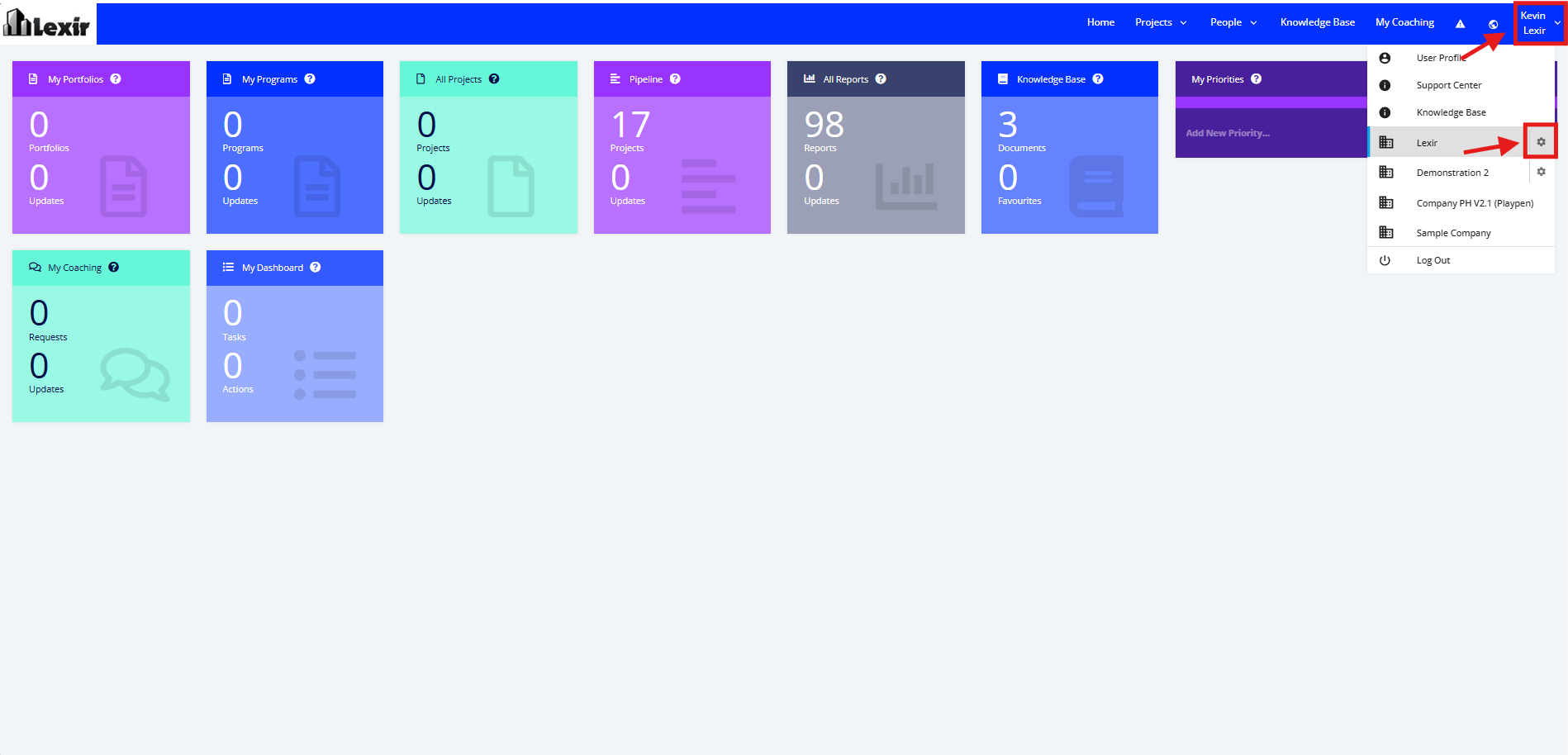
1. Go to the Top Navigation, hover over your ‘Company Name’ then click on the ‘Edit’ icon as shown below.
Once done, you will reach the Company Profile.
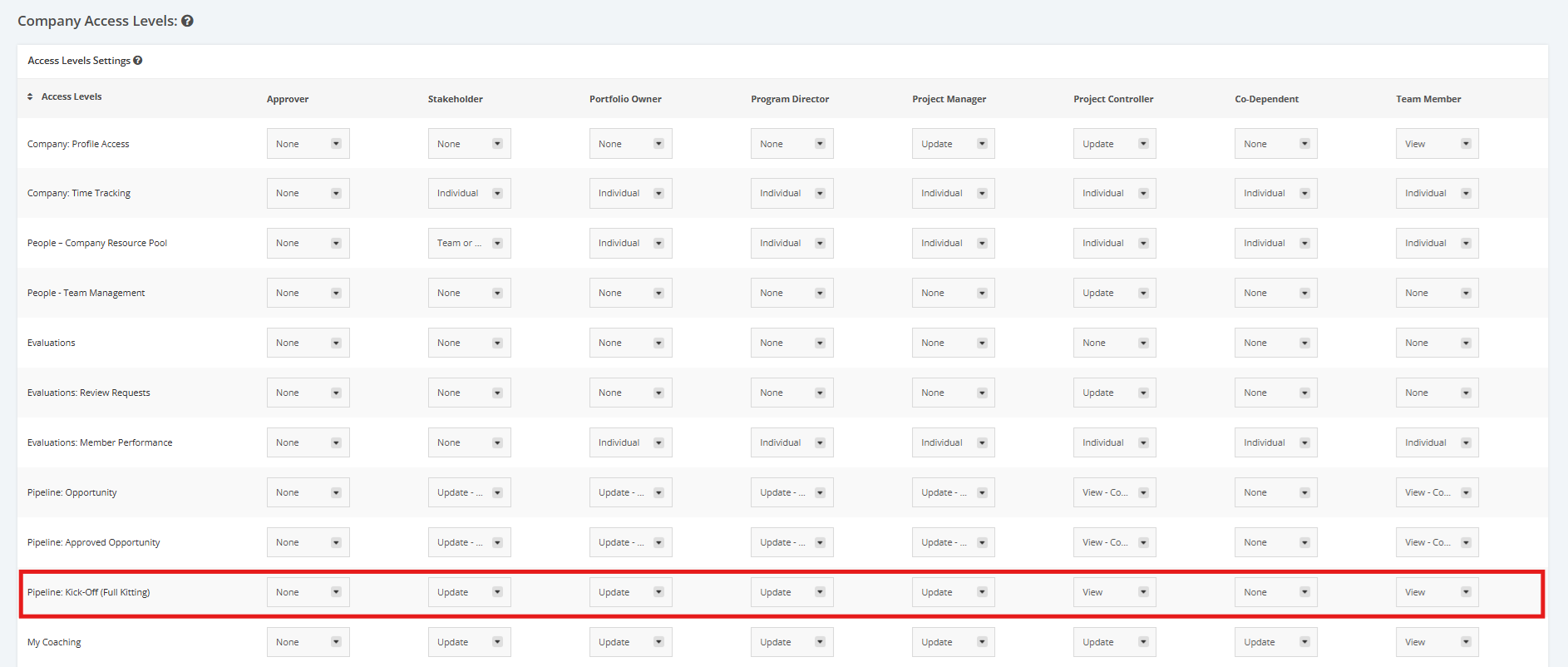
2. Once you reach the Company Profile, navigate to the ‘Company Access Levels’ section then ‘Pipeline: Full Kitting’. Click the dropdown menu and assign a User Role to their corresponding access rights to Kick-Off (Full Kitting) projects.
- Update- user can ‘Add, Edit, Reverse, or Remove’ Kick-Off (Full Kitting) projects
- View- user can see but cannot ‘Add, Edit, or Remove’ Kick-Off (Full Kitting) projects
- None- cannot update or even view Kick-Off (Full Kitting) projects